
Using Product Video and Rich Media on Shopify
On this page
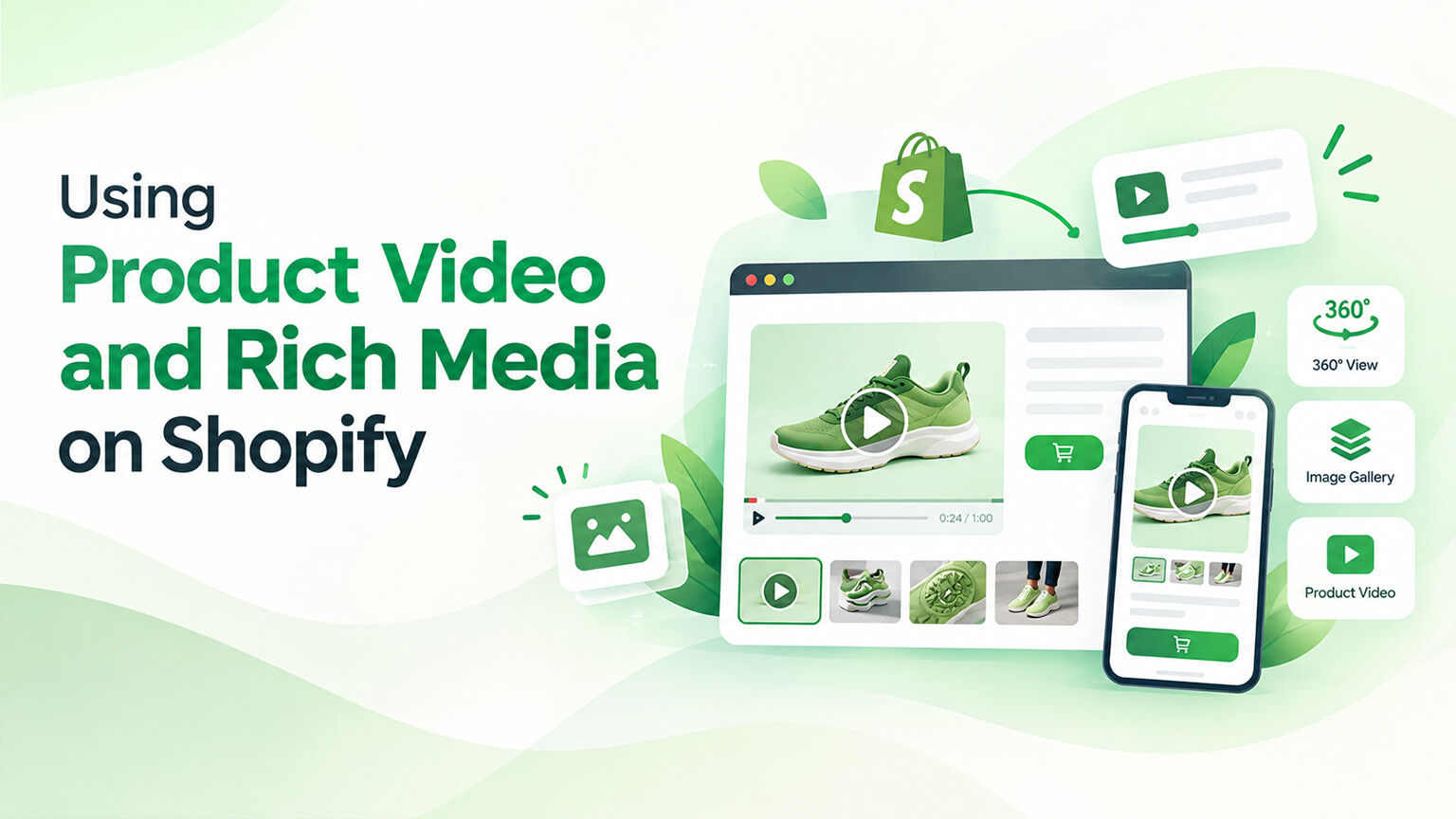
Product media (images, video, and rich media like 3D models and zoom) is central to selling online — since customers can’t physically handle products, the media shows them the product, and good media boosts engagement and conversion (helping customers understand and want the product) while poor or limited media hurts (customers can’t see the product well). Beyond standard images, product video and rich media (video, 3D models, 360° views, zoom, interactive galleries) can further boost engagement and conversion by showing products more richly (video showing the product in use, 3D letting customers explore, zoom showing detail). Shopify supports product video and rich media, so using them well is an opportunity. But they must be used well (quality, performance, relevance — done poorly, rich media can hurt, e.g., slowing the page). This piece covers using product video and rich media on Shopify: the benefits, the options Shopify supports, how to use them well, and considerations (including performance). (This connects to the product-page and image-optimisation discussions; this focuses on video and rich media.)
This piece covers the benefits of product video and rich media, the options Shopify supports, how to use them well, and key considerations (including performance). Because video and rich media can boost engagement and conversion, and using them well is an opportunity. Let me walk through it.
The benefits of product video and rich media
Let’s cover the benefits of using product video and rich media. Showing the product richly — video and rich media show the product more richly than static images (video shows it in use and motion, 3D lets customers explore it, zoom shows detail, 360° shows all angles), helping customers understand the product better — richer product understanding (the core benefit). Boosting engagement — rich media boosts engagement (video and interactive media engage customers more than static images — customers watch, explore, interact), increasing engagement with the product — engagement (a benefit). Boosting conversion — better product understanding and engagement can boost conversion (customers who understand and engage with a product better are more likely to buy), so rich media can improve conversion — conversion (the key payoff). Reducing uncertainty — rich media reduces purchase uncertainty (customers see the product thoroughly — in use, from all angles, in detail — reducing doubt about what they’re buying), which supports buying and reduces returns — reducing uncertainty (a benefit). Showing the product in use — video especially shows the product in use/context (how it works, looks in real life, is used), which static images can’t, helping customers envision it — in use (video’s strength). Showing detail and scale — zoom and rich media show detail and scale (fine detail, texture, size), which customers want to see — detail/scale. Differentiating — rich media can differentiate your store (a richer, more engaging product experience than competitors with basic images), a competitive edge — differentiation. And supporting specific products — rich media especially helps certain products (complex products, products where seeing detail/use/all-angles matters — e.g., apparel, electronics, furniture), where it adds significant value — product fit (helps certain products a lot). So the benefits of product video and rich media are showing the product richly (better understanding — the core benefit), boosting engagement, boosting conversion (the payoff), reducing purchase uncertainty (and returns), showing the product in use (video’s strength), showing detail and scale, differentiating your store, and especially helping certain products. The key benefits: richer understanding, more engagement, and higher conversion. So video and rich media boost understanding, engagement, and conversion by showing products more richly. But they must be used well (later sections). The next section covers Shopify’s options. So the benefits are richer product understanding, more engagement, higher conversion, reduced uncertainty, and differentiation — especially for certain products.
The options Shopify supports
Shopify supports several product media options. Product images — standard product images (the baseline — multiple images per product, from various angles, as the product-page discussion covers), the foundation of product media — images (baseline). Product video — Shopify supports product video (uploading video to products, or embedding video — showing the product in use, motion, context), a key rich-media option — video (supported). 3D models — Shopify supports 3D models (uploading 3D models so customers can explore the product in 3D, rotate and view it — great for products where 3D exploration helps), a rich option — 3D models (supported). Zoom — image zoom (letting customers zoom into images to see detail — often via the theme or apps), showing detail — zoom. Media galleries — media galleries (presenting multiple images, video, and 3D in a gallery on the product page, as the product-page discussion covers), organising the media — galleries. 360° views — 360° spin views (letting customers see the product from all angles — often via apps), showing all angles — 360°. Video hosting/embedding — Shopify supports hosted video (uploaded to Shopify) and embedded video (from YouTube, Vimeo), giving video options — video hosting/embedding. AR (via 3D) — Shopify supports AR (augmented reality) via 3D models (letting customers view products in their space via AR on supported devices), an advanced option — AR (via 3D). And apps for more — apps extend media options (advanced galleries, video, 3D, 360°, AR, and more, as the apps discussions cover), adding capabilities — apps (for more). So Shopify supports product images (baseline), product video (hosted or embedded), 3D models (for exploration), zoom (for detail), media galleries (organising media), 360° views (all angles, often via apps), AR (via 3D models), and apps for more media capabilities. The core built-in rich media are video and 3D models (plus images, zoom, and galleries), with apps extending options (360°, advanced features). So Shopify supports images, video, 3D models, zoom, galleries, 360°, and AR — with apps extending capabilities. The next section covers using them well. So Shopify supports images, video, 3D models, zoom, galleries, 360°, and AR (via 3D), with apps for more.
How to use product video and rich media well
To realise the benefits, use video and rich media well. Use quality media — use quality video and media (well-produced, clear, professional — poor-quality media hurts more than helps), since quality matters (quality media builds confidence, poor media undermines it) — quality (essential). Show the product clearly and usefully — ensure the media shows the product clearly and usefully (video showing helpful things — the product in use, key features; 3D/zoom letting customers see what they want), so media adds value (versus pointless media) — usefulness (show useful things). Use media where it helps — use rich media where it adds value (products where video/3D/zoom help — complex products, products where seeing use/detail/angles matters), rather than everywhere for its own sake (use it purposefully) — purposeful use (where it helps). Optimise for performance — optimise media for performance (video and rich media can be heavy and slow the page — compress, lazy-load, use appropriate formats and hosting, as the speed and image-optimisation discussions cover), since slow media hurts (performance matters, especially on mobile) — performance (critical). Ensure mobile works — ensure media works well on mobile (where much traffic is — video, 3D, zoom, galleries should work and perform on mobile, as the mobile discussion covers) — mobile (ensure it). Present media well — present media well (a clear, usable gallery; easy to view video, explore 3D, zoom, as the product-page discussion covers), so customers can engage with it easily — presentation (do it well). Don’t overdo it — don’t overdo rich media (too much heavy media slows pages and can overwhelm — balance richness with performance and usability), keeping it purposeful and performant — balance (don’t overdo). Keep media relevant and honest — keep media relevant and honest (accurately showing the product — not misleading), building trust (as the trust discussions cover) — honesty (accurate media). Use apps thoughtfully — use apps for advanced media thoughtfully (choosing quality apps, mindful of performance and cost, as the apps discussions cover) — apps (thoughtfully). And test the impact — test the impact of rich media (does video/3D boost conversion? measure it, as the testing discussions cover), ensuring it’s worth it — test (measure impact). So use video and rich media well by using quality media, showing the product clearly and usefully, using media where it adds value (purposefully), optimising for performance (critical — media can slow pages), ensuring mobile works, presenting media well, not overdoing it (balance), keeping media relevant and honest, using apps thoughtfully, and testing the impact. The keys are quality, usefulness, purposeful use, and performance (media can slow pages, so optimise). So use rich media well via quality, usefulness, purposeful use, and performance optimisation. The next section covers considerations. So use video and rich media well through quality, usefulness, purposeful use, performance optimisation, and testing.
Key considerations (including performance)
A few considerations for product video and rich media. Performance is a key trade-off — rich media (especially video and 3D) can be heavy and slow pages (a key concern, as slow pages hurt conversion and Core Web Vitals, as the speed discussions cover), so optimise media and balance richness with performance (the key trade-off — richness vs. speed) — performance (the top consideration). Quality requires effort/cost — quality video and rich media require effort and cost (producing good video, 3D models — production takes work/money), so factor the cost (quality media is an investment) — cost (of quality media). Not every product needs it — not every product needs rich media (simple products may be fine with good images; rich media helps most for complex products or where use/detail/angles matter), so use it where it helps (versus everywhere) — product fit (use where valuable). Mobile matters — mobile is a key consideration (media must work and perform on mobile, where much traffic is), so prioritise mobile — mobile. Apps add capability but cost/performance — apps add media capability (advanced video, 3D, 360°, AR) but add cost and potential performance impact (as the apps discussions cover), so use them thoughtfully — apps (trade-offs). Measure the value — measure whether rich media delivers value (does it boost conversion/engagement? is it worth the effort/cost/performance?), so you invest where it pays — measurement (verify value). Accessibility — consider accessibility (video captions, media accessibility, as the accessibility discussions cover), making media accessible — accessibility. And balance overall — balance rich media overall (richness and engagement vs. performance, cost, and usability — using rich media where it adds value, optimised, without overdoing it), the overarching consideration — balance (overall). So key considerations for product video and rich media: performance is the key trade-off (rich media can slow pages — optimise and balance), quality requires effort and cost (an investment), not every product needs it (use where it helps), mobile matters (prioritise it), apps add capability but cost/performance (use thoughtfully), measure the value (verify it pays), consider accessibility, and balance overall (richness vs. performance, cost, usability). The key considerations: performance (the trade-off), product fit (use where valuable), and measuring value. So consider performance (the key trade-off), product fit, cost, mobile, and measuring value — balancing rich media’s benefits against its costs. So consider performance (the top trade-off), product fit, cost, and measuring value — balancing richness against performance, cost, and usability.
The bottom line
Product media is central to selling online — since customers can’t physically handle products, the media shows them the product, and good media boosts engagement and conversion while poor or limited media hurts. Beyond standard images, product video and rich media (video, 3D models, 360° views, zoom, and interactive galleries) can further boost engagement and conversion by showing products more richly: video shows the product in use and motion, 3D lets customers explore it, zoom reveals detail, and 360° shows all angles. The benefits are richer product understanding (the core benefit — helping customers grasp the product), more engagement (customers watch, explore, and interact), higher conversion (the payoff — engaged, informed customers are more likely to buy), reduced purchase uncertainty (and fewer returns, as customers see the product thoroughly), showing the product in use (video’s particular strength), showing detail and scale, differentiating your store, and especially helping certain products (complex products, or apparel, electronics, and furniture where seeing use, detail, or all angles matters). Shopify supports product images (the baseline), product video (hosted or embedded from YouTube or Vimeo), 3D models (for exploration, and AR viewing on supported devices), image zoom (for detail), media galleries (organising the media on the product page), and 360° views — with apps extending these capabilities further. To use video and rich media well: use quality, well-produced media (poor media hurts more than it helps); show the product clearly and usefully (helpful content, not pointless media); use rich media where it adds value (purposefully, on products where it helps, rather than everywhere for its own sake); optimise for performance (critical — video and rich media can be heavy and slow pages, so compress, lazy-load, and use appropriate formats and hosting); ensure it works and performs on mobile; present the media well in a clear, usable gallery; don’t overdo it (balance richness with performance and usability); keep media relevant and honest (accurate, building trust); use apps for advanced media thoughtfully (mindful of cost and performance); and test the impact (does it actually boost conversion?). Keep the key considerations in mind: performance is the key trade-off (richness versus speed — optimise and balance), quality media requires effort and cost (an investment), not every product needs rich media (use it where it helps), mobile matters, apps add capability but also cost and potential performance impact, measure whether rich media delivers value, consider accessibility (captions and accessible media), and balance the whole thing (richness and engagement against performance, cost, and usability). So use product video and rich media on Shopify to show your products more richly and boost engagement and conversion — but use them well: quality media, shown usefully, on the products where it helps, optimised for performance (the key trade-off), and measured for value. Done well, video and rich media help customers understand and want your products and lift conversion; done poorly (low quality, everywhere, unoptimised, slowing pages), they hurt more than help — so use rich media purposefully and performantly to enhance your product pages.
Frequently asked questions
Do product video and rich media actually boost conversion?
They can, meaningfully — when used well. Product video and rich media (3D models, zoom, 360° views) show products more richly than static images, giving customers a better understanding of what they’re buying: video shows the product in use and in motion, 3D lets them explore it, and zoom reveals detail. That richer understanding and higher engagement tend to increase conversion, because customers who understand and engage with a product more are more likely to buy, and they reduce purchase uncertainty (which also cuts returns, since customers see the product thoroughly before buying). The effect is strongest for certain products — complex items, or things like apparel, electronics, and furniture where seeing the product in use, in detail, or from all angles matters. That said, the benefit depends on using rich media well: quality media shown usefully on the right products lifts conversion, while low-quality, pointless, or unoptimised media that slows the page can hurt. So yes, rich media can boost conversion, but you should measure the impact on your own products rather than assuming it.
What product media options does Shopify support?
Quite a range. The baseline is product images (multiple images per product from various angles), and on top of that Shopify supports product video (either uploaded and hosted on Shopify, or embedded from YouTube or Vimeo — good for showing the product in use and context) and 3D models (which customers can rotate and explore, and even view in their own space via AR on supported devices). It also supports image zoom (letting customers see fine detail), media galleries (presenting images, video, and 3D together on the product page), and 360° spin views (often via apps) for seeing the product from all angles. The core built-in rich media are video and 3D models, alongside images, zoom, and galleries, and apps extend the options further — advanced galleries, richer video features, 360° views, AR, and more. So you can build product pages ranging from simple image galleries to rich, interactive experiences with video, 3D, zoom, and AR, depending on what your products need.
How do I keep rich media from slowing my store down?
Optimise it deliberately, because performance is the key trade-off with rich media — video and 3D models can be heavy and slow your pages, which hurts conversion and Core Web Vitals, especially on mobile. Compress and appropriately encode video and images, lazy-load media so it loads only when needed (rather than everything up front), use appropriate formats and reliable hosting (embedding video from a service or using Shopify’s hosting rather than serving huge raw files), and avoid overdoing it — too much heavy media on a page both slows it and can overwhelm customers. Prioritise mobile performance specifically, since much of your traffic is there. Use rich media purposefully (on the products and in the places where it adds real value) rather than loading every product page with video and 3D for its own sake, and use media apps thoughtfully, mindful of the performance and cost they add. The goal is to balance richness against speed: optimise the media, keep it purposeful, and measure both the conversion benefit and the performance cost so you know the trade-off is paying off.
Does every product need video and rich media?
No — use it where it adds value rather than everywhere. Rich media helps most for products where seeing more matters: complex products, and things like apparel, electronics, and furniture where customers want to see the item in use, in fine detail, or from all angles before buying. For simpler products, good static images may be perfectly sufficient, and adding heavy video or 3D can cost effort and money and slow the page without much conversion benefit. So treat rich media as a purposeful investment: identify the products where video, 3D, or zoom will help customers understand and want the product, produce quality media for those, optimise it for performance, and measure whether it actually boosts conversion and engagement. Quality video and 3D take real effort and cost to produce, so it’s better to do it well on the products that benefit than to spread thin, low-value media across your whole catalogue. Let the product and the measured impact guide where you invest in rich media.