
Image SEO and Optimization for Shopify
On this page
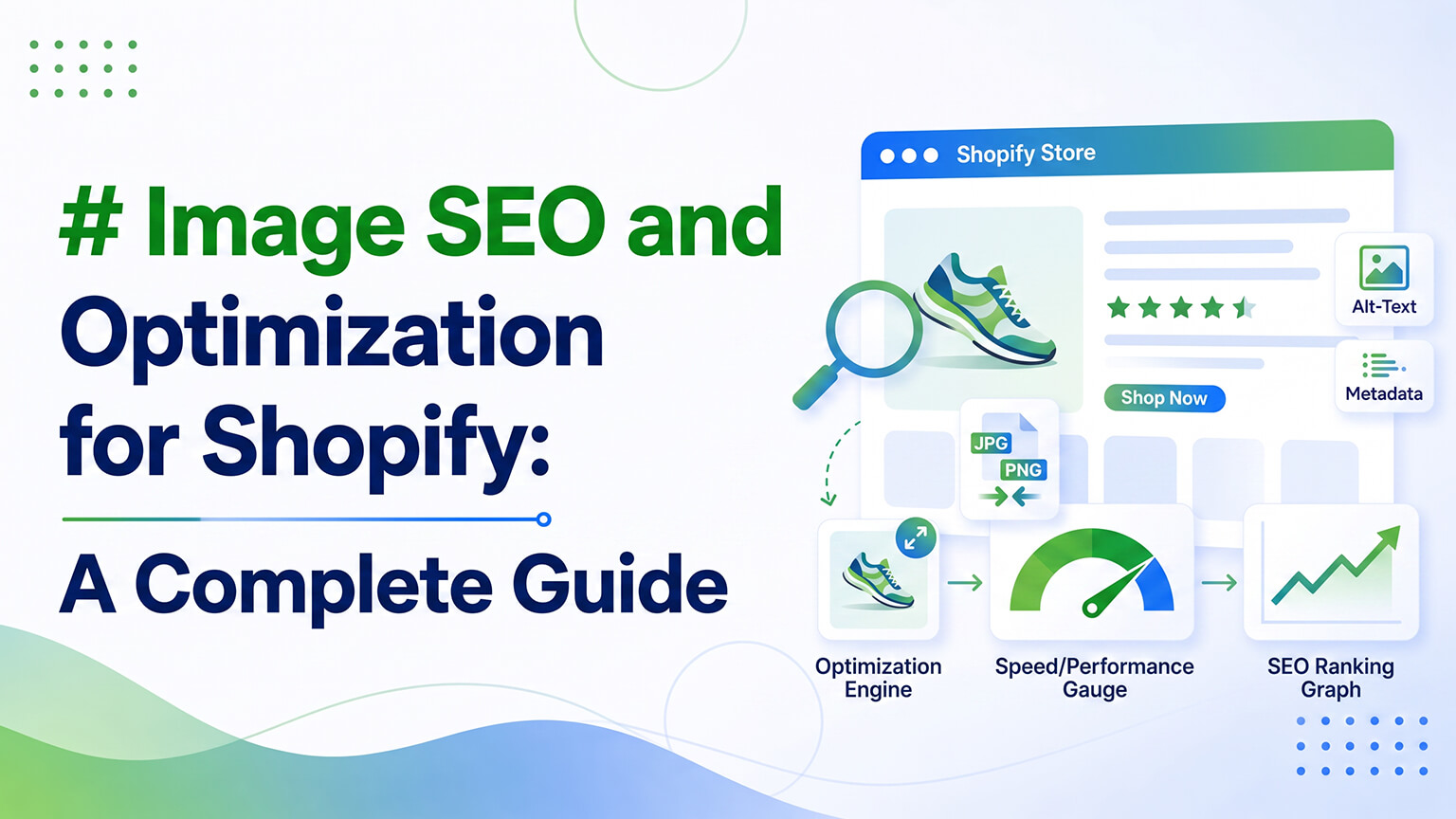
Images are central to ecommerce — your products are largely sold through visuals, your pages are image-heavy, and shoppers engage with images more than almost anything. Yet images represent a double opportunity that most stores half-do: image SEO (helping your images be understood and found, which can earn traffic and supports your pages) and image optimization (handling images for performance, since images are among the biggest causes of slow ecommerce pages, and speed drives conversion and rankings). Done well, your images serve SEO, performance, and the shopper experience together; done carelessly — unoptimized, poorly labeled — they drag down your speed and miss the SEO opportunity, while still being central to your store.
This piece covers both sides: image SEO (alt text, file names, and the rest) and image optimization (format, sizing, lazy loading, and performance), and how they connect. Because images are too important to ecommerce, and too impactful on both SEO and speed, to handle carelessly — and most stores do half-handle them, leaving both SEO opportunity and performance on the table. Let me walk through doing them properly.
The two sides: image SEO and image optimization
To frame it, images involve two related but distinct concerns. Image SEO is about helping your images be understood by search engines and found in search — through alt text, descriptive file names, and other signals — which can earn traffic (from image search, relevant for visual categories) and helps search engines understand your pages and images. Image optimization is about handling your images for performance — format, sizing, compression, lazy loading — since images are among the biggest contributors to page weight and slow loading, and image performance affects your Core Web Vitals, which affect both rankings and conversion.
These two sides are both important and both connected to your store’s success: image SEO captures traffic and supports understanding; image optimization protects the speed that drives conversion and rankings. And they’re both commonly half-done — stores often neglect alt text and image SEO, and often serve unoptimized images that slow the store. So handling images properly means attending to both: the SEO side (alt text, file names) and the optimization side (format, sizing, lazy loading), which together make your images an asset rather than a liability. Understanding images as a double opportunity — SEO and performance — that most stores half-do is the frame for doing them well: don’t treat images as just visuals to upload, but as elements with real SEO and performance implications worth handling properly. Let me cover each side.
Image SEO: alt text and beyond
The image SEO side centers on helping search engines understand and find your images. The most important element is alt text — the descriptive text attached to an image. Alt text serves accessibility first and foremost (screen readers describe images to visually impaired users via the alt text, as covered in the accessibility context), which is reason enough to do it well. It also helps search engines understand what your images depict (supporting your pages’ relevance) and can earn traffic from image search (where, for visual product categories, real traffic is available). So good alt text — descriptive text describing the image — serves accessibility, search understanding, and image-search traffic at once.
Good alt text is descriptive and genuine — describing what the image actually shows in a way useful to someone who can’t see it (and informative to search engines) — not generic (“image,” “product photo”), not empty, and not keyword-stuffed (which serves no one and reads as manipulation). At scale, alt text is commonly neglected — stores with large catalogs often have missing or generic alt text across many images — which wastes the accessibility, SEO, and image-search benefits. So a key image SEO action is ensuring your images, especially your important ones, have genuine descriptive alt text. Beyond alt text, image SEO involves descriptive file names (rather than “IMG_4821”), and your images being part of your sitemap and structured data (images in product schema, etc.) so search engines associate them with your content. But alt text is the priority — descriptive, genuine alt text on your images, serving accessibility, search understanding, and image-search traffic. For visual categories especially, image search can be a real traffic source, making good image SEO (led by alt text) worth the effort that most stores skip.
Image optimization: performance
The optimization side is about performance, and it’s where images most impact your store, because images are among the biggest causes of slow ecommerce pages (alongside apps). The key optimization levers: format — serving images in modern formats (like WebP and AVIF) that are much smaller than older formats at the same quality, dramatically reducing image weight; sizing — serving appropriately-sized, responsive images (the right size for the display, not full-resolution images scaled down, which wastes enormous weight); compression — compressing images to reduce file size without visible quality loss; lazy loading — loading images as needed (below-the-fold images load as the user scrolls to them) rather than all upfront; and priority loading — loading the most important image (often the LCP element, like the main product or hero image) with priority so the page’s main content appears fast.
These optimizations dramatically reduce the performance impact of your images — proper format, sizing, compression, and lazy loading can turn image-heavy pages from slow to fast. This matters because image performance directly affects your Core Web Vitals (especially LCP, the loading metric, often driven by your main image), which affect both your rankings (Core Web Vitals being a ranking factor) and your conversion (slow pages lose customers, especially on mobile). So optimizing your images is optimizing the speed that drives conversion and rankings — a high-impact performance lever given how central and heavy images are in ecommerce. Unoptimized images (full-resolution, old formats, no lazy loading) are a leading cause of slow stores; optimized images (modern formats, right-sized, compressed, lazy-loaded, priority hero) are fast. So the image optimization side is about handling your images for performance, which protects the speed your conversion and rankings depend on — essential given that images are both central to ecommerce and a leading cause of slowness.
Resolving the rich-images-versus-speed tension
A tension worth addressing: ecommerce wants rich, high-quality, plentiful imagery (to sell products visually), but images are a leading cause of slowness, so there’s an apparent conflict between rich imagery and speed. The resolution is optimization, not fewer images: you can have rich, high-quality, plentiful imagery and a fast store, by optimizing the images properly (modern formats, right sizing, compression, lazy loading, priority loading). The answer to “rich images but slow” isn’t to use fewer or lower-quality images (which hurts selling) but to optimize the images so they’re rich and fast.
This is an important reframe, because the instinct when images slow a store can be to reduce imagery, which harms the visual selling that ecommerce needs. Instead, keep the rich imagery and optimize it — proper optimization lets you have both the visual richness that sells and the speed that converts and ranks. So don’t sacrifice your product imagery for speed; optimize it to get both. This resolves the tension: rich imagery and speed aren’t in conflict if the images are properly optimized, so the goal is optimized rich imagery — high-quality, plentiful visuals served efficiently. The stores that get this right have beautiful, image-rich product pages that also load fast, because they optimized rather than compromised on imagery. So when images are slowing your store, the answer is optimization (format, sizing, compression, lazy loading), not fewer images — keeping the visual richness ecommerce needs while achieving the speed it also needs. Optimized rich imagery is the resolution to the apparent tension.
How Shopify handles images, and doing it well
Shopify does some image handling for you — it can serve responsive images and does some optimization — which helps, but you can and often should do more to ensure your images are properly optimized, especially given how impactful they are. So while Shopify provides a baseline, doing image optimization well often involves going beyond the default: ensuring images are served in modern formats, properly sized and compressed, lazy-loaded below the fold, and with the priority image (LCP) loaded fast — which a well-built theme and good practices handle, and which a developer can ensure if your images aren’t optimized.
So doing images well on Shopify means: on the SEO side, ensuring genuine descriptive alt text (and descriptive file names, sitemap/schema inclusion), especially on important images; on the optimization side, ensuring modern formats, proper sizing and compression, lazy loading, and priority hero loading, going beyond Shopify’s baseline where needed. Much of the optimization is handled by a well-built, performance-conscious theme and good practices, but it’s worth confirming your images are actually well-optimized (testing your page speed, as the speed and performance-budget discussions cover) rather than assuming. And the alt text is largely on you to provide (genuine descriptions, especially for important images and at scale where it’s neglected). So handle both sides deliberately — alt text and image SEO, plus optimization for performance — confirming your images are actually well-handled rather than half-done, which is the common state. Doing images well (both sides) makes them an asset serving SEO, performance, and selling; leaving them half-done (poor alt text, unoptimized) wastes the SEO opportunity and drags down speed.
A worked example: the image-heavy store
To see both sides in action, picture an image-heavy store — lots of high-quality product photos, lifestyle imagery, the rich visuals ecommerce needs. On the optimization side, the store uploaded these images at full resolution in older formats with no lazy loading, so the image-rich pages are slow, especially on mobile, dragging down Core Web Vitals, conversion, and rankings. On the SEO side, the images have generic file names and missing or generic alt text, so they’re inaccessible to screen-reader users, invisible to image search, and contributing nothing to search understanding. The images are central to the store and beautiful, but handled in a way that hurts performance and wastes the SEO opportunity — half-done on both sides.
Now the store handles its images properly. On optimization: the images are served in modern formats, properly sized and responsive, compressed, lazy-loaded below the fold, with the main image priority-loaded — so the image-rich pages now load fast despite the rich imagery, improving Core Web Vitals, conversion, and rankings. On SEO: the important images get genuine descriptive alt text and descriptive file names, making them accessible, eligible for image-search traffic, and contributing to search understanding. Same rich imagery, but now an asset serving speed, SEO, and selling rather than a liability dragging down performance and wasting the SEO opportunity.
This captures the image opportunity: the same central, image-heavy nature of ecommerce that makes images impactful means handling them well (both sides) is high-return, and handling them carelessly is costly. The store didn’t reduce its imagery (resolving the rich-versus-fast tension through optimization); it kept the rich visuals and handled them properly on both sides. The before-and-after — slow, SEO-wasting images versus fast, SEO-contributing ones, with the same visual richness — shows why images deserve proper attention on both sides. Most stores are in the “before” state (rich imagery handled carelessly), which is exactly why doing images properly is an opportunity: better speed and captured SEO, from the same imagery, just handled well.
Image SEO at scale, and mobile
Two practical notes. At scale, image SEO (especially alt text) is where stores most fall short — a large catalog has many images, and ensuring genuine descriptive alt text across them is real work that’s commonly skipped, leaving most images with missing or generic alt text. So at scale, prioritize: ensure your most important images (key products, important pages) have genuine alt text, and work through the rest as you can, building the habit of adding alt text as you add images going forward. Perfect alt text across thousands of images at once is daunting, but prioritizing the important ones and building the ongoing habit makes it manageable, capturing the benefit where it matters most.
And mobile: since most traffic is mobile and mobile is where slow images hurt most (slower connections, modest devices), image optimization matters especially for the mobile experience. Properly optimized images (right-sized for mobile, modern formats, lazy-loaded) are part of the mobile speed that drives the conversion of your largest traffic segment, as the mobile conversion discussion covers. So when optimizing images, keep mobile front of mind — the optimization that makes your image-rich pages fast on mobile is protecting conversion where most of your customers are. Both notes — prioritizing image SEO at scale, and optimizing especially for mobile — make handling images well practical and focused on where it matters most: alt text on important images (and as an ongoing habit), and optimization that serves the mobile speed your largest traffic segment experiences. Handled with these priorities, your images serve SEO and speed effectively without requiring impossible perfection across every image at once.
Build good image habits into your workflow
A final practical point: the easiest way to keep images well-handled is to build good image habits into how you add them, rather than treating image SEO and optimization as occasional cleanup projects. When you add a new product or image, make it routine to give it genuine descriptive alt text and a descriptive file name, and to ensure it’s appropriately sized and in a good format before (or as) you upload it. This way, your images are handled well as they’re added, rather than accumulating as a backlog of poorly-labeled, unoptimized images you periodically have to clean up.
This habit-based approach mirrors the broader theme of building good practices into your routine (as with the performance budget, app hygiene, and internal linking): handling images well as you go keeps them an asset over time, while neglecting them as you add and cleaning up occasionally leaves them a recurring liability. So fold good image handling into your product- and content-adding workflow — alt text, file names, sizing, format — so new images are handled well by default. Combined with addressing your existing important images (alt text, optimization) and confirming your overall image optimization (speed testing), this habit keeps your images well-handled going forward without recurring cleanup projects. The stores with consistently well-handled images aren’t doing heroic periodic image cleanups; they built good image habits into their workflow, so images are handled well as a matter of routine. Adopt those habits, and image SEO and optimization stay healthy as your catalog grows, rather than degrading into a backlog you keep having to address.
The bottom line
Images are central to ecommerce and a double opportunity most stores half-do: image SEO (helping images be understood and found, earning image-search traffic and supporting your pages) and image optimization (handling images for performance, since they’re a leading cause of slow ecommerce pages, and speed drives conversion and rankings). On the SEO side, the priority is genuine descriptive alt text — serving accessibility first, plus search understanding and image-search traffic (real for visual categories) — which is commonly neglected at scale, along with descriptive file names and sitemap/schema inclusion. On the optimization side, the levers are modern formats (WebP/AVIF, much smaller), proper responsive sizing (not full-resolution scaled down), compression, lazy loading, and priority loading the main image — which dramatically reduce the performance impact of your images and protect the Core Web Vitals that affect rankings and conversion. Resolve the rich-imagery-versus-speed tension through optimization, not fewer images: keep the visual richness ecommerce needs and optimize it for speed, so you have both. Shopify provides a baseline of image handling, but doing it well often means going beyond the default and confirming your images are actually well-optimized (via speed testing) rather than assuming, while providing the genuine alt text that’s largely on you. Handle both sides deliberately — alt text and image SEO, plus performance optimization — and your images become an asset serving SEO, speed, and selling together, rather than the half-done liability (poor alt text, unoptimized, slow) that’s the common state. Given how central and impactful images are in ecommerce, doing them properly on both sides is well worth the effort most stores don’t make.
Frequently asked questions
What is image SEO and why does it matter?
Image SEO is helping your images be understood by search engines and found in search — primarily through descriptive alt text, plus descriptive file names and sitemap/schema inclusion. It matters because alt text serves accessibility (screen readers describing images), helps search engines understand your pages, and can earn traffic from image search, which for visual product categories is a real traffic source. Most stores neglect image SEO (especially alt text at scale), so doing it well — led by genuine descriptive alt text — is an opportunity most competitors leave on the table.
What is good alt text?
Descriptive text that describes what an image shows, useful to someone who can’t see it (accessibility, its primary purpose) and informative to search engines. Good alt text describes the image specifically and naturally — not generic (“image,” “product photo”), not empty, and not keyword-stuffed (which serves no one and looks manipulative). For an important product image, that means describing the actual product and what’s shown, which serves accessibility, search understanding, and image-search traffic at once.
How do I optimize images for speed on Shopify?
The key levers: serve images in modern formats (WebP/AVIF, much smaller at the same quality), use appropriately-sized responsive images (not full-resolution scaled down), compress them (reducing file size without visible quality loss), lazy-load below-the-fold images (loading as the user scrolls), and priority-load the main image (often the LCP element) so the page’s main content appears fast. These dramatically reduce images’ performance impact. Shopify provides a baseline, but doing it well often means going beyond the default and confirming via speed testing that your images are actually optimized.
Do I have to choose between rich images and a fast store?
No — the answer is optimization, not fewer images. Ecommerce needs rich, high-quality imagery to sell products, and images are a leading cause of slowness, but the resolution isn’t to use fewer or lower-quality images (which hurts selling) — it’s to optimize the images (modern formats, right sizing, compression, lazy loading, priority hero) so you have both visual richness and speed. Don’t sacrifice your product imagery for speed; optimize it to get rich imagery and fast pages together.