
Migrating From a Liquid Theme to Headless: How It Actually Works
On this page
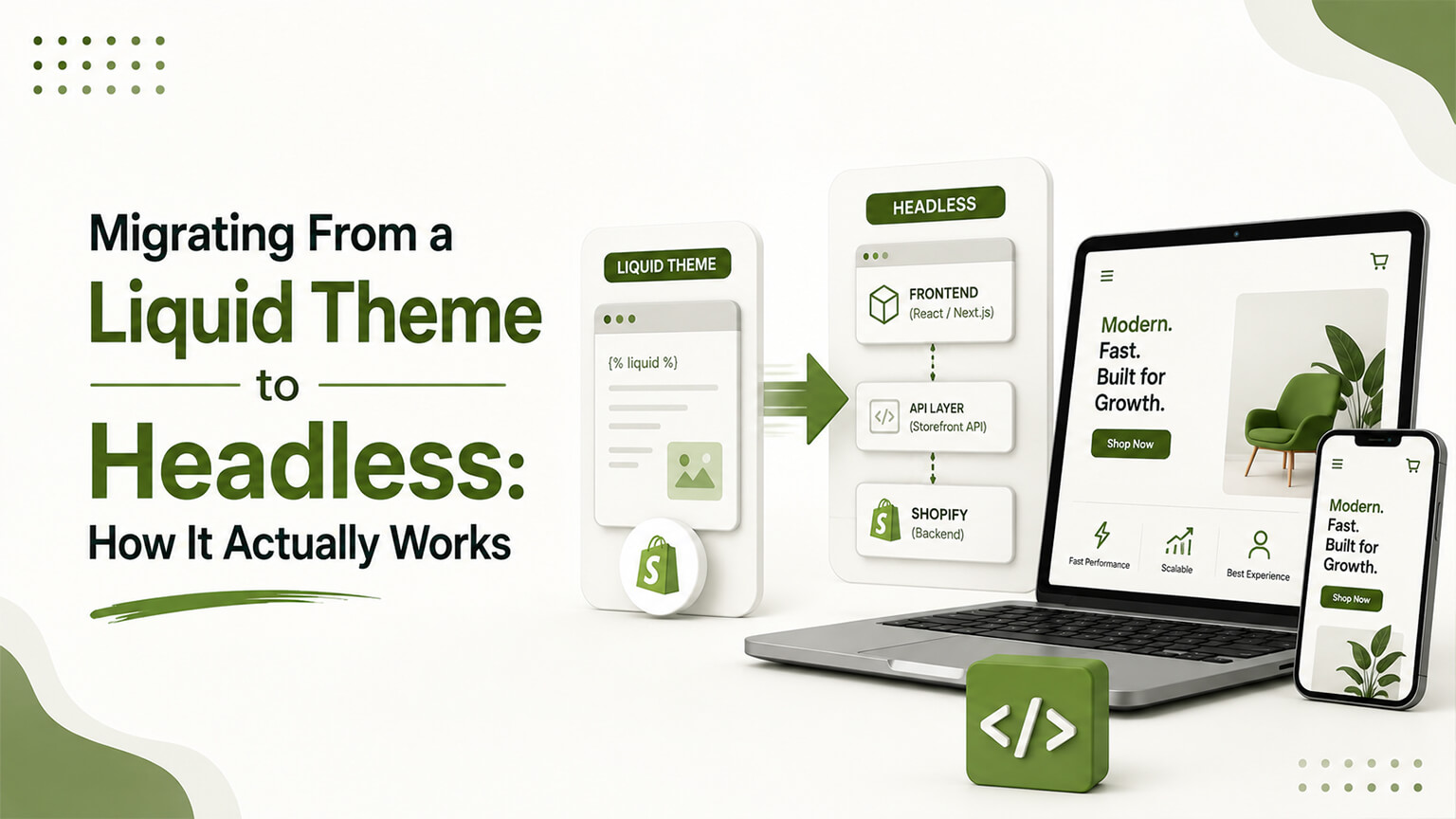
So you’ve decided headless is right for your store — you’ve got the specific need, the budget, and the ongoing development capacity, and you’ve honestly concluded a great theme wouldn’t get you there. Good. Now comes the part nobody explains clearly: how do you actually migrate from your existing Liquid theme to a headless storefront? It’s a different kind of project from a platform migration, and understanding its specific shape — what stays, what changes, the phases, and the traps — is what separates a smooth transition from a painful one.
I’ve written elsewhere about whether you should go headless (most stores shouldn’t), the real cost of owning it, how it affects SEO, and the framework choices. This piece assumes you’ve made the decision and focuses on the mechanics of getting there. But because the “should you” question is so important, I’ll start with a brief gate, because the worst version of this migration is the one undertaken by a store that didn’t actually need it.
Before you start: are you sure?
A quick, honest checkpoint, because a theme-to-headless migration is expensive, time-consuming, and saddles you with permanent maintenance. Do you have a specific, concrete need a great theme can’t meet — a content architecture requiring a separate CMS, performance as a true competitive edge you’ve maxed out on a theme, complexity a theme can’t handle? Do you have the ongoing development capacity to maintain a custom storefront indefinitely? Have you actually tried a great theme, not just your current neglected one? If you’re confident on all three, proceed. If you’re hesitating, stop and reconsider, because migrating to headless for the wrong reasons is one of the more expensive mistakes in ecommerce, and it’s far easier to not start than to unwind later. Assuming you’re confident, here’s how the migration works.
What stays and what changes
The single most important thing to understand about this migration is what it actually involves, because it’s not what people assume. You are not replatforming. Your products, customers, orders, and data stay exactly where they are — in Shopify. Your checkout stays Shopify’s (in most headless builds). Your commerce backend, admin, and all the data stay put. What you’re replacing is only the storefront — the front end customers see and interact with — building it as a custom application that pulls data from Shopify through the Storefront API instead of being rendered by Shopify’s Liquid theme system.
This is liberating to realize, because it means the scary parts of a normal migration (moving data, risking data loss, migrating customers and orders) largely don’t apply. You’re not moving the business off Shopify; you’re rebuilding the front door while everything behind it stays in place. The data doesn’t move. The checkout doesn’t change. The backend is untouched. So a theme-to-headless migration is really a storefront rebuild on top of your existing, unchanged Shopify backend — which reframes the whole project. The risk isn’t data loss; it’s the rebuild itself and, critically, preserving your SEO through the change of front end. Keep this framing in mind: you’re swapping the storefront layer, not the store.
The phases of the migration
A theme-to-headless migration moves through several phases, and understanding them shows where the work and the risk concentrate.
Assess and plan. You audit your current store — every page type, every piece of functionality, every app and integration, your content needs, your URL structure and SEO footprint — and plan the headless build. This planning is substantial, because you’re mapping everything your current theme does to how it’ll work in the headless storefront, and deciding the architecture (framework, hosting, CMS, the stack). Skimping here causes problems later; this is where the build is designed.
Choose the stack. You decide the framework (Hydrogen or Next.js, as covered elsewhere), the hosting, the CMS if you’re adding one, and the other pieces of your composable stack. These choices shape everything that follows and should be driven by your team’s capabilities and your specific needs.
Build the storefront. The core work: building the custom storefront as an application consuming the Storefront GraphQL API, recreating your page types (home, collection, product, cart, content pages) with the design and functionality you need, ideally improved over the old theme. This is where the bulk of the development effort and cost lives.
Integrate content and the stack. Wiring in your headless CMS (if you’re using one) for content, connecting analytics, search, and other tools, and rebuilding the integrations that your apps provided on the theme (more on this friction below).
SEO parity and technical setup. Crucially, reimplementing all the SEO fundamentals the theme handled for you — server-side rendering of content, metadata, structured data, canonical tags, sitemap — and planning the redirect strategy. This phase is where headless migrations most often damage SEO if neglected, so it’s not optional.
Test thoroughly. Cross-device, cross-browser testing, performance validation, checking every page type and flow, and verifying the SEO elements. Headless storefronts have more that can go wrong than a theme, so testing matters.
Cutover and monitor. The planned switch from the old theme to the new headless storefront, with redirects active, followed by close monitoring (especially of SEO in Search Console) to catch any issues quickly.
These phases, done carefully, are how a theme-to-headless migration succeeds. The build phase is the biggest cost, but the planning and the SEO-parity phases are where success or failure is often determined, because they’re the ones most tempting to rush and most consequential to get wrong.
Preserving SEO through the switch
This deserves its own emphasis because it’s the highest risk in a theme-to-headless migration, and I’ve devoted a whole separate piece to headless SEO. The short version for the migration context: a Liquid theme handles a lot of SEO fundamentals automatically (server-rendered HTML, metadata, canonicals, sitemap, URL structure), and when you go headless, all of that becomes your responsibility, because you’ve replaced the layer that handled it.
So the migration must deliberately preserve SEO. Ensure your headless storefront server-renders its content (so search engines see it, rather than content that only appears after JavaScript runs in the browser — the biggest headless SEO trap). Reimplement every page’s metadata, structured data, and canonical tags. Generate a proper sitemap. And — if any URLs change in the rebuild — map and redirect them comprehensively, watching Search Console closely after cutover. A theme-to-headless migration that treats SEO as an afterthought can tank your rankings even though you didn’t change platforms, simply because the new storefront doesn’t serve search engines what the theme did. Treat SEO parity as a first-class deliverable of the migration, ideally with someone who understands headless SEO, and the rankings carry through; neglect it, and you’ll wonder why traffic dropped after a migration that “shouldn’t have affected SEO.”
The ecosystem-friction rework
A practical reality of the migration: the Shopify apps that “just worked” on your theme may need rework in the headless storefront, because they assumed a standard theme that no longer exists. Reviews, certain marketing tools, and various app-provided functionality that injected into your Liquid theme need to be reconnected or rebuilt for the headless front end, since the storefront they expected isn’t there.
So part of the migration is going through your app stack and figuring out, for each one, how its functionality will work in headless — does it have a headless-friendly integration, does it need custom work, or do you replace it? This is real work, and it’s a recurring theme of headless generally (the ecosystem friction I’ve discussed in the cost context): functionality that’s nearly free on a theme can become a custom task headless. Budget for it in the migration, and recognize it as ongoing — adding capabilities later will keep facing this friction. The migration is where you first reckon with it, rebuilding the app-provided functionality your store relies on for the new architecture.
The cutover and going live
The cutover — switching from your live theme to the new headless storefront — should be planned and low-risk, like any launch. You build and test the headless storefront fully (often pointed at your real Shopify backend but not yet the live front end), verify everything including SEO parity, prepare your redirects, and then switch, ideally at a lower-traffic time, with the ability to monitor closely and respond. Because your backend, data, and checkout are unchanged, the cutover is “only” swapping the storefront, but that’s still your entire customer-facing experience, so it warrants careful verification before and close monitoring after.
The post-cutover monitoring is especially important for SEO — watch Search Console for crawl issues, dropped pages, or indexing problems in the weeks after, so you catch and fix anything quickly. A well-prepared cutover of a thoroughly-tested headless storefront, with redirects ready and monitoring in place, is a controlled event; a rushed cutover of an under-tested storefront with SEO neglected is where headless migrations become cautionary tales. As always, the preparation and verification beforehand are what make the switch safe.
Team, timeline, and the incremental option
A theme-to-headless migration is a substantial project requiring real development capability — building a custom storefront application is engineering, not configuration, so you need a capable team (in-house or agency) for the build and, crucially, for the ongoing maintenance afterward. Timelines run months for a serious build, longer than a theme project, because you’re building bespoke software. And the cost is significant, as covered in the headless TCO discussion.
One option worth knowing: some brands take an incremental or partial approach rather than a big-bang full migration — moving part of the experience to headless first, or adopting a hybrid where some pages are headless and others stay on the theme. This can reduce risk and spread the effort, though it comes with its own complexity (running two systems). Whether incremental makes sense depends on your situation, but it’s an alternative to the all-at-once rebuild worth considering, especially for larger stores where a phased transition is safer than flipping everything at once. Discuss it with your team as part of planning the migration approach.
Common pitfalls
The recurring traps in theme-to-headless migrations: neglecting SEO and damaging rankings (the biggest one — treat SEO parity as essential). Underestimating the ecosystem-friction rework of app-provided functionality. Going headless without the ongoing maintenance capacity, so the storefront decays after migration. Rushing the planning and discovering the hard mapping mid-build. Skimping on testing a storefront that has more that can go wrong than a theme. And, the deepest pitfall, having migrated to headless without needing it, ending up with all the cost and maintenance for benefits a great theme would have delivered. Avoid these — especially by being sure you should go headless before you start, and by treating SEO parity as a first-class deliverable — and the migration delivers the headless storefront you wanted.
A worked example: the migration that “shouldn’t have affected SEO”
The most instructive failure in theme-to-headless migrations is the one that catches people by surprise, so let me describe it. A brand migrates to a beautiful, fast headless storefront. The build is impressive, performance is excellent, everyone’s pleased. They didn’t change platforms — the data, backend, and checkout all stayed in Shopify — so they assume SEO is unaffected; after all, “we didn’t move anything.” Then, over the following weeks, organic traffic slides, and confusion sets in, because the migration “shouldn’t have affected SEO.”
But it did, for the exact reasons this article keeps stressing. The new storefront rendered its content client-side (only after JavaScript ran in the browser), so search engines struggled to see it. Or the metadata and structured data the old theme provided weren’t fully reimplemented in the rebuild. Or some URLs changed in the new architecture without redirects. The brand replaced the storefront layer — the very layer that was quietly handling SEO fundamentals — and didn’t reimplement those fundamentals, so search engines stopped seeing what they used to. The data didn’t move, but the thing that served the data to search engines was rebuilt, and rebuilt without SEO parity.
This scenario is common precisely because the “we didn’t change platforms, so SEO is fine” assumption is so intuitive and so wrong. The fix, and the prevention, is to treat SEO parity as essential migration work: server-render the content, reimplement every SEO element, redirect changed URLs, and verify it all before and after cutover. The brands that do this carry their rankings through a headless migration seamlessly; the ones that assume SEO takes care of itself learn, through a painful traffic decline, that replacing the storefront means replacing everything the storefront did — including the SEO fundamentals nobody was thinking about. It’s the single most important lesson of theme-to-headless migration, and it’s learned the hard way far too often.
Improve, don’t just replicate
A migration is a rebuild, which means it’s also an opportunity, and it’d be a waste to spend all that effort recreating your old theme exactly as it was. Since you’re building the storefront from scratch anyway, the migration is the moment to improve — fixing the UX and conversion weaknesses of the old store, building the experiences headless enables that the theme couldn’t, and delivering the performance and flexibility that justified going headless in the first place. The point of headless, for the brands it suits, is to do things a theme couldn’t; a migration that simply recreates the theme’s experience in a more expensive, harder-to-maintain form has missed the point and wasted the investment.
That said, balance ambition against risk — you don’t want to turn an already-complex headless migration into a complete reimagining-of-everything that doubles the risk and timeline. The sensible path is to carry over what works, deliberately improve the clear weaknesses and build the headless-enabled experiences that motivated the project, and save the most ambitious ideas for after you’re stable on the new architecture. But do make sure the headless storefront you migrate to is better than the theme you left — capturing the performance, flexibility, and capability that justified the cost and maintenance — rather than just a costlier way to deliver the same experience. If the headless storefront isn’t meaningfully better, the whole migration is hard to justify, so use the rebuild to realize the benefits that made headless the right call, not just to faithfully reproduce what you already had.
The bottom line
Migrating from a Liquid theme to headless is, fundamentally, a storefront rebuild on top of your existing, unchanged Shopify backend — your data, customers, orders, and checkout stay in Shopify, and you’re replacing only the front end customers see, building it as a custom application that pulls data through the Storefront API. This reframes the project: the risk isn’t data loss (the scary part of normal migrations), it’s the rebuild itself and, above all, preserving SEO through the change of front end. The migration moves through planning, stack selection, building the storefront, integrating content and the stack, reimplementing SEO fundamentals the theme handled automatically, thorough testing, and a careful cutover with monitoring. The highest risk is SEO — server-render your content, reimplement metadata and structured data, redirect any changed URLs, and watch Search Console — so treat SEO parity as a first-class deliverable, not an afterthought. Budget for the ecosystem-friction rework of app-provided functionality, ensure you have the team to build and maintain a custom storefront, and consider an incremental approach to reduce risk. And most importantly, be sure headless is right before you start, because the worst version of this migration is the one a store undertakes without actually needing it. Done by the right brand for the right reasons, with SEO carefully preserved, a theme-to-headless migration delivers the custom, high-performance storefront that justified the decision.
Frequently asked questions
Is migrating to headless like migrating platforms?
No — and that’s reassuring. You’re not replatforming; your products, customers, orders, and data stay in Shopify, and your checkout typically stays Shopify’s too. You’re replacing only the storefront — the front end customers see — building it as a custom application that pulls data from Shopify via the Storefront API. So the scary parts of a normal migration (moving data, risking data loss) largely don’t apply. It’s a storefront rebuild on an unchanged backend.
What’s the biggest risk in a theme-to-headless migration?
SEO. A Liquid theme handles many SEO fundamentals automatically (server-rendered content, metadata, canonicals, sitemap, URL structure), and when you go headless, all of that becomes your responsibility. If the new storefront doesn’t server-render content, loses metadata and structured data, or changes URLs without redirects, your rankings can drop even though you didn’t change platforms. Treat SEO parity as a first-class deliverable, server-render your content, and redirect any changed URLs.
Do my apps still work after going headless?
Often not without rework. Shopify apps that “just worked” on your theme may need reconnecting or rebuilding for the headless storefront, because they assumed a standard theme that no longer exists. Part of the migration is going through your app stack and figuring out how each one’s functionality will work headless — via a headless-friendly integration, custom work, or replacement. Budget for this ecosystem-friction rework, and recognize it’s ongoing as you add capabilities later.
Can I migrate to headless gradually instead of all at once?
Sometimes, yes. Some brands take an incremental or hybrid approach — moving part of the experience to headless first, or running some pages headless and others on the theme — which can reduce risk and spread the effort, at the cost of running two systems. Whether it fits depends on your situation, but it’s worth discussing as an alternative to a big-bang rebuild, especially for larger stores where a phased transition is safer than switching everything at once.