
Liquid Explained: How Shopify Themes Are Built
On this page
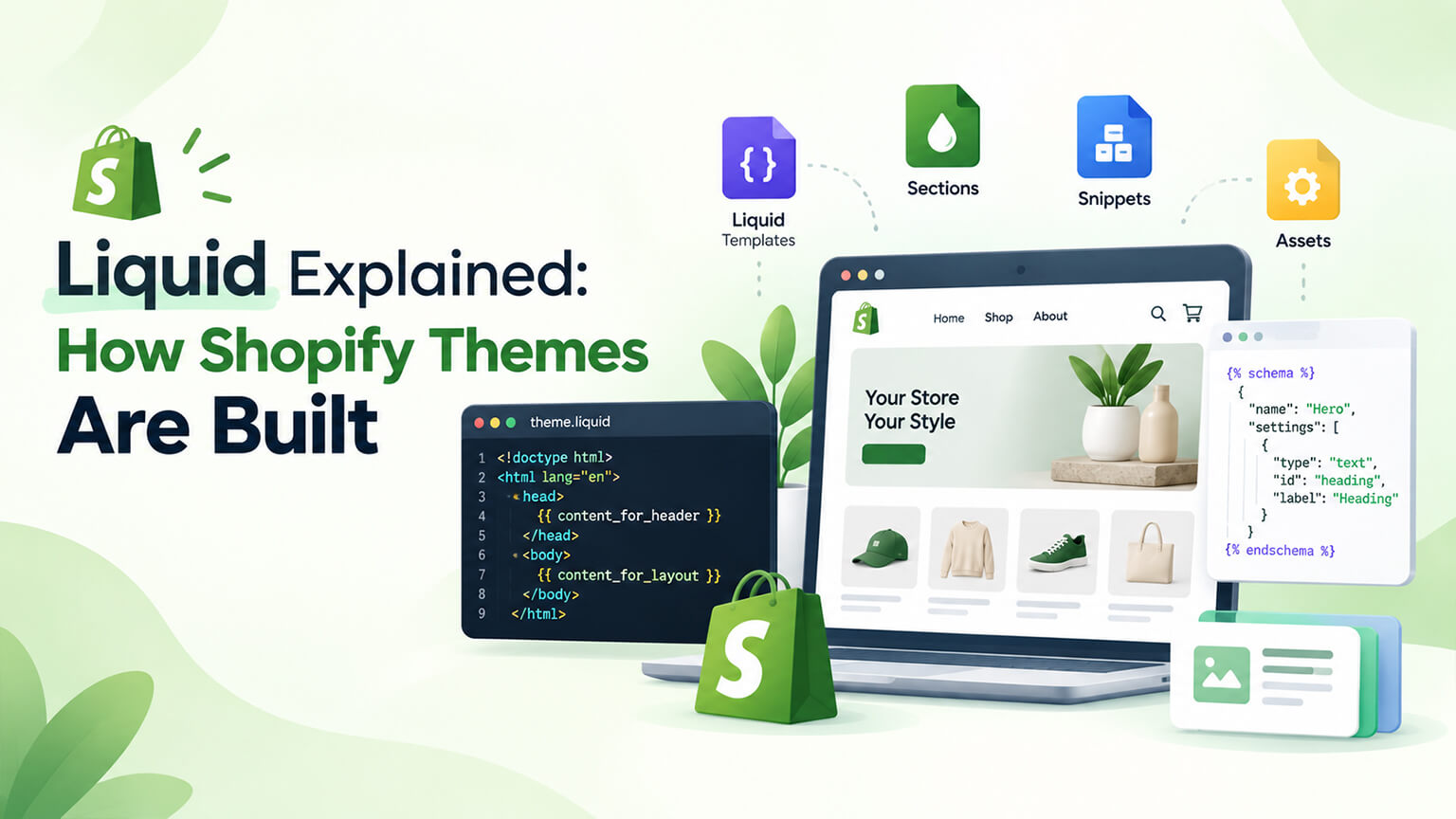
If you’ve looked into how Shopify themes work, or worked with a developer on your store’s front-end, you’ve likely encountered “Liquid” — Shopify’s templating language. It’s the technology Shopify themes are built with, and while writing Liquid is developer work, understanding what it is at a conceptual level helps you understand how your store’s front-end works, what’s possible, and how theme development and customisation happen. Liquid is what turns your store’s data (products, prices, collections, content) into the pages shoppers see — the bridge between your Shopify data and your storefront’s display. This piece is a plain-English explanation of Liquid for store owners: what it is, what it does, how it fits into theme building, and why it matters — at a conceptual level (no coding required). (This connects to the theme-architecture and sections-and-blocks discussions; this focuses on explaining Liquid.)
This piece covers what Liquid is (plainly), what it does (turning data into pages), how it fits into how themes are built, and why it matters for your store — conceptually. Because Liquid is what themes are built with, and understanding it helps you understand your store’s front-end. Let me walk through it.
What Liquid is
Let’s explain Liquid in plain terms. A templating language — Liquid is a templating language (a language for building templates that generate web pages), created by Shopify, used to build Shopify themes — so it’s the language your theme is written in (as the theme-architecture discussion covers). Turns data into pages — Liquid’s core job is to turn your store’s data into the pages shoppers see: it takes your Shopify data (products, prices, collections, content, customer info) and dynamically inserts it into the page templates, generating the actual pages with your data — so it’s the bridge between your data and the displayed pages (dynamic pages from your data). Dynamic, not static — because of Liquid, your theme’s pages are dynamic (generated from your data), not static: a product page template, via Liquid, displays whatever product’s data it’s showing (the product’s name, price, images, description pulled from Shopify) — so one template serves many products, each with its data (dynamic templating) — the key concept. Mixes template and data — Liquid mixes template structure (the layout/HTML) with dynamic data (via Liquid code that pulls in data), so a template has the fixed structure plus Liquid that inserts the dynamic data — how templates produce data-filled pages. Developer-written — Liquid is written by developers (building and customising themes), so it’s developer technology (you don’t write Liquid as a store owner, but your theme is built with it) — developer-facing (you understand it conceptually). Part of theme building — Liquid is central to how themes are built (themes are largely Liquid templates plus HTML/CSS/JS, as the theme-architecture discussion covers), so building or customising a theme is largely working with Liquid — theme-building technology. And Shopify-specific — Liquid is Shopify’s templating language (it originated at Shopify and is used across Shopify themes), so it’s specific to Shopify theme development (a Shopify skill) — Shopify-specific. So Liquid is Shopify’s templating language for building themes, whose core job is turning your store’s data (products, prices, collections, content) into the dynamic pages shoppers see (mixing template structure with dynamic data) — developer-written, central to theme building, and Shopify-specific. So understand Liquid as the language that turns your data into your storefront’s pages, which the next section covers what it does. So Liquid is Shopify’s templating language that dynamically turns your store’s data into the pages shoppers see.
What Liquid does
A bit more on what Liquid does (conceptually). Displays your data — Liquid displays your store’s data in your theme: it pulls product data (name, price, images, description, variants), collection data, content, customer data, cart data, and more into the pages, so your pages show your actual store data (dynamically) — the core (displaying your data). Makes pages dynamic — Liquid makes pages dynamic: a single template (e.g., the product template) serves all products, with Liquid inserting each product’s specific data, so you don’t need a separate page for each product (Liquid generates them dynamically from your data) — dynamic pages (efficient, data-driven). Handles logic and conditions — Liquid includes logic (conditions, loops, and logic — e.g., “if the product is on sale, show the sale price,” “for each product in the collection, display it,” “if the customer is logged in, show X”), so themes can display things conditionally and handle variations (dynamic, logic-driven display) — logic (making themes smart/dynamic). Loops through collections and lists — Liquid loops through collections, lists, and sets (e.g., displaying all products in a collection, all variants, all items), so it can display sets of data (the products in a collection, etc.) dynamically — loops (for displaying sets). Powers the theme’s dynamic behavior — Liquid powers the dynamic behavior of the theme (displaying the right data, handling conditions and variations, generating pages from data), so it’s what makes the theme a dynamic, data-driven storefront (versus static pages) — the theme’s dynamism. Works with theme structure — Liquid works within the theme’s structure (templates, sections, snippets, as the theme-architecture and sections-and-blocks discussions cover), with Liquid in these files pulling in data and handling logic — so it’s woven through the theme’s files. Enables sections and blocks — Liquid (with Online Store 2.0) enables the sections and blocks system (as those discussions cover — sections and blocks are Liquid-based, configurable, dynamic), powering the flexible, marketer-editable theme (as the sections-and-blocks discussion covers) — enabling the flexible modern theme. And connects data to display — fundamentally, Liquid connects your Shopify data to your storefront display (the data you manage in Shopify appears in your pages via Liquid), so it’s the link between your store’s data and what shoppers see — the data-to-display connection. So Liquid does the work of displaying your store’s data in your theme, making pages dynamic (one template serving many products from data), handling logic and conditions (conditional, smart display), looping through collections and lists (displaying sets), powering the theme’s dynamic behavior, working within the theme’s structure, enabling sections and blocks, and connecting your data to your display — the dynamic, data-driven engine of your theme. So Liquid dynamically turns your store’s data into your pages, handling the logic and display that make your theme a data-driven storefront. The next section covers how it fits into theme building. So Liquid does the dynamic, data-driven work of turning your store’s data into your pages (with logic, loops, and structure).
How Liquid fits into how themes are built
Let’s place Liquid in the context of theme building. Themes are Liquid + HTML/CSS/JS — Shopify themes are built with Liquid (the templating, pulling in data and logic) plus HTML (structure), CSS (styling), and JavaScript (interactivity), so a theme is a combination, with Liquid as the templating layer connecting to your data (as the theme-architecture discussion covers) — the theme’s composition (Liquid + web technologies). Liquid templates generate the pages — the theme’s Liquid templates (for products, collections, pages, etc., as the theme-architecture discussion covers) generate the pages, with Liquid inserting the data and logic into the HTML structure — so templates (Liquid + HTML) produce the pages. Sections and snippets use Liquid — the theme’s sections and snippets (modular components, as the theme-architecture and sections-and-blocks discussions cover) are built with Liquid (Liquid in sections/snippets pulling data and handling logic), so the modular theme components are Liquid-based — modular components in Liquid. Building a theme means writing Liquid — building or customising a theme largely means writing Liquid (creating the templates, sections, and snippets with Liquid to display your data and structure your pages), plus the HTML/CSS/JS — so theme development is largely Liquid development (a Shopify developer skill, as the team discussion covers) — theme dev is Liquid dev. Customisation involves Liquid — customising a theme (changing how it displays data, adding functionality, modifying templates, as the customisation discussions cover) involves working with Liquid — so customisation is Liquid work (developer). Online Store 2.0 and Liquid — Online Store 2.0 (the modern theme architecture, as that discussion covers) is built on Liquid (with its sections, blocks, and flexibility being Liquid-based), so modern themes are Liquid-based (with OS 2.0’s structure) — Liquid underlies modern themes. Developers work in Liquid — your developers work in Liquid when building and customising your theme (it’s a core Shopify development skill, as the team and choosing-an-agency discussions cover), so Liquid capability is part of what your theme developers need — developer skill. And it’s how the front-end is built — fundamentally, Liquid is how your Shopify front-end (theme) is built (the templating language producing your data-driven storefront), so it’s central to your front-end’s construction — the front-end-building technology. So Liquid fits into theme building as the templating layer: themes are Liquid (templating, data, logic) plus HTML/CSS/JS, Liquid templates generate the pages, sections and snippets are Liquid-based, building/customising a theme largely means writing Liquid, Online Store 2.0 is built on Liquid, and developers work in Liquid — so Liquid is central to how your Shopify front-end is built. So Liquid is the templating language at the heart of how your theme (front-end) is built and customised. The next section covers why it matters. So Liquid is central to theme building — themes are largely Liquid templates, and building/customising a theme is largely Liquid development.
Why it matters for your store
What does Liquid mean for you as a store owner (given it’s developer technology)? It’s how your front-end works — Liquid is how your store’s front-end (theme) works (turning your data into your pages), so understanding it conceptually helps you understand how your storefront is built and functions — understanding your front-end. It’s what theme development involves — theme development and customisation (building, changing, extending your theme) largely involve Liquid, so understanding that helps you understand what theme work involves (and that it’s developer work in Liquid, as the team discussion covers) — understanding theme work. It connects your data to your store — Liquid connects the data you manage in Shopify (products, content) to your storefront display, so understanding it clarifies how your managed data becomes your pages (the data-to-display link) — understanding the data-display connection. It’s a developer skill your theme needs — Liquid is a core skill for Shopify theme development (your developers/agency need it, as the team and choosing-an-agency discussions cover), so it’s relevant to your development capability (ensuring your developers know Liquid) — developer skill (relevant to who you hire). It enables the flexible modern theme — Liquid (with Online Store 2.0) enables your flexible, marketer-editable theme (sections and blocks, as the sections-and-blocks discussion covers), so it underlies the flexibility you use (managing content via sections) — enabling your flexibility. You don’t use it directly — you don’t write Liquid as a store owner (developers do), so it’s background knowledge (understanding your front-end’s technology), not something you use directly — background knowledge (conceptual understanding). It helps you communicate with developers — understanding Liquid conceptually helps you communicate with developers about your theme and front-end (understanding what they’re working with), aiding informed conversations — communication. And it’s foundational to your storefront — Liquid is foundational to your Shopify storefront (the technology it’s built with), so understanding it (even conceptually) is understanding your store’s foundation — foundational understanding. So Liquid matters for your store as: it’s how your front-end works (turning data into pages), what theme development involves (largely Liquid), the connection between your data and your display, a core developer skill your theme needs, what enables your flexible modern theme (with OS 2.0), background knowledge you don’t use directly, an aid to communicating with developers, and foundational to your storefront — so understanding it conceptually helps you understand your store’s front-end and theme development. So for you, Liquid is the foundational templating technology of your storefront, worth understanding conceptually (how your front-end works) though used by developers. So understand Liquid conceptually as the technology your storefront is built with — how your data becomes your pages — even though your developers write it.
The bottom line
If you’ve looked into how Shopify themes work or worked with a developer on your store’s front-end, you’ve likely encountered “Liquid” — Shopify’s templating language, the technology Shopify themes are built with. While writing Liquid is developer work, understanding it conceptually helps you understand how your store’s front-end works, what’s possible, and how theme development and customisation happen. Liquid is a templating language (created by Shopify) whose core job is turning your store’s data into the pages shoppers see: it takes your Shopify data (products, prices, collections, content, customer info) and dynamically inserts it into page templates, generating the actual pages — the bridge between your data and your storefront’s display. Because of Liquid, your theme’s pages are dynamic (generated from your data), not static: a single product template, via Liquid, serves all your products, each displayed with its own data. Liquid displays your data, makes pages dynamic (one template serving many products), handles logic and conditions (like showing a sale price if a product is on sale, or looping through all products in a collection), powers the theme’s dynamic behavior, works within the theme’s structure (templates, sections, snippets), enables the sections-and-blocks system (with Online Store 2.0) that makes modern themes flexible and marketer-editable, and fundamentally connects your Shopify data to your storefront display. It fits into theme building as the templating layer: Shopify themes are built with Liquid (templating, data, logic) plus HTML, CSS, and JavaScript; Liquid templates generate the pages; sections and snippets are Liquid-based; building or customising a theme largely means writing Liquid; Online Store 2.0 is built on Liquid; and your developers work in Liquid (it’s a core Shopify development skill). For your store, Liquid matters as the technology your front-end is built with (turning your data into your pages), what theme development and customisation involve, the connection between the data you manage and your displayed pages, a core skill your theme developers need, and what enables your flexible modern theme — though you don’t write it yourself (developers do), so it’s foundational background knowledge that helps you understand your storefront and communicate with developers. So understand Liquid conceptually as the foundational templating technology of your Shopify storefront — the language that dynamically turns your store’s data into the pages your shoppers see, central to how your theme is built and customised. You don’t need to write it, but grasping what it is and does helps you understand how your store’s front-end works, what theme development involves, and how the data you manage in Shopify becomes your storefront — a useful conceptual foundation for engaging with your store and the developers who build it.
Frequently asked questions
What is Liquid in Shopify?
Liquid is Shopify’s templating language — the technology Shopify themes are built with. Created by Shopify, it’s the language your theme is written in, and its core job is to turn your store’s data into the pages shoppers see: it takes your Shopify data (products, prices, collections, content, customer information) and dynamically inserts it into your theme’s page templates, generating the actual pages. This is what makes your pages dynamic rather than static — a single product template, via Liquid, serves all your products, displaying each one’s specific data (its name, price, images, and description pulled from Shopify). Liquid mixes template structure (the layout and HTML) with dynamic data (via Liquid code that pulls the data in) and handles logic (like showing a sale price if a product is on sale). It’s written by developers (you don’t write it as a store owner), it’s central to how themes are built and customised, and it’s specific to Shopify. In short, Liquid is the bridge between your Shopify data and your storefront’s display.
What does Liquid actually do?
Its fundamental job is turning your store’s data into your pages. It displays your data (pulling product details, collections, content, cart, and customer data into your pages), and it makes pages dynamic — one template (like the product template) serves all your products, with Liquid inserting each product’s specific data, so you don’t need a separate hand-built page for every product. It handles logic and conditions (for example, “if the product is on sale, show the sale price,” or “if the customer is logged in, show their account”), and it loops through collections and lists (displaying all the products in a collection, all a product’s variants, and so on). Together, this makes your theme a dynamic, data-driven storefront rather than a set of static pages. Liquid works within your theme’s structure (templates, sections, and snippets), and with Online Store 2.0 it enables the flexible, marketer-editable sections-and-blocks system. Essentially, Liquid is the dynamic engine that connects the data you manage in Shopify to what your shoppers actually see.
Do I need to know Liquid as a store owner?
Not to write it — that’s developer work — but a conceptual understanding is useful. You don’t write Liquid yourself; your developers or agency do when building and customising your theme (it’s a core Shopify development skill). What’s valuable for you is understanding what Liquid is and does: that it’s the templating language your storefront is built with, turning your Shopify data into the pages shoppers see, and that theme development and customisation largely involve working with it. This conceptual understanding helps you understand how your store’s front-end works, what theme work involves, how the data you manage in Shopify becomes your displayed pages, and it helps you communicate with developers about your theme. It also clarifies that Liquid capability is part of what your theme developers need (relevant when choosing who to work with). So think of Liquid as foundational background knowledge — understanding your storefront’s underlying technology — rather than something you need to learn to code, unless you want to get hands-on with theme development yourself.
How does Liquid relate to themes and sections?
Liquid is the templating language your entire theme is built with, so it’s central to both themes and the sections-and-blocks system. A Shopify theme is built with Liquid (the templating that pulls in data and handles logic) plus HTML (structure), CSS (styling), and JavaScript (interactivity) — and the theme’s Liquid templates (for products, collections, pages, and so on) generate your pages by inserting your data into the structure. The theme’s sections and snippets (its modular, reusable components) are also built with Liquid. With Online Store 2.0 (the modern theme architecture), the sections-and-blocks system — which lets you build and edit pages flexibly without code — is Liquid-based, so Liquid underlies the flexibility you use when managing content through sections. Building or customising a theme therefore largely means working with Liquid, which is why it’s a core skill your theme developers need. So Liquid is the foundation beneath your theme and its sections: the templating technology that makes your theme a dynamic, data-driven, and (with Online Store 2.0) flexibly-editable storefront.