
Shopify Sections and Blocks: A Marketer’s Guide
On this page
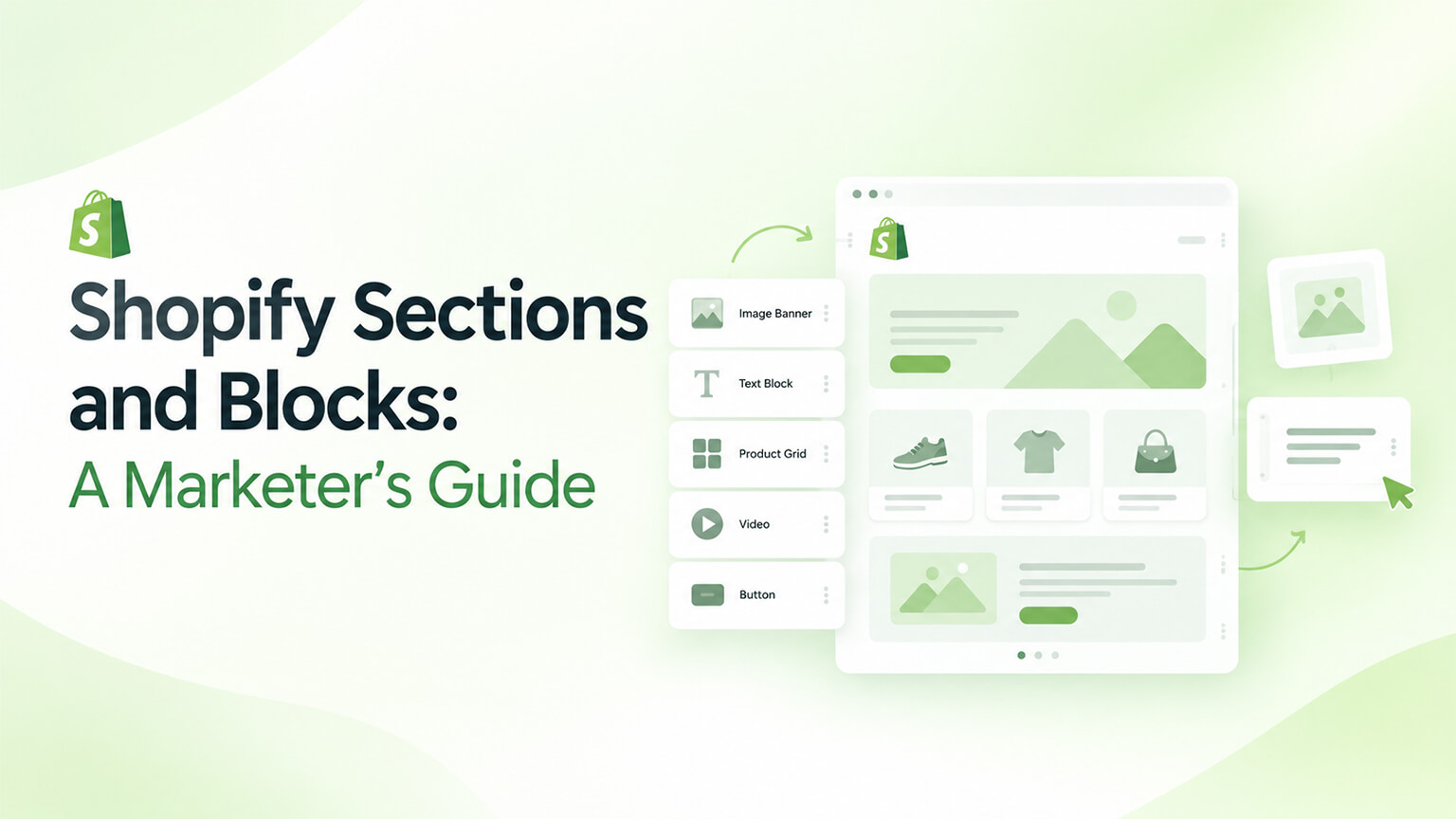
One of the best things about modern Shopify (Online Store 2.0, as that discussion covers) for marketers and store owners is that you can build and edit pages yourself, without needing a developer for every change — thanks to sections and blocks. Sections and blocks are the building units of modern Shopify themes, and understanding them from a marketer’s perspective (not a developer’s) empowers you to manage your store’s content and pages directly: adding, arranging, and editing content, building landing pages, and keeping your store fresh — all through the theme editor, without code. This is a significant shift (older Shopify was more rigid, requiring developers for many changes) that gives marketers real control and agility. This piece is a marketer’s guide to Shopify sections and blocks: what they are (plainly), what you can do with them, how to use them well, and their limits. (This connects to the Online Store 2.0 and theme-architecture discussions, which cover the technical side; this focuses on the marketer’s practical use.)
This piece covers what sections and blocks are (for marketers), what you can do with them, how to use them well, and their limits and when you still need a developer. Because sections and blocks empower marketers to manage content and pages directly, and understanding them helps you use that power well. Let me walk through it.
What sections and blocks are (for marketers)
Let’s explain sections and blocks in marketer-friendly terms. Sections — sections are modular content areas that make up a page (a hero banner, a featured-products row, an image-with-text area, a testimonial section, a rich-text area, and so on) — each section is a self-contained content block you can add to a page, configure, and arrange. Think of sections as the building blocks of a page (the rows or areas that stack to form the page). Blocks — blocks are smaller elements within a section (individual items inside a section — e.g., individual slides in a slideshow section, individual items in a list section, individual columns) — so a section contains blocks, and you can add, edit, and arrange the blocks within a section. Think of blocks as the components within a section. The theme editor — you work with sections and blocks in the Shopify theme editor (the visual editor in your admin, “Customize” your theme), where you can add sections to a page, configure them (their content and settings), arrange them (reorder), and add/edit blocks within them — all visually, without code. So the theme editor is where marketers use sections and blocks. Online Store 2.0 enables this — this flexibility (sections on all page types, blocks, app blocks) comes from Online Store 2.0 (the modern theme architecture, as that discussion covers), so it’s available on modern (OS 2.0) themes — a reason to be on a modern theme (for this flexibility). Build pages by composing sections — you build and customise pages by composing sections (adding the sections you want, arranging them, configuring their content), so a page is built from the sections you assemble — the core concept (pages composed of sections). And it’s marketer-usable (no code) — crucially, this is usable by marketers/store owners (no coding — it’s visual, in the theme editor), so you can manage content and build pages yourself (the empowering shift) — the key point for marketers. So sections are modular content areas that make up a page (heroes, product rows, text areas, etc.), blocks are smaller elements within sections (slides, items, columns), and you work with them visually in the theme editor (adding, configuring, arranging) to build and customise pages — all without code, enabled by Online Store 2.0, empowering marketers to manage content and pages directly. So understand sections and blocks as the visual, no-code building units of your pages, which the next section covers what you can do with. So sections and blocks let marketers visually build and edit pages without developers.
What you can do with them
Sections and blocks let marketers do a lot with content and pages. Build and customise pages — add, arrange, and configure sections to build and customise pages (your homepage, landing pages, and other pages — composing them from sections), so you can create and change page layouts and content yourself — the core capability (building pages). Edit content — edit the content in sections (text, images, links, settings), so you can update your store’s content (changing copy, images, offers) directly — keeping content current without developers. Arrange and reorder — arrange and reorder sections (moving them up/down, changing the page’s structure), so you can restructure pages (reordering content) visually — flexible page structure. Add and remove sections — add sections (from the available section types) and remove them, so you can add content areas (a new banner, a product row, a testimonial section) or remove them — flexible page composition. Configure section settings — configure each section’s settings (its content, options, appearance within the theme’s settings), so you can tailor sections (their content and configuration) to your needs — customisation via settings. Manage blocks within sections — add, edit, arrange, and remove blocks within sections (e.g., slides in a slideshow, items in a list), so you can manage the components within sections — granular content control. Build landing pages — build landing pages (for campaigns, products, offers) by composing sections (as the landing-page discussion covers), so you can create landing pages yourself (for marketing) — a valuable marketer capability. Use app blocks — use app blocks (sections/blocks that apps provide, as the OS 2.0 discussion covers), adding app functionality to pages via the editor (versus needing code) — integrating app content easily. And keep the store fresh — keep your store fresh (updating content, seasonal changes, new campaigns, refreshing pages) directly, so your store stays current and dynamic without developer bottlenecks — agility. So with sections and blocks, marketers can build and customise pages, edit content, arrange and reorder sections, add and remove sections, configure section settings, manage blocks within sections, build landing pages, use app blocks, and keep the store fresh — all visually, without code. So sections and blocks empower marketers to manage content and pages directly (building, editing, arranging, refreshing) — real content control and agility. So use sections and blocks to manage your content and pages yourself. The next section covers using them well.
How to use them well
Using sections and blocks well means leveraging the flexibility effectively while keeping quality. Learn the theme editor — learn your theme’s editor and its sections and blocks (what sections are available, what they do, how to configure them), so you can use them effectively (knowing your tools) — familiarity with the editor and sections. Build pages thoughtfully — build pages thoughtfully (good structure, logical flow, effective content, as the product-page, landing-page, and UX discussions cover), composing sections into effective pages (not just throwing sections together) — thoughtful page-building (using the flexibility well). Keep content quality high — keep your content quality high (good copy, quality images, effective messaging, as the content and brand discussions cover), since you’re managing content (the flexibility to edit means you’re responsible for quality) — maintaining quality content. Maintain brand consistency — maintain brand consistency (consistent design, voice, quality across pages, as the brand discussion covers), since building/editing pages yourself risks inconsistency — so keep it on-brand and consistent (using the theme’s settings and design system). Use good UX — build pages with good UX (clear, usable, mobile-friendly, as the UX and mobile discussions cover), since page structure affects UX — thoughtful, usable pages. Leverage for agility — leverage the flexibility for agility: quickly building landing pages, updating content, running campaigns, keeping the store fresh (as the landing-page and CRO discussions cover) — using the speed to be agile and responsive. Don’t over-clutter — don’t over-clutter pages (too many sections, cluttered content), keeping pages focused and effective — restraint (good pages, not cluttered ones). Test and optimise — test and optimise your pages (as the A/B-testing and CRO discussions cover), improving them (using the flexibility to iterate) — optimising pages. And use within the theme’s design system — work within the theme’s design system and settings (which maintain design consistency and quality), so your pages stay well-designed (versus breaking the design) — leveraging the theme’s design consistency. So use sections and blocks well by learning the theme editor, building pages thoughtfully (good structure, flow, content), keeping content quality high, maintaining brand consistency, using good UX, leveraging the flexibility for agility (landing pages, updates, campaigns), not over-cluttering, testing and optimising, and working within the theme’s design system. The keys are building thoughtfully (good pages, not just thrown-together sections), maintaining quality and brand consistency, and leveraging the flexibility for agility. So use sections and blocks to build good, on-brand, effective pages with agility — leveraging the flexibility well. The next section covers the limits and when you still need a developer. So use sections and blocks well by building thoughtful, quality, on-brand pages with agility.
The limits and when you still need a developer
Sections and blocks empower marketers, but they have limits — and some things still need a developer. Limited to available sections/functionality — sections and blocks let you work with the sections and functionality your theme provides (the available section types and their options), so you’re limited to what the theme offers (you can’t create new section types or custom functionality yourself — that’s development) — a limit (bounded by the theme’s sections). New sections/custom functionality need a developer — creating new custom sections, custom functionality, or capabilities beyond the theme’s provided sections requires a developer (building custom sections or theme functionality, as the theme-architecture discussion covers) — so custom development needs a developer (versus what sections/blocks let marketers do within the theme). Design changes beyond settings — design changes beyond the theme’s settings (custom design, layout, or styling beyond what the settings allow) need a developer (theme code) — so significant design customisation is developer territory. Complex or bespoke needs — complex or bespoke page/functionality needs (beyond composing available sections) need development — so the flexibility is for content and page composition within the theme, not building bespoke functionality. Theme setup and quality — the theme itself (its quality, the sections it provides, its design system) is set up by choosing/building a good theme (as the theme discussions cover), which is developer/setup territory — so the foundation (a good theme with good sections) comes from good theme choice/development. Marketers do content and composition; developers do custom build — the division: marketers use sections and blocks for content and page composition (within the theme), while developers handle custom sections, functionality, design, and the theme itself — a sensible division (marketers empowered for content, developers for custom build). So know the division — know what you can do (compose pages, edit content, arrange sections within the theme) versus what needs a developer (custom sections, functionality, design beyond settings, the theme itself), so you use sections/blocks for what they’re for and engage a developer for custom needs — clarity on the division. So sections and blocks have limits (bounded by the theme’s provided sections and settings) — you can compose pages and edit content within the theme, but custom sections, functionality, design beyond settings, and the theme itself need a developer. So use sections and blocks for content and page composition (your empowerment), and engage a developer for custom build needs (the division). So marketers use sections/blocks for content and pages within the theme, with developers handling custom needs and the theme itself.
The bottom line
One of the best things about modern Shopify (Online Store 2.0) for marketers and store owners is that you can build and edit pages yourself, without needing a developer for every change, thanks to sections and blocks. Sections are modular content areas that make up a page (a hero banner, a featured-products row, an image-with-text area, a testimonial section, and so on — the building blocks of a page), and blocks are smaller elements within a section (individual slides, items, or columns). You work with them visually in the Shopify theme editor (adding sections to pages, configuring their content and settings, arranging and reordering them, and managing blocks within them) — all without code, enabled by Online Store 2.0 — which empowers marketers to manage content and pages directly. With sections and blocks, you can build and customise pages (composing them from sections), edit content (copy, images, offers), arrange and reorder sections, add and remove sections, configure section settings, manage blocks within sections, build landing pages for campaigns, use app blocks (adding app functionality via the editor), and keep your store fresh — all yourself, giving real content control and agility. Use them well by learning your theme’s editor and sections, building pages thoughtfully (good structure, flow, and content — not just thrown-together sections), keeping content quality high, maintaining brand consistency (since building pages yourself risks inconsistency), using good UX (clear, usable, mobile-friendly pages), leveraging the flexibility for agility (quickly building landing pages, updating content, running campaigns, keeping the store fresh), not over-cluttering pages, testing and optimising them, and working within the theme’s design system (which maintains design consistency and quality). But know the limits: sections and blocks let you work with the sections and functionality your theme provides (bounded by the theme’s available sections and settings), so creating new custom sections, custom functionality, design changes beyond the theme’s settings, complex or bespoke needs, and the theme itself all require a developer. The sensible division is that marketers use sections and blocks for content and page composition within the theme (their empowerment), while developers handle custom sections, functionality, design beyond settings, and setting up a good theme with good sections in the first place. So understand sections and blocks as the visual, no-code building units that empower you to manage your store’s content and pages directly — building, editing, arranging, and refreshing pages with real agility — and use that power well (thoughtful, quality, on-brand pages) while engaging a developer for the custom build needs beyond what sections and blocks allow. It’s a significant shift that gives marketers control and agility over their store’s content and pages, and using it well (within its sensible limits) lets you keep your store fresh, effective, and on-brand without a developer bottleneck for every change.
Frequently asked questions
What are Shopify sections and blocks?
Sections are modular content areas that make up a page — a hero banner, a featured-products row, an image-with-text area, a testimonial section, a rich-text area, and so on. Think of them as the building blocks of a page, the rows or areas that stack to form it. Blocks are smaller elements within a section — the individual items inside it, like individual slides in a slideshow section, items in a list, or columns. So a section contains blocks, and a page is composed of sections. You work with both visually in the Shopify theme editor (the “Customize” interface in your admin), where you can add sections to a page, configure their content and settings, arrange and reorder them, and add, edit, and arrange the blocks within them — all without writing any code. This flexibility comes from Online Store 2.0, the modern Shopify theme architecture, and it’s what empowers marketers and store owners to build and edit their store’s pages and content directly rather than needing a developer for every change.
What can I do with sections and blocks as a marketer?
A lot, all visually and without code. You can build and customise pages (your homepage, landing pages, and others) by adding, arranging, and configuring sections; edit content directly (copy, images, links, offers) to keep your store current; arrange and reorder sections to restructure pages; add and remove sections to change what content areas a page has; configure each section’s settings (content, options, appearance); and manage the blocks within sections (adding, editing, arranging items like slides or list entries). You can build landing pages for campaigns, products, or offers by composing sections, use app blocks to add app functionality to pages through the editor, and generally keep your store fresh — updating content, making seasonal changes, and launching campaigns yourself. This gives you real content control and agility, letting you manage your store’s content and pages without a developer bottleneck for routine changes. The key is that all of this is done through the visual theme editor, so it’s accessible to marketers and store owners, not just developers.
How do I use sections and blocks well?
Leverage the flexibility while maintaining quality. Learn your theme’s editor and the sections available to you (what they do and how to configure them). Build pages thoughtfully — with good structure, logical flow, and effective content — rather than just throwing sections together, and keep your content quality high (good copy, quality images, effective messaging) since you’re now responsible for the content you’re editing. Maintain brand consistency (consistent design, voice, and quality across pages), since building and editing pages yourself can risk inconsistency — working within the theme’s design system and settings helps keep pages well-designed and on-brand. Build with good UX (clear, usable, mobile-friendly pages), don’t over-clutter pages (keep them focused and effective), and test and optimise your pages over time. Above all, leverage the flexibility for agility — quickly building landing pages, updating content, running campaigns, and keeping the store fresh — which is the real benefit. Build thoughtful, quality, on-brand pages with agility, and you use sections and blocks well.
What still needs a developer?
Sections and blocks let you work with the sections, functionality, and settings your theme provides — so you’re empowered for content and page composition within the theme, but bounded by what the theme offers. Things that still need a developer include: creating new custom sections or custom functionality beyond what the theme provides; design changes beyond what the theme’s settings allow (custom design, layout, or styling); complex or bespoke page or functionality needs beyond composing the available sections; and setting up or building a good theme with good sections in the first place (the foundation). The sensible division is that marketers use sections and blocks for content and page composition within the theme (editing content, building and arranging pages from available sections, running campaigns), while developers handle custom sections, custom functionality, significant design customisation, and the theme itself. So use sections and blocks for what they empower you to do — managing content and composing pages — and engage a developer for custom build needs that go beyond the theme’s provided sections and settings.