
How to QA-Test a Shopify Build Before Launch
On this page
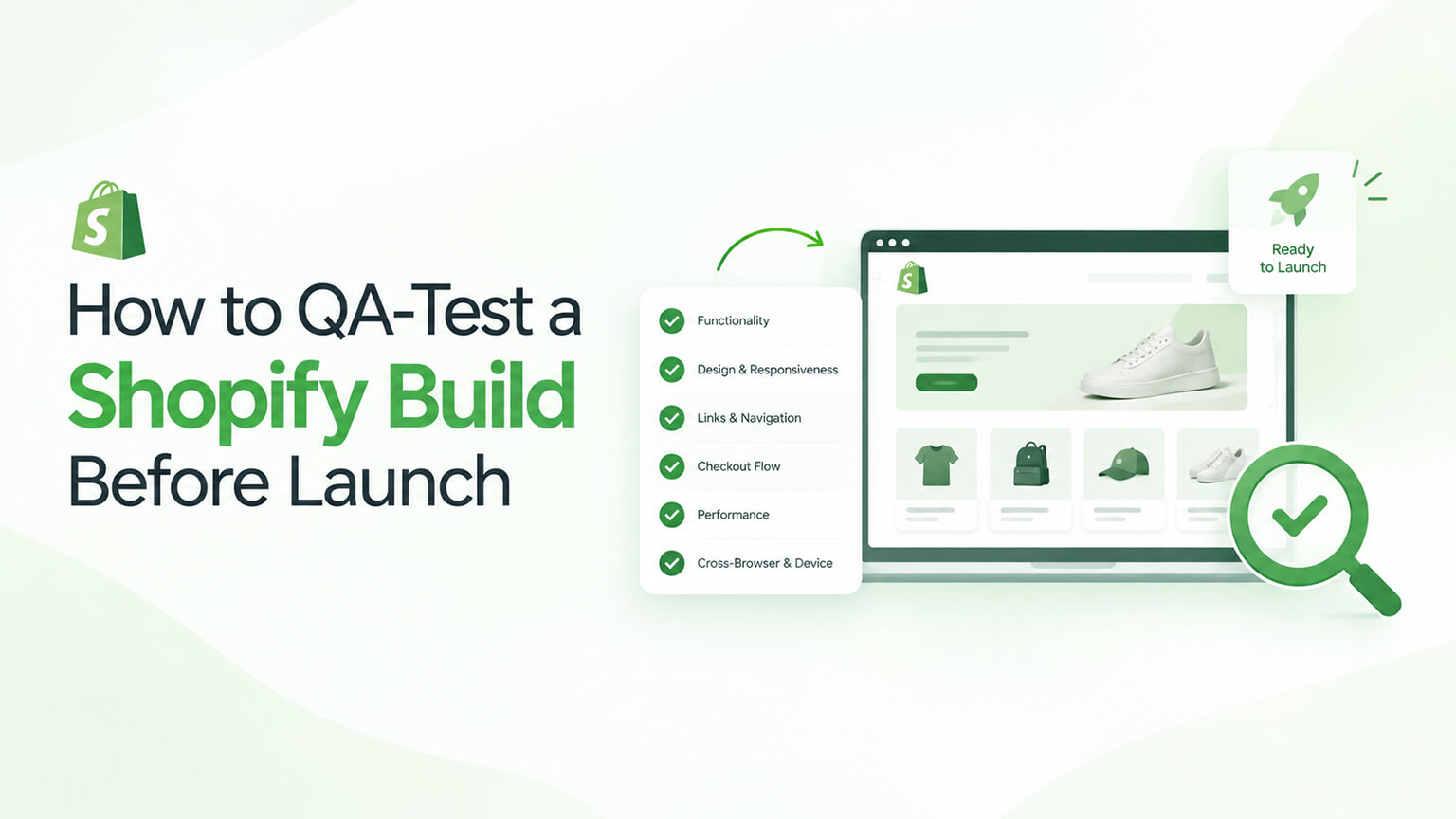
Launching a Shopify store (or a significant build or redesign) without thorough QA testing is asking for trouble — bugs, broken functionality, checkout problems, display issues, and other defects that, if they go live, harm customers, sales, and your brand. QA (quality assurance) testing before launch systematically checks that everything works correctly — functionality, the purchase flow, display across devices and browsers, and all the details — catching problems before customers do. This is distinct from the broader pre-launch checklist (which covers launch essentials like settings and SEO, as that discussion covers); QA testing focuses specifically on verifying the build works correctly (functionality and quality). It’s tempting to skip or rush QA under launch pressure, but thorough QA is what separates a smooth launch from a buggy one, and it’s especially critical for the business-critical parts (checkout, purchase flow). This piece covers how to QA-test a Shopify build before launch: why QA matters, what to test (a practical checklist), how to test it, and how to do QA well. (This connects to the launch-checklist and pre-launch discussions; this focuses on QA testing the build.)
This piece covers why QA testing matters, what to test (functionality, purchase flow, devices, content, and more), how to test it well, and how to approach QA. Because thorough QA catches problems before launch, and doing it well ensures a quality launch. Let me walk through it.
Why QA testing matters
QA testing before launch matters because launching with defects is costly. Catches problems before customers — QA catches problems (bugs, broken functionality, defects) before customers encounter them (before launch), versus finding them live (after customers hit them) — the core value (catch problems pre-launch, not via customers). Prevents costly launch problems — launching with defects (broken checkout, bugs, display issues) is costly: lost sales (a broken checkout blocks purchases), harmed experience (frustrated customers), and brand damage (a buggy store looks unprofessional) — so QA prevents these costly launch problems. Business-critical parts must work — the business-critical parts (checkout, purchase flow, as the cart and checkout discussions cover) must work correctly (defects there directly block sales), so QA is essential to verify they work — critical for the parts where defects cost most. Quality launch — QA ensures a quality launch (the store working correctly, professionally), versus a buggy launch (defects harming the launch) — supporting a good launch. Confidence to launch — QA gives confidence to launch (verified that it works), versus launching uncertainly (not knowing if it works) — supporting a confident launch. Defects are common without QA — builds commonly have defects (bugs, issues, things that don’t work as intended) that QA catches (versus assuming it all works) — so QA is necessary (defects are common, and unchecked ones go live). Especially for significant builds — QA is especially critical for significant builds, redesigns, or launches (more complexity, more that can be wrong, higher stakes) — so thorough QA matters most for significant projects. And it’s tempting to skip but shouldn’t be — QA is tempting to skip/rush under launch pressure, but skipping it risks the costly launch problems (so don’t skip it despite the pressure) — QA is worth the time. So QA testing matters because it catches problems before customers (not via them), prevents costly launch problems (lost sales, harmed experience, brand damage), verifies the business-critical parts work (checkout, purchase flow), ensures a quality launch, gives confidence to launch, is necessary (defects are common), is especially critical for significant builds, and shouldn’t be skipped despite launch pressure. So QA is essential before launch (catching defects, ensuring quality), especially for the business-critical parts. So do thorough QA before launching. The next section covers what to test.
What to test (a practical checklist)
QA testing should cover the build comprehensively. Here’s a practical checklist of what to test. The purchase flow (critical) — test the entire purchase flow end-to-end (browsing, adding to cart, cart, checkout, completing a test order, as the cart and checkout discussions cover) — the most critical test (the purchase flow must work, since defects block sales), so do complete test purchases (verifying the whole flow works). Checkout — test checkout thoroughly (all payment methods, the checkout process, order completion, as the checkout discussion covers), since checkout is business-critical — verifying checkout works. Core functionality — test the store’s core functionality (product pages, collections, search, filtering, cart, navigation, account, and any custom functionality or apps, as those discussions cover), verifying everything works as intended — core-functionality testing. Display across devices — test the display and layout across devices (desktop, tablet, and especially mobile, since much traffic is mobile, as the mobile discussion covers), verifying it displays and works correctly everywhere — cross-device testing (critical for mobile). Display across browsers — test across major browsers (Chrome, Safari, Firefox, Edge), verifying cross-browser compatibility (it works and displays correctly across browsers) — cross-browser testing. Links and navigation — test links and navigation (all links work, navigation functions, no broken links, as the navigation discussion covers), verifying navigation and links work — no broken links/navigation. Forms and interactions — test forms (contact, signup, etc.) and interactive elements (they work, submit correctly, function), verifying interactions work. Content and display — check content and display (content displays correctly, images load, no display errors, no placeholder or broken content, as the store-setup discussion covers), verifying content and display are correct. Apps and integrations — test apps and integrations (they work, function correctly, no conflicts, as the app and integration discussions cover), verifying apps/integrations work. Performance — check performance (speed, Core Web Vitals, as those discussions cover), verifying the store is adequately fast — performance check. Edge cases — test edge cases (out-of-stock products, error states, unusual inputs, empty cart, etc.), verifying they’re handled — edge-case testing. And key flows and features — test all key flows and features (whatever’s important to your store — specific flows, features, functionality), verifying they work — comprehensive coverage. So the QA checklist covers the purchase flow (critical — end-to-end test orders), checkout (thorough), core functionality (products, collections, search, filtering, cart, navigation, account, custom/apps), display across devices (especially mobile) and browsers, links and navigation, forms and interactions, content and display (no broken/placeholder content), apps and integrations, performance, edge cases, and all key flows and features — comprehensive coverage, prioritising the business-critical purchase flow and checkout. So test comprehensively against this checklist, prioritising the critical purchase flow. The next section covers how to test it. So QA-test comprehensively (purchase flow, functionality, devices, browsers, links, forms, content, apps, performance, edge cases), prioritising the critical purchase flow and checkout.
How to test it well
Testing the build well involves thorough, systematic, realistic testing. Test systematically and thoroughly — test systematically (working through the checklist, covering everything) and thoroughly (not superficially), so you catch defects (comprehensive, careful testing) — thoroughness matters. Do real test orders — do real end-to-end test orders (actually going through the full purchase flow and completing test orders, testing checkout and payment), since the purchase flow is critical and must be verified working (not assumed) — real purchase-flow testing (the most important). Test on real devices — test on real devices (actual phones, tablets, desktops) and browsers, not just one setup, since display and functionality can differ across devices/browsers (and mobile is critical) — real-device/browser testing. Use a test/staging environment — test on a staging or test environment (or before making the store live, as the staging discussion covers), so you’re testing before launch (catching defects before customers) — testing pre-launch (not on the live store with customers). Test as a user would — test as a real user would (going through real flows, using the store as customers do), catching the defects users would hit (versus only technical checks) — user-perspective testing. Involve multiple testers/perspectives — involve multiple people/perspectives in testing where possible (different people catch different things, and fresh eyes catch issues the builder might miss), improving coverage — multiple testers. Document and fix issues — document the issues found (a list of defects/bugs) and fix them (before launch), then re-test (verifying fixes and no new issues) — the find-fix-verify cycle. Re-test after fixes — after fixing issues, re-test (verifying the fixes worked and didn’t break anything else), since fixes can introduce new issues — re-testing (verifying fixes). Prioritise the critical — prioritise testing and fixing the critical (the purchase flow, checkout, core functionality — the things that block sales or harm the experience most), ensuring the critical works before launch — critical-first. And use developer/QA capability — use developer or QA capability (developers testing their work, or dedicated QA, as the team discussion covers) for thorough, capable testing (especially for significant builds) — the right testing capability. So test the build well by testing systematically and thoroughly, doing real end-to-end test orders (the critical purchase flow), testing on real devices and browsers, using a test/staging environment (pre-launch), testing as a user would, involving multiple testers/perspectives, documenting and fixing issues then re-testing, prioritising the critical, and using developer/QA capability. The keys are thorough systematic testing (especially real purchase-flow test orders), testing on real devices/browsers pre-launch, and the find-fix-verify cycle prioritising the critical. So test thoroughly and systematically (real orders, real devices, pre-launch, find-fix-verify), prioritising the critical purchase flow. The next section covers approaching QA overall. So test the build thoroughly and systematically before launch, with real test orders and the find-fix-verify cycle.
How to approach QA overall
Approaching QA well means building it into the launch process as a priority. Build QA into the launch process — build QA testing into your launch process (as a required phase before launch, as the launch-checklist discussion covers), so it’s done (not skipped) — making QA a standard part of launching. Allocate time for QA — allocate adequate time for QA (thorough testing takes time, and rushing it misses defects), so QA isn’t rushed under launch pressure (which causes missed defects and buggy launches) — realistic QA time (don’t compress it away). Don’t skip QA — don’t skip QA despite launch pressure or timeline (the temptation), since skipping it risks the costly launch problems (a buggy launch) — QA is worth the time (prioritise it). Prioritise the business-critical — prioritise QA of the business-critical (purchase flow, checkout, core functionality), ensuring the critical works (even if you must prioritise QA effort) — critical-first QA. Use the right capability — use the right QA capability (developers/QA, as the team discussion covers), ensuring capable, thorough testing (especially for significant builds) — proper QA capability. Do a find-fix-verify cycle — do the full cycle: test (find defects), fix them, re-test (verify), before launch — ensuring defects are caught and fixed (not just found) — the complete QA cycle. Test in a realistic environment — test in a realistic pre-launch environment (staging, or before going live), as real users would, so QA reflects the real store (catching real defects) — realistic QA. Also verify the launch essentials — combine QA (verifying the build works) with the broader pre-launch checklist (settings, SEO, indexability, etc., as those discussions cover), so both the build works (QA) and the launch essentials are right (checklist) — QA plus launch checklist together. And treat QA as quality-critical — treat QA as critical to a quality launch (as it is), giving it the priority and thoroughness it deserves (versus an afterthought) — QA as a quality priority. So approach QA overall by building it into the launch process (a required phase), allocating adequate time (not rushing it), not skipping it (despite pressure), prioritising the business-critical, using the right capability, doing the full find-fix-verify cycle, testing in a realistic pre-launch environment as users would, combining QA with the broader pre-launch checklist, and treating QA as quality-critical. The keys are making QA a required, adequately-resourced launch phase (not skipped or rushed), prioritising the critical, and doing the full find-fix-verify cycle in a realistic environment. So make thorough QA a priority in your launch process — a required, resourced phase catching defects before launch. So QA, done as a priority (thorough, systematic, critical-first, find-fix-verify, not skipped), ensures a quality launch. So approach QA as an essential, prioritised launch phase that catches defects before customers do, ensuring a quality, confident launch.
The bottom line
Launching a Shopify store (or a significant build or redesign) without thorough QA testing is asking for trouble — bugs, broken functionality, checkout problems, display issues, and other defects that, if they go live, harm customers, sales, and your brand. QA testing before launch systematically verifies that everything works correctly, catching problems before customers do — distinct from the broader pre-launch checklist (which covers launch essentials like settings and SEO), QA focuses specifically on verifying the build works. It matters because it catches problems before customers encounter them (not via them going live), prevents costly launch problems (lost sales from a broken checkout, harmed experience, brand damage), verifies the business-critical parts work (checkout and purchase flow, where defects cost most), ensures a quality launch, gives confidence to launch, and is necessary (builds commonly have defects) — especially for significant builds and despite launch pressure (don’t skip it). Test comprehensively against a practical checklist: the purchase flow end-to-end (the most critical — do complete test orders), checkout thoroughly (payment methods, order completion), core functionality (product pages, collections, search, filtering, cart, navigation, account, custom functionality and apps), display across devices (especially mobile) and browsers, links and navigation, forms and interactions, content and display (no broken or placeholder content), apps and integrations, performance, edge cases, and all key flows and features — prioritising the business-critical purchase flow and checkout. Test well by testing systematically and thoroughly, doing real end-to-end test orders, testing on real devices and browsers (not just one setup), using a staging or pre-launch environment (testing before customers), testing as a real user would, involving multiple testers or perspectives (fresh eyes catch more), documenting and fixing issues and then re-testing (the find-fix-verify cycle), prioritising the critical, and using developer or QA capability. And approach QA overall by building it into your launch process as a required phase, allocating adequate time (not rushing it under pressure), not skipping it despite launch timelines, prioritising the business-critical parts, using the right capability, doing the full find-fix-verify cycle in a realistic pre-launch environment as users would, combining QA (verifying the build works) with the broader pre-launch checklist (settings, SEO, indexability), and treating QA as critical to a quality launch. The keys are thorough, systematic testing (especially real purchase-flow test orders on real devices), making QA a required and adequately-resourced launch phase (not skipped or rushed), prioritising the critical, and doing the full find-fix-verify cycle. So don’t launch without thorough QA — build it into your launch process as an essential, prioritised phase that catches defects (especially in the business-critical purchase flow and checkout) before customers do, ensuring a smooth, quality, confident launch rather than a buggy one that harms customers, sales, and your brand.
Frequently asked questions
Why is QA testing important before launching a Shopify store?
Because launching with defects is costly, and QA catches those defects before customers do. Builds commonly have bugs, broken functionality, display issues, and other defects, and if they go live, they harm customers (frustrating experiences), sales (a broken checkout directly blocks purchases), and your brand (a buggy store looks unprofessional). QA testing systematically verifies that everything works correctly before launch, so you catch and fix problems pre-launch rather than having customers encounter them live. It’s especially critical for the business-critical parts — the checkout and purchase flow — where defects directly block sales, and for significant builds, redesigns, or launches, which have more complexity and higher stakes. QA also gives you the confidence to launch (knowing it works) rather than launching uncertainly. It’s tempting to skip or rush QA under launch pressure, but that risks exactly the costly launch problems QA prevents, so thorough QA is what separates a smooth, quality launch from a buggy one.
What should I test in a Shopify QA before launch?
Test the build comprehensively, prioritising the business-critical parts. Most important is the entire purchase flow end-to-end — browse, add to cart, cart, checkout, and complete real test orders — since it must work and defects there block sales; test checkout thoroughly (payment methods, order completion). Test the core functionality (product pages, collections, search, filtering, cart, navigation, account, and any custom functionality or apps). Check display and layout across devices (desktop, tablet, and especially mobile) and across major browsers (Chrome, Safari, Firefox, Edge). Test links and navigation (no broken links), forms and interactive elements (they work and submit correctly), and content and display (content shows correctly, images load, no placeholder or broken content). Test apps and integrations (they work without conflicts), check performance (speed and Core Web Vitals), and test edge cases (out-of-stock products, error states, empty cart, unusual inputs). Cover all key flows and features important to your store. The priority is the purchase flow and checkout, since those are where defects cost the most.
How do I test a Shopify build effectively?
Test systematically and thoroughly, in a realistic way. Work through a comprehensive checklist rather than testing superficially, and above all do real end-to-end test orders — actually going through the full purchase flow and completing test orders to verify checkout and payment work, since that’s the most critical thing and must be verified, not assumed. Test on real devices (actual phones, tablets, and desktops) and multiple browsers, not just one setup, since display and functionality can differ (and mobile is critical). Test on a staging or pre-launch environment so you’re catching defects before customers hit them, and test as a real user would (going through real flows). Involve multiple people or perspectives where possible, since fresh eyes catch issues the builder might miss. Document the issues you find, fix them, and then re-test to verify the fixes worked and didn’t break anything else (the find-fix-verify cycle). Prioritise testing and fixing the critical parts (purchase flow, checkout, core functionality) first, and use developer or QA capability for thorough, capable testing, especially on significant builds.
How do I make sure QA actually gets done and isn’t rushed?
Build it into your launch process as a required, adequately-resourced phase rather than an optional afterthought. Explicitly include QA testing as a step before launch (alongside your broader pre-launch checklist), and allocate adequate time for it, since thorough testing takes time and rushing it under launch pressure is exactly when defects get missed and buggy launches happen. Resist the temptation to skip or compress QA to hit a timeline — the cost of a buggy launch (lost sales, harmed experience, brand damage) far outweighs the time QA takes. Prioritise the business-critical parts (purchase flow, checkout, core functionality) so that even if QA effort is constrained, the things that block sales or harm the experience most are verified. Use the right capability (developers testing their work or dedicated QA), do the full find-fix-verify cycle (test, fix, re-test) in a realistic pre-launch environment, and treat QA as critical to a quality launch. Making QA a standard, prioritised, resourced part of how you launch — not a step to cut when time is short — is what ensures it gets done properly.