
Image Optimization in a Headless Storefront
On this page
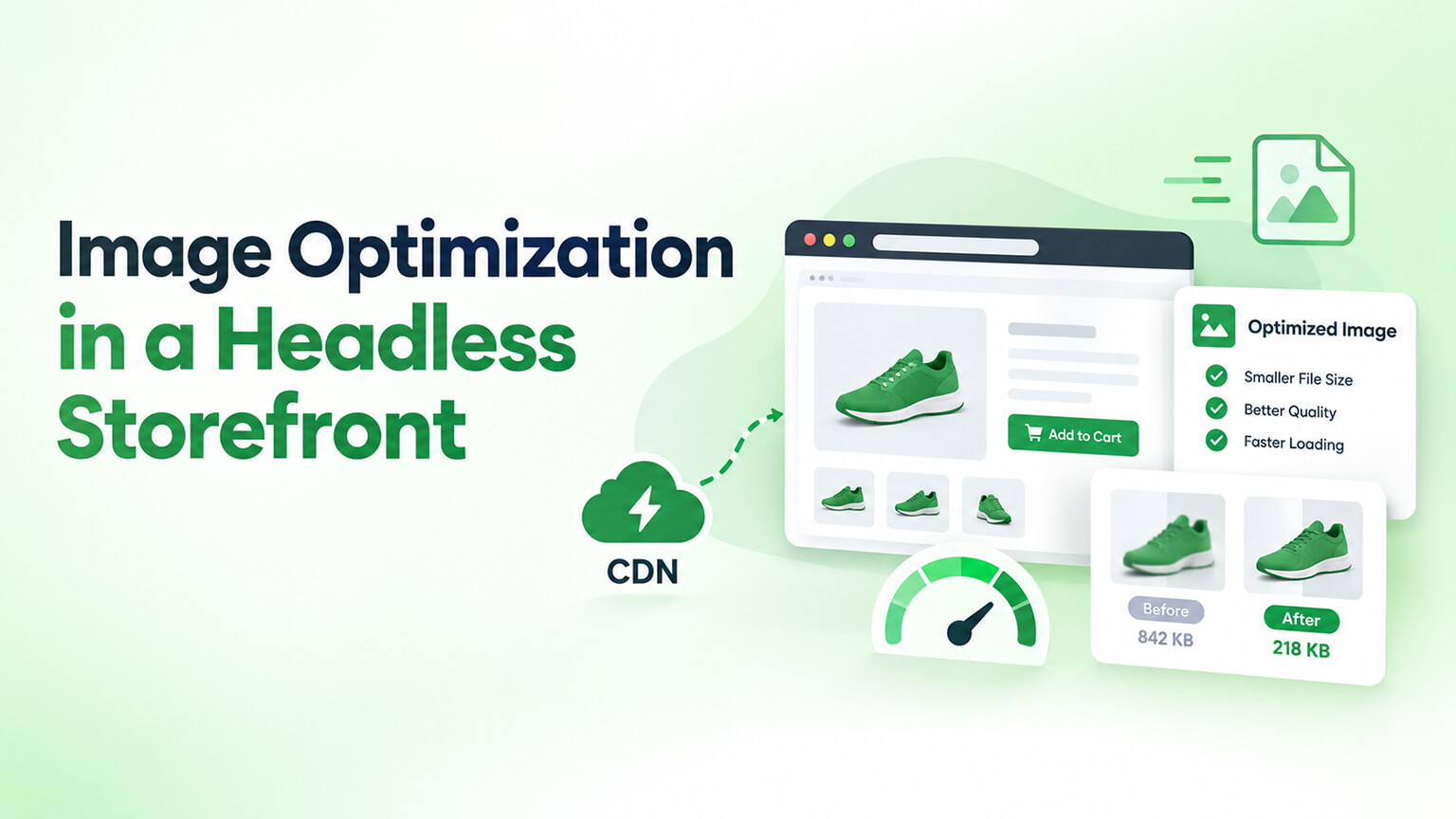
Images are often the single biggest factor in ecommerce performance (heavy, unoptimised images are a leading cause of slow stores, as the image-SEO and speed discussions cover), and performance is a main reason to go headless (as those discussions cover) — so image optimisation is central to headless performance. But there’s a key difference: on a standard Shopify theme, Shopify handles a lot of image optimisation automatically (serving optimised, appropriately-sized images via its image CDN and theme features), whereas in a headless storefront (a custom front-end, as those discussions cover), you’re more responsible for image optimisation yourself — implementing the optimisation (right-sizing, formats, lazy loading, responsive images, delivery) in your custom front-end. This means headless gives you control over image optimisation (to do it well, achieving the performance headless promises) but also the responsibility (get it wrong, and images undermine your headless performance). Since images are so central to performance, getting image optimisation right in headless is important. This piece covers image optimisation in a headless storefront: why it matters, what you’re responsible for, how to optimise images in headless, and how to do it well. (This connects to the image-SEO, speed, and caching/ISR discussions; this focuses on image optimisation in headless.)
This piece covers why image optimisation matters in headless, what you’re responsible for (versus a theme), how to optimise images in a headless storefront, and how to do it well. Because images are central to performance and you’re more responsible for their optimisation in headless, getting it right is important. Let me walk through it.
Why image optimization matters in headless
Image optimisation matters in headless because images are central to performance, which is a main headless goal. Images are the biggest performance factor — images are often the biggest performance factor (heavy, unoptimised images are a leading cause of slow stores, hurting LCP especially, as the image-SEO and Core-Web-Vitals discussions cover) — so image optimisation is often the biggest performance lever, in headless as elsewhere. Performance is a main headless goal — performance is a main reason to go headless (a fast, optimised front-end, as the is-headless-worth-it and headless-performance discussions cover), so achieving headless’s performance promise depends on image optimisation (since images are so central to performance) — image optimisation is central to headless performance. You control it in headless — in headless, you control the image optimisation (implementing it in your custom front-end), so you can optimise images well (achieving strong performance) — control (an opportunity). But you’re responsible for it — in headless, you’re also responsible for the image optimisation (versus a theme where Shopify handles much of it), so if you don’t implement it well, images undermine performance — responsibility (get it right or images hurt performance). It affects Core Web Vitals — image optimisation affects Core Web Vitals (LCP especially — the largest content element is often an image, and CLS from images without dimensions, as those discussions cover), which affect SEO and conversion, so image optimisation affects your Core Web Vitals (and thus SEO/conversion) — Core Web Vitals impact. It affects the headless performance benefit — since headless’s value includes performance, and images are central to performance, image optimisation determines whether you achieve headless’s performance benefit (well-optimised images enable it; poorly-optimised images undermine it) — the headless-performance connection. And it’s a common headless pitfall — poorly-optimised images (not implementing the optimisation Shopify handles on a theme) can undermine headless performance (a pitfall if you don’t handle image optimisation, as the headless-SEO discussion touches on for performance) — a pitfall to avoid. So image optimisation matters in headless because images are the biggest performance factor, performance is a main headless goal, you control image optimisation in headless (an opportunity) but are also responsible for it (a responsibility), it affects Core Web Vitals (and SEO/conversion), it determines whether you achieve headless’s performance benefit, and poorly-optimised images are a common headless pitfall. So image optimisation is central to headless performance, and getting it right (which you’re responsible for) is important. So optimise images well in headless to achieve its performance promise. The next section covers what you’re responsible for. So image optimisation is central to headless performance, and you’re responsible for getting it right in your custom front-end.
What you’re responsible for (versus a theme)
In headless, you’re responsible for image optimisation that Shopify handles on a theme — so it’s important to understand what you take on. Theme: Shopify handles much image optimisation — on a standard Shopify theme, Shopify handles a lot of image optimisation automatically: serving images via its image CDN, generating and serving appropriately-sized images (responsive images), format optimisation, and theme-level image handling (lazy loading, etc., as the image-SEO discussion covers) — so a theme provides much image optimisation out of the box (Shopify handles it). Headless: you implement image optimisation — in headless, your custom front-end handles image display, so you implement the image optimisation (right-sizing, responsive images, formats, lazy loading, delivery) in your front-end — so you’re responsible for implementing the optimisation (versus a theme’s automatic handling) — your responsibility. Right-sizing and responsive images — you’re responsible for serving appropriately-sized images (right-sized for the display context, responsive images for different screens/devices), so you don’t serve oversized images (a common performance problem, as the image-SEO discussion covers) — right-sizing (yours to implement). Image formats — you’re responsible for serving optimised formats (modern formats like WebP/AVIF, as the image-SEO discussion covers), so images are efficiently formatted — formats (yours). Compression — you’re responsible for image compression (compressing images appropriately, balancing quality and size, as the image-SEO discussion covers), so images aren’t unnecessarily heavy — compression (yours). Lazy loading — you’re responsible for lazy loading (loading below-the-fold images only as needed, as the image-SEO and speed discussions cover), so images don’t all load upfront (hurting performance) — lazy loading (yours). Image delivery/CDN — you’re responsible for image delivery (serving images fast, via a CDN or image service, as the caching/ISR and edge discussions touch on for delivery), since fast image delivery matters for performance — delivery (yours, though you can use Shopify’s image CDN or an image service). CLS prevention (dimensions) — you’re responsible for preventing layout shift from images (specifying image dimensions so space is reserved, avoiding CLS, as the Core-Web-Vitals discussion covers) — CLS prevention (yours). And you can use tools/services — you can use image-optimisation tools and services (image CDNs, optimisation services, framework image components that handle optimisation, and Shopify’s image CDN for Shopify-hosted images), so you don’t build it all from scratch (leveraging tools) — tools/services (helping). So in headless, you’re responsible for the image optimisation Shopify handles on a theme: right-sizing and responsive images, formats (modern formats), compression, lazy loading, image delivery/CDN, and CLS prevention (dimensions) — implementing these in your custom front-end (though you can use image-optimisation tools, services, framework components, and Shopify’s image CDN to help). So you take on implementing image optimisation in headless (right-sizing, formats, compression, lazy loading, delivery, dimensions), leveraging tools/services. The next section covers how to optimise images in headless. So in headless you’re responsible for implementing the image optimisation (right-sizing, formats, compression, lazy loading, delivery, dimensions) that a theme handles automatically.
How to optimize images in a he Core-Web-Vitalsadless storefront
Optimising images in a headless storefront involves implementing the optimisation well, using the right tools and techniques. Serve appropriately-sized, responsive images — serve right-sized, responsive images (the appropriate size for the display context and device, using responsive image techniques — srcset, sizes, or framework image components, as the image-SEO discussion covers), so you don’t serve oversized images (the biggest image performance issue) — right-sizing/responsive (a top priority). Use modern formats — serve modern image formats (WebP, AVIF, which are more efficient than older formats, as the image-SEO discussion covers), so images are efficiently formatted (smaller for the same quality) — modern formats. Compress images — compress images appropriately (balancing quality and file size, as the image-SEO discussion covers), so images aren’t unnecessarily heavy — compression. Implement lazy loading — implement lazy loading for below-the-fold images (loading them as needed, not all upfront, as the image-SEO and speed discussions cover), so initial load is faster (fewer images loaded upfront) — lazy loading. Use an image CDN/optimisation service — use an image CDN or optimisation service (Shopify’s image CDN for Shopify-hosted images, or a dedicated image service/CDN) that serves optimised, right-sized, formatted images fast, so image delivery and optimisation are handled efficiently (leveraging the service versus building it) — image CDN/service (a key tool). Use framework image components — use your framework’s image optimisation components (e.g., Next.js’s Image component, which handles right-sizing, formats, lazy loading, and optimisation, as the framework discussions touch on), leveraging built-in image optimisation (a major help — the framework handles much of it) — framework image components (a big help in modern frameworks). Specify image dimensions — specify image dimensions (width/height or aspect ratio) so space is reserved, preventing layout shift (CLS, as the Core-Web-Vitals discussion covers) — dimensions (for CLS). Prioritise the LCP image — prioritise loading the LCP image (the largest above-the-fold image, often the hero or main product image — preloading or prioritising it, as the Core-Web-Vitals discussion covers), improving LCP — LCP prioritisation. Integrate with your rendering/caching — integrate image optimisation with your rendering and caching (as the caching/ISR discussion covers), so optimised images are served efficiently within your headless architecture — integration. And measure and verify — measure image performance (via PageSpeed Insights, Lighthouse, as the speed discussion covers) and verify images are optimised (right-sized, formatted, lazy-loaded, not hurting LCP/CLS), confirming the optimisation works — measure/verify. So optimise images in a headless storefront by serving appropriately-sized responsive images (right-sizing — a top priority), using modern formats, compressing images, implementing lazy loading, using an image CDN/optimisation service, using your framework’s image components (a major help), specifying image dimensions (CLS prevention), prioritising the LCP image, integrating with your rendering/caching, and measuring and verifying. The keys are right-sizing and responsive images, modern formats and compression, lazy loading, and leveraging image CDNs/services and framework image components (which handle much of it) — plus dimensions for CLS and prioritising the LCP image. So optimise images in headless via right-sizing, formats, compression, lazy loading, and leveraging image CDNs/services and framework components. The next section covers doing it well. So optimise headless images via right-sizing, modern formats, compression, lazy loading, dimensions, and leveraging image CDNs/services and framework image components.
How to do it well
Doing image optimisation well in headless brings the techniques together with good practices and the right tools. Prioritise image optimisation — prioritise image optimisation (given images are the biggest performance factor and you’re responsible for it in headless), making it a key part of your headless performance work (not overlooked) — prioritisation (it’s high-impact). Leverage tools and services — leverage the tools and services (image CDNs/optimisation services, framework image components like Next.js’s Image, Shopify’s image CDN) that handle much of the optimisation, so you don’t build it all from scratch (using the tools makes it much easier and better) — leveraging tools (the smart approach — much image optimisation is handled by good tools/components). Use your framework’s image handling — use your framework’s built-in image optimisation (a major help, as covered), which handles right-sizing, formats, lazy loading, and optimisation — so leverage the framework’s image capabilities (a key efficiency) — framework image handling. Cover all the image-optimisation aspects — ensure you cover all the aspects (right-sizing/responsive, formats, compression, lazy loading, delivery, dimensions, LCP prioritisation), so image optimisation is comprehensive (not missing an aspect that undermines it) — comprehensiveness. Integrate with the overall performance approach — integrate image optimisation with your overall headless performance work (rendering, caching, JavaScript, as those discussions cover), so images are part of a comprehensively-optimised, fast headless storefront — integration with performance. Measure and verify performance — measure your performance (Core Web Vitals, especially LCP and CLS, which images affect, as those discussions cover) and verify images aren’t undermining it (well-optimised, not causing slow LCP or CLS), confirming the optimisation works — measurement. Use the right expertise — ensure your headless developers implement image optimisation well (as part of headless performance, as the headless-team discussion covers), since it’s a key part of headless performance requiring the right implementation — expertise (part of good headless development). Maintain it — maintain good image optimisation ongoing (as you add images and content, ensuring they’re optimised, as the performance-budget and maintenance discussions cover), so image optimisation stays good (versus degrading with unoptimised new images) — ongoing maintenance. And avoid the pitfall — avoid the pitfall of poorly-optimised images undermining headless performance (by doing image optimisation well), so images enable rather than undermine your headless performance — avoiding the pitfall. So do image optimisation well in headless by prioritising it (high-impact, and your responsibility), leveraging tools and services (image CDNs, optimisation services) and your framework’s image handling (which handle much of it — the smart approach), covering all the aspects comprehensively, integrating it with your overall performance work, measuring and verifying performance (Core Web Vitals), using the right developer expertise, maintaining it ongoing, and avoiding the pitfall of poorly-optimised images. The keys are prioritising image optimisation, leveraging image CDNs/services and framework image components (which do much of the work), covering all aspects, and measuring/verifying — so images enable your headless performance. So do image optimisation well by prioritising it, leveraging tools and framework components, covering all aspects, and verifying — enabling headless performance. So do headless image optimisation well by prioritising it, leveraging tools and framework image handling, covering all aspects, and verifying performance — so images enable rather than undermine your headless performance.
The bottom line
Images are often the single biggest factor in ecommerce performance (heavy, unoptimised images are a leading cause of slow stores, hurting LCP especially), and performance is a main reason to go headless — so image optimisation is central to headless performance. But there’s a key difference: on a standard Shopify theme, Shopify handles a lot of image optimisation automatically (serving optimised, appropriately-sized, responsive images via its image CDN and theme features, including lazy loading), whereas in a headless storefront your custom front-end handles image display, so you’re responsible for implementing the image optimisation yourself. This gives you control (to optimise well and achieve headless’s performance promise) but also the responsibility (get it wrong, and images undermine your headless performance — a common pitfall). In headless, you’re responsible for what Shopify handles on a theme: serving appropriately-sized, responsive images (not oversized ones — the biggest image performance issue), modern formats (WebP, AVIF), compression, lazy loading (below-the-fold images), image delivery (via a CDN or image service), and preventing layout shift by specifying image dimensions — though you can use image-optimisation tools, services, framework image components, and Shopify’s image CDN to help. Optimise images in a headless storefront by serving right-sized responsive images (a top priority), using modern formats, compressing appropriately, implementing lazy loading, using an image CDN or optimisation service (Shopify’s or a dedicated one) that serves optimised images fast, using your framework’s built-in image optimisation components (like Next.js’s Image component, which handles right-sizing, formats, lazy loading, and optimisation — a major help), specifying image dimensions (to prevent CLS), prioritising the LCP image (the largest above-the-fold image), integrating image optimisation with your rendering and caching, and measuring and verifying that images are optimised and not hurting Core Web Vitals. Do it well by prioritising image optimisation (it’s high-impact and your responsibility in headless), leveraging tools and services and your framework’s image handling (which handle much of the work — the smart approach rather than building it all from scratch), covering all the optimisation aspects comprehensively, integrating it with your overall headless performance work (rendering, caching, JavaScript), measuring and verifying performance (Core Web Vitals, especially LCP and CLS), using the right developer expertise, maintaining good image optimisation as you add content, and thereby avoiding the pitfall of poorly-optimised images undermining your headless performance. The keys are prioritising image optimisation, leveraging image CDNs/services and framework image components (which do much of the work), covering all aspects (right-sizing, formats, compression, lazy loading, delivery, dimensions, LCP prioritisation), and measuring and verifying. So since images are so central to performance, and headless makes their optimisation your responsibility (rather than Shopify’s), get image optimisation right in your headless storefront — leveraging the excellent image tools and framework components available, covering all the aspects, and verifying the results — so your images enable the strong performance that’s a main reason to go headless, rather than undermining it. Image optimisation is one of the highest-impact things to get right for headless performance.
Frequently asked questions
Why is image optimization especially important in headless?
Because images are often the single biggest factor in ecommerce performance (heavy, unoptimised images are a leading cause of slow stores, hurting LCP especially), and performance is a main reason people go headless — so image optimisation is central to achieving headless’s performance promise. Crucially, headless changes who’s responsible: on a standard Shopify theme, Shopify handles a lot of image optimisation automatically (serving optimised, right-sized, responsive images via its image CDN and theme features, including lazy loading), but in a headless storefront your custom front-end handles image display, so you’re responsible for implementing the optimisation yourself. This gives you control to optimise images well (achieving strong performance) but also the responsibility — if you don’t handle image optimisation properly, images will undermine your headless performance, which is a common pitfall. Since images so heavily affect Core Web Vitals (and thus SEO and conversion), and since performance is why you went headless, getting image optimisation right is one of the highest-impact things for headless performance.
What image optimization am I responsible for in headless?
The optimisation Shopify handles automatically on a theme, which you now implement in your custom front-end. That includes serving appropriately-sized, responsive images (right-sized for the display context and device, so you don’t serve oversized images — the biggest image performance problem), serving modern efficient formats (WebP, AVIF), compressing images appropriately (balancing quality and file size), implementing lazy loading (loading below-the-fold images only as needed rather than all upfront), handling image delivery (serving images fast, typically via a CDN or image service), and preventing layout shift by specifying image dimensions so space is reserved (avoiding CLS). You’re also responsible for prioritising the LCP image (the largest above-the-fold image). The good news is you don’t have to build all of this from scratch — you can leverage image-optimisation tools and services (image CDNs, dedicated optimisation services), your framework’s built-in image components (like Next.js’s Image), and Shopify’s image CDN for Shopify-hosted images, which handle much of the optimisation for you. But it’s your responsibility to implement and use these well.
How do I optimize images in a headless storefront?
Cover all the key aspects, leveraging good tools. Serve appropriately-sized, responsive images (the right size for the context and device, using responsive image techniques or framework components) — this is a top priority, since oversized images are the biggest image performance issue. Use modern formats (WebP, AVIF), compress images appropriately, and implement lazy loading for below-the-fold images. Use an image CDN or optimisation service (Shopify’s image CDN for Shopify-hosted images, or a dedicated image service) that serves optimised, right-sized, formatted images fast. Critically, use your framework’s built-in image optimisation components — for example, Next.js’s Image component handles right-sizing, formats, lazy loading, and optimisation, doing much of the work for you. Specify image dimensions to prevent layout shift (CLS), prioritise loading the LCP image (the largest above-the-fold image, such as a hero or main product image), integrate image optimisation with your rendering and caching, and measure and verify that images are optimised and not hurting your Core Web Vitals (via tools like PageSpeed Insights). The smart approach is to lean on image CDNs, services, and framework components rather than building it all yourself.
What happens if I don’t optimize images well in headless?
Your images will undermine your headless performance — which is a common and self-defeating pitfall, since performance is usually a main reason for going headless in the first place. Heavy, oversized, or poorly-formatted images that aren’t lazy-loaded will slow your storefront, hurting your Core Web Vitals (especially LCP, since the largest content element is often an image, and CLS if images lack specified dimensions), which in turn hurts your SEO and conversion. On a theme, Shopify’s automatic image optimisation largely protects you from this, but in headless that protection is gone and it’s on you — so neglecting image optimisation means you can end up with a headless storefront that’s actually slow, defeating the purpose. The fix is to treat image optimisation as a high-priority, essential part of your headless performance work: leverage the excellent image tools and framework components available (which do much of the work), cover all the aspects (right-sizing, formats, compression, lazy loading, delivery, dimensions, LCP prioritisation), and measure and verify the results — so your images enable rather than undermine the strong performance headless promises.