
Connecting Shopify to Your ERP: What Actually Happens
On this page
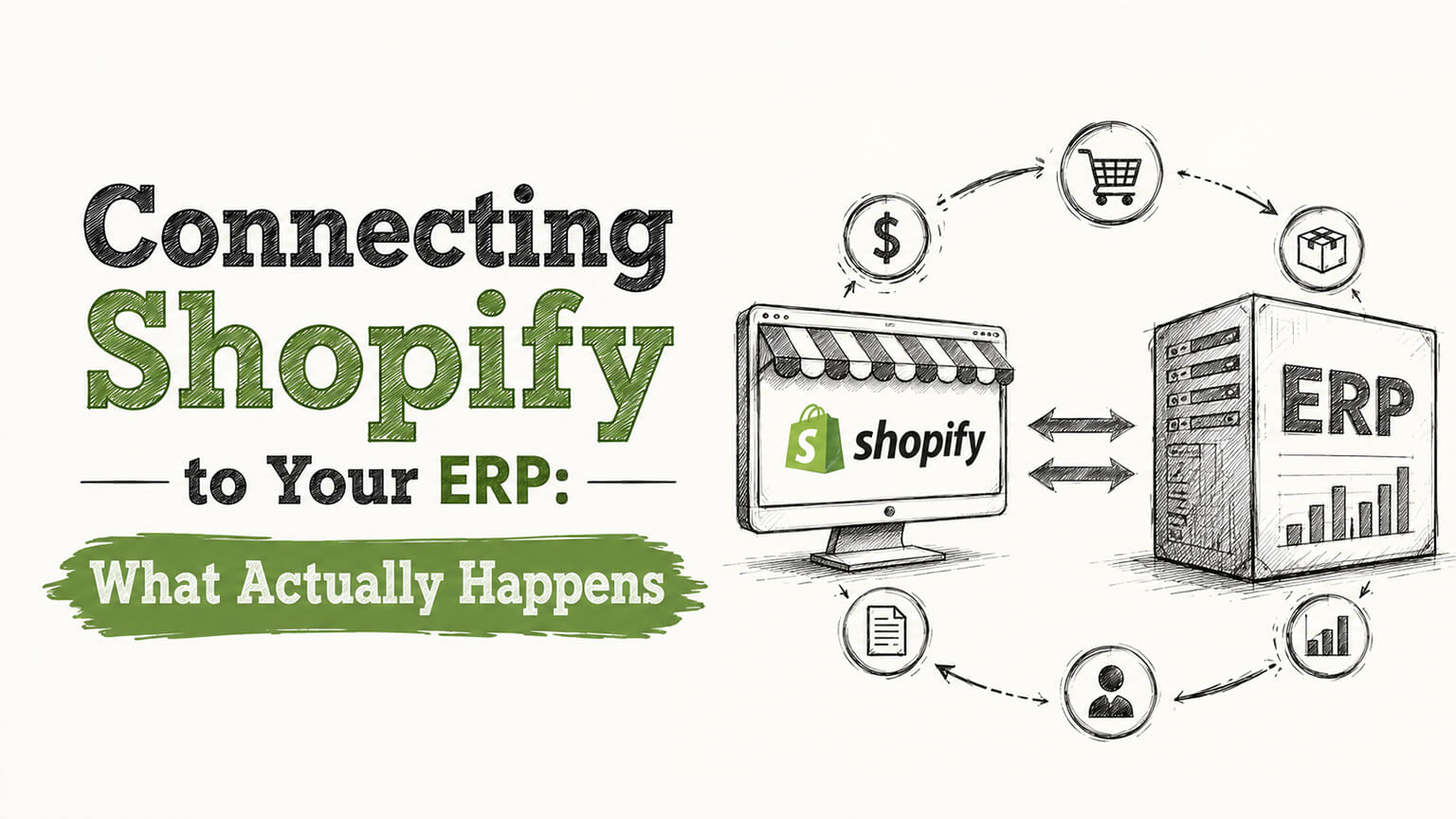
There’s a sentence I’ve learned to slow down on whenever it comes up in a project kickoff: “and we’ll just connect it to our ERP.” That word “just” is doing an enormous amount of optimistic work. ERP integration is often the single most complex, most underestimated part of a Shopify project, and the gap between how simple it sounds and how it goes is where budgets and timelines quietly blow up.
I’m not saying this to scare you off — connecting your store to your back-office systems is frequently the right move and pays for itself in saved hours and fewer errors. I’m saying it so you go in with clear eyes. Let me explain what’s actually involved, without the sales gloss.
First, what we’re even talking about
An ERP — enterprise resource planning system — is the software that runs the back office: inventory, accounting, purchasing, fulfillment, sometimes customer records and more. Think NetSuite, or for smaller operations something like QuickBooks playing a similar role. Your Shopify store is the front: it takes orders and shows products. The ERP is where the business is actually managed.
Integration means getting these two to talk automatically, so data flows between them without someone manually re-typing it. Orders flow from Shopify into the ERP for fulfillment and accounting. Inventory levels flow from the ERP back to Shopify so you don’t oversell. Product data, customer records, fulfillment status — depending on the setup, various things sync in one or both directions. Done well, it eliminates a mountain of manual work and the errors that come with it.
Why it’s harder than it sounds
Here’s the thing people miss. Connecting two systems isn’t just “draw a line between them.” It’s reconciling two systems that were designed separately, by different people, with different ideas about how data should be shaped.
Your ERP might structure products differently than Shopify does. It might handle variants, bundles, or units of measure in a way that doesn’t map cleanly. Customer records might not line up. Order data needs translating from Shopify’s format into whatever the ERP expects, and back. And every one of these mismatches is a decision someone has to make: when the two systems disagree, which one wins? What happens to data that doesn’t fit? How do you handle the edge cases — partial fulfillments, refunds, exchanges, pre-orders, backorders?
Then there’s reliability. A sync that works in a calm demo has to keep working when an API is briefly down, when you hit a rate limit during a big sale, when someone enters weird data, when two updates collide. A naive integration that doesn’t handle failure gracefully will, sooner or later, lose an order or corrupt your inventory — and inventory you can’t trust is worse than no integration at all, because now you’re overselling or hiding stock and don’t know it.
Off-the-shelf connector vs. custom build
You’ve basically got two roads, and the right one depends on how standard your setup is.
There are pre-built connectors and integration platforms designed to link Shopify with common ERPs. If your ERP is a mainstream one, your data is reasonably standard, and your needs aren’t unusual, a connector can be the faster, cheaper path. You configure it rather than build it. The catch is that connectors make assumptions, and if your setup doesn’t match those assumptions — unusual product structures, custom workflows, niche requirements — you’ll either bend your process to fit the tool or hit its limits.
A custom integration is built for your specific systems and rules. It costs more and takes longer, but it does exactly what you need and handles your actual edge cases. For complex catalogs, unusual workflows, or high-volume operations where reliability is critical, custom is often the only thing that works. The decision usually comes down to how standard your situation is: standard setup, lean toward a connector; unusual or complex, lean toward custom.
What a good integration is actually made of
Whichever road you take, the things that separate a solid integration from a fragile one are mostly invisible until something goes wrong. A good one is built to expect failure: it retries when an API call fails, respects rate limits instead of hammering the system, handles operations so that a repeated message doesn’t create a duplicate order, and queues work so a brief outage doesn’t lose data. It logs what it does, so when something looks off you can trace it. And it has monitoring and alerts, so you find out about a problem from your system, not from an angry customer whose order vanished.
This is the stuff that gets skipped in cheap integrations and the stuff you desperately wish you’d paid for the first time a sync silently fails during peak season. Ask anyone building your integration how they handle failures, retries, and monitoring. The quality of that answer tells you whether you’re getting something robust or something that works until it doesn’t.
How to approach the project sanely
If you’re heading into an ERP integration, a few things make it go better. Map it out before building — what data, which direction, what the rules are when systems disagree, what the edge cases are. This mapping phase is tedious and it’s exactly where the project succeeds or fails; skipping it is how you discover the hard questions mid-build, expensively.
Be honest about your data’s messiness. Years of inconsistent product or customer data make integration harder, and it’s better to know (and clean up) upfront than to be surprised. Test against real data and real edge cases, not just a tidy demo. And build in monitoring from day one so you’ll know immediately if something breaks.
Above all, don’t treat it as an afterthought bolted onto the end of a build. If ERP integration is part of your project, flag it early and scope it as the substantial piece of work it is. The projects that go badly are almost always the ones where “we’ll just connect it” was assumed to be trivial and discovered, too late, to be anything but.
The bottom line
Connecting Shopify to your ERP is well worth it — it kills manual re-keying, keeps inventory honest, and frees your team from busywork. But it’s real engineering, not a checkbox, and the difference between a reliable integration and a fragile one is mostly in the unglamorous handling of failures and edge cases you never see until they bite. Scope it seriously, decide honestly between a connector and a custom build based on how standard your setup is, and insist on reliability built in. Do that, and “we’ll just connect it to our ERP” becomes a win instead of the part of the project everyone remembers for the wrong reasons.
The data-mapping decisions you’ll actually face
The abstract warning that “data doesn’t map cleanly” becomes concrete once you’re in the project, so it helps to know the specific decisions that come up, because these are where the real work and the real risk live. Each mismatch between Shopify and your ERP is a decision someone has to make deliberately, and skipping them is how integrations quietly corrupt data.
The first is the question of authority: when the two systems disagree about a piece of data, which one wins? Inventory is the classic case. If your ERP thinks you have ten of something and Shopify thinks you have eight, which is right, and which gets overwritten? Usually the ERP is the source of truth for inventory and the sync flows ERP-to-Shopify, but you have to decide that explicitly, because getting it backward means Shopify overwriting your real stock numbers with stale ones. The same authority question applies to product data, pricing, and customer records — for each, you decide which system owns it and which direction the data flows.
The second is structural mismatch. Your ERP may model products, variants, bundles, or units of measure differently than Shopify does. A product that’s one SKU in Shopify might be several line items in the ERP, or a bundle in Shopify might need to decrement multiple component stocks in the ERP. Someone has to translate between these models, and the translation has to handle every case your catalog actually contains — which is why an honest inventory of how your products are structured in both systems is essential before anyone writes code.
The third is the pile of edge cases that a tidy demo never exercises but real operations produce constantly: partial fulfillments, refunds, exchanges, pre-orders, backorders, cancel-led orders, orders edited after the fact. Each one is a scenario the integration has to handle correctly in both systems, and each is a place where a naive sync loses or corrupts data. What happens to the ERP record when a Shopify order is partially refunded? When an item is out of stock at fulfillment? These aren’t exotic — they happen daily — and mapping them out beforehand is the difference between an integration that works and one that quietly breaks.
The practical takeaway is that the mapping phase, tedious as it is, is where the project succeeds or fails. Sit down before any building and answer these questions explicitly: what data syncs, in which direction, who wins in a conflict, how each structural mismatch translates, and how every edge case is handled. Skipping this to “just connect it” is how you discover the hard questions mid-build, expensively, or worse, after launch when the corrupted data is already flowing.
The maintenance nobody budgets for
An integration isn’t a build-it-and-forget-it project — it’s a living connection between two systems that both keep changing, so it needs ongoing care, and that ongoing cost is exactly what cheap integrations skip and what stores wish they’d planned for. Understanding this upfront changes how you scope and budget the work.
Both ends of the integration evolve. Shopify updates its APIs and occasionally deprecates old ones, so an integration built against today’s API needs attention to keep working as the platform moves. Your ERP gets updated too, and its data or behavior can shift. Your own business changes — you add product types, change how you handle fulfillment, launch B2B, expand internationally — and the integration has to keep up with each change or it starts mishandling the new cases. An integration that was perfect at launch slowly drifts out of alignment if nobody maintains it.
Then there’s the day-to-day reality that things fail. APIs have brief outages, rate limits get hit during big sales, occasional bad data slips through, two updates collide. A well-built integration handles these gracefully with retries and queuing, but even the best one benefits from monitoring so you find out about a problem from your own alerts rather than from an angry customer whose order vanished. Someone has to watch that monitoring, investigate the occasional issue, and keep the connection healthy. Without that, small problems accumulate silently until a sync fails during peak season and you’re scrambling.
This is why the honest cost of an integration includes the years after launch, not just the build. Budget for maintenance — whether that’s an in-house capability, a retainer with whoever built it, or a support arrangement with a connector vendor — and insist that monitoring and alerting are built in from day one, so problems surface early. When you’re comparing a cheap integration against a more robust one, factor in that the cheap one often skips exactly the failure-handling and monitoring that make maintenance manageable, so it costs less upfront and far more the first time it silently breaks. Treat the integration as an ongoing relationship between two systems that both keep moving, plan for its upkeep, and it stays the reliable, hours-saving asset it’s meant to be rather than a fragile dependency that eventually fails when you can least afford it.
Start small and prove it before you trust it
A tactical point that saves a lot of pain: don’t switch on a full, two-way, everything-syncing integration all at once and immediately depend on it, because the safest path is to start narrow, prove each piece works against real data, and expand as your confidence grows. Rushing to full automation before you trust it is how a bad sync silently corrupts your inventory or loses orders before anyone notices.
The reason to phase it is that an integration touching your live inventory and orders is high-stakes — inventory you can’t trust is worse than no integration, because you’re overselling or hiding stock without knowing it, and lost orders are lost revenue and lost trust. So the prudent approach is to bring the connection up in stages you can verify. Start with the piece that’s most valuable and most contained — often order flow from Shopify into the ERP, or inventory sync from the ERP to Shopify — get it working reliably against real data and real edge cases, watch it closely, and only then add the next flow. Each stage you prove builds justified confidence before you lean on it.
Testing against real data rather than a tidy demo is the crucial part. A sync that works perfectly in a clean test will meet your actual product structures, your years of slightly inconsistent data, your genuine edge cases (partial fulfillments, refunds, unusual orders) only in production, so exercise it against real cases before you trust it with the business. Run it in parallel with your existing process for a while if you can, comparing results, so a discrepancy shows up as a caught difference rather than a corrupted record you discover weeks later.
And insist on monitoring from the very first stage, so you find out about a problem from your own alerts rather than from a customer. The combination — phase the rollout, prove each piece against real data, run in parallel where possible, and monitor throughout — turns a risky big-bang integration into a controlled one where problems surface small and early. It’s slower than flipping everything on at once, but ERP integration is exactly the kind of high-stakes, hard-to-reverse work where controlled and proven beats fast and hopeful. Build confidence stage by stage, and the integration becomes the reliable, hours-saving asset it’s meant to be rather than the fragile dependency that fails when you can least afford it.
Frequently asked questions
Is an ERP integration worth the cost and complexity?
For a store doing enough volume that manual re-keying between systems is eating real time and causing errors, usually yes — a good integration kills the busywork, keeps inventory honest, and frees your team from reconciling two systems by hand. But it’s real engineering, not a checkbox, so the value depends on doing it properly: honest data mapping upfront, robust handling of failures and edge cases, monitoring built in, and maintenance planned for. A cheap integration that skips those saves money upfront and costs far more the first time it silently loses an order or corrupts your stock. Scope it as the substantial piece of work it is, and it pays for itself; treat it as trivial, and it becomes the part of the project everyone remembers for the wrong reasons.
Should I turn on a full ERP integration all at once?
No — phase it. An integration touching live inventory and orders is high-stakes, since untrustworthy inventory means overselling or hiding stock and lost orders mean lost revenue. Bring it up in stages you can verify: start with the most valuable, contained flow (often orders into the ERP or inventory to Shopify), prove it against real data and real edge cases, watch it closely, then add the next flow. Test against real data rather than a tidy demo, run in parallel with your existing process where you can, and insist on monitoring from the first stage. Controlled and proven beats fast and hopeful for work this hard to reverse.
What ongoing maintenance does an ERP integration need?
More than people expect — it’s a living connection between two systems that both keep changing. Shopify updates its APIs, your ERP gets updated, and your own business evolves (new product types, fulfillment changes, B2B, international), and the integration has to keep up with each or it starts mishandling cases. Things also fail day to day — brief outages, rate limits during sales, bad data — so it needs monitoring and someone to watch it. Budget for this upkeep (in-house, a retainer, or vendor support) and insist monitoring is built in from day one, because the honest cost of an integration includes the years after launch, not just the build.
Do I need a custom integration or will a connector work?
If your ERP is mainstream, your data is fairly standard, and your needs aren’t unusual, a pre-built connector is often the faster, cheaper path. If you have a complex catalog, unusual workflows, or high-volume reliability needs, a custom integration usually works better because it handles your actual edge cases instead of forcing you into a tool’s assumptions.
What usually goes wrong with ERP integrations?
Two things: data that doesn’t map cleanly between systems (different product structures, variants, customer records), and integrations that don’t handle failure gracefully — no retries, no rate-limit handling, no monitoring — so a brief outage or a rate limit during a sale silently loses orders or corrupts inventory.
Why is ERP integration so often underestimated?
Because “connect the two systems” sounds simple, but it means reconciling two systems designed separately, deciding what happens in every conflict and edge case, and building something that stays reliable under real-world failures. The mapping and reliability work is the bulk of the effort and it’s invisible in the pitch.
What should I ask whoever builds my integration?
How they handle failures, retries, rate limits, and duplicate operations; how they’ll map your specific data and edge cases; and what monitoring and alerting they’ll put in place. If those answers are vague, you’re likely getting something that works in a demo and breaks in production.