
How to Build an SEO-Friendly Shopify Navigation
On this page
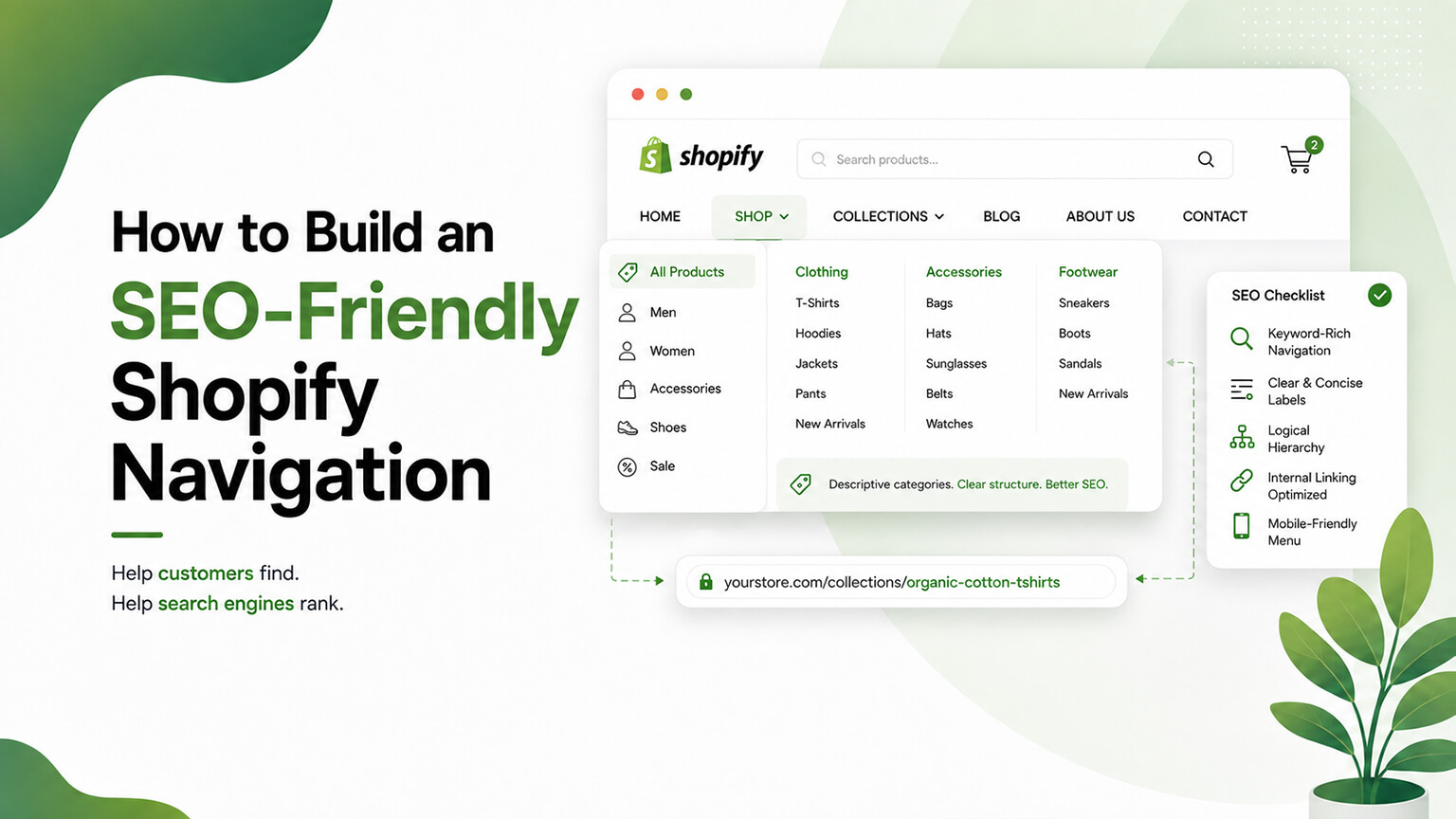
Your store’s navigation — the menus, links, and structure shoppers use to move around — does double duty: it shapes the user experience (helping shoppers find what they want) and it shapes SEO (helping search engines crawl, understand, and value your pages). These two goals align more than they conflict: a navigation that helps shoppers find products logically is largely the same navigation that helps search engines understand your site’s structure and flow authority to your important pages. But there are specific SEO considerations in how you build navigation — the structure it expresses, the links it provides, how authority flows through it, and technical details — that determine whether your navigation is an SEO asset or a missed opportunity (or even a liability). Since navigation is central to both UX and SEO, and it’s fully in your control, building it well is worthwhile. This piece covers how to build an SEO-friendly Shopify navigation: why navigation matters for SEO, the principles of SEO-friendly navigation, how to build it on Shopify, and the pitfalls. (This connects to the site-architecture and internal-linking discussions, which overlap; this focuses on navigation specifically.)
This piece covers why navigation matters for SEO, the principles of SEO-friendly navigation, how to build it well on Shopify, and the pitfalls to avoid. Because navigation shapes both UX and SEO, and building it well serves both. Let me walk through it.
Why navigation matters for SEO
Navigation matters for SEO for several connected reasons. Expresses site structure — your navigation expresses your site’s structure and hierarchy (main categories, subcategories, key pages) to both users and search engines, so it’s a primary signal of how your site is organised and what’s important — helping search engines understand your site structure (as the site-architecture discussion covers). Provides crawlable links — navigation provides links search engines follow to crawl and discover your pages, so it’s a primary path for crawling — good navigation (linking to your important pages) ensures they’re crawlable and discoverable, while pages not linked in navigation (or elsewhere) risk being under-crawled or orphaned. Flows authority — navigation links flow authority (link equity) to the pages they link to, and since navigation appears site-wide (on every page), the pages linked in your main navigation receive authority from across the site — so navigation is a major way authority flows to your important pages (as the internal-linking discussion covers), helping them rank. Signals importance — the pages you feature in your navigation (especially top-level) signal their importance to search engines (prominent, site-wide linked pages are treated as important), so navigation shapes which pages are seen as important. Shallow depth — good navigation makes important pages reachable in few clicks (shallow depth, as the site-architecture discussion covers), which helps crawling and authority flow (versus important pages buried deep), so navigation affects how easily your key pages are reached. And UX-SEO alignment — good navigation serves UX (shoppers finding products) and SEO (structure, crawling, authority) together, since a logical, usable navigation is largely also an SEO-friendly one — the goals align. So navigation matters for SEO because it expresses your site structure (a key signal), provides crawlable links (a primary crawling path), flows authority (site-wide, to your important pages), signals importance (featured pages), enables shallow depth (reachability), and aligns UX and SEO. So navigation is a significant SEO factor (not just UX), shaping how search engines crawl, understand, and value your pages — and it’s fully in your control. So build navigation with SEO in mind (alongside UX), since it significantly affects both. The next section covers the principles.
The principles of SEO-friendly navigation
Several principles make navigation SEO-friendly (and user-friendly). Logical, clear structure — structure your navigation logically and clearly (main categories reflecting your key product areas, sensible subcategories), expressing a clear hierarchy that users and search engines understand — the foundation. Feature your important pages — feature your important pages (key collections/categories, important content) in your navigation, so they get the crawling, authority, and importance-signaling that navigation provides — ensuring your key pages are well-linked and prioritised. Shallow depth — structure navigation so important pages are reachable in few clicks (shallow depth), so they’re easily crawled, receive authority, and are easy for users to reach — avoiding burying important pages deep. Use descriptive, keyword-relevant labels — use clear, descriptive navigation labels (that describe the destination, using the terms people and search engines associate with it — e.g., “Men’s Running Shoes” rather than vague labels), since navigation labels are anchor text (an SEO signal) and clarity helps users too. Crawlable links — ensure navigation links are crawlable (standard, crawlable HTML links, as the semantic-HTML discussion covers), so search engines can follow them (avoiding navigation that’s not crawlable — e.g., certain JavaScript-only navigation that crawlers can’t follow). Reflect priorities and structure — let your navigation reflect your priorities and logical structure (what’s important, how things are organised), so the structure and emphasis it expresses match what you want users and search engines to see. Balance comprehensiveness and simplicity — balance covering your key areas (comprehensive enough to link important pages) with simplicity (not overwhelming users or diluting with too many links), keeping navigation clear and focused. And consistency — keep navigation consistent (site-wide primary navigation, plus footer and contextual navigation as appropriate), providing consistent structure and linking. So the principles of SEO-friendly navigation are a logical clear structure, featuring your important pages, shallow depth, descriptive keyword-relevant labels (anchor text), crawlable links, reflecting your priorities and structure, balancing comprehensiveness and simplicity, and consistency. These principles make navigation serve both SEO (structure, crawling, authority, importance) and UX (usable, clear, findable) together. So build navigation following these principles, serving both goals. The next section covers building it on Shopify.
How to build it well on Shopify
For Shopify, building SEO-friendly navigation involves the platform’s navigation tools and some specifics. Shopify’s navigation/menus — Shopify lets you build navigation via menus (in the admin, under Navigation), where you create menus (main menu, footer menu, etc.) with links to collections, pages, products, and URLs — the tool for building your navigation. Build the logical structure — use Shopify’s menus to build your logical navigation structure (main categories linking to key collections, subcategories/dropdowns for sub-areas, important pages), expressing your hierarchy — reflecting your site architecture (as that discussion covers). Link to your key collections and pages — link your important collections (key categories) and pages in the navigation, ensuring they get the crawling, authority, and prominence — the core of featuring your important pages. Use good labels — set clear, descriptive, keyword-relevant menu labels (the link text), serving as good anchor text and clear UX. Mega menus (if needed) — for large catalogues, mega menus (dropdown menus showing many categories/links) can provide access to many pages while keeping navigation usable — but ensure they’re crawlable (standard links) and not overwhelming, and built well (as mega menus can have UX/crawlability pitfalls). Theme navigation — your theme renders the navigation (the menus you build), so ensure the theme’s navigation is well-built (crawlable, semantic, mobile-friendly, as the semantic-HTML and mobile discussions cover) — theme quality affects navigation SEO/UX. Footer and contextual navigation — use the footer menu (for secondary links — policies, support, secondary pages) and contextual navigation (breadcrumbs, related links, as the internal-linking discussion covers) to complement the main navigation, aiding structure and linking. Mobile navigation — ensure navigation works well on mobile (much traffic — a usable mobile menu, crawlable), since mobile navigation matters for UX and (with mobile-first indexing) SEO. And keep it maintained — maintain your navigation as your store evolves (updating it to reflect new categories/priorities, keeping it logical), so it stays SEO-friendly and useful. So build SEO-friendly navigation on Shopify using Shopify’s menus to build a logical structure, linking your key collections and pages, using good descriptive labels, using mega menus well (if needed, crawlable), ensuring the theme’s navigation is well-built (crawlable, semantic, mobile-friendly), using footer and contextual navigation to complement, ensuring good mobile navigation, and maintaining it. So build it with Shopify’s tools following the principles, getting navigation that serves SEO and UX. The next section covers the pitfalls.

The pitfalls to avoid
SEO-friendly navigation has pitfalls to avoid. Non-crawlable navigation — navigation that search engines can’t crawl (certain JavaScript-only navigation, non-standard links) hides your structure and pages from crawlers — a serious pitfall; ensure navigation uses crawlable, standard links (as the semantic-HTML discussion covers). Burying important pages — burying important pages deep in navigation (or not linking them at all) means they’re under-crawled, receive little authority, and are hard for users to reach — so feature important pages prominently (shallow depth), avoiding burying them. Overwhelming navigation — cramming too many links into navigation (overwhelming users, diluting authority across too many links, cluttering) harms UX and dilutes the authority-flow to your key pages — so balance comprehensiveness with focus (feature the important pages, not everything). Vague labels — vague or unclear navigation labels (poor for users and poor as anchor text) miss the clarity and SEO signal of descriptive labels — so use clear, descriptive labels. Poor mobile navigation — navigation that’s poor on mobile (hard to use, or not crawlable in the mobile version) harms mobile UX and SEO (with mobile-first indexing) — so ensure good mobile navigation. Mega menu pitfalls — mega menus can have pitfalls (crawlability issues, overwhelming users, too many links diluting authority) if built poorly — so build them well (crawlable, focused, usable). Inconsistent or illogical structure — inconsistent or illogical navigation confuses users and search engines (unclear structure), so keep it logical and consistent. And neglecting maintenance — letting navigation become outdated (not reflecting current categories/priorities) makes it less useful and SEO-friendly — so maintain it. So the pitfalls to avoid are non-crawlable navigation (hiding structure/pages — serious), burying important pages (under-crawled, low authority, hard to reach), overwhelming navigation (cluttering, diluting authority), vague labels (missing clarity and anchor-text signal), poor mobile navigation, mega menu pitfalls (if built poorly), inconsistent/illogical structure, and neglecting maintenance. Avoiding these — crawlable, well-structured, focused, clearly-labelled, mobile-friendly, consistent, maintained navigation — is what keeps navigation an SEO asset rather than a liability. So avoid these pitfalls, building navigation that serves SEO and UX well. So SEO-friendly navigation comes from following the principles and avoiding the pitfalls — a logical, crawlable, focused, well-labelled, mobile-friendly navigation that helps both shoppers and search engines.
A worked example: restructuring a store’s navigation
Picture a store whose navigation grew organically into a mess: a main menu with a dozen inconsistent top-level items (some broad categories, some individual products, some random pages), important collections buried two or three levels deep or not linked at all, vague labels (“Shop,” “More,” “Stuff”), and a mega menu that looked impressive but was built in a way crawlers struggled with. Both shoppers and search engines were poorly served — shoppers couldn’t find key categories, and search engines got a confused picture of the site’s structure with authority scattered across trivial links while important collections received little.
The restructure applied the principles directly. The team defined a clean top-level structure around their genuine key categories (a handful of clear, logical categories rather than a dozen random items), and made sure every important collection was linked prominently and reachable in one or two clicks (shallow depth), rather than buried. They relabelled everything with descriptive, keyword-relevant text (“Women’s Dresses,” “Men’s Footwear”) that doubles as good anchor text and clear signposting for shoppers. They rebuilt the mega menu so it was crawlable (standard links) and focused (surfacing the important sub-categories, not everything), and ensured it worked cleanly on mobile. Secondary links (policies, support, account) moved to the footer where they belonged, and breadcrumbs were added for contextual navigation and internal linking. The result served both audiences: shoppers could now find categories intuitively, and search engines got a clear expression of the site’s structure with authority flowing site-wide to the important collections (which the store then saw strengthen in rankings), plus discoverable, well-linked pages. Nothing about the products changed — just the navigation — but because navigation shapes both UX and how search engines crawl, understand, and value the site, fixing it lifted both experience and SEO at once. That dual payoff, from a change fully within the store’s control, is exactly why SEO-friendly navigation is such a high-leverage thing to get right.
The bottom line
Your store’s navigation — the menus, links, and structure shoppers use to move around — does double duty: it shapes the user experience (helping shoppers find products) and it shapes SEO (helping search engines crawl, understand, and value your pages), and these goals align more than they conflict (a navigation that helps shoppers find products logically is largely the same one that helps search engines understand your structure and flow authority to your important pages). Navigation matters for SEO because it expresses your site structure and hierarchy (a key signal), provides crawlable links (a primary crawling path — well-linked pages are discoverable, unlinked ones risk being orphaned), flows authority site-wide to the pages it links (a major way authority reaches your important pages, since navigation appears on every page), signals which pages are important (featured pages), enables shallow depth (important pages reachable in few clicks), and aligns UX and SEO. Build SEO-friendly navigation following the principles: a logical, clear structure (main categories reflecting your key areas, sensible subcategories); featuring your important pages (so they get crawling, authority, and prominence); shallow depth (important pages reachable in few clicks, not buried); descriptive, keyword-relevant labels (which serve as anchor text and help users); crawlable links (standard HTML links search engines can follow); reflecting your priorities and structure; balancing comprehensiveness with simplicity; and consistency. On Shopify, build it using the platform’s menus to create your logical structure, linking your key collections and pages, using good labels, using mega menus well if needed (crawlable, focused), ensuring your theme’s navigation is well-built (crawlable, semantic, mobile-friendly), complementing with footer and contextual navigation (breadcrumbs, related links), ensuring good mobile navigation (important for UX and mobile-first-indexing SEO), and maintaining it as your store evolves. And avoid the pitfalls: non-crawlable navigation (which hides your structure and pages from search engines — serious), burying important pages (under-crawled, low authority, hard to reach), overwhelming navigation (cluttering and diluting authority across too many links), vague labels, poor mobile navigation, mega menu pitfalls (if built poorly), inconsistent or illogical structure, and neglecting maintenance. Following the principles and avoiding the pitfalls — a logical, crawlable, focused, well-labelled, mobile-friendly, consistent, maintained navigation — makes your navigation an asset that serves both shoppers (finding what they want) and search engines (understanding your structure, crawling your pages, and flowing authority to your important ones). Since navigation is central to both UX and SEO and fully in your control, building it well is a worthwhile, high-leverage investment that serves both goals together.
Frequently asked questions
How does navigation affect SEO?
Significantly, in several ways. Your navigation expresses your site’s structure and hierarchy to search engines (a key signal of how your site is organised and what’s important). It provides crawlable links that search engines follow to discover and crawl your pages, so pages well-linked in navigation are discoverable while unlinked ones risk being orphaned. Because navigation appears site-wide (on every page), it’s a major way authority (link equity) flows to the pages it links — so the pages in your main navigation receive authority from across your site, helping them rank. It also signals which pages are important (prominently, site-wide linked pages are treated as important) and enables shallow depth (important pages reachable in few clicks, which helps crawling and authority). And good navigation serves UX and SEO together, since a logical, usable navigation is largely also SEO-friendly. So navigation is a genuine SEO factor, not just a UX one.
What makes navigation SEO-friendly?
Several principles. A logical, clear structure (main categories reflecting your key product areas, with sensible subcategories) that users and search engines can understand. Featuring your important pages in the navigation, so they get crawling, authority, and prominence. Shallow depth, so important pages are reachable in few clicks rather than buried. Descriptive, keyword-relevant labels (which serve as anchor text — an SEO signal — and help users), like “Men’s Running Shoes” rather than something vague. Crawlable links (standard HTML links search engines can follow, not JavaScript-only navigation crawlers can’t). A structure that reflects your priorities and how your site is organised. A balance between comprehensiveness (linking your important pages) and simplicity (not overwhelming users or diluting authority across too many links). And consistency (site-wide primary navigation plus footer and contextual navigation). These make navigation serve both SEO (structure, crawling, authority, importance) and UX (usability, findability) together.
How do I build navigation on Shopify?
Use Shopify’s navigation tools (in the admin under Navigation) to build menus — a main menu, footer menu, and others — with links to your collections, pages, products, and URLs. Build a logical structure that reflects your site architecture: main categories linking to your key collections, subcategories or dropdowns for sub-areas, and links to important pages. Link your important collections and pages so they get crawling, authority, and prominence, and use clear, descriptive, keyword-relevant labels as the link text. For large catalogues, mega menus can provide access to many categories while staying usable — just ensure they’re crawlable and not overwhelming. Ensure your theme renders the navigation well (crawlable, semantic, mobile-friendly), complement the main menu with footer and contextual navigation (breadcrumbs, related links), make sure the mobile navigation is usable and crawlable, and maintain the navigation as your store evolves so it stays logical and current.
What navigation mistakes hurt SEO?
Several. Non-crawlable navigation (JavaScript-only or non-standard links that search engines can’t follow) hides your structure and pages from crawlers — a serious problem. Burying important pages deep (or not linking them at all) means they’re under-crawled, receive little authority, and are hard for users to reach. Overwhelming navigation (cramming in too many links) clutters the experience and dilutes the authority flowing to your key pages. Vague labels miss both the user-clarity and the anchor-text SEO signal that descriptive labels provide. Poor mobile navigation (hard to use, or not crawlable in the mobile version) hurts UX and SEO under mobile-first indexing. Mega menus built poorly can have crawlability issues, overwhelm users, or dilute authority. Inconsistent or illogical structure confuses both users and search engines. And neglecting to maintain navigation as your store evolves makes it outdated and less useful. Avoiding these — crawlable, well-structured, focused, clearly-labelled, mobile-friendly, consistent, maintained navigation — keeps navigation an SEO asset.