
The Storefront API and Custom Storefronts, Explained
On this page
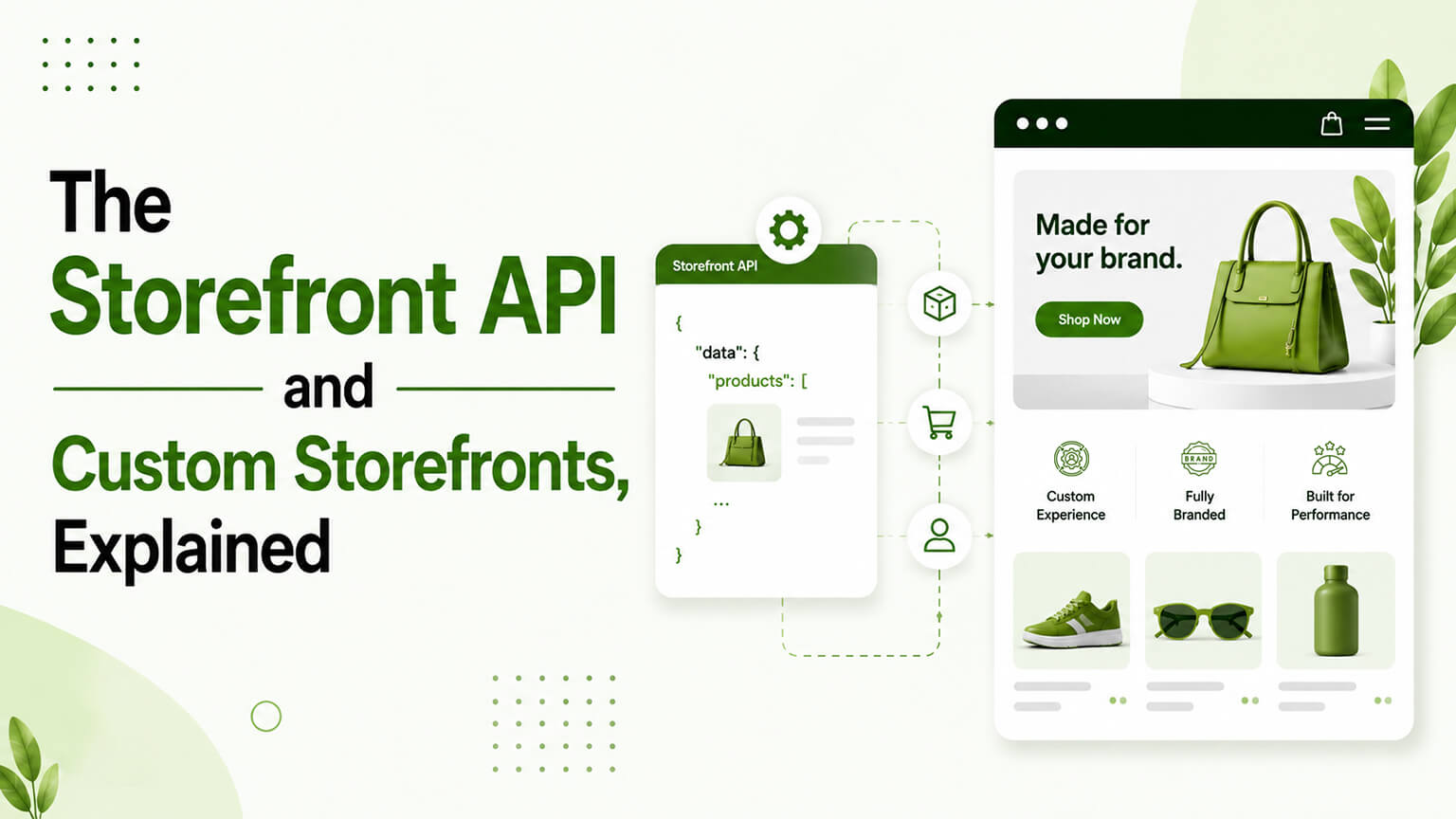
When people talk about headless Shopify or custom storefronts, the technology underneath is largely the Storefront API — Shopify’s API for building custom shopping experiences. Understanding the Storefront API helps demystify headless and custom storefronts: it’s the interface that lets developers build a storefront (the customer-facing shopping experience) separately from Shopify’s themes, pulling product data, managing carts, and handling the shopping experience through code, while Shopify’s backend (catalog, checkout, orders, inventory) continues to run the commerce. So the Storefront API is the foundation of headless and custom storefronts on Shopify, and understanding what it is, what it enables, and when a custom storefront makes sense helps you understand this part of the Shopify ecosystem (and whether it’s relevant to you). This piece explains it.
This piece covers what the Storefront API is, what it lets you build, how it relates to headless commerce, and when a custom storefront makes sense. Because it underpins headless and custom storefronts, and understanding it clarifies what these approaches are and whether they fit your needs. Let me walk through it. (This connects to the broader headless discussions — is-headless-worth-it, Hydrogen vs Next.js, when-not-headless — which cover the trade-offs; this focuses on the Storefront API itself.)
What the Storefront API is
The Storefront API is Shopify’s API for building custom customer-facing shopping experiences. What it does — it provides programmatic access (via GraphQL) to the data and functions a storefront needs: product and collection data (to display products), cart management (creating and managing carts), checkout initiation (handing off to Shopify’s checkout), customer accounts, search, and other storefront functions — so developers can build a storefront in their own code (a custom front-end) that pulls this data and functionality from Shopify. The separation — it separates the storefront (the customer-facing front-end, built with the Storefront API in a framework like Next.js, Hydrogen, or others) from Shopify’s backend (the commerce engine — catalog, checkout, orders, inventory — which continues to run), connected via the API. GraphQL — the Storefront API is a GraphQL API (you query exactly the data you need), modern and efficient. And purpose-built for storefronts — it’s designed for building storefronts (customer-facing shopping experiences), distinct from the Admin API (for managing the store backend), so it provides what a storefront needs (product data, cart, checkout handoff) in a performant, public-facing way.
So the Storefront API is Shopify’s GraphQL API for building custom storefronts — providing programmatic access to product data, cart management, checkout initiation, and other storefront functions, so developers can build a custom customer-facing front-end (separate from Shopify themes) connected to Shopify’s backend commerce engine. It’s the interface that makes headless and custom storefronts possible: the front-end (custom code) talks to Shopify (the commerce backend) via the Storefront API. So understanding the Storefront API is understanding the foundation of headless/custom storefronts — it’s how a custom front-end gets the data and commerce functionality it needs from Shopify. The next section covers what this lets you build.
What it lets you build
The Storefront API lets you build custom storefronts and experiences with various benefits and uses. Fully custom storefronts — build a completely custom customer-facing storefront (in Next.js, Hydrogen, or another framework) with full control over the front-end (design, structure, experience, performance), not constrained by Shopify themes — the core headless use (as the is-headless discussion covers). Custom experiences — build custom or unique shopping experiences (interactive experiences, custom flows, unique designs) that go beyond what themes allow, enabled by the front-end freedom. Performance optimisation — build a highly performant front-end (optimised with modern frameworks, as the headless and Hydrogen-vs-Next discussions cover), for stores where front-end performance is a priority. Commerce in other contexts — use the Storefront API to add commerce (products, cart, checkout) to other contexts — a content site, an app, a custom platform — embedding Shopify commerce where you need it (not just a standalone store). Multiple front-ends — power multiple front-ends (different storefronts, apps, channels) from one Shopify backend via the API. And integration with custom front-ends — connect a custom front-end (built for specific needs) to Shopify’s commerce, getting commerce functionality without using Shopify’s themes. So the Storefront API lets you build fully custom storefronts (the core headless use), custom/unique experiences, highly performant front-ends, commerce in other contexts (content sites, apps), multiple front-ends from one backend, and custom front-ends connected to Shopify commerce. The common thread is front-end freedom and flexibility — building the customer-facing experience however you need, with Shopify as the commerce backend. So the Storefront API enables the flexibility and control of headless/custom storefronts — building the front-end your way while leveraging Shopify’s commerce engine. This flexibility is the appeal of headless/custom storefronts, and the Storefront API is what provides it.
How it relates to headless commerce
The Storefront API is essentially the technical foundation of headless commerce on Shopify. Headless = decoupled front-end — headless commerce means decoupling the front-end (the customer-facing storefront) from the backend (the commerce engine), and the Storefront API is what connects a decoupled custom front-end to Shopify’s backend, so the Storefront API is how headless works on Shopify. Hydrogen and frameworks — Shopify’s Hydrogen (its React framework for headless storefronts, as the Hydrogen-vs-Next discussion covers) uses the Storefront API, as do other frameworks (Next.js, etc.) building headless Shopify storefronts — they all use the Storefront API to connect to Shopify. The trade-offs apply — building a headless/custom storefront with the Storefront API brings the headless trade-offs (more control and performance potential, but more complexity, cost, and responsibility, as the is-headless-worth-it and when-not-headless discussions cover), so the Storefront API enables headless but the headless decision (whether it’s worth it) involves those trade-offs. And not always necessary — most stores don’t need headless/the Storefront API (Shopify’s themes, especially Online Store 2.0, serve most stores well, as the headless discussions cover), so the Storefront API is for stores that need custom front-ends, not a default. So the Storefront API is the technical foundation of headless commerce on Shopify — what connects decoupled custom front-ends (built with Hydrogen, Next.js, etc.) to Shopify’s backend — and using it (going headless/custom) brings the headless trade-offs, which most stores don’t need to take on. So understand the Storefront API as the foundation of headless, but remember the headless decision (whether to use it) involves the trade-offs covered in the headless discussions, and most stores are well-served by themes. The Storefront API enables headless; whether to go headless is a separate, considered decision.
When a custom storefront makes sense
Given the trade-offs, when does a custom storefront (using the Storefront API) make sense? When themes limit you — if Shopify’s themes (even modern OS 2.0) can’t deliver the front-end experience, design, or performance you need (a real limitation, not just a preference), a custom storefront’s front-end freedom may be warranted. When performance is critical — if front-end performance is a critical priority (and themes can’t achieve what’s needed), a custom, optimised front-end may be worth it (though well-built themes can be fast too, as the headless discussions cover). For unique experiences — if you need a unique or custom shopping experience (beyond what themes allow), a custom storefront enables it. For commerce in other contexts — if you need to embed Shopify commerce in another context (a content site, app, custom platform), the Storefront API is the way. When you have the resources — custom storefronts require development resources and ongoing capability (building and maintaining a custom front-end, as the headless-TCO discussion covers), so they make sense when you have (or will invest in) the resources. And when the benefits justify the trade-offs — fundamentally, a custom storefront makes sense when its benefits (front-end freedom, performance, unique experiences) justify the trade-offs (complexity, cost, responsibility), which is for a minority of stores with genuine needs and resources. So a custom storefront makes sense when themes limit you, performance is critical, you need unique experiences or commerce in other contexts, and you have the resources — i.e., when the benefits justify the trade-offs, which is a minority of stores. So most stores don’t need a custom storefront (themes serve them well), and it makes sense for the minority with genuine needs (themes limiting) and resources, where the benefits justify the trade-offs. The Storefront API makes custom storefronts possible; whether yours needs one is a considered decision based on genuine need and resources, as the broader headless discussions detail.
The Storefront API vs. the Admin API
A common point of confusion worth clearing up is the difference between Shopify’s two main APIs, because they serve very different purposes and mixing them up leads to wrong assumptions about what’s possible. The Storefront API is public-facing and built for the customer experience — it exposes the data and functions a shopper-facing storefront needs (products, collections, carts, checkout initiation, customer accounts, search) and is designed to be safe to use from a public front-end. The Admin API, by contrast, is for managing the store behind the scenes — creating and editing products, managing orders and inventory, configuring the store, and the kind of operations a store owner, app, or back-office system performs. It’s privileged and not meant to be exposed publicly.
In a headless or custom-storefront setup, you typically use the Storefront API for everything the shopper touches (browsing, cart, checkout handoff) and the Admin API for backend operations (syncing products, managing orders, integrations with ERP/3PL systems, as those discussions cover). They complement each other: the Storefront API powers the customer-facing experience, the Admin API powers management and integration. Understanding this split matters because it shapes what a custom storefront can and can’t do directly — a storefront built on the Storefront API can present products and manage carts beautifully, but operations like editing inventory or processing orders belong to the Admin API and the backend. So when scoping a custom storefront, think in terms of both APIs: the Storefront API for the shopping experience, the Admin API for the management and integration layer behind it. Getting this division clear up front avoids architectural surprises later.
Checkout: the part you don’t rebuild
One of the most important and reassuring things to understand about custom storefronts on Shopify is what happens at checkout — because it’s the part you generally don’t (and shouldn’t) rebuild from scratch. Even in a headless setup, the actual checkout is still handled by Shopify: the Storefront API lets your custom front-end build and manage the cart and then initiate checkout, handing the shopper to Shopify’s secure, hosted, PCI-compliant checkout to complete payment. This matters enormously, because checkout is the most sensitive, security-critical, and conversion-critical part of the whole experience — and Shopify’s checkout is heavily optimised, secure, and maintained for you, including features like Shop Pay that lift conversion.
This is also why the move away from the old `checkout.liquid` toward checkout extensibility (as that discussion covers) matters for headless and custom storefronts: customisation of checkout happens through Shopify’s supported extensibility model rather than by rebuilding checkout yourself. The practical upshot is that going headless gives you full freedom over the storefront experience (the browsing, product, and cart experience your custom front-end controls) while keeping the critical commerce backend — and crucially the checkout — on Shopify’s robust, maintained infrastructure. You get front-end control without taking on the enormous burden and risk of building secure payment processing. So when weighing a custom storefront, it helps to frame it accurately: you’re rebuilding the customer-facing front-end and connecting it to Shopify’s commerce engine via the Storefront API, while Shopify continues to run the catalog, the backend, and the checkout. That division — your front-end, Shopify’s commerce and checkout — is exactly what makes headless on Shopify viable and is a big part of why the Storefront API is structured the way it is.
The bottom line
The Storefront API is Shopify’s GraphQL API for building custom customer-facing storefronts — providing programmatic access to product and collection data, cart management, checkout initiation, customer accounts, search, and other storefront functions, so developers can build a custom front-end (separate from Shopify themes) connected to Shopify’s backend commerce engine (catalog, checkout, orders, inventory). It’s the technical foundation of headless and custom storefronts on Shopify: the custom front-end (built with Hydrogen, Next.js, or another framework) talks to Shopify via the Storefront API, decoupling the front-end from the backend. It lets you build fully custom storefronts (the core headless use), custom or unique shopping experiences, highly performant front-ends, commerce embedded in other contexts (content sites, apps, custom platforms), and multiple front-ends from one Shopify backend — the common thread being front-end freedom and flexibility, building the customer-facing experience however you need with Shopify as the commerce engine. But using it (going headless/custom) brings the headless trade-offs — more control and performance potential, but more complexity, cost, and ongoing responsibility — which most stores don’t need to take on, since Shopify’s themes (especially modern Online Store 2.0) serve most stores well. So a custom storefront makes sense when themes limit you (a real limitation in experience, design, or performance, not just a preference), when front-end performance is a critical priority, when you need a unique experience or to embed commerce in another context, and when you have the development resources to build and maintain it — i.e., when the benefits justify the trade-offs, which is a minority of stores. The Storefront API makes custom storefronts possible and is the foundation of headless commerce on Shopify; whether your store needs one is a considered decision based on genuine need and resources, as the broader headless discussions (is-headless-worth-it, when-not-headless, headless-TCO) detail. So understand the Storefront API as the powerful foundation it is, but go custom/headless only when your needs and resources warrant it. And note the reassuring division it’s built around: your custom front-end (browsing, product, cart) talks to Shopify via the Storefront API, while Shopify continues to run the catalog, the backend, and — crucially — the secure, maintained checkout, so you get front-end control without taking on payment processing yourself.
Frequently asked questions
What is the Shopify Storefront API?
It’s Shopify’s GraphQL API for building custom customer-facing storefronts. It provides programmatic access to the data and functions a storefront needs — product and collection data, cart management, checkout initiation, customer accounts, search, and more — so developers can build a custom front-end (a customer-facing shopping experience, separate from Shopify’s themes) that pulls this data and functionality from Shopify. The custom front-end (built in a framework like Next.js or Shopify’s Hydrogen) handles the customer experience, while Shopify’s backend continues to run the commerce (catalog, checkout, orders, inventory), connected via the Storefront API. It’s the interface that makes headless and custom storefronts possible on Shopify.
How does the Storefront API relate to headless commerce?
It’s essentially the technical foundation of headless commerce on Shopify. Headless means decoupling the front-end (the customer-facing storefront) from the backend (the commerce engine), and the Storefront API is what connects a decoupled custom front-end to Shopify’s backend. Shopify’s Hydrogen framework uses the Storefront API, as do other frameworks (Next.js and others) building headless Shopify storefronts — they all use it to get product data, manage carts, and hand off to checkout. So when you build a headless Shopify storefront, you’re building a custom front-end that talks to Shopify through the Storefront API. The headless trade-offs (more control and performance potential, but more complexity, cost, and responsibility) apply whenever you use it this way.
Do I need to use the Storefront API?
Most stores don’t. Shopify’s themes — especially modern Online Store 2.0 themes — serve most stores well, delivering good design, performance, and functionality without the complexity, cost, and ongoing responsibility of a custom storefront. The Storefront API (and headless/custom storefronts) makes sense for the minority of stores with genuine needs: where themes limit the experience, design, or performance you need (a real limitation, not just a preference), where front-end performance is a critical priority, where you need a unique experience or to embed commerce in another context (a content site, app, or custom platform), and where you have the development resources to build and maintain a custom front-end. For most stores, themes are the better choice.
When does building a custom storefront make sense?
When the benefits (front-end freedom, performance, unique experiences, embedding commerce elsewhere) justify the trade-offs (complexity, cost, ongoing development responsibility) — which is a minority of stores. Specifically: when Shopify’s themes can’t deliver the front-end experience, design, or performance you need; when front-end performance is a critical priority that themes can’t meet; when you need a unique or custom shopping experience beyond what themes allow; when you need to embed Shopify commerce in another context (content site, app, custom platform); and when you have (or will invest in) the development resources to build and maintain it. For most stores, themes serve well and a custom storefront isn’t worth the trade-offs — so it’s a considered decision based on real need and resources, as the broader headless discussions detail. A useful sanity check is whether you can point to a concrete limitation themes impose on you; if you can’t, themes are almost certainly the right choice.
Do I have to rebuild checkout if I go headless?
No — and this is one of the most reassuring things about headless on Shopify. Even with a custom storefront, the actual checkout is still handled by Shopify: the Storefront API lets your custom front-end build and manage the cart and then initiate checkout, handing the shopper to Shopify’s secure, hosted, PCI-compliant checkout (including features like Shop Pay) to complete payment. You don’t rebuild the most sensitive, security-critical, conversion-critical part of the experience — Shopify maintains and optimises it for you, and checkout customisation happens through checkout extensibility rather than by rebuilding it. So going headless gives you full freedom over the storefront (browsing, product, cart) while keeping the commerce backend and checkout on Shopify’s robust infrastructure — front-end control without the burden and risk of building payment processing.