
Shopify Webhooks, Explained for Store Owners
On this page
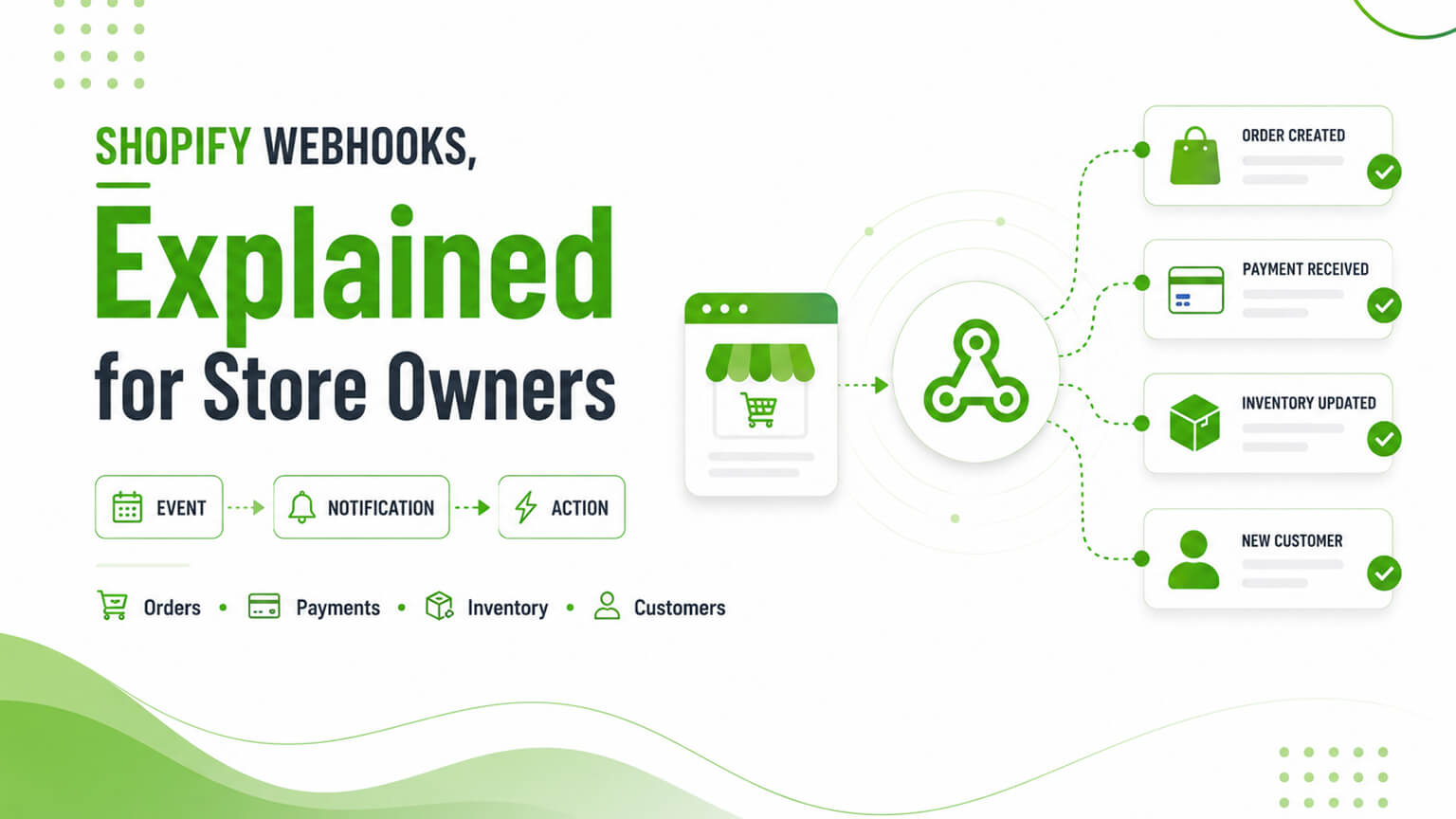
If you’ve talked to a developer about integrating Shopify with another system — an ERP, a 3PL, a custom tool, an email platform — you’ve probably heard the word “webhooks.” It sounds technical, and the implementation is, but the concept is simple and worth understanding as a store owner, because webhooks are how a lot of integrations and automations actually work under the hood. In plain terms, a webhook is Shopify automatically notifying another system the moment something happens in your store — an order is placed, a product is updated, a customer is created, inventory changes — so that other system can react immediately, without constantly asking Shopify “has anything happened yet?” Webhooks are the mechanism behind real-time integrations: they’re how your ERP knows an order came in the instant it’s placed, how your fulfillment system gets told to ship, how various automations trigger. Understanding webhooks at a conceptual level helps you understand how your integrations work, what’s possible, and when webhooks are involved — even if a developer handles the implementation. This piece explains them in plain English.
This piece covers what a webhook is (in plain terms), how webhooks work, what they’re used for, and when you need them — all at a store-owner-friendly conceptual level (the implementation is developer territory, but the concept is worth grasping). Because webhooks underpin a lot of integrations and automations, and understanding them demystifies how your store connects to other systems. Let me walk through it.
What a webhook is, in plain terms
Let’s start with the plain-English concept. The problem webhooks solve — when you integrate Shopify with another system, that system often needs to know when something happens in Shopify (an order placed, a product changed, inventory updated), so it can react (an ERP recording the order, a fulfillment system shipping it, an email platform sending a confirmation). The question is: how does the other system find out? Two approaches — there are two ways the other system can find out: polling (the other system repeatedly asks Shopify “has anything happened? has anything happened?” on a schedule — inefficient, delayed, and resource-heavy) or webhooks (Shopify automatically tells the other system the moment something happens — efficient, immediate). The webhook way — a webhook is Shopify proactively sending a notification (a message containing the relevant data) to another system the instant a specified event happens, so the other system finds out immediately without having to ask. The analogy — polling is like repeatedly checking your mailbox to see if mail arrived; a webhook is like the postal service ringing your doorbell the moment mail is delivered. The webhook (doorbell) is more efficient and immediate. So in plain terms, a webhook is Shopify automatically notifying another system the moment a specified event happens (order placed, product updated, etc.), so that system can react immediately — rather than the system having to repeatedly ask Shopify whether anything happened. It’s the efficient, real-time way for Shopify to tell other systems what’s going on. That’s the core concept, and it’s that simple at the conceptual level (the implementation has more detail, covered next).
How webhooks work
A bit more detail on how webhooks work (still at a conceptual level). Subscribing to events — a system (an app, an integration, a custom tool) subscribes to specific Shopify events it cares about (e.g., “order created,” “product updated,” “inventory level changed,” “customer created” — Shopify has many webhook topics for different events), telling Shopify “notify me when this happens.” The event fires — when that event happens in your store (an order is placed), Shopify detects it and triggers the webhook. Shopify sends the notification — Shopify sends an HTTP request (the webhook) to a URL the subscribing system specified (its “endpoint”), containing data about the event (e.g., the order details), delivering the notification and relevant data. The system receives and reacts — the subscribing system receives the webhook at its endpoint and reacts (records the order, triggers fulfillment, sends an email — whatever it’s built to do with that event). Real-time — this happens in near-real-time (the moment the event fires), so the reacting system responds immediately. And reliability handling — robust webhook implementations handle reliability (retries if delivery fails, verifying the webhook is from Shopify for security, handling duplicates), since webhooks need to be reliable for integrations to work correctly. So webhooks work by: a system subscribes to specific events, the event fires in your store, Shopify sends a notification (HTTP request with the event data) to the system’s endpoint, and the system receives and reacts — in near-real-time. The implementation details (endpoints, subscriptions, reliability, security) are developer territory, but the flow is: subscribe, event fires, Shopify notifies, system reacts. So conceptually, webhooks are Shopify’s event-notification system: subscribe to events, get notified immediately when they happen, react. This is how real-time integrations are powered.
What webhooks are used for
Webhooks are used for a wide range of integrations and automations. Order integrations — when an order is placed, webhooks notify systems that need to react: an ERP (recording the order, as the ERP discussion covers), a fulfillment system or 3PL (to ship it, as the 3PL discussion covers), an accounting system, an email/SMS platform (order confirmation), and more — so order events flow to all the systems that need them in real-time. Inventory sync — inventory-change webhooks notify systems to keep inventory in sync (across channels, with an ERP or inventory system, as the inventory discussion covers), helping avoid overselling. Product sync — product-update webhooks notify systems when products change (keeping a PIM, ERP, or other system in sync with Shopify’s products). Customer events — customer-created or -updated webhooks notify systems (CRM, email platform) to keep customer data in sync or trigger actions (welcome flows). Fulfillment and shipping — fulfillment events (order fulfilled, shipment created) notify systems to update status, notify customers, etc. App functionality — many apps use webhooks to react to store events (an upsell app, a loyalty app, an analytics tool reacting to orders, etc.), so webhooks power much app functionality. And custom automations — custom integrations and automations use webhooks to react to store events (a custom tool doing something when an order is placed, a product changes, etc.). So webhooks are used for order integrations (ERP, fulfillment, accounting, email), inventory and product sync, customer events, fulfillment/shipping updates, app functionality, and custom automations — essentially, anywhere another system needs to react to something happening in your store in real-time. The common thread is real-time event-driven integration: webhooks let other systems react immediately to store events, powering the real-time integrations and automations that connect your store to the rest of your tech stack. So webhooks underpin a lot of what makes your store’s integrations and automations work in real-time.
When you need webhooks (and who handles them)
When do you, as a store owner, need webhooks, and who handles them? When integrating systems — if you’re integrating Shopify with other systems (ERP, 3PL, CRM, custom tools) that need to react to store events in real-time, webhooks are likely involved (they’re the mechanism for real-time integration), so any real-time integration project will use them. When using apps — many apps use webhooks behind the scenes (you don’t manage them — the app does), so you’re using webhooks indirectly whenever you use apps that react to store events. For custom automations — if you build custom automations or integrations that react to store events, webhooks are how they’re triggered. Who handles them — webhooks are developer/technical territory: developers set up webhook subscriptions, build the endpoints that receive them, and handle the reliability and security — so as a store owner, you don’t implement webhooks yourself; your developer or the app does. What you need to understand — what you need is the conceptual understanding (webhooks are real-time event notifications powering integrations), so you understand how your integrations work, what’s possible (real-time reactions to store events), and can have informed conversations with developers about integrations. And reliability matters — since integrations depend on webhooks, their reliability matters (a missed webhook could mean an order not synced), so good webhook implementation (with retries, verification, handling) is important — something to ensure your developer or app handles well. So you need webhooks (conceptually) whenever you integrate systems or use apps that react to store events (which is most stores), the implementation is handled by developers or apps (not you), and what you need is the conceptual understanding plus ensuring reliable implementation. So as a store owner, understand webhooks conceptually (real-time event notifications powering integrations), know they underpin your integrations and many apps, and ensure (via your developer/agency) that webhook-based integrations are implemented reliably — while leaving the implementation to the technical experts.
A worked example: what happens when an order is placed
To make webhooks concrete, let’s follow a single order through a typical integrated store, because it shows how much quietly depends on webhooks firing correctly. A customer clicks “complete order” and pays. The instant that order is created, Shopify fires an “order created” webhook — and several systems, each subscribed to that event, get notified at essentially the same moment. The ERP receives it and records the order against the customer and inventory (as the ERP discussion covers). The 3PL or fulfillment system receives it and queues the order to be picked, packed, and shipped (as the 3PL discussion covers). The email/SMS platform receives it and sends the order confirmation and kicks off the post-purchase flow. The accounting system receives it and records the sale. An analytics or loyalty app receives it and updates its records.
None of these systems had to sit there polling Shopify asking “any new orders yet?” — Shopify pushed the news to all of them the moment it happened, so the whole chain reacts in near-real-time. Then, as the order progresses, more webhooks fire: when the 3PL marks it fulfilled, a “fulfillment created” webhook can notify the customer with tracking and update status everywhere. If inventory drops to a threshold, an “inventory level changed” webhook can trigger a reorder alert or sync the new level across channels to prevent overselling. The whole real-time orchestration — order recorded, shipped, confirmed, accounted for, customers updated — is powered by webhooks firing on events and systems reacting. This is why webhook reliability matters so much: if that “order created” webhook fails to reach the fulfillment system and isn’t retried, the order might simply never get shipped, with no obvious error until a customer complains. Understanding this flow helps you appreciate both what your integrations are doing under the hood and why a well-built, reliable webhook implementation (with retries and verification) is worth insisting on.
Webhooks vs. APIs: how they fit together
A point that helps the concept click is how webhooks relate to APIs, since both come up in integration conversations. Broadly, APIs (like Shopify’s Admin and Storefront APIs, as the Storefront API discussion covers) are how systems ask Shopify for data or tell Shopify to do things — a system calls the API to read orders, update products, or create something. Webhooks are the reverse direction: they’re how Shopify tells systems that something happened, without being asked. So APIs are “pull” (a system requests information when it wants it) and webhooks are “push” (Shopify proactively sends information when an event occurs). A well-built integration usually uses both together: webhooks notify a system in real-time that an event happened (an order came in), and then the system may call the API to get fuller details or to take an action in response (fetch the complete order, update something, create a fulfillment).
Understanding this pairing clarifies a lot. Webhooks make integrations real-time and efficient (no constant polling), while APIs give systems the ability to read and write the data they need. Relying on APIs alone (polling for changes) is inefficient and laggy; relying on webhooks alone isn’t enough because a webhook delivers a notification and some data, but a system often needs to fetch more or act, which is the API’s job. So they’re complementary halves of integration: webhooks for “something happened, react now,” APIs for “give me data” and “do this.” As a store owner, you don’t need to manage either, but knowing the distinction helps you understand integration discussions — when a developer says an integration “listens for webhooks and then calls the API,” you’ll know that means it reacts in real-time to store events and then reads or writes the data it needs. That mental model — push (webhooks) plus pull (APIs) — is most of what you need to understand how your store connects to everything else.
The bottom line
Webhooks sound technical, but the concept is simple and worth understanding as a store owner: a webhook is Shopify automatically notifying another system the moment something happens in your store — an order placed, a product updated, inventory changed, a customer created — so that system can react immediately, without having to repeatedly ask Shopify whether anything has happened. They solve the problem of how other systems find out about store events: instead of polling (repeatedly asking Shopify, which is inefficient and delayed — like repeatedly checking your mailbox), webhooks have Shopify proactively send a notification the instant an event happens (like the postal service ringing your doorbell). Conceptually, webhooks work by a system subscribing to specific events, the event firing in your store, Shopify sending a notification (an HTTP request with the event data) to the system’s endpoint, and the system receiving and reacting — in near-real-time. They’re used for a wide range of real-time integrations and automations: order integrations (notifying your ERP, fulfillment/3PL, accounting, and email systems when an order is placed), inventory and product sync, customer events, fulfillment and shipping updates, much app functionality (many apps use webhooks behind the scenes), and custom automations — essentially anywhere another system needs to react in real-time to something happening in your store. As a store owner, you need webhooks (conceptually) whenever you integrate systems or use apps that react to store events, which is most stores — but the implementation (subscribing to events, building endpoints, handling reliability and security) is developer or app territory, not something you do yourself. What you need is the conceptual understanding (webhooks are real-time event notifications powering your integrations), so you understand how your integrations work and can have informed conversations with developers — plus ensuring, via your developer or agency, that webhook-based integrations are implemented reliably (with retries, verification, and proper handling), since your integrations depend on them. So grasp the concept, know webhooks underpin your real-time integrations and many apps, and ensure reliable implementation — and webhooks become a demystified, understood part of how your store connects to the rest of your systems.
Frequently asked questions
What is a Shopify webhook in simple terms?
A webhook is Shopify automatically notifying another system the moment something happens in your store — like an order being placed, a product being updated, inventory changing, or a customer being created. Instead of the other system repeatedly asking Shopify “has anything happened yet?” (which is inefficient and delayed), Shopify proactively sends a message to that system the instant the event occurs, so it can react immediately. A helpful analogy: repeatedly checking your mailbox for mail is like polling, while having the postal service ring your doorbell the moment mail arrives is like a webhook — more efficient and immediate. Webhooks are the mechanism behind real-time integrations, letting other systems react instantly to events in your store.
What are webhooks used for?
Real-time integrations and automations — essentially anywhere another system needs to react immediately to something happening in your store. Common uses include order integrations (when an order is placed, webhooks notify your ERP to record it, your fulfillment system or 3PL to ship it, your accounting system, and your email/SMS platform to send a confirmation), inventory sync (keeping inventory accurate across channels and systems, helping avoid overselling), product sync (keeping other systems updated when products change), customer events (syncing customer data or triggering welcome flows), fulfillment and shipping updates, much app functionality (many apps use webhooks behind the scenes to react to store events), and custom automations. The common thread is real-time, event-driven integration connecting your store to the rest of your tech stack.
Do I need to set up webhooks myself?
No — webhooks are developer and technical territory. Developers set up the webhook subscriptions (telling Shopify which events to notify about), build the endpoints that receive the notifications, and handle reliability and security (retries if delivery fails, verifying webhooks come from Shopify, handling duplicates). When you use apps, they manage their own webhooks behind the scenes — you don’t see or manage them. So as a store owner, you don’t implement webhooks yourself; your developer, agency, or the apps you use handle that. What you need is the conceptual understanding — that webhooks are real-time event notifications powering your integrations — so you understand how your integrations work, what’s possible, and can have informed conversations with developers about integration projects.
Why does webhook reliability matter?
Because your integrations depend on webhooks working correctly, and a missed or mishandled webhook can cause real problems — for example, an order webhook that fails to deliver could mean an order doesn’t get synced to your ERP or sent to fulfillment, so it doesn’t get shipped. That’s why robust webhook implementations handle reliability: retrying delivery if it fails, verifying that webhooks come from Shopify (for security), and handling duplicate deliveries gracefully. As a store owner, you don’t implement this, but you should ensure (via your developer or agency, or by choosing well-built apps) that your webhook-based integrations are implemented reliably, since the real-time integrations your operations depend on are only as dependable as the webhooks underneath them. Reliable webhook handling is part of a well-built integration.