
How to Build a Custom Shopify App: An Overview
On this page
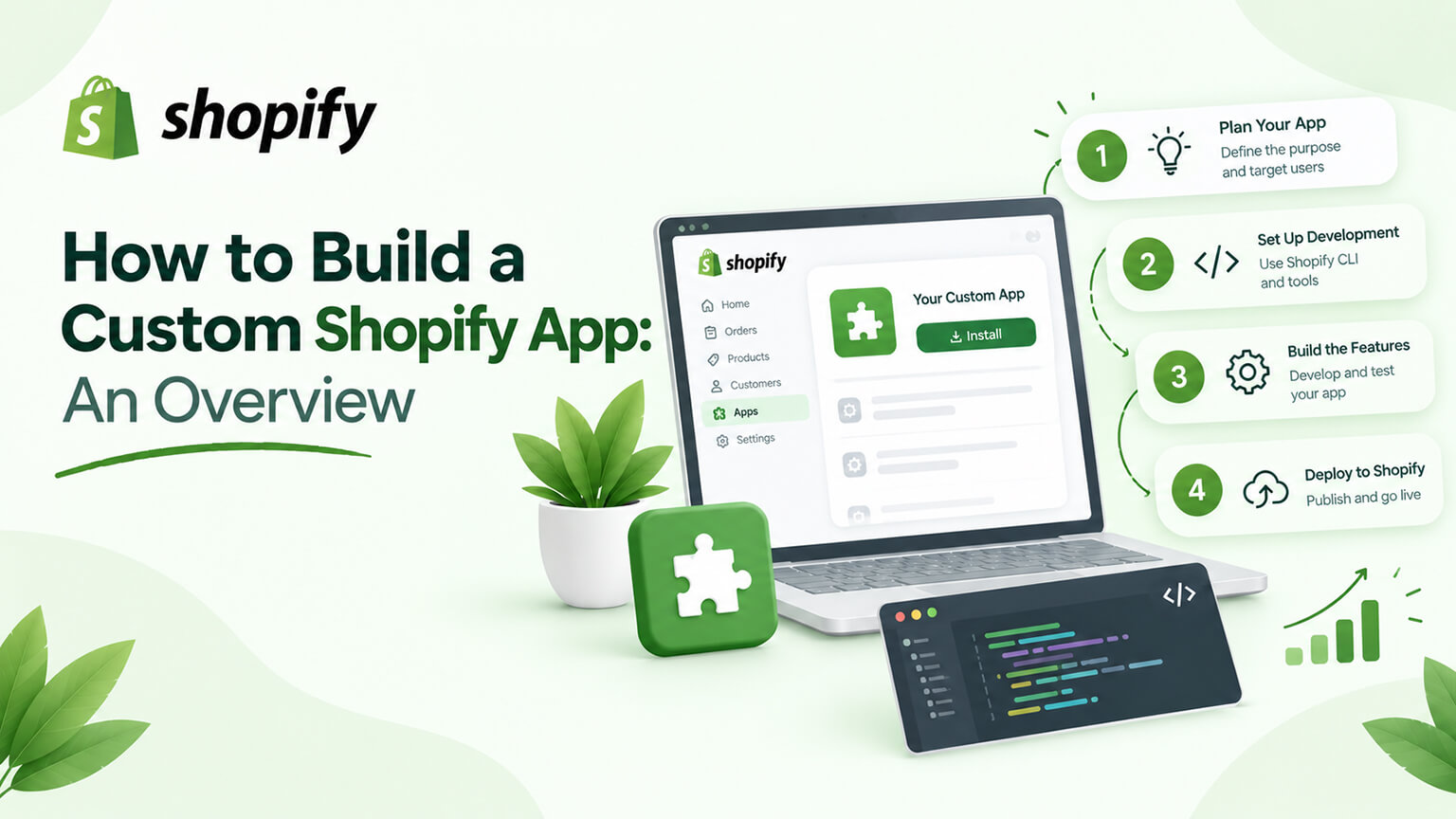
Sometimes a Shopify store needs functionality or an integration that no existing app provides well — a bespoke feature, a custom integration with your systems, or specific logic tailored to your business — and the answer is to build a custom app (as the custom-vs-public-app discussion covers). Building a custom Shopify app is a real development undertaking, and while the implementation is developer work, understanding what’s involved at an overview level helps you understand the option, when it’s worth it, and how the process works — so you can make informed decisions about custom app development (whether to build one, what it involves, how to approach it). This piece provides an overview of how to build a custom Shopify app: what a custom app is and can do, when it’s worth building, what’s involved in building one, and how the process works — at a level useful for a store owner or decision-maker (not a technical tutorial). (This connects to the custom-vs-public-app and webhooks discussions; this focuses on the overview of building a custom app. Note: Shopify’s app development specifics evolve; this covers the general overview.)
This piece covers what a custom app is and can do, when it’s worth building, what’s involved in building one, and how the process works. Because custom apps enable bespoke functionality and integrations, and understanding the overview helps you make informed decisions. Let me walk through it.
What a custom app is and can do
Let’s clarify what a custom app is and its capabilities (building on the custom-vs-public-app discussion). What a custom app is — a custom app (also called a private or custom app) is an app built specifically for your store (by you, a developer, or an agency), not published in the App Store, serving your specific needs (as the custom-vs-public-app discussion covers) — bespoke software for your store. What it can do — a custom app can do a wide range of things by interacting with Shopify via its APIs (as the webhooks and Storefront-API discussions cover): add custom functionality (bespoke features), integrate Shopify with your other systems (ERP, CRM, custom tools, as the ERP discussion covers), automate custom processes, extend Shopify’s capabilities, build custom admin functionality (tools for your team), power custom storefronts (via the Storefront API, as that discussion covers, for headless), and more — essentially, custom apps let you build bespoke functionality and integrations tailored to your needs. Uses Shopify’s APIs — custom apps interact with Shopify via its APIs (the Admin API for managing/accessing store data and functions, the Storefront API for storefronts, and webhooks for events, as those discussions cover), so they can read/write store data, perform actions, and react to events — the technical basis for what they do. Bespoke and owned — a custom app is bespoke (built for your needs) and owned by you (versus a public app’s general functionality and subscription, as the custom-vs-public-app discussion covers) — tailored and yours. And various forms — custom apps can take various forms (a backend integration, a tool with an admin interface, functionality powering the storefront, etc.), depending on what they do — so “custom app” covers a range of bespoke solutions. So a custom app is bespoke software built for your store (not in the App Store), interacting with Shopify via its APIs (Admin API, Storefront API, webhooks) to add custom functionality, integrate with your systems, automate processes, extend Shopify, build custom tools, or power storefronts — tailored to your needs and owned by you. So understand a custom app as bespoke, API-powered functionality/integration for your store, which the next sections cover when and how to build. So custom apps enable bespoke functionality and integrations tailored to your store.
When it’s worth building a custom app
Building a custom app is worth it in specific situations (as the custom-vs-public-app and build-vs-buy discussions cover). No existing app fits — when no existing (public) app provides what you need well (your need is specific, unique, or bespoke, and public apps don’t fit), a custom app builds exactly what you need — the core case (custom for needs public apps don’t serve). Custom integration needs — when you need to integrate Shopify with your specific systems (ERP, CRM, custom tools, internal systems, as the ERP discussion covers) in a way public apps/integrations don’t handle, a custom app builds the bespoke integration — a common custom-app use (bespoke integrations). Bespoke functionality — when you need bespoke functionality (a specific feature, tool, or logic tailored to your business) that no app provides, a custom app builds it — custom for bespoke needs. Core, long-term needs (build vs. buy) — for core, long-term needs where building custom is more cost-effective or better than a public app (build vs. buy, as that discussion covers), a custom app (owned, no subscription, tailored) can be warranted — the build-vs-buy case for custom apps. Control and specificity — when you need control and specificity (exact functionality, behaviour, integration) that public apps don’t give, custom provides it — for control-sensitive needs. Custom storefronts/headless — for headless (custom storefronts via the Storefront API, as those discussions cover), custom app/development is involved — the headless case. And you have the resources — building a custom app requires development resources (yours or an agency’s, as the custom-vs-public-app and team discussions cover), so it’s worth it when you have (or will engage) the capability. Conversely, not worth it when — a good public app fits your need (as the custom-vs-public-app discussion covers), your need is general/simple (a public app serves), or you lack the resources — in which cases a public app is better (custom would be over-engineering). So building a custom app is worth it when no existing app fits your specific/bespoke need, you need a custom integration with your systems, you need bespoke functionality, for core long-term needs where build-vs-buy favours custom, when you need control and specificity, for headless/custom storefronts, and when you have the resources — while it’s not worth it when a public app fits, the need is general/simple, or you lack resources. So build a custom app when your need is specific/bespoke and warrants it (and you have the resources), not for needs public apps serve — as the custom-vs-public-app and build-vs-buy discussions detail. So custom apps are worth building for specific, bespoke, or core needs that public apps don’t serve well.
What’s involved in building one
Building a custom app involves several technical elements (at an overview level; the implementation is developer work). Development capability — building a custom app requires development capability (skilled developers who know Shopify app development, its APIs, and app development generally, as the team discussion covers) — so you need developers (yours or an agency’s), the foundational requirement. Shopify’s app development framework — Shopify provides tools and frameworks for app development (the Shopify CLI, app development tools, APIs, and app frameworks/libraries), which developers use to build apps — the developer toolkit. Using Shopify’s APIs — the app interacts with Shopify via its APIs (Admin API for store data/functions, Storefront API for storefronts, webhooks for events, GraphQL, as those discussions cover), so building involves working with these APIs (reading/writing data, performing actions, reacting to events) — the technical core. App architecture and hosting — a custom app is an application that runs somewhere (hosted — the app’s backend, if it has one, runs on a server/infrastructure), so building involves the app’s architecture and hosting (where and how it runs) — infrastructure considerations (for apps with a backend). Custom app configuration in Shopify — for a custom app, you configure it in Shopify (creating the custom app, setting up its API access/permissions/scopes, as the app-permissions discussion covers), granting it the access it needs — the Shopify-side setup. Building the functionality — building the actual functionality (the features, integration, logic the app provides), coding it using the APIs and framework — the core development work. Security and permissions — handling security and permissions (the app’s access, secure API usage, handling data securely, as the app-permissions discussion covers), since the app accesses your store’s data — important for a secure app. Testing — testing the app (functionality, reliability, edge cases, especially if it affects business-critical things, as the testing discussions cover) — ensuring it works correctly. And maintenance — maintaining the app (updates, compatibility with Shopify changes, fixes, as the app-maintenance discussion covers), since you own and maintain a custom app — an ongoing consideration. So building a custom app involves development capability (skilled developers), Shopify’s app development framework and tools, using Shopify’s APIs (Admin, Storefront, webhooks), app architecture and hosting (for apps with a backend), custom app configuration in Shopify (setup, permissions), building the functionality, handling security and permissions, testing, and maintenance. So building a custom app is a real development undertaking (developer work using Shopify’s APIs and tools, with architecture, hosting, security, testing, and maintenance considerations). So understand that building a custom app requires development capability and involves these technical elements — a developer undertaking. The next section covers how the process works.
How the process works
The process of building a custom app, at an overview level, follows a development project flow. Define the need and requirements — start by defining what the app needs to do (the functionality, integration, or logic — the requirements), clearly (as the briefing discussion covers), so the build has clear goals — the foundation (know what you’re building). Scope and plan — scope and plan the app (what it does, how it works, the architecture, the effort), planning the development (as the planning discussions cover) — a clear plan for the build. Engage the right developers — engage skilled developers (yours or an agency with Shopify app development expertise, as the team and choosing-an-agency discussions cover), since building a custom app requires the right capability — the key resource. Build it — the developers build the app (using Shopify’s APIs, tools, and framework — coding the functionality, integrating with Shopify, handling architecture, hosting, security, as covered), developing the app to the requirements — the core development. Configure it in Shopify — configure the custom app in Shopify (creating it, setting up API access and permissions, as the app-permissions discussion covers), connecting it to your store — the Shopify-side setup. Test thoroughly — test the app thoroughly (functionality, reliability, edge cases, and especially anything business-critical, as the testing discussions cover), ensuring it works correctly before relying on it — essential (a custom app affecting your store must work). Deploy and integrate — deploy the app and integrate it into your store/operations (so it’s live and doing its job), carefully (especially if it affects important functions) — putting it into use. Maintain it ongoing — plan for and do ongoing maintenance (updates, compatibility, fixes, as the app-maintenance discussion covers), since you own and maintain the custom app — the ongoing commitment. And iterate/improve — iterate and improve the app over time as needs evolve (as with any custom software) — ongoing development. So the process is: define the need and requirements, scope and plan, engage the right developers, build it (developers using Shopify’s APIs and tools), configure it in Shopify, test thoroughly, deploy and integrate, maintain it ongoing, and iterate/improve — a development project flow. As a store owner/decision-maker, your role is defining the need, engaging the right developers, and overseeing (while the developers do the technical building) — understanding the process helps you manage a custom-app project. So the process is a development project (define, plan, build, configure, test, deploy, maintain), requiring the right developers, with your role being defining the need and overseeing. So building a custom app follows a development project flow, requiring skilled developers, with the store owner defining the need and overseeing. So building a custom app is a manageable development project when you have a clear need and the right developers.
The bottom line
Sometimes a Shopify store needs functionality or an integration that no existing app provides well — a bespoke feature, a custom integration with your systems, or specific logic tailored to your business — and the answer is to build a custom app (a private app built specifically for your store, not published in the App Store, serving your specific needs). A custom app interacts with Shopify via its APIs (the Admin API for store data and functions, the Storefront API for storefronts, and webhooks for events) to add custom functionality, integrate Shopify with your other systems (ERP, CRM, custom tools), automate custom processes, extend Shopify, build custom admin tools, or power custom storefronts — bespoke, API-powered functionality tailored to your needs and owned by you. Building one is worth it when no existing public app fits your specific or bespoke need, when you need a custom integration with your systems, when you need bespoke functionality, for core long-term needs where build-vs-buy favours custom, when you need control and specificity, for headless/custom storefronts, and when you have the development resources — while it’s not worth it when a good public app fits, the need is general or simple, or you lack the resources (in which cases a public app is better, and custom would be over-engineering). Building a custom app is a real development undertaking involving development capability (skilled developers who know Shopify app development), Shopify’s app development framework and tools (the CLI, APIs, libraries), working with Shopify’s APIs (Admin, Storefront, webhooks), the app’s architecture and hosting (for apps with a backend), custom app configuration in Shopify (setup, permissions and scopes), building the actual functionality, handling security and permissions (since it accesses your data), thorough testing, and ongoing maintenance (since you own and maintain it). The process follows a development project flow: define the need and requirements clearly, scope and plan the app, engage the right developers (skilled in Shopify app development — the key resource), build it (developers using Shopify’s APIs and tools), configure it in Shopify (API access and permissions), test thoroughly (especially anything business-critical), deploy and integrate it carefully, maintain it ongoing (updates, compatibility, fixes), and iterate and improve over time. As a store owner or decision-maker, your role is defining the need, engaging the right developers, and overseeing the project — while the developers do the technical building. So building a custom Shopify app is a manageable development project when you have a genuine, specific need that public apps don’t serve, the resources (skilled developers, in-house or an agency), and a clear process — enabling you to add the bespoke functionality or integration your store needs. Understand it as a considered option for specific, bespoke, or core needs (as the custom-vs-public-app and build-vs-buy discussions detail), pursued as a development project with the right developers — and it lets you build exactly what your store needs when no existing app will do.
Frequently asked questions
What is a custom Shopify app and what can it do?
A custom app (also called a private or custom app) is an app built specifically for your store — by you, a developer, or an agency — rather than published in the Shopify App Store, serving your specific needs. It interacts with Shopify via its APIs (the Admin API for accessing and managing store data and functions, the Storefront API for building custom storefronts, and webhooks for reacting to store events) to do a wide range of things: add bespoke functionality (custom features), integrate Shopify with your other systems (ERP, CRM, custom or internal tools), automate custom processes, extend Shopify’s capabilities, build custom admin tools for your team, or power custom (headless) storefronts. Essentially, a custom app lets you build functionality and integrations tailored exactly to your business, owned by you (versus a public app’s general functionality and subscription). It’s the answer when your needs are specific or bespoke enough that no existing app serves them well.
When is it worth building a custom app instead of using a public one?
When your need is specific or bespoke and no existing public app serves it well, and you have (or can engage) the development resources. Specifically: when no public app provides what you need, when you need a custom integration with your specific systems (ERP, CRM, internal tools) that public apps don’t handle, when you need bespoke functionality tailored to your business, for core long-term needs where building custom is more cost-effective or better than a perpetual public-app subscription (the build-vs-buy case), when you need control and specificity that public apps don’t offer, and for headless or custom storefronts. It’s not worth building custom when a good public app fits your need, when your need is general or simple (a public app serves it fine), or when you lack the development resources — in those cases a public app is the better, more cost-effective choice, and building custom would be over-engineering. So custom is for specific, bespoke, or core needs that public apps don’t serve well.
What’s involved in building a custom Shopify app?
It’s a real development undertaking. It requires development capability (skilled developers who know Shopify app development and its APIs — your own or an agency’s), and it uses Shopify’s app development framework and tools (the Shopify CLI, APIs, and libraries). The app interacts with Shopify via its APIs (the Admin API for store data and functions, the Storefront API for storefronts, webhooks for events, using GraphQL), so building involves working with these to read and write data, perform actions, and react to events. For apps with a backend, there’s the app’s architecture and hosting (where and how it runs) to consider. You configure the custom app within Shopify (creating it and setting up its API access, permissions, and scopes), build the actual functionality, handle security and permissions (since the app accesses your store’s data), test thoroughly (especially if it affects business-critical things), and maintain it ongoing (updates, compatibility with Shopify changes, fixes — since you own and maintain a custom app). So it involves developers, Shopify’s APIs and tools, architecture and hosting, configuration, security, testing, and maintenance — a genuine development project.
How does the process of building a custom app work?
It follows a development project flow, with your role being to define the need and oversee while developers do the technical building. First, define clearly what the app needs to do (the functionality, integration, or logic — the requirements), then scope and plan the app (what it does, how it works, the architecture, the effort). Engage skilled developers with Shopify app development expertise (your own team or an agency — the key resource). The developers build the app using Shopify’s APIs, tools, and framework, and you configure the custom app in Shopify (setting up its API access and permissions). Test the app thoroughly (functionality, reliability, edge cases, and especially anything business-critical) before relying on it, then deploy and integrate it into your store and operations carefully. Plan for and do ongoing maintenance (updates, compatibility, fixes), since you own and maintain the app, and iterate and improve it over time as needs evolve. So as a store owner or decision-maker, you define the need, engage the right developers, and oversee the project — understanding this process helps you manage a custom-app build even though the technical work is the developers’.