
Using AI to Improve Ecommerce Accessibility
On this page
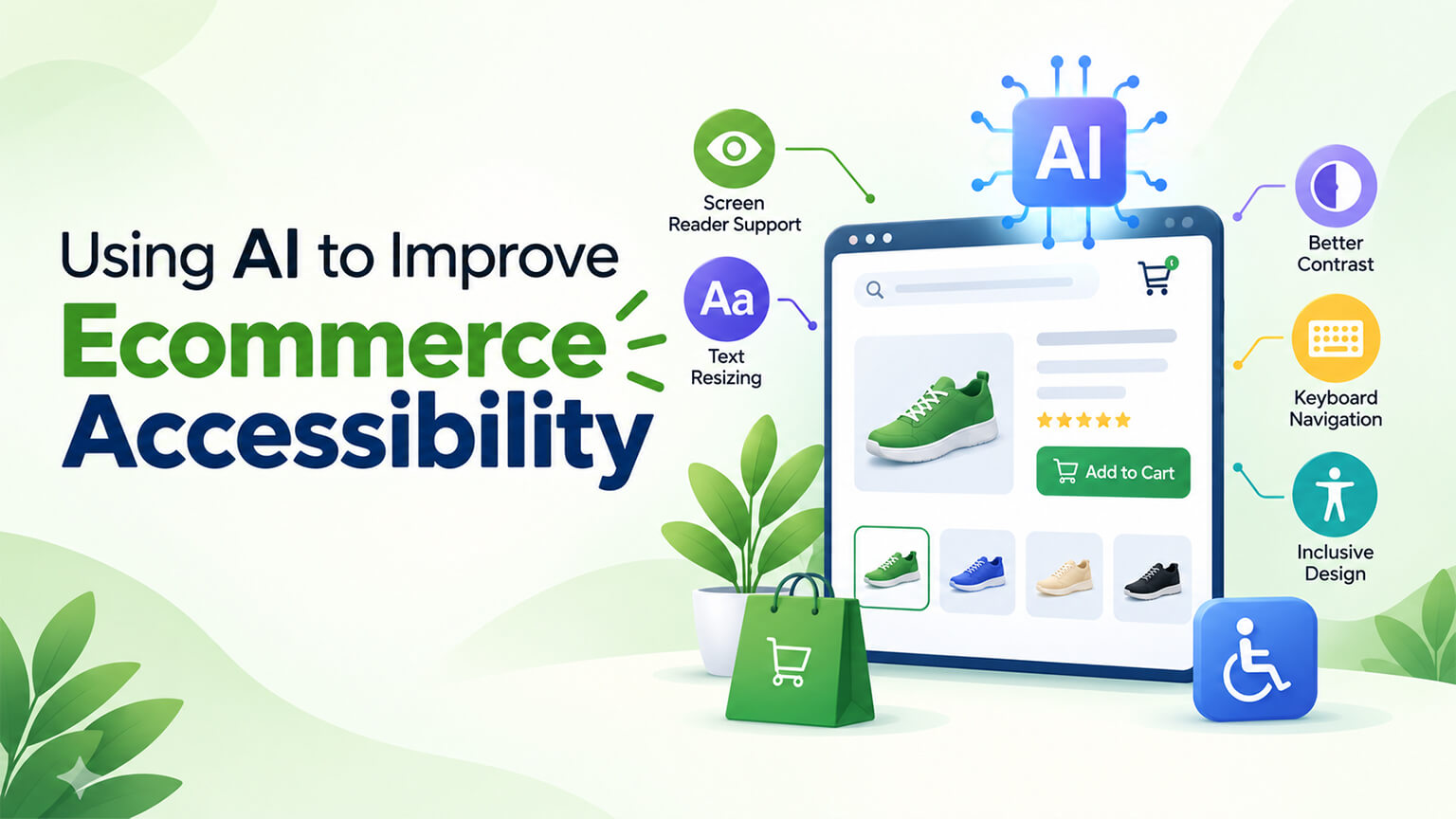
Accessibility — making your store usable by people with disabilities (as the accessibility discussion covers) — matters for inclusion (serving the significant population with disabilities), for reaching more customers, for legal compliance (accessibility requirements/laws), and because it’s the right thing to do. Achieving accessibility involves real work (accessible design and development, testing, fixing issues, as the accessibility discussion covers). AI can help with parts of this: spotting accessibility issues (scanning for problems), generating alt text for images (a common accessibility task), assisting with fixes and improvements, and supporting accessibility work — accelerating and augmenting some accessibility efforts. But AI has important limits here: it can assist but not fully ensure accessibility (which requires human judgment, testing with assistive technologies and real users, and genuine accessible development, as the accessibility discussion covers), and AI-generated accessibility content (like alt text) needs human oversight for quality and accuracy. So AI is a useful aid for accessibility, used well and within its limits (not a substitute for genuine accessibility work). This piece covers using AI to improve ecommerce accessibility: where AI helps, its limits, how to use it responsibly, and how it fits into genuine accessibility work. (This connects to the accessibility and AI-for-ecommerce discussions; this focuses on AI for accessibility.)Using AI to Improve Ecommerce Accessibility
This piece covers where AI helps with accessibility, its important limits, how to use it responsibly, and how it fits into genuine accessibility work. Because AI can aid accessibility efforts (spotting issues, alt text, assisting fixes), used well within its limits. Let me walk through it.
Where AI helps with accessibility
AI can assist with several parts of accessibility work. Spotting accessibility issues — AI-powered accessibility tools can scan your store for accessibility issues (detecting problems like missing alt text, contrast issues, missing labels, structural issues, as the accessibility discussion covers), helping you find issues to fix (versus manually finding them all) — issue detection (a useful aid). Generating alt text for images — AI can generate alt text for images (describing images for screen-reader users, a common and often-neglected accessibility task, as the accessibility discussion covers), helping with the substantial task of writing alt text for many product images — alt text generation (a helpful acceleration, with oversight). Assisting with fixes — AI can assist with accessibility fixes and improvements (suggesting fixes, helping implement accessibility improvements, assisting developers), accelerating some accessibility work — fix assistance. Reviewing and analysing — AI can help review and analyse content and pages for accessibility (assessing accessibility, surfacing issues and improvements), aiding the accessibility review — review/analysis. Accelerating accessibility tasks — AI can accelerate various accessibility tasks (scanning, alt text, suggestions, analysis), making accessibility work more efficient (versus all-manual) — acceleration. Ongoing monitoring — AI-powered accessibility tools can monitor accessibility ongoing (scanning for new issues as the store changes, as the accessibility discussion touches on for maintaining accessibility), aiding ongoing accessibility — monitoring. And supporting the accessibility effort — overall, AI can support the accessibility effort (detecting issues, generating alt text, assisting fixes, analysing, monitoring), making accessibility work more efficient and helping cover it — support (a useful aid). So AI helps with accessibility by spotting issues (scanning/detection), generating alt text (a common task), assisting with fixes and improvements, reviewing and analysing for accessibility, accelerating accessibility tasks, supporting ongoing monitoring, and generally supporting the accessibility effort — a useful aid accelerating and augmenting accessibility work. So AI can aid accessibility efforts (detection, alt text, fixes, monitoring), making them more efficient. But it has important limits. The next section covers them. So AI aids accessibility by spotting issues, generating alt text, assisting fixes, and monitoring — accelerating accessibility work.
The important limits
AI has important limits for accessibility that mean it can’t fully ensure accessibility on its own. Can’t fully ensure accessibility — AI can assist with accessibility but can’t fully ensure it: genuine accessibility requires
testing with assistive technologies and real users, and human judgment (as the accessibility discussion covers), which AI aids but doesn’t replace — so AI is an aid, not a guarantee of accessibility (a key limit). Automated scanning misses things — automated accessibility scanning (AI-powered or not) catches many issues but misses others (it can’t fully assess real accessibility — e.g., whether the experience works for assistive-technology users, which requires real testing, as the accessibility discussion covers), so scanning is partial (finds many issues, but passing a scan isn’t full accessibility) — scanning’s limits. AI-generated alt text needs oversight — AI-generated alt text can be helpful but needs human oversight (AI-generated descriptions can be inaccurate, generic, or miss context/meaning that good alt text needs, as the AI-content discussions cover), so AI alt text needs review and editing (not used blindly) — alt-text oversight. Real testing is essential — genuine accessibility requires testing with assistive technologies (screen readers, etc.) and ideally real users with disabilities (as the accessibility discussion covers), which AI doesn’t replace (AI can’t fully verify the real accessible experience) — real testing (essential, not replaced by AI). Human judgment needed — accessibility requires human judgment (understanding accessibility, the real user experience, meaningful fixes, as the accessibility discussion covers), which AI aids but doesn’t replace — human judgment. Not a substitute for accessible development — AI aids don’t substitute for fully accessible design and development (building accessibly from the start, semantic HTML, proper structure, as the accessibility and semantic-HTML discussions cover) — so AI helps but doesn’t replace building accessibly — accessible development (still needed). Risk of over-reliance — over-relying on AI/automated tools (assuming they ensure accessibility) is a risk (they don’t fully ensure it, and passing automated checks isn’t full accessibility, as the accessibility discussion covers) — over-reliance risk (a key caution). And accessibility is a genuine effort — accessibility is a genuine effort (design, development, testing, judgment) that AI aids but doesn’t do for you — so treat AI as an aid within genuine accessibility work, not a shortcut to accessibility — the framing. So AI’s important limits for accessibility are: it can’t fully ensure accessibility (which needs accessible development, real testing, and human judgment), automated scanning misses things (partial, not full accessibility), AI-generated alt text needs human oversight (can be inaccurate/generic), real testing with assistive tech and users is essential (not replaced by AI), human judgment is needed, AI doesn’t substitute for accessible development, there’s a risk of over-reliance, and accessibility is a genuine effort AI aids but doesn’t do for you. So AI aids accessibility but has real limits — it can’t fully ensure accessibility, needs human oversight and real testing, and isn’t a substitute for genuine accessible development. So use AI as an aid within genuine accessibility work, not a substitute. The next section covers using it responsibly. So AI’s limits mean it aids but can’t fully ensure accessibility — needing human oversight, real testing, and genuine accessible development.
How to use AI responsibly for accessibility
Using AI responsibly for accessibility means using its aid within genuine accessibility work and oversight. Use AI as an aid, not a substitute — use AI to aid accessibility work (detecting issues, generating alt text, assisting fixes, monitoring), but not as a substitute for genuine accessibility (accessible development, real testing, human judgment) — the core framing (aid, not substitute). Use AI issue detection to find issues — use AI/automated scanning to find accessibility issues (as a helpful starting point, catching many issues), then address them (and don’t assume passing a scan means full accessibility) — using scanning as an aid (finds issues, not full assurance). Review and edit AI-generated alt text — use AI to help generate alt text (accelerating the task), but review and edit it for accuracy, context, and quality (as good alt text needs, and AI can be inaccurate/generic), so the alt text is good (not blindly-used AI output) — alt-text oversight (essential). Combine AI aid with real testing — combine AI’s aid with real accessibility testing (with assistive technologies and, ideally, real users with disabilities, as the accessibility discussion covers), since real testing (which AI doesn’t replace) is essential to genuine accessibility — real testing (don’t skip it). Ensure genuine accessible development — ensure genuine accessible design and development (building accessibly, semantic HTML, proper structure, as the accessibility and semantic-HTML discussions cover), with AI aiding but not replacing it — accessible development (the foundation). Keep human judgment and oversight — keep human judgment and oversight over accessibility (understanding accessibility, the real experience, meaningful fixes, reviewing AI’s outputs), since accessibility needs human judgment (AI aids, humans ensure) — human oversight. Don’t over-rely on AI/automated tools — don’t over-rely on AI or automated accessibility tools (assuming they ensure accessibility), recognising they aid but don’t fully ensure it (passing automated checks isn’t full accessibility) — avoiding over-reliance (the key caution). Treat accessibility as a genuine commitment — treat accessibility as a genuine commitment (a real effort for inclusion and compliance, as the accessibility discussion covers), with AI as one aid within that commitment (versus a shortcut) — genuine commitment. And get accessibility expertise — get accessibility expertise (accessibility-knowledgeable developers, testing, or specialists, as the accessibility discussion covers) for genuine accessibility, with AI aiding the work — expertise (for genuine accessibility). So use AI responsibly for accessibility by using it as an aid not a substitute, using AI issue detection to find issues (then addressing them, not assuming full accessibility), reviewing and editing AI-generated alt text (oversight), combining AI’s aid with real accessibility testing (essential), ensuring genuine accessible development (the foundation), keeping human judgment and oversight, not over-relying on AI/automated tools (the key caution), treating accessibility as a genuine commitment, and getting accessibility expertise. The keys are using AI as an aid within genuine accessibility work (not a substitute), reviewing AI’s outputs (like alt text), combining it with real testing and accessible development, and not over-relying on automated tools. So use AI to aid your genuine accessibility work (detection, alt text, fixes) with oversight, real testing, and accessible development — not as a shortcut to accessibility. The next section covers fitting it into genuine accessibility work. So use AI responsibly as an aid within genuine accessibility work (with oversight, real testing, accessible development), not a substitute.
How it fits into genuine accessibility work
AI fits into genuine accessibility work as one useful aid within the broader effort. Accessibility is a genuine effort — genuine accessibility (as the accessibility discussion covers) involves accessible design and development (building accessibly, semantic HTML), testing (with assistive technologies and real users), fixing issues, and ongoing maintenance — a real, ongoing effort for inclusion and compliance — the genuine work. AI aids parts of it — AI aids parts of this effort (detecting issues, generating alt text, assisting fixes, monitoring), making some of the work more efficient (versus all-manual), so AI is a helpful tool within the effort — AI’s role (an aid). But the core work remains — the core accessibility work (accessible development, real testing, human judgment, genuine commitment) remains, with AI aiding but not doing it — so AI supplements the genuine work (doesn’t replace it) — the core remains. Use AI to make the effort more efficient — use AI to make the accessibility effort more efficient (accelerating detection, alt text, fixes, monitoring), so you can do accessibility work more efficiently (covering more, faster), while still doing the genuine work — efficiency (AI’s benefit within the effort). Combine AI with the essential human/testing elements — combine AI’s aid with the essential elements it doesn’t replace (accessible development, real testing with assistive tech and users, human judgment), so accessibility is achieved (AI aiding the efficient parts, humans and testing ensuring genuine accessibility) — the combination. It’s part of a broader accessibility approach — AI is part of a broader accessibility approach (accessible development, testing, fixing, maintaining, with AI aiding, as the accessibility discussion covers), not the whole approach — part of the approach. Maintain accessibility ongoing — use AI (e.g., ongoing scanning) to help maintain accessibility over time (catching new issues as the store changes, as the accessibility and maintenance discussions cover), aiding ongoing accessibility (within the genuine ongoing effort) — ongoing (AI aiding maintenance). And treat AI as a helpful tool, accessibility as the commitment — treat AI as a helpful tool within your genuine accessibility commitment (which serves inclusion, more customers, and compliance, as the accessibility discussion covers), so AI enhances your accessibility work without being mistaken for accessibility itself — the framing (tool within commitment). So AI fits into genuine accessibility work as one useful aid within the broader effort: accessibility is a genuine effort (development, testing, fixing, maintaining, judgment), AI aids parts of it (detection, alt text, fixes, monitoring — making the effort more efficient), but the core work remains (AI supplements, not replaces), so combine AI’s aid with the essential elements it doesn’t replace (accessible development, real testing, human judgment), using AI to make the genuine accessibility effort more efficient while still doing the genuine work — treating AI as a helpful tool within your genuine accessibility commitment. So AI fits as an efficiency-enhancing aid within genuine accessibility work, supplementing but not replacing the core effort. So AI fits into accessibility as a useful aid making the genuine effort more efficient, supplementing but not replacing accessible development, real testing, and human judgment.
The bottom line
Accessibility — making your store usable by people with disabilities — matters for inclusion (serving the significant population with disabilities), for reaching more customers, for legal compliance, and because it’s the right thing to do, and achieving it involves real work (accessible design and development, testing, fixing issues, ongoing maintenance). AI can help with parts of this: spotting accessibility issues (AI-powered scanning detecting problems like missing alt text, contrast issues, and missing labels), generating alt text for images (a common, often-neglected task, helping with the substantial job of describing many product images), assisting with fixes and improvements, reviewing and analysing for accessibility, accelerating various accessibility tasks, and supporting ongoing monitoring — a useful aid that accelerates and augments accessibility work. But AI has important limits: it can assist but can’t fully ensure accessibility (which requires fully accessible design and development, testing with assistive technologies and real users with disabilities, and human judgment), automated scanning catches many issues but misses others (passing a scan isn’t full accessibility), AI-generated alt text needs human oversight (it can be inaccurate, generic, or miss context), real testing with assistive technologies and users is essential and not replaced by AI, human judgment is needed, AI doesn’t substitute for accessible development, and over-relying on AI or automated tools is a real risk. So use AI responsibly: as an aid, not a substitute for genuine accessibility work; using AI issue detection to find issues (then addressing them, not assuming full accessibility from passing a scan); reviewing and editing AI-generated alt text for accuracy, context, and quality; combining AI’s aid with real accessibility testing (with assistive technologies and ideally real users — essential and not skippable); ensuring genuine accessible design and development (the foundation, with AI aiding not replacing it); keeping human judgment and oversight; not over-relying on AI or automated tools (the key caution — they aid but don’t fully ensure accessibility); treating accessibility as a genuine commitment; and getting accessibility expertise. AI fits into genuine accessibility work as one useful aid within the broader effort — accessibility is a genuine effort (accessible development, real testing, fixing, maintaining, human judgment), AI aids parts of it (detection, alt text, fixes, monitoring) to make the effort more efficient, but the core work remains, so you combine AI’s aid with the essential elements it doesn’t replace, using AI to do the genuine accessibility work more efficiently while still doing it . The keys are using AI as an aid within genuine accessibility work (not a substitute), reviewing AI’s outputs like alt text, combining it with real testing and fully accessible development, and not over-relying on automated tools. So use AI to help make your accessibility efforts more efficient — spotting issues, generating alt text (with oversight), assisting fixes, and monitoring — within a genuine commitment to accessibility that includes accessible development, real testing with assistive technologies and users, and human judgment. Done this way, AI is a valuable aid that makes genuine accessibility work more efficient and helps you cover it; but it’s not a shortcut to accessibility, which remains a genuine effort AI supplements rather than replaces. So embrace AI as a helpful tool for accessibility within a genuine accessibility commitment — using it to make the real work more efficient while ensuring, through accessible development, real testing, human oversight, and expertise, that your store is fully accessible, serving inclusion, more customers, and compliance.
Frequently asked questions
How can AI help with ecommerce accessibility?
AI can assist with several parts of accessibility work, making it more efficient. AI-powered accessibility tools can scan your store to spot issues (detecting problems like missing alt text, contrast issues, missing labels, and structural issues), helping you find problems to fix rather than hunting for them all manually. AI can generate alt text for images (describing them for screen-reader users), which helps with the substantial and often-neglected task of writing alt text for many product images. It can assist with accessibility fixes and improvements (suggesting fixes, helping implement them), help review and analyse content and pages for accessibility, accelerate various accessibility tasks, and support ongoing monitoring (scanning for new issues as your store changes). So AI is a useful aid that accelerates and augments accessibility efforts — detection, alt text, fix assistance, and monitoring. But it’s important to understand its limits: AI aids accessibility work but can’t fully ensure accessibility on its own, which requires fully accessible development, real testing with assistive technologies and users, and human judgment. So use AI as a helpful aid within genuine accessibility work, not as a substitute for it.
Can AI make my store fully accessible on its own?
No — this is the key limit to understand. AI can assist with accessibility, but it can’t fully ensure it. Genuine accessibility requires accessible design and development (building accessibly with semantic HTML and proper structure), testing with assistive technologies (like screen readers) and ideally real users with disabilities, and human judgment — none of which AI replaces. Automated accessibility scanning (AI-powered or not) catches many issues but misses others, and passing an automated scan isn’t the same as being fully accessible (it can’t fully assess whether the experience actually works for assistive-technology users, which requires real testing). AI-generated alt text can be inaccurate, generic, or miss important context, so it needs human review and editing. And over-relying on AI or automated tools — assuming they ensure accessibility — is a real risk. So AI is an aid, not a guarantee: use it to make genuine accessibility work more efficient (spotting issues, generating alt text, assisting fixes, monitoring), but combine it with fully accessible development, real testing, and human judgment, which are what actually ensure accessibility.
How should I use AI-generated alt text?
Use it as a helpful accelerator, but always review and edit it — don’t use it blindly. AI can generate alt text for your images, which helps enormously with the substantial and often-neglected task of writing descriptions for many product images (a real accessibility need for screen-reader users). But AI-generated descriptions can be inaccurate, generic, or miss the context and meaning that good alt text needs — good alt text conveys the relevant information and purpose of an image in context, which AI doesn’t always get right. So treat AI-generated alt text as a first draft: review and edit it for accuracy (does it correctly describe the image?), context (does it convey what matters about the image in its context?), and quality (is it useful for a screen-reader user?). This gives you the efficiency of AI generation (speeding up a big task) with the quality that human oversight ensures. Using AI alt text without review risks inaccurate or unhelpful descriptions that don’t serve accessibility — so the human oversight is essential, as with other AI-generated content.
How does AI fit into genuine accessibility work?
As one useful aid within a broader, genuine effort — not as the whole solution. Genuine accessibility involves accessible design and development (building accessibly with semantic HTML and proper structure), testing (with assistive technologies and ideally real users with disabilities), fixing issues, ongoing maintenance, and human judgment — a real, ongoing effort for inclusion and compliance. AI aids parts of this (detecting issues, generating alt text, assisting fixes, monitoring for new issues), making some of the work more efficient. But the core work remains: AI supplements rather than replaces the accessible development, real testing, and human judgment that actually ensure accessibility. So combine AI’s aid with the essential elements it doesn’t replace — using AI to make the genuine accessibility effort more efficient (covering more, faster) while still doing the genuine work. Treat AI as a helpful tool within your genuine accessibility commitment (which serves inclusion, more customers, and compliance), and get accessibility expertise for the genuine work. Used this way, AI enhances your accessibility efforts without being mistaken for accessibility itself — which is the responsible way to use it.