
Shopify Plus API Limits and What They Mean
On this page
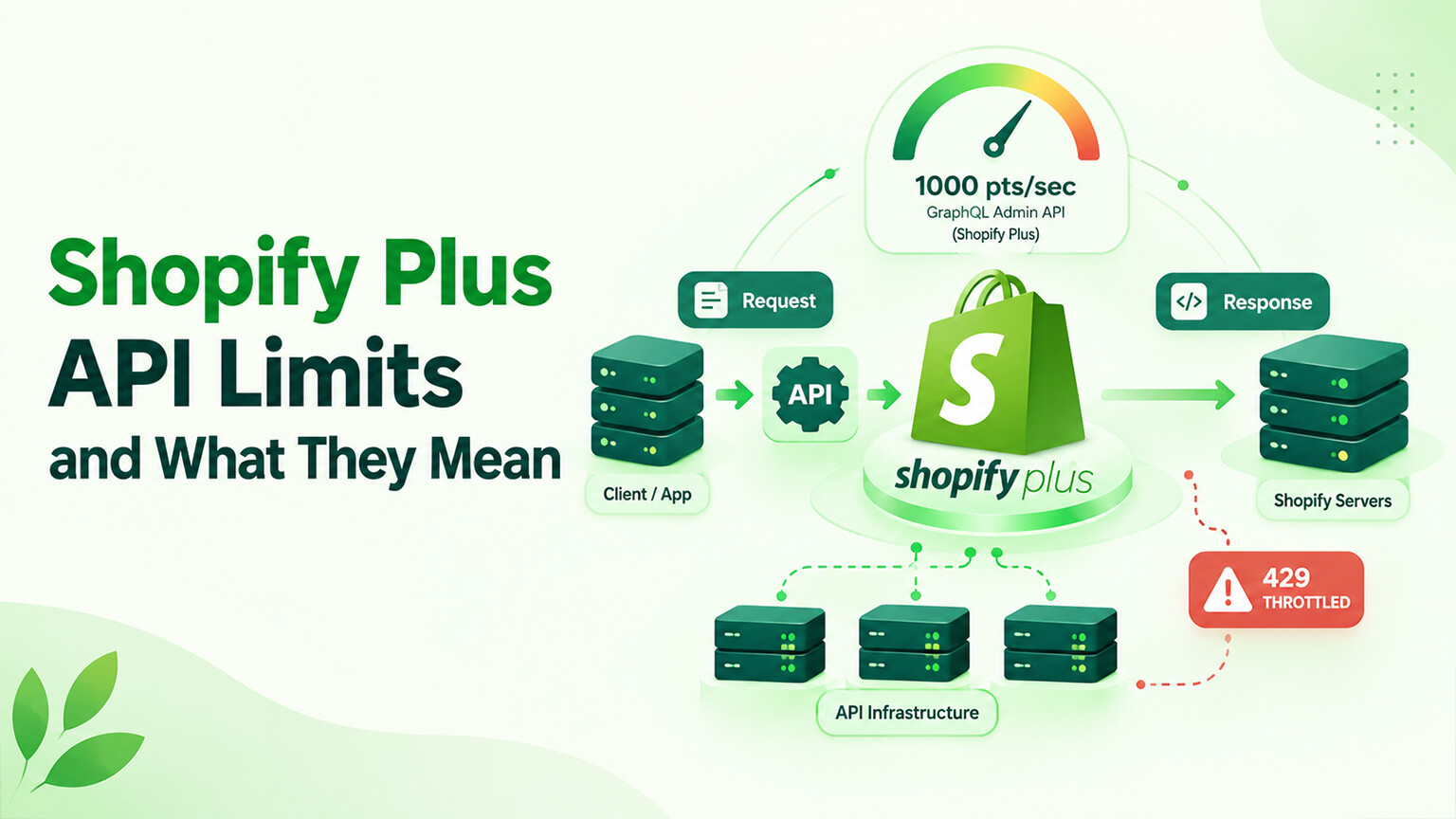
One of the differences between Shopify Plus and standard Shopify is API rate limits — how many API calls your store can make in a given time (as Shopify limits API usage to protect its platform). This sounds technical and obscure, but it has real practical implications for stores with extensive integrations, high volume, or heavy API usage: standard Shopify’s API limits can become a constraint (throttling or limiting operations, integrations, and apps that rely on API calls), while Plus’s higher API limits relieve this — allowing more API usage for demanding integrations and operations. Understanding what API limits are, what Plus’s higher limits mean, and when they matter helps you understand this Plus benefit and whether it’s relevant to your store (part of the Plus decision, as the when-to-upgrade and Plus-comparison discussions cover). This piece covers Shopify Plus API limits and what they mean: what API limits are, what Plus’s higher limits provide, when API limits matter, and how to think about them. (This connects to the ERP-integration, webhooks, and Plus discussions; this focuses on API limits. Note: Shopify’s specific API limits and structures evolve; this covers the concept and general picture.)
This piece covers what API limits are, what Plus’s higher limits provide, when API limits matter (and when they don’t), and how to think about them in the Plus decision. Because API limits are a real (if technical) Plus differentiator that matters for demanding integrations and operations, understanding them helps you assess this benefit. Let me walk through it.
What API limits are
Let’s understand API limits in plain terms. APIs and calls — as covered in the webhooks and Storefront-API discussions, systems (apps, integrations, custom tools) interact with Shopify via its APIs, making “API calls” (requests to Shopify’s APIs to read data, write data, or perform actions) — so API usage means making calls to Shopify’s APIs. Why there are limits — Shopify limits how many API calls can be made in a given time (rate limits), to protect its platform (prevent overload, ensure fair usage, maintain performance for all) — so API rate limits are Shopify’s way of controlling API usage volume (a standard platform practice). What the limits do — the rate limits cap how many API calls your store (and the apps/integrations using its APIs) can make per unit of time; exceeding the limit results in throttling (calls being delayed or rejected until the rate is back under the limit) — so hitting the limit constrains API usage (operations relying on API calls get throttled/slowed). Different for different APIs — Shopify’s API limits differ by API and structure (the Admin API has certain rate limits, the Storefront API others, with various rate-limiting mechanisms), so the limits vary by context — but the concept (a cap on API-call rate) applies. Standard vs. Plus limits — standard Shopify has certain API rate limits, and Shopify Plus has higher limits (more API calls allowed per unit of time) — the key difference (Plus’s higher limits, as the Plus-comparison discussion covers). Affects integrations and apps — API limits affect anything using Shopify’s APIs heavily (extensive integrations, high-volume operations, apps making many calls), since these can hit the limits (getting throttled) — so API limits matter for API-heavy usage. So API limits are Shopify’s caps on how many API calls your store (and its apps/integrations) can make per unit of time (rate limits, protecting the platform), which throttle usage if exceeded, differ by API, and are higher on Plus than standard — affecting stores with heavy API usage (extensive integrations, high volume, API-heavy apps). So understand API limits as caps on API-call rate that can constrain heavy API usage, with Plus offering higher limits. The next section covers what Plus’s higher limits provide. So API limits cap API-call rate, mattering for API-heavy usage, with Plus offering more headroom.
What Plus’s higher limits provide
Plus’s higher API limits provide more API-usage headroom, relieving the constraints standard limits can impose. More API calls — Plus allows more API calls per unit of time than standard Shopify (higher rate limits), so a Plus store can make more API calls before hitting limits — more headroom for API usage. Relieves throttling for heavy usage — for stores with heavy API usage (extensive integrations, high volume, API-heavy operations/apps), standard limits can cause throttling (constraining operations), while Plus’s higher limits relieve this (more headroom before throttling) — so Plus supports heavier API usage without hitting limits as readily. Supports demanding integrations — Plus’s higher limits support demanding integrations (ERP, systems syncing lots of data, real-time integrations, as the ERP and webhooks discussions cover) that make many API calls, which standard limits might throttle — so Plus better supports API-heavy integrations. Supports high-volume operations — high-volume stores (lots of orders, inventory updates, operations) generate heavy API usage (syncing, processing at volume), and Plus’s higher limits support this volume (versus standard limits potentially constraining high-volume operations) — so Plus suits high-volume API usage. Enables more/complex apps and custom development — Plus’s higher limits provide headroom for more apps and complex custom development (which make API calls), so Plus stores can run more API-intensive setups without hitting limits — supporting complex, integrated setups. Better for scale and complexity — overall, Plus’s higher API limits suit stores operating at scale and complexity (heavy integrations, high volume, many apps, custom development making many API calls), providing the API headroom such operations need — the scale/complexity benefit. And it’s part of Plus’s capacity — the higher API limits are part of Plus’s higher capacity orientation (for larger, more demanding stores, as the Plus-comparison discussion covers) — fitting Plus’s positioning. So Plus’s higher API limits provide more API-call headroom, relieving throttling for heavy usage, supporting demanding integrations (ERP, real-time, data-heavy), high-volume operations, and more/complex apps and custom development — suiting stores operating at scale and complexity with heavy API usage. So Plus’s higher limits benefit stores with heavy API usage (integrations, volume, complexity), providing the headroom they need. The next section covers when API limits matter. So Plus’s higher API limits give heavy-API-usage stores more headroom, relieving standard limits’ constraints.
When API limits matter (and when they don’t)
API limits matter in specific situations (heavy API usage) and don’t in others (light usage), so it’s important to know when they’re relevant. When they matter: heavy API usage — API limits matter when your store has heavy API usage: extensive integrations (ERP, multiple systems, data-heavy syncing, as the ERP discussion covers), high-volume operations (lots of orders, inventory updates, processing at scale), API-intensive apps (many apps making many calls), significant custom development (making many API calls), or real-time integrations (frequent API calls, as the webhooks discussion covers) — where the API-call volume can hit standard limits (getting throttled), and Plus’s higher limits relieve it. So heavy API usage (integrations, volume, complexity) is when limits matter. Hitting standard limits — if you’re hitting standard Shopify’s API limits (throttling constraining your operations, integrations, or apps), that’s a clear sign API limits matter for you, and Plus’s higher limits would relieve it — a concrete indicator (throttling = limits matter). When they don’t matter: light API usage — API limits don’t matter (much) when your store has light API usage: few integrations, modest volume, few apps, no heavy API-dependent operations — where you’re nowhere near the limits (standard limits are ample) — so light-usage stores aren’t constrained by limits. Most smaller stores — most smaller or less-integrated stores don’t hit API limits (their usage is well within standard limits), so limits aren’t a factor for them — not everyone needs to worry about limits. A specialised consideration — API limits are a specialised consideration (relevant to API-heavy stores), not a general concern for all stores — so it matters for the specific stores with heavy API usage, not universally. And it’s one factor in the Plus decision — API limits are one factor (among many) in the Plus decision (as the when-to-upgrade and Plus-comparison discussions cover): if you have (or will have) heavy API usage hitting standard limits, Plus’s higher limits are a relevant benefit; if not, this particular benefit doesn’t apply to you — so weigh it based on your API usage. So API limits matter for stores with heavy API usage (extensive integrations, high volume, API-intensive apps, significant custom development, real-time integrations) — especially if hitting standard limits (throttling) — and don’t matter (much) for stores with light API usage (few integrations, modest volume, most smaller stores). So assess your API usage: heavy usage (hitting or likely to hit limits) means API limits matter (and Plus’s higher limits are a relevant benefit); light usage means they don’t. So API limits matter for API-heavy stores, not for light-usage ones — a specialised consideration. The next section covers how to think about them.
How to think about them in the Plus decision
Here’s how to think about API limits in evaluating Plus. Assess your API usage — assess whether your store has (or will have) heavy API usage: extensive integrations, high volume, API-intensive apps, significant custom development, or real-time integrations (as covered) — since this determines whether API limits are relevant to you. Check if you’re hitting limits — check whether you’re hitting standard Shopify’s API limits (throttling affecting your operations, integrations, or apps) — a concrete sign the limits are constraining you (and Plus would relieve it). If not hitting them, this benefit is less relevant. Weigh it as one Plus factor — weigh API limits as one factor in the Plus decision (as the when-to-upgrade and Plus-comparison discussions cover): if heavy API usage / hitting limits is a real constraint for you, Plus’s higher limits are a relevant benefit supporting the upgrade; if API usage is light (not near limits), this particular benefit doesn’t apply, and the Plus decision rests on other factors (checkout, B2B, etc.) — so factor API limits appropriately (relevant if API-heavy, not if not). Consider your integration/operation needs — consider your integration and operation needs (are you building extensive integrations, operating at high volume, with heavy API usage?), since these drive API-limit relevance — if your needs are API-heavy, Plus’s limits matter. Get technical input if unsure — if unsure whether API limits are or will be a constraint (a technical question), get technical input (a developer/agency assessing your API usage and whether limits are an issue, as the team discussions cover) — clarifying whether it’s relevant. Don’t over- or under-weight it — don’t over-weight API limits (if your usage is light, they don’t matter, so don’t upgrade for this alone) or under-weight them (if you have heavy API usage hitting limits, they’re a real constraint Plus relieves) — weigh them accurately for your situation. And it’s part of the bigger Plus picture — remember API limits are one part of the bigger Plus picture (Plus’s capabilities, capacity, and cost, as the Plus-comparison and when-to-upgrade discussions cover) — so weigh API limits alongside the other Plus factors in the overall decision. So think about API limits in the Plus decision by assessing your API usage (heavy or light), checking if you’re hitting standard limits (a concrete constraint), weighing them as one Plus factor (relevant if API-heavy, not if light), considering your integration/operation needs, getting technical input if unsure, weighing them accurately (not over/under), and treating them as part of the bigger Plus picture. So assess whether heavy API usage (hitting or likely to hit standard limits) makes Plus’s higher limits a relevant benefit for you — factoring it into the Plus decision accordingly (relevant if API-heavy, not a factor if light). So API limits are a real but specialised Plus benefit — relevant to API-heavy stores (a factor supporting Plus), not to light-usage ones — to weigh accurately in the Plus decision.
The bottom line
One of the differences between Shopify Plus and standard Shopify is API rate limits — how many API calls your store (and the apps, integrations, and custom development using its APIs) can make in a given time. Shopify limits API-call rates to protect its platform (preventing overload, ensuring fair usage, maintaining performance), and exceeding the limit results in throttling (calls delayed or rejected until the rate drops). This sounds technical, but it has real practical implications: standard Shopify’s API limits can become a constraint for stores with heavy API usage (throttling operations, integrations, or apps that rely on many API calls), while Shopify Plus’s higher API limits relieve this — providing more headroom before throttling. Plus’s higher limits benefit stores with heavy API usage by supporting demanding integrations (ERP, data-heavy syncing, real-time integrations that make many calls), high-volume operations (lots of orders, inventory updates, processing at scale), and more or complex apps and custom development — suiting stores operating at scale and complexity, as part of Plus’s higher-capacity orientation. But API limits are a specialised consideration: they matter for stores with heavy API usage (extensive integrations, high volume, API-intensive apps, significant custom development, real-time integrations) — especially if you’re hitting standard limits (throttling constraining you) — and they don’t matter much for stores with light API usage (few integrations, modest volume, few apps), which most smaller or less-integrated stores have and which stay well within standard limits. So to think about API limits in the Plus decision, assess whether your store has (or will have) heavy API usage, check whether you’re actually hitting standard limits (a concrete sign they’re constraining you, which Plus would relieve), and weigh API limits as one factor among many in the Plus decision — relevant and supporting the upgrade if you have heavy API usage hitting limits, but not applicable if your API usage is light (in which case the Plus decision rests on other factors like checkout customisation, native B2B, and the rest). Get technical input if you’re unsure whether limits are or will be a constraint (a technical question a developer can assess), and weigh them accurately — neither over-weighting them (upgrading for API limits alone when your usage is light) nor under-weighting them (ignoring a real constraint if you have heavy API usage). Remember API limits are one part of the bigger Plus picture (capabilities, capacity, and cost), so weigh them alongside the other Plus factors. So Shopify Plus’s higher API limits are a real but specialised benefit — valuable for stores with heavy API usage (demanding integrations, high volume, complexity) hitting standard limits, and not a factor for stores with light API usage — so assess your API usage and weigh this benefit accordingly in your Plus decision, factoring it in where it’s relevant and setting it aside where it isn’t.
Frequently asked questions
What are Shopify API limits?
API limits (rate limits) are Shopify’s caps on how many API calls your store — and the apps, integrations, and custom development using its APIs — can make in a given time. Systems interact with Shopify via its APIs by making calls (requests to read data, write data, or perform actions), and Shopify limits the rate of these calls to protect its platform (preventing overload, ensuring fair usage across merchants, and maintaining performance). If you exceed the rate limit, the excess calls get throttled — delayed or rejected until your rate drops back under the limit — which constrains operations that rely on API calls. The specific limits differ by API (the Admin API and Storefront API have different rate-limiting structures) and evolve over time, but the concept is a cap on how frequently you can call Shopify’s APIs. These limits affect anything using Shopify’s APIs heavily, so they matter for stores with extensive integrations, high volume, or API-intensive apps and custom development, while being a non-issue for stores with light API usage.
What do Shopify Plus’s higher API limits provide?
More API-usage headroom. Shopify Plus allows more API calls per unit of time than standard Shopify, so a Plus store can make more calls before hitting limits and being throttled. For stores with heavy API usage, this relieves constraints that standard limits can impose: it supports demanding integrations (like ERP systems, data-heavy syncing, and real-time integrations that make many API calls), high-volume operations (lots of orders, inventory updates, and processing at scale that generate heavy API usage), and more or complex apps and custom development that rely on API calls. Essentially, Plus’s higher limits give stores operating at scale and complexity the API headroom their heavy usage needs, without hitting the throttling that standard limits might cause. This is part of Plus’s broader higher-capacity orientation for larger, more demanding stores. For stores with light API usage, though, this headroom isn’t needed (they’re nowhere near the limits), so it’s a benefit specifically for API-heavy operations.
When do API limits actually matter for my store?
They matter when your store has heavy API usage — extensive integrations (ERP, multiple systems, data-heavy syncing), high-volume operations (lots of orders and inventory updates at scale), API-intensive apps (many apps making many calls), significant custom development, or real-time integrations that make frequent calls. In these situations, your API-call volume can hit standard Shopify’s limits and get throttled, constraining your operations — and Plus’s higher limits relieve that. A concrete sign that limits matter for you is if you’re actually hitting standard limits (experiencing throttling that affects your operations, integrations, or apps). They don’t matter much for stores with light API usage — few integrations, modest volume, few apps, no heavy API-dependent operations — which stay well within standard limits, and this describes most smaller or less-integrated stores. So API limits are a specialised consideration relevant to API-heavy stores, not a general concern for everyone. Assess your API usage: heavy usage (hitting or likely to hit limits) means they matter; light usage means they don’t.
How should I weigh API limits in deciding on Shopify Plus?
Treat them as one factor among many, weighted according to your API usage. First assess whether your store has (or will have) heavy API usage — extensive integrations, high volume, API-intensive apps, significant custom development, or real-time integrations — and check whether you’re actually hitting standard Shopify’s API limits (throttling constraining you), which is a concrete sign the limits are a real constraint that Plus would relieve. If you have heavy API usage hitting limits, Plus’s higher limits are a relevant benefit supporting an upgrade; if your API usage is light and you’re nowhere near the limits, this particular benefit doesn’t apply, and your Plus decision should rest on other factors (checkout customisation, native B2B, and the rest). Don’t over-weight API limits (don’t upgrade for them alone if your usage is light) or under-weight them (don’t ignore a real constraint if your usage is heavy). If you’re unsure whether limits are or will be an issue — a technical question — get input from a developer or agency who can assess your API usage. And remember API limits are just one part of the bigger Plus picture of capabilities, capacity, and cost.