
How Much Does Shopify Development Cost in 2026?
On this page
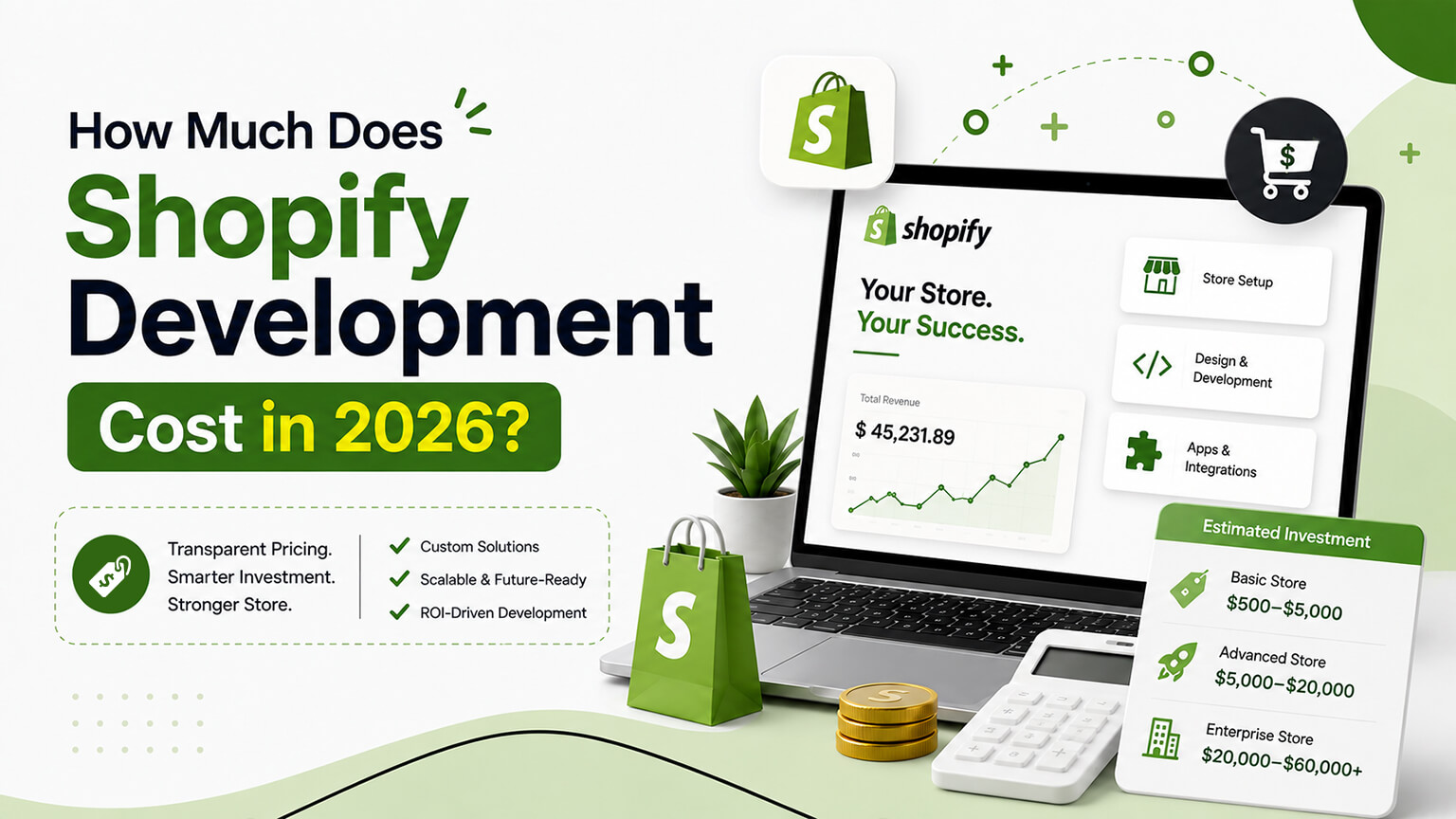
“How much will it cost?” is the first question every store owner wants answered and the one most agencies dodge with “it depends.” That’s not entirely a dodge — it does depend — but you deserve more than that. So here are real ranges, what moves them, and how to read a quote so you don’t overpay or, just as bad, underpay for work that comes back to haunt you.
A quick disclaimer before the numbers: figures below are typical 2026 ranges for US-based work, and any specific project can land outside them. Treat them as a map, not a price tag.
The ranges, roughly
Small theme work and fixes: $500–$5,000. A single custom section, a bug fix, a few targeted improvements to an existing theme. This is freelancer and small-agency territory, often billed hourly or as a small fixed fee. If someone quotes $15,000 to add a size chart, walk away.
Theme customization or a premium theme setup: $5,000–$20,000. You’re taking a paid theme or a clean base and shaping it to your brand — custom sections, a properly built product page, integrations, content. This is the sweet spot for most growing DTC brands and where the best value tends to live.
Full custom store: $20,000–$60,000+. A bespoke theme built largely from scratch, with custom features, multiple page templates, several integrations, and a real design process. The wide range reflects how much “custom” varies — a clean catalog with three integrations is very different from a configurator-heavy store with complex merchandising.
Shopify Plus build or migration: $40,000–$150,000+. Enterprise-tier work brings checkout customization, custom commerce logic, B2B, automation, and usually a migration with data and SEO on the line. Volume and complexity push these projects up quickly.
Headless build: $60,000–$250,000+. A storefront decoupled from Shopify’s theme layer, built with Hydrogen or Next.js. The upfront cost is high and ongoing maintenance is a real line item, which is exactly why headless should be a deliberate choice, not a default.
Ongoing maintenance/retainer: $500–$5,000+ per month. Monitoring, updates, fixes, and a pool of development hours. Bigger stores with constant changes sit at the higher end.
What actually drives the number
Two stores can get wildly different quotes for what sounds like the same project. What’s moving the figure behind the scenes.
Design complexity. A custom design reviewed over several rounds costs more than adapting a template. Every unique page type — a special collection layout, an interactive product page, a custom landing template — is design plus build plus QA.
Custom features. Bundles, subscriptions, configurators, “build your own,” loyalty mechanics, and anything with conditional logic all add hours. Features that interact with each other add more than the sum of their parts, because each combination has to be tested.
Integrations. Connecting Klaviyo or a reviews app is routine. Connecting an ERP, a 3PL, or a custom internal system with reliable two-way sync is a project in itself, and it’s where “we’ll just integrate it” quietly turns into the most expensive part of the build.
Data and migration. If you’re moving platforms, the volume and messiness of your data, plus the redirect work needed to protect SEO, drives cost. Clean data migrates cheaply; a decade of inconsistent product data does not.
Content readiness. This one’s on you, and it’s the most under-appreciated cost lever. If your product copy, images, and policies are ready, the project moves. If the team is waiting weeks on assets, timelines stretch and so does the bill on hourly engagements.
Who you hire. Senior people and established agencies cost more per hour but often less per outcome, because they make fewer expensive mistakes and don’t relearn the platform on your dime. The cheapest quote is frequently the most expensive once you count rework.
Fixed price vs. hourly vs. retainer
You’ll be offered one of three billing models, and each fits a different situation.
Fixed price works when scope is clear. You know what you’re paying, which is reassuring, but it only works if the scope is nailed down. Vague requirements plus fixed price equals either padding (they price in the risk) or change orders (you pay for every clarification). Good fixed-price work starts with a thorough discovery so both sides know what’s in and what’s out.
Hourly works for open-ended or exploratory work, and for ongoing relationships where you trust the team. It’s honest — you pay for what’s done — but it requires trust and good communication, because the meter is running. Ask for estimates and regular updates so there are no surprises.
Retainers suit stores that need continuous work: a fixed monthly fee for a set number of hours, with priority support. The value is having a team that already knows your store and can move fast, rather than re-explaining everything to a new freelancer each time.
For a one-off build, fixed price with a real discovery phase is usually the cleanest. For an ongoing relationship, a retainer almost always beats project-by-project engagements on both cost and speed.
Why the cheapest quote is rarely the cheapest
Imagine two quotes for the same store: $8,000 and $22,000. The instinct is to assume the $22,000 shop is padding. Sometimes that’s true. Often it isn’t, and the gap reflects what’s included.
The cheap quote frequently skips discovery, skips real QA, uses junior developers, and treats performance and SEO as someone else’s problem. The store ships, looks fine in the demo, and then the bills start: it’s slow, so you pay to fix speed; tracking is wrong, so you waste ad spend for a month before anyone notices; the code is a mess, so the next change costs triple. Add it up and the “expensive” quote was the bargain.
This isn’t an argument to always buy the priciest option — there are overpriced agencies too. It’s an argument to compare what’s actually in each quote rather than just the bottom line. Ask each bidder what’s included for discovery, QA, performance, SEO preservation, and post-launch support. The differences in those answers explain most of the price gap.
Hidden and recurring costs to budget for
The build fee isn’t the whole picture. Plan for:
- App subscriptions. A typical store runs several paid apps. $200–$800/month is common, and it’s easy to let this creep.
- Platform fees. Shopify’s plan and transaction costs; Shopify Plus is a different tier entirely.
- Maintenance. Things break, apps update, browsers change. Budget for upkeep even if you don’t take a formal retainer.
- Ongoing improvement. The best-performing stores keep testing and refining after launch. The build is the start line, not the finish.
How to get an accurate quote faster
You can shorten the back-and-forth and get sharper numbers by doing a little prep. Write down what you’re trying to achieve in business terms (“increase subscription sign-ups,” “reduce returns,” not “make it pop”). List the features and integrations you know you need. Note your current platform, traffic, and any data that has to come along. Be honest about your budget range — withholding it doesn’t get you a better price, it just gets you a proposal that might be aimed at the wrong tier.
A good partner will use that to give you options at different price points, and will tell you when something on your wishlist isn’t worth the money. That last part — being told what not to spend on — is one of the better signals you’ve found the right people.
A worked example: pricing the same store three ways
Abstract ranges only get you so far, so picture a real-ish brief: an established skincare brand with about 40 products, currently on a paid theme that feels dated and loads slowly. They want a refreshed look, a stronger product page, a subscription option, reviews, and better speed. How might that be priced across three approaches?
The lean approach keeps the existing theme and improves the parts that matter: a rebuilt product page, the subscription and reviews apps integrated cleanly, a speed clean-up, and a design refresh within the theme’s capabilities. That might land somewhere around $8,000–$15,000, because it leverages what’s already there and concentrates spend on the revenue-driving pieces.
The middle approach moves them to a clean, modern theme and customizes it meaningfully — a custom product page, a tailored homepage section library, subscriptions and reviews, speed built in, and a proper design pass. Call it $15,000–$30,000, reflecting more design and build work on a better foundation.
The full-custom approach designs and builds a bespoke theme from scratch around their brand, with everything above plus distinctive, custom-designed templates throughout. That’s $30,000–$60,000+, and whether it’s worth the premium over the middle approach depends entirely on how much a distinctive storefront matters in their category and how much traffic justifies the investment.
Same brief, three legitimate price points, each right for a different situation. The skill — and the thing a good partner does for you — is matching the approach to what the business actually needs rather than defaulting to the most expensive option that pays them best.
Where projects go over budget
Knowing the common overrun triggers helps you avoid them. The biggest is scope creep: a project that starts as “refresh the theme” quietly grows mid-build as new ideas get added without anyone repricing. On fixed-price work this leads to change orders; on hourly work it just inflates the bill. The fix is a clear written scope and a calm process for handling additions — not refusing them, just deciding consciously whether each one is worth the time and cost.
The second is content delays. If the project waits weeks on product photos, copy, or decisions, hourly costs climb and fixed-price timelines stretch. Get your content ready before the build needs it. The third is integration surprises — “we’ll just connect it to our ERP” turning into the most complex part of the project because the ERP’s data is messy or its API is awkward. Flag any non-trivial integration early and have it scoped properly rather than waved through. The fourth is choosing on price alone and paying for rework when the cheap build comes back slow, mistracked, or broken.
How to make your budget go further
If the ranges above give you sticker shock, there are legitimate ways to get more store for less money — not by cutting corners, but by spending deliberately.
The first is to concentrate spend on the pages that make money. You don’t need every template custom-designed; you need the product page and the key collection pages to be excellent, and the rest to be solid. A build that invests heavily where revenue is decided and stays standard everywhere else delivers most of the benefit of a full custom job for a fraction of the cost. This is the single biggest lever most owners overlook.
The second is to start from a clean, fast theme and customize the parts that matter rather than building from a blank page. A heavily customized quality theme is meaningfully cheaper than a bespoke build and, for most brands, indistinguishable to customers. You’re paying for the tested foundation instead of rebuilding it.
The third is to get your content ready before the build needs it. Product copy, images, and policies sitting finished in a folder keep the project moving; a team waiting weeks on assets stretches timelines and, on hourly work, inflates the bill. This costs you nothing but organization, and it’s one of the most reliable ways to keep a project from drifting over budget.
The fourth is to phase the work. You don’t have to build everything at once. Launch a strong, focused first version, then add the configurator or the subscription flow or the extra templates as revenue justifies them. Phasing spreads the cost, lets each addition be informed by real data, and stops you paying upfront for features you’re only guessing you’ll need.
And the fifth is to resist buying custom where a good, inexpensive app already does the job perfectly well. Custom isn’t automatically better; sometimes it’s just more expensive and more to maintain. Spend the custom budget on the things no app does cleanly, and let cheap, well-reviewed apps handle the commodities.
Do these five things and you’ll routinely land a better outcome at the lower end of a range than a less disciplined competitor gets at the higher end — because your money went where it earns rather than where it merely impresses.
A quick word on payment terms
Beyond the headline number, how you pay shapes how much risk you carry, so it’s worth a look. Reasonable projects tie payments to milestones you can actually verify — a deposit to begin, then payments as design, build, and launch stages complete — rather than a large sum upfront for work you can’t yet see. Milestone payments keep both sides honest: the team is motivated to hit each checkpoint, and you’re never far ahead of the value you’ve received.
Be wary of terms that ask for most of the money before you’ve seen meaningful progress, and equally wary of a quote so cheap it implies corners will be cut somewhere you’ll discover later. The healthiest arrangement feels balanced — you’re paying for value as it arrives, you can see progress on a staging store between payments, and there’s a clear understanding of what happens if something’s wrong after launch. Terms are part of the price, and a fair structure is itself a signal that you’re dealing with people who’ve done this properly before.
Frequently asked questions
Can I lower the cost without cutting corners?
Yes, by spending deliberately rather than cheaply. Concentrate your budget on the pages that make money — the product page and key collections — and keep the rest standard. Start from a clean, fast theme and customize only what matters instead of building from scratch. Have your content ready before the build needs it, phase larger features so you add them as revenue justifies, and resist paying for custom work where a good, inexpensive app already does the job. Done together, these routinely land a better outcome at the lower end of a range than a less disciplined approach gets at the higher end.
Why are Shopify development quotes so different from each other?
Because they often include different things. A cheap quote may skip discovery, QA, performance, and SEO work and use junior developers; a higher quote may build those in. Compare what’s actually included — discovery, testing, performance, SEO preservation, post-launch support — not just the bottom-line number, and the gap usually makes sense.
Is a fixed price or hourly rate better?
Fixed price suits well-defined projects where the scope is nailed down after a proper discovery; you know exactly what you’ll pay. Hourly suits open-ended or exploratory work and ongoing relationships built on trust. For a one-off build, fixed price with a real discovery phase is usually cleanest; for continuous work, a retainer typically beats project-by-project pricing.
How much should a small business budget for a Shopify store?
Most growing brands spend roughly $5,000–$40,000 to get a store that’s solid, then a few hundred to a few thousand a month to keep improving it. Early-stage brands testing an idea should spend far less — a clean, fast theme setup — and put the rest toward acquiring customers.
What hidden costs should I expect beyond the build?
App subscriptions (often $200–$800/month), Shopify’s platform and transaction fees, ongoing maintenance, and continued improvement work. The build fee is the start, not the whole picture, so budget for the recurring costs of running and improving the store too.
Reading a proposal like a pro
When quotes land on your desk, a little structure helps you compare them fairly rather than defaulting to the lowest number. Look first at the discovery: does the proposal show the team understood your business and goals, or is it a generic template with your name pasted in? A proposal that reflects your actual situation is a sign of a team that will build the right thing, not just a thing.
Then check the scope’s clarity. Vague scopes (“redesign the store,” “improve performance”) are where disputes and overruns breed, because nobody agreed what’s in and what’s out. A solid proposal lists deliverables specifically enough that you could point at the finished work and confirm each one. Look, too, for the unglamorous line items that separate good builds from cheap ones — testing, performance work, SEO preservation, training, and post-launch support. Their presence or absence explains most of the price difference between quotes.
Finally, weigh the team and the terms. Who’ll actually do the work, and are they senior enough for what’s at stake? What’s the payment schedule, and is it tied to milestones you can verify? What happens if something’s wrong after launch? The cheapest proposal that skips discovery, QA, and support isn’t cheaper once you count the rework — so compare the whole picture, not the bottom line in isolation, and you’ll spend your budget far more wisely.
The bottom line on cost
Most growing brands spend somewhere between $5,000 and $40,000 to get a Shopify store that’s solid, then a few hundred to a few thousand a month to keep improving it. Plus and headless projects run well beyond that, and they should only be on your table if you have the volume and requirements to justify them.
Spend according to the stakes. A pre-revenue brand testing an idea shouldn’t drop $50,000 on a custom build — get a clean, fast store live cheaply and prove the concept. A brand doing millions in revenue shouldn’t cheap out on a replatform that could erase its search traffic if botched. Match the investment to what’s actually riding on the outcome, and the “how much does it cost” question mostly answers itself.