
Shopify Flow: The Automations Actually Worth Setting Up
On this page
Every growing store accumulates a layer of repetitive manual tasks that nobody planned for and everybody resents. Tagging orders that need a closer look. Manually reviewing certain high-value or suspicious orders. Flagging VIP customers. Noticing — usually too late — that a product’s running low. Routing certain orders to certain places. None of it is hard, exactly. It’s just constant, fiddly, easy to forget, and a quietly enormous drain on your team’s attention. This is precisely the kind of work Shopify Flow exists to take off your plate.
Flow is a Plus automation tool that lets you set up workflows — “when this happens, if these conditions are true, do these things” — without writing code. The promise is that the repetitive operational stuff runs itself, reliably, while your team focuses on work that actually needs a human. The reality is that Flow is useful for that, but only if you point it at the right tasks and resist the temptation to automate everything into an incomprehensible mess. So let me cover what it is, the automations actually worth building, and the discipline to use it well.
What Shopify Flow is
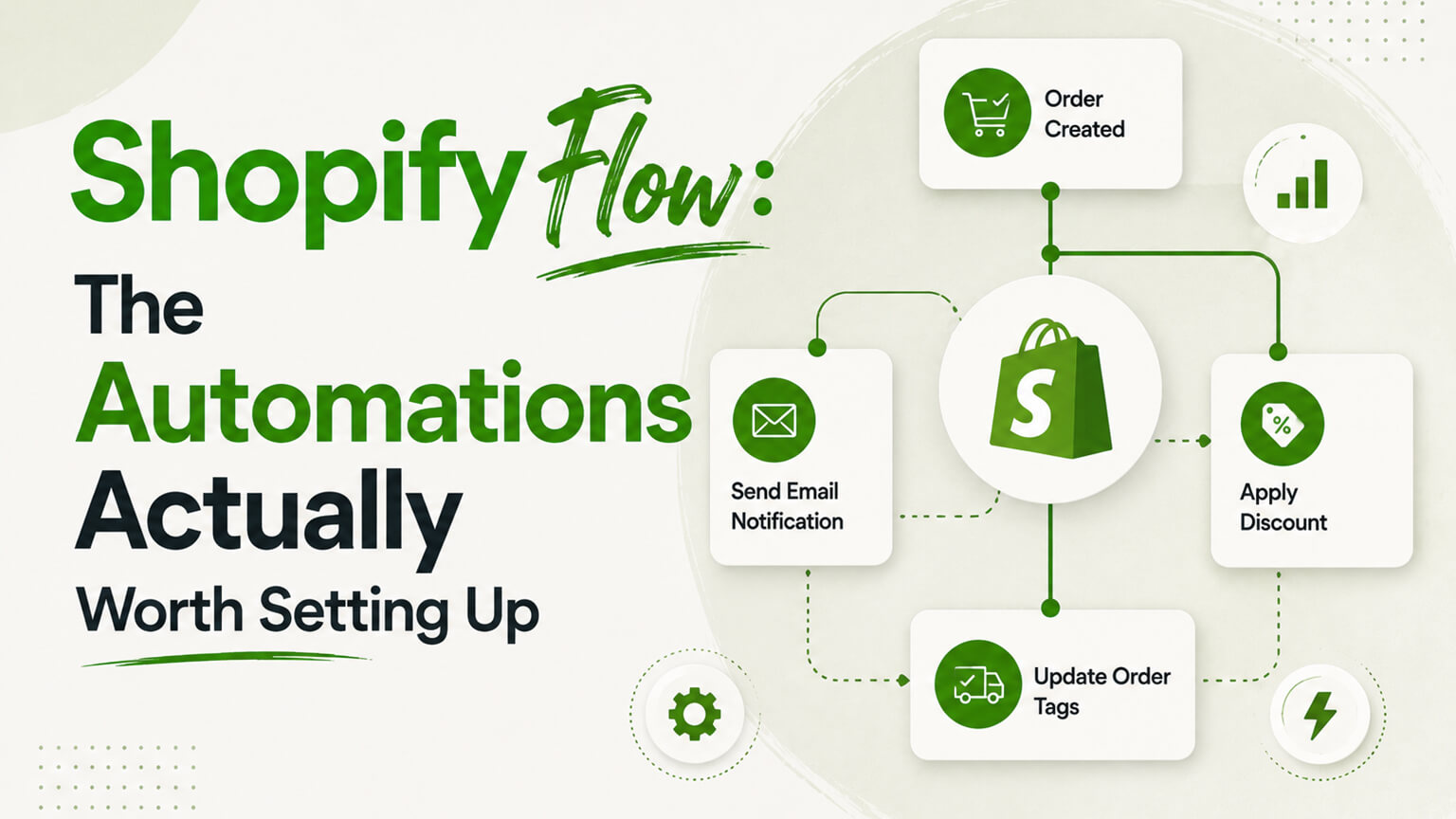
Flow is a workflow automation tool included with Shopify Plus. It works on a simple, powerful model: a trigger (something that happens, like an order being placed or a customer being created), optional conditions (criteria that must be true, like the order being over a certain value or from a certain place), and actions (what Flow does in response, like adding a tag, sending an internal notification, holding the order for review, or telling another app to do something).
You build these workflows visually, no code required, which means operations people can create automations without a developer for the straightforward stuff. String triggers, conditions, and actions together and you’ve got a little robot handling a task that used to require someone to remember to do it manually, every single time. The key conceptual point is that Flow automates internal operations and processes — the behind-the-scenes work of running the store — rather than customer-facing marketing (we’ll clarify that distinction, because it confuses people). It’s the tool for “we keep having to manually do X every time Y happens,” and there’s a lot of X and Y in a growing store.
The right mindset: automate the repetitive, keep the judgment
Before specific automations, the principle that makes Flow valuable rather than dangerous: automate the repetitive, rule-based tasks, and keep the human in the loop where judgment matters. Flow is brilliant at “every time this specific thing happens, reliably do this specific thing.” It’s not a substitute for human judgment on situations that need it.
So the tasks worth automating are the ones where the rule is clear and the action is consistent — tagging, flagging, notifying, routing based on defined criteria. The tasks to keep human are the ones requiring judgment, empathy, or handling of genuine ambiguity. Often the smartest use of Flow is automating the detection and routing — having Flow notice a situation and flag it or hand it to the right person — while a human makes the actual call. That way you get the reliability of automation (nothing slips through because someone forgot to check) plus human judgment where it matters. Keep this in mind and Flow saves enormous time without causing the problems that over-automation creates.
Automations actually worth building
Here are the kinds of workflows that consistently earn their keep, the ones I’d reach for. This isn’t exhaustive — Flow’s value is partly that you build what fits your specific operation — but these illustrate the pattern.
Fraud and high-risk order handling. When an order comes in flagged as high-risk, or it’s unusually large, or it matches criteria you’re wary of, Flow can automatically hold it for review and notify the right person, rather than relying on someone to manually catch it before it ships. This protects you from fraud and chargebacks by making sure risky orders get human eyes before fulfillment, automatically. It’s one of the most valuable use cases because the cost of missing a fraudulent order is real and the manual checking is tedious and error-prone.
Customer tagging and segmentation. Flow can tag customers based on their behavior — VIPs who’ve spent over a threshold, first-time versus repeat buyers, customers who bought specific products, high-value accounts. These tags then power all sorts of things: different treatment, segmentation, internal awareness. Automatically maintaining these tags as customers’ behavior changes is far better than trying to do it manually, and it keeps your customer data meaningfully organized.
Order tagging and routing. Tag orders based on their characteristics — contains a pre-order item, ships to a particular region, includes a product needing special handling, is a wholesale order — so they can be sorted, prioritized, or routed appropriately. This keeps fulfillment organized and ensures special cases are handled correctly without someone manually inspecting every order.
Inventory alerts. Flow can notify you when a product’s inventory drops below a threshold, so you reorder before you stock out rather than discovering the stockout when a customer hits it. For products that matter, proactive low-stock alerts prevent the lost sales and scramble that surprise stockouts cause.
VIP and loyalty triggers. When a customer crosses into VIP territory (by spend or order count), Flow can tag them, notify your team, or trigger some recognition — a foundation for treating your best customers as the assets they are, automatically, as they earn it.
Internal notifications and cross-app actions. Flow can send internal alerts (notify the team when something noteworthy happens) and trigger actions in other connected apps, which is where it becomes a coordination layer — an event in Shopify kicking off the appropriate response across your operational stack.
The thread through all of these: a recurring operational task with a clear rule, automated so it happens reliably and frees your team. Look at your own store for the “we always have to remember to do X when Y” patterns — those are your Flow candidates.
How Flow connects to the rest of your stack
Flow becomes more powerful when it works across your connected apps, not just within Shopify’s core data. Many apps integrate with Flow, exposing their own triggers and actions, so a Flow workflow can react to events in one app and take action in another, coordinating your operational tools. This is where Flow shifts from “tags orders” to “orchestrates a process across systems.”
The practical upshot is that as you build out your stack, Flow can be the connective tissue for operational automation — an event somewhere triggering the right downstream actions across your tools, without manual coordination or custom integration code for every little process. For more complex or custom orchestration you may still need actual integration work (covered elsewhere), but Flow handles a surprising amount of cross-app operational automation out of the box, which is part of why it’s a genuine Plus benefit rather than just a tagging tool.
What Flow is not (clearing up the confusion)
A common point of confusion worth addressing directly: Flow is not your email/SMS marketing automation. People sometimes think “I have Flow, do I still need Klaviyo?” Yes, you do — they’re different tools for different jobs. Flow automates internal operations and processes (tagging, flagging, routing, notifications, operational actions). Your email/SMS platform automates customer-facing lifecycle messaging (welcome flows, abandoned cart, post-purchase, win-back). The names both say “flow”-ish things and both involve automation, hence the mix-up, but they don’t overlap much in practice.
In fact they complement each other: Flow can maintain the customer tags and segments that your marketing platform then uses, so the operational automation feeds the marketing automation. But Flow isn’t sending your customers marketing emails, and your email platform isn’t holding suspicious orders for fraud review. Know which tool does which job, and you’ll set up each correctly rather than expecting one to do the other’s work.
Start simple and resist over-automation
The biggest mistake with a tool like Flow isn’t using it too little — it’s getting carried away. Once you see how powerful “when this, do that” automation is, there’s a temptation to automate everything, building an ever-growing thicket of interlocking workflows until your store’s behavior becomes an opaque machine that nobody fully understands and that occasionally does something baffling because of a workflow someone set up months ago and forgot.
So start simple. Build a few high-value automations that solve real, recurring pains — start with the fraud/high-risk handling and a couple of tagging workflows, maybe. Get comfortable, see the value, and add more deliberately as genuine needs arise. Resist automating things that don’t really need it, or that need judgment, or that you’re automating just because you can. Each automation is something you have to understand and maintain, and a sprawl of marginal automations creates complexity that outweighs its value. The goal is a handful of well-chosen workflows that reliably handle your most repetitive operational tasks, not a sprawling automation empire that becomes its own maintenance burden and source of mysterious behavior.
Test and maintain your flows
Like any automation, Flow workflows should be tested when you build them and revisited over time. Test that a workflow does what you expect before relying on it — trigger the condition and confirm the action fires correctly, because a misconfigured workflow will reliably do the wrong thing just as automatically as a good one does the right thing. And revisit your workflows periodically: as your business changes, some automations become outdated, conditions that made sense may not anymore, and you may have workflows running that no longer serve a purpose. A little maintenance keeps your automations doing what you actually want rather than quietly enforcing rules from a previous version of your business. This is part of why the “start simple, add deliberately” discipline matters — a lean set of well-understood workflows is far easier to keep correct than a sprawling one.
Who can set this up
Flow’s no-code, visual nature means a capable operations person can build straightforward automations without a developer, which is part of its appeal — you don’t need engineering for “tag orders over $200” or “alert me when this product is low.” For more complex workflows, cross-app orchestration, or automations that need to connect to systems in non-trivial ways, you may want development or technical help to set them up correctly and reliably. And as with everything Plus, Flow is a Plus-tier feature, so it’s part of what you’re paying for at that level — for operationally complex brands, the time saved by automating repetitive operational work is a real, concrete part of the Plus value proposition.
A worked example: the fraud-review flow that pays for itself
Let me make one of these concrete, because it shows how a single well-chosen automation justifies a lot. Take fraud and high-risk order handling. Without automation, protecting against fraudulent orders means someone has to manually watch incoming orders, notice the ones that look risky, and pull them for review before they ship — which depends on that someone being present, attentive, and consistent. In practice, orders ship before anyone checks, risky ones slip through during busy periods, and you eat chargebacks and lost product on the ones that turn out to be fraudulent.
Now picture a Flow workflow: trigger on a new order, condition on it being flagged high-risk (or matching whatever criteria you’re wary of — unusual size, mismatched details, certain destinations), action to automatically place it on hold and notify the right person to review before fulfillment. Suddenly every risky order gets caught and routed for human eyes, automatically, whether your team is watching or not, whether it’s 2pm or 2am, whether it’s a quiet Tuesday or the chaos of a sale. The human still makes the actual judgment call — Flow isn’t deciding to cancel orders, it’s making sure the right orders reach a human before they ship — but nothing slips through because someone was busy or forgot.
The math on this is easy. A single prevented fraudulent order, or a single avoided chargeback, can cover a lot. And because the workflow runs forever once built, it keeps protecting you indefinitely with no ongoing effort. This is the shape of a great Flow automation: a clear rule, a consistent action, a real cost avoided, the human kept in the loop for judgment, and reliability that doesn’t depend on anyone remembering. One workflow like this can justify the time invested in learning the tool, and most operationally complex stores have several such opportunities sitting in their daily routine.
How to find your own Flow candidates
Since Flow’s real value is in automating your specific operational pains, here’s a simple way to find them: for a week or two, notice the small, repetitive, rule-based things you or your team keep doing manually in response to events in the store. Every time you think “I always have to remember to do X whenever Y happens,” write it down. Tagging a certain kind of order. Checking on a particular type of customer. Flagging something for someone. Reordering when stock gets low. Routing wholesale orders differently.
That list is your Flow roadmap. Each item where the rule is clear and the action is consistent is a candidate to automate. Prioritize by how much time it eats and how often something slips through when it’s done manually — the high-frequency, error-prone ones are where automation pays off most. Then build them one at a time, starting with the highest-value, testing each before relying on it. This grounded approach — automating the actual repetitive tasks your operation generates — beats trying to imagine clever automations in the abstract. The best Flow setups aren’t the most elaborate; they’re the ones that quietly handle the specific, recurring, forgettable tasks that were silently taxing your team’s attention. Let your real operational annoyances, not a feature list, decide what you automate.
The quiet compounding value of automating the forgettable
It’s easy to undervalue Flow because each individual automation seems small. Tagging an order. Sending an alert. Holding a risky order. None of it feels transformative on its own, which is why operational automation often gets deprioritized in favor of flashier projects. But the value compounds in a couple of ways worth appreciating, because they’re the real argument for bothering.
First, time adds up relentlessly. A task that takes a couple of minutes and happens dozens of times a day is hours a week, hundreds of hours a year, of your team’s attention — attention spent on rote work instead of the things only humans can do. Automating it doesn’t just save those minutes; it removes the low-grade cognitive load of remembering to do it, the context-switching, the “did someone handle that?” uncertainty. That reclaimed focus is worth more than the raw minutes suggest, because fragmented attention spent on forgettable tasks is some of the least productive time there is.
Second, reliability has its own compounding value. A manual process fails occasionally — someone’s busy, distracted, off sick, or simply forgets — and each failure has a cost: the fraudulent order that shipped, the stockout that lost sales, the VIP who went unrecognized. Automation doesn’t get tired, distracted, or forgetful. It does the thing every single time, which over months and years prevents a steady trickle of small, avoidable losses that you’d otherwise barely notice individually but that add up. The brands that run smoothly at scale aren’t the ones with heroic teams remembering everything; they’re the ones that automated the forgettable so nothing depends on remembering. That’s the quiet, unglamorous payoff of a good Flow setup — not a dramatic transformation, but a store that runs more reliably and a team freed from the tax of rote work, compounding quietly in the background for as long as the workflows keep running.
The bottom line
Shopify Flow takes the layer of repetitive, rule-based operational tasks that quietly drains your team — tagging, flagging, routing, notifying, fraud review — and automates it reliably, with no code, through simple “when this, if that, do this” workflows. The automations worth building are the ones with a clear rule and a consistent action: holding high-risk orders for review, tagging customers and orders for segmentation and routing, low-inventory alerts, VIP triggers, internal notifications, and cross-app operational actions. Keep humans in the loop where judgment matters — often the best pattern is Flow detecting and routing while a person decides. Don’t confuse it with your marketing automation; they’re complementary, different tools. Start with a few high-value workflows, resist the urge to automate everything into an opaque thicket, test what you build, and maintain it over time. Done with that discipline, Flow quietly hands your team back a meaningful chunk of attention that repetitive operations were silently consuming.
Frequently asked questions
What is Shopify Flow used for?
Automating internal operations and processes on Shopify Plus through no-code “when this happens, if these conditions are true, do these actions” workflows. Common uses: holding high-risk orders for review, tagging customers and orders for segmentation and routing, low-inventory alerts, VIP triggers, and internal notifications. It handles the repetitive, rule-based operational tasks that otherwise drain your team’s attention.
Is Shopify Flow the same as email automation like Klaviyo?
No, and confusing them is common. Flow automates internal operations (tagging, flagging, routing, notifications); your email/SMS platform automates customer-facing lifecycle messaging (welcome, abandoned cart, post-purchase). They’re complementary — Flow can maintain the tags and segments your marketing platform uses — but Flow isn’t sending marketing emails and your email tool isn’t holding orders for fraud review.
Do I need Shopify Plus for Flow?
Yes, Flow is a Plus-tier feature. For operationally complex brands, the time saved by automating repetitive operational work is a concrete part of the Plus value proposition. Its no-code, visual builder means a capable operations person can create straightforward automations without a developer, though complex or cross-app workflows may benefit from technical help.
What’s the biggest mistake people make with Flow?
Over-automating — getting carried away and building a sprawling thicket of interlocking workflows that nobody fully understands and that occasionally behaves mysteriously. Start with a few high-value automations that solve real, recurring pains, test them, add more deliberately, and keep humans in the loop where judgment matters. A lean set of well-understood workflows beats an automation empire that becomes its own maintenance burden.