
Integrating Shopify With Your Email and SMS Platform
On this page
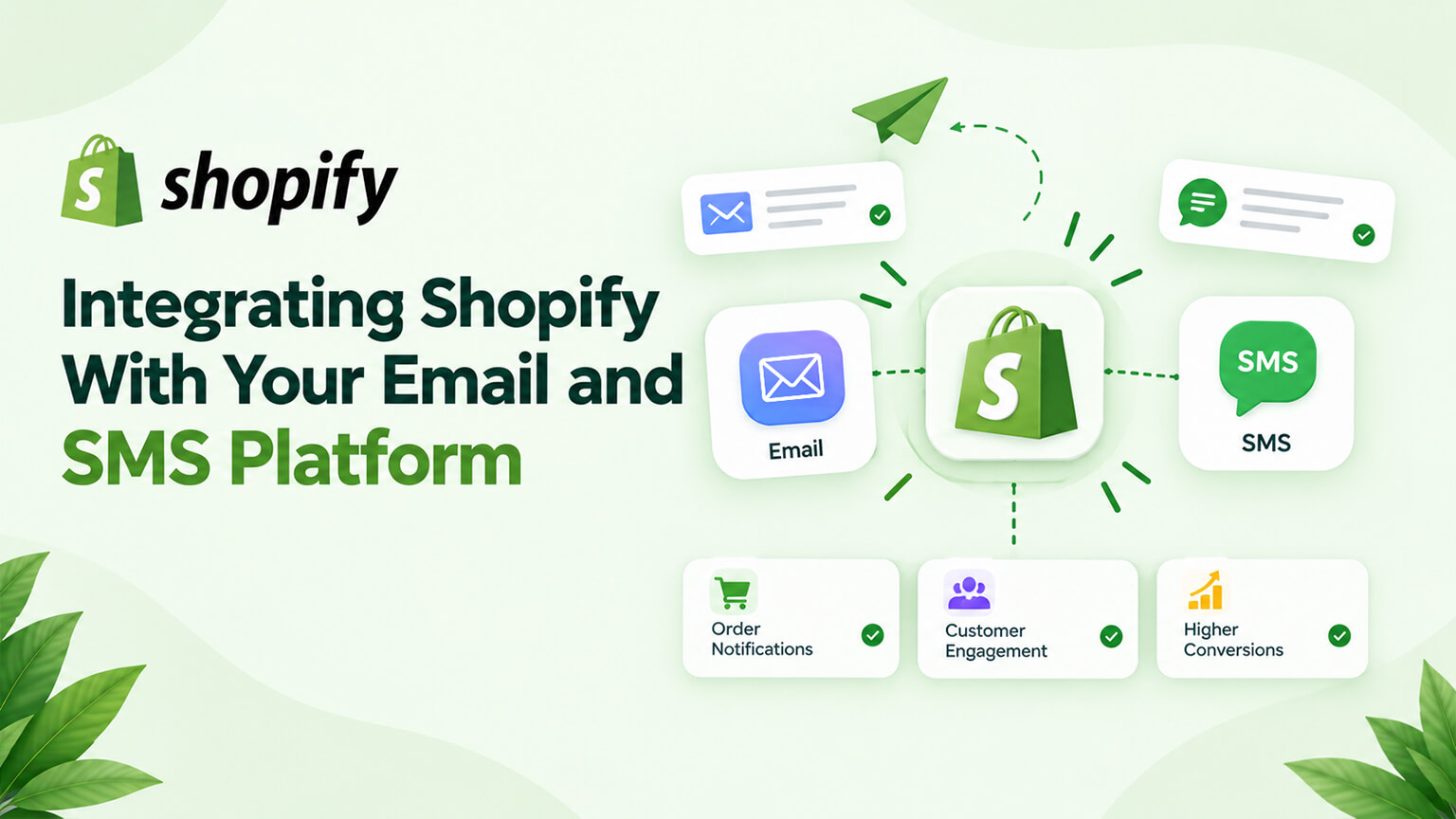
Email and SMS marketing is one of the highest-leverage channels in ecommerce — an owned channel driving retention and revenue through flows and campaigns (as the Klaviyo and retention discussions cover) — and its power depends heavily on integration with your Shopify store. When your email/SMS platform (Klaviyo, or others) is well-integrated with Shopify, it can access your store’s data (customers, orders, products, behavior) and events (purchases, sign-ups, cart activity) to power automated, personalised, well-timed flows and campaigns (welcome, abandonment, post-purchase, win-back, and more, as the Klaviyo and retention discussions cover) — which is what makes email/SMS marketing so effective. Poor or missing integration limits this (generic, poorly-timed, un-personalised messaging). So integrating Shopify with your email/SMS platform well is foundational to effective email/SMS marketing. This piece covers integrating Shopify with your email and SMS platform: why the integration matters, how it works, what it enables, and how to set it up well. (This connects to the Klaviyo and retention discussions, which cover email/SMS marketing; this focuses on the Shopify integration. Note: specific platforms and integrations evolve; this covers the general picture.)
This piece covers why the email/SMS integration matters, how it works (what data and events it uses), what it enables (flows, personalisation, campaigns), and how to set it up well. Because email/SMS marketing’s power depends on Shopify integration, and integrating it well is foundational. Let me walk through it.
Why the integration matters
The Shopify-email/SMS integration matters because it’s what enables effective, data-driven email/SMS marketing. Email/SMS power depends on data and events — email/SMS marketing’s effectiveness (flows, personalisation, timing, as the Klaviyo discussion covers) depends on data (customers, orders, products, behavior) and events (purchases, sign-ups, cart activity), which come from your store — so the platform needs your store’s data and events to be effective, which the integration provides. Enables automated flows — the integration enables automated flows (welcome, cart abandonment, post-purchase, win-back, browse abandonment, and more, as the Klaviyo and cart-abandonment discussions cover) triggered by store events (a sign-up triggers a welcome flow, an abandoned cart triggers an abandonment flow, a purchase triggers a post-purchase flow), so the platform can automatically send well-timed, relevant flows — the automation depends on the integration (store events triggering flows). Enables personalisation — the integration provides customer, order, and product data enabling personalised messaging (personalised recommendations, order-based messaging, segmented campaigns, as the personalisation and Klaviyo discussions cover), so messaging is relevant and personalised (versus generic) — personalisation depends on the integration (the data). Enables segmentation — the integration provides data (behavior, purchase history, customer attributes) enabling segmentation (targeting segments with relevant campaigns, as the Klaviyo discussion covers), so you can target relevantly — segmentation depends on the integration (the data). Enables good timing — event-based triggers (from the integration) enable well-timed messaging (sending at the right moment — after a purchase, when a cart’s abandoned, as the cart-abandonment discussion covers), so timing is relevant — timing depends on the integration (events). Drives revenue and retention — because the integration enables effective flows, personalisation, segmentation, and timing, it drives the email/SMS revenue and retention (as the Klaviyo and retention discussions cover) that make the channel valuable — so the integration underpins the channel’s value. And poor integration limits it — poor or missing integration limits email/SMS marketing (no data/events means generic, poorly-timed, un-personalised, un-automated messaging — much less effective), so the integration quality affects the channel’s effectiveness — integration matters for effectiveness. So the Shopify-email/SMS integration matters because email/SMS’s power depends on store data and events (which the integration provides), enabling automated flows (event-triggered), personalisation (data-driven), segmentation (data-driven), and good timing (event-based) — driving the revenue and retention that make email/SMS valuable, while poor integration limits all this. So integrating Shopify with your email/SMS platform well is foundational to effective email/SMS marketing. So the integration is foundational — it’s what makes email/SMS marketing data-driven and effective. The next section covers how it works. So the email/SMS integration matters because it provides the data and events that power effective, automated, personalised email/SMS marketing.
How the integration works
A bit on how the Shopify-email/SMS integration works (at a practical level). Connecting the platform to Shopify — you connect your email/SMS platform (Klaviyo, etc.) to Shopify (typically via the platform’s Shopify integration/app, connecting them, as the Klaviyo discussion covers), establishing the integration — the connection (usually straightforward via the platform’s official integration). Syncing store data — the integration syncs your store’s data to the platform: customers (and their attributes), orders (purchase history, order data), products (catalog), and more — so the platform has your store’s data to use (for segmentation, personalisation) — data sync. Receiving store events — the integration provides store events to the platform (via webhooks and the integration, as the webhooks discussion covers): purchases, sign-ups, cart activity (adds, abandonment), browsing (where tracked), and more — so the platform knows when store events happen (to trigger flows) — event flow (often via webhooks). Powering flows and campaigns — with the synced data and events, the platform powers flows (triggered by events, using the data) and campaigns (segmented using the data), so your email/SMS marketing runs on your store’s data and events — the integration enabling the marketing. Tracking and attribution — the integration also enables tracking email/SMS performance and attributing revenue (which flows/campaigns drove sales, as the Klaviyo and metrics discussions cover), so you can measure the channel — tracking/attribution. On-site tracking — some integrations include on-site tracking (a snippet tracking on-site behavior — browsing, cart, for browse/cart abandonment flows and behavioral data, as the Klaviyo discussion covers), providing behavioral data/events — on-site behavioral tracking. Two-way where relevant — the integration is largely about getting Shopify’s data and events into the platform (to power marketing), and may involve some two-way sync (e.g., the platform’s data back to Shopify) depending on the setup — mainly Shopify-to-platform data/events. And the platform’s Shopify integration handles much of it — the email/SMS platform’s official Shopify integration (like Klaviyo’s) handles much of this (data sync, event tracking, on-site tracking) relatively straightforwardly, so setting it up is often connecting the official integration (versus custom work) — leveraging the platform’s integration. So the Shopify-email/SMS integration works by connecting the platform to Shopify (via its integration/app), syncing store data (customers, orders, products) to the platform, providing store events (purchases, sign-ups, cart activity, browsing — often via webhooks) to trigger flows, powering flows and campaigns with the data and events, enabling tracking and attribution, including on-site behavioral tracking, and being handled largely by the platform’s official Shopify integration. So the integration syncs Shopify’s data and events to the email/SMS platform (via its integration), powering the marketing. The next section covers what it enables. So the integration connects the platform to Shopify, syncing data and events (via its integration and webhooks) to power flows, campaigns, and tracking.
What it enables
The integration enables the full power of data-driven email/SMS marketing. Automated flows — automated flows triggered by store events (as the Klaviyo, cart-abandonment, and retention discussions cover): welcome flows (on sign-up), cart-abandonment flows (on cart abandonment), post-purchase flows (after purchase), browse-abandonment flows (on browsing), win-back flows (for lapsed customers), and more — the automated, event-triggered messaging that drives much email/SMS revenue and retention, enabled by the integration (events triggering flows). Personalised messaging — personalised messaging using the store data (product recommendations, order-based content, personalised offers, as the personalisation and Klaviyo discussions cover), so messages are relevant and personalised (versus generic) — personalisation enabled by the data. Segmented campaigns — segmented campaigns targeting customer segments (by behavior, purchase history, attributes, as the Klaviyo discussion covers) with relevant messaging, so campaigns are targeted (versus one-size-fits-all) — segmentation enabled by the data. Well-timed messaging — well-timed messaging (sending at relevant moments based on events — post-purchase, cart abandonment, as the cart-abandonment discussion covers), so timing is relevant — timing enabled by events. Behavioral targeting — behavioral targeting (using on-site behavior — browsing, cart activity — for relevant flows and messaging, as the Klaviyo discussion covers), so messaging responds to behavior — behavioral targeting enabled by tracking. Revenue attribution and measurement — measuring the channel (revenue attribution to flows/campaigns, performance, as the metrics and Klaviyo discussions cover), so you can measure and optimise email/SMS — measurement enabled by the integration. Retention and lifetime value — supporting retention and lifetime value (the flows and relationship-building that retain customers and grow LTV, as the retention discussion covers), a major benefit — retention enabled by the integration-powered marketing. And the full email/SMS value — collectively, the integration enables the full value of email/SMS marketing (automated, personalised, segmented, well-timed, measured, retention-driving messaging), which is one of ecommerce’s highest-leverage channels (as the Klaviyo and retention discussions cover) — the channel’s value enabled. So the integration enables automated flows (event-triggered — welcome, abandonment, post-purchase, win-back), personalised messaging (data-driven), segmented campaigns (data-driven), well-timed messaging (event-based), behavioral targeting (tracking-based), revenue attribution and measurement, retention and lifetime value support, and thereby the full value of email/SMS marketing — one of ecommerce’s highest-leverage channels. So the integration enables the automated, personalised, segmented, well-timed, measurable email/SMS marketing that makes the channel so valuable. The next section covers setting it up well. So the integration enables the full data-driven power of email/SMS marketing (flows, personalisation, segmentation, timing, measurement, retention).
How to set it up well
Setting up the Shopify-email/SMS integration well involves connecting it properly and leveraging it fully. Use the platform’s official Shopify integration — use your email/SMS platform’s official Shopify integration/app (like Klaviyo’s, as that discussion covers), which handles the data sync, event tracking, and on-site tracking relatively straightforwardly (versus custom integration) — the recommended, easiest route. Connect and verify the integration — connect the integration (following the platform’s setup) and verify it’s working (data syncing, events flowing, on-site tracking working), since the integration must work for the marketing to be effective (as the tracking discussions emphasise verifying) — connect and verify. Ensure data and events sync correctly — ensure the store data (customers, orders, products) syncs and the events (purchases, sign-ups, cart activity, browsing) flow correctly to the platform, so the platform has the data and events to power the marketing — correct data/event sync (verify it). Set up on-site tracking — set up the on-site tracking (the platform’s snippet for on-site behavior, as the Klaviyo discussion covers), enabling behavioral flows (browse/cart abandonment) and data — on-site tracking. Leverage the integration for flows and campaigns — leverage the integration fully: set up the automated flows (welcome, abandonment, post-purchase, win-back, as the Klaviyo and retention discussions cover), personalisation (using the data), and segmented campaigns (using the data) that the integration enables — so you actually use the integration’s power (versus underusing it) — leveraging it for effective marketing. Ensure accurate tracking and attribution — ensure the tracking and revenue attribution work (measuring the channel accurately, as the metrics discussion covers), so you can measure and optimise — accurate measurement. Verify and monitor — verify the integration and its data/events/tracking work (and monitor ongoing that it stays working, as the tracking and maintenance discussions cover), since a broken integration undermines the marketing — verify and monitor. Get help if needed — for setup or issues (especially if the integration isn’t straightforward or you’re building a sophisticated setup), get help (the platform’s support, a developer/agency, or an email/SMS specialist, as the choosing-an-agency discussion covers) — help where useful. And integrate into your email/SMS strategy — integrate the technical integration with your email/SMS strategy (the flows, campaigns, personalisation, segmentation you want, as the Klaviyo and retention discussions cover), so the integration serves your marketing strategy (not just connected but leveraged strategically) — strategy plus integration. So set up the integration well by using the platform’s official Shopify integration (the easy route), connecting and verifying it, ensuring data and events sync correctly, setting up on-site tracking, leveraging the integration fully (flows, personalisation, segmentation), ensuring accurate tracking and attribution, verifying and monitoring, getting help if needed, and integrating it with your email/SMS strategy. The keys are using the official integration (connected and verified), ensuring data/events sync correctly, and leveraging the integration fully for effective, data-driven email/SMS marketing. So set up the integration well (official integration, verified, fully leveraged) to power effective email/SMS marketing. So set up the Shopify-email/SMS integration well by using the official integration, verifying the data and events flow, and fully leveraging it for your email/SMS marketing.
The bottom line
Email and SMS marketing is one of the highest-leverage channels in ecommerce — an owned channel driving retention and revenue through automated flows and campaigns — and its power depends heavily on integration with your Shopify store. When your email/SMS platform (Klaviyo, or others) is well-integrated with Shopify, it can access your store’s data (customers, orders, products, behavior) and events (purchases, sign-ups, cart activity, browsing) to power automated, personalised, segmented, well-timed flows and campaigns — which is what makes email/SMS marketing so effective — while poor or missing integration limits it to generic, poorly-timed, un-personalised messaging. The integration matters because email/SMS’s effectiveness depends on your store’s data and events, which it provides, enabling automated flows (event-triggered — welcome on sign-up, abandonment on cart abandonment, post-purchase after a purchase, win-back for lapsed customers), personalisation (data-driven), segmentation (data-driven), and good timing (event-based) — driving the revenue and retention that make the channel valuable. It works by connecting your platform to Shopify (via the platform’s official integration or app), syncing store data (customers, orders, products) to the platform, providing store events (purchases, sign-ups, cart and browse activity, often via webhooks) to trigger flows, powering flows and campaigns with the data and events, enabling tracking and revenue attribution, and including on-site behavioral tracking (via the platform’s snippet) — with the platform’s official Shopify integration handling much of this relatively straightforwardly. It enables the full data-driven power of email/SMS marketing: automated event-triggered flows, personalised messaging, segmented campaigns, well-timed messaging, behavioral targeting, revenue attribution and measurement, and retention and lifetime-value support — the full value of one of ecommerce’s highest-leverage channels. Set it up well by using the platform’s official Shopify integration (the easiest, recommended route), connecting and verifying it works (data syncing, events flowing, tracking working — since the integration must work for the marketing to be effective), ensuring the store data and events sync correctly, setting up the on-site tracking (for behavioral flows and data), leveraging the integration fully (actually setting up the automated flows, personalisation, and segmented campaigns it enables, rather than underusing it), ensuring accurate tracking and revenue attribution (to measure and optimise), verifying and monitoring the integration ongoing (since a broken integration undermines the marketing), getting help if the setup isn’t straightforward or you want a sophisticated setup, and integrating it with your email/SMS marketing strategy (so it serves your strategy, not just connected but leveraged). The keys are using the official integration (connected and verified), ensuring the data and events sync correctly, and leveraging the integration fully for effective, data-driven email/SMS marketing. So integrate your email/SMS platform with Shopify well — using the official integration, verifying the data and events flow, and fully leveraging it — to power the automated, personalised, segmented, well-timed, measurable email/SMS marketing that makes this one of ecommerce’s highest-leverage, revenue-and-retention-driving channels. The integration is foundational to the channel’s effectiveness, so getting it right and leveraging it fully is well worth it.
Frequently asked questions
Why does integrating my email/SMS platform with Shopify matter?
Because email and SMS marketing’s effectiveness depends on your store’s data and events, which the integration provides. Email/SMS is one of ecommerce’s highest-leverage channels — an owned channel driving retention and revenue — but its power comes from automated flows, personalisation, segmentation, and good timing, all of which need data (customers, orders, products, behavior) and events (purchases, sign-ups, cart activity) from your store. A good integration gives your platform this data and these events, enabling automated flows triggered by store events (a sign-up triggers a welcome flow, an abandoned cart triggers an abandonment flow, a purchase triggers a post-purchase flow), personalised messaging using customer and order data, segmented campaigns, and well-timed messaging based on events. Poor or missing integration limits email/SMS to generic, poorly-timed, un-personalised, un-automated messaging that’s far less effective. So integrating your platform with Shopify well is foundational to effective email/SMS marketing — it’s what makes the channel data-driven and powerful, driving the revenue and retention that make it so valuable.
How does the Shopify email/SMS integration work?
You connect your email/SMS platform (like Klaviyo) to Shopify, typically via the platform’s official Shopify integration or app, which establishes the connection relatively straightforwardly. The integration then syncs your store’s data to the platform — customers and their attributes, orders and purchase history, and your product catalog — so the platform has your store’s data to use for segmentation and personalisation. It also provides store events to the platform (often via webhooks): purchases, sign-ups, cart activity (adds and abandonment), and browsing behavior where tracked, so the platform knows when events happen and can trigger flows in response. Many integrations include on-site tracking (a snippet that tracks on-site behavior like browsing and cart activity) to enable behavioral flows (browse and cart abandonment) and gather behavioral data. With the synced data and the events, the platform powers your automated flows and segmented campaigns and enables tracking and revenue attribution. The platform’s official integration handles much of this — data sync, event tracking, on-site tracking — so setup is often a matter of connecting that integration rather than custom work.
What does a good email/SMS integration enable?
The full data-driven power of email/SMS marketing. It enables automated flows triggered by store events — welcome flows on sign-up, cart-abandonment flows when a cart is abandoned, post-purchase flows after a purchase, browse-abandonment flows, and win-back flows for lapsed customers — which drive much of email/SMS’s revenue and retention. It enables personalised messaging using your store data (product recommendations, order-based content, personalised offers), segmented campaigns targeting customer segments by behavior, purchase history, and attributes, and well-timed messaging based on events (sending at the right moment). It enables behavioral targeting using on-site behavior, revenue attribution and measurement (so you can see which flows and campaigns drive sales and optimise), and support for retention and lifetime value (the flows and relationship-building that retain customers and grow their value). Collectively, the integration enables the automated, personalised, segmented, well-timed, measurable messaging that makes email/SMS one of ecommerce’s highest-leverage channels — which is exactly why getting the integration right and leveraging it fully matters so much.
How do I set up the integration well?
Use your email/SMS platform’s official Shopify integration or app (like Klaviyo’s), which is the easiest, recommended route and handles the data sync, event tracking, and on-site tracking relatively straightforwardly. Connect it following the platform’s setup and verify it’s actually working — data syncing (customers, orders, products), events flowing (purchases, sign-ups, cart and browse activity), and on-site tracking functioning — since the integration must work for the marketing to be effective, and misconfigured integrations undermine it. Set up the on-site tracking (the platform’s snippet) to enable behavioral flows and data. Crucially, leverage the integration fully — actually build the automated flows (welcome, abandonment, post-purchase, win-back), the personalisation, and the segmented campaigns the integration enables, rather than connecting it and underusing it. Ensure accurate tracking and revenue attribution so you can measure and optimise the channel, verify and monitor the integration on an ongoing basis (a broken integration silently undermines your marketing), get help if the setup isn’t straightforward or you want a sophisticated setup, and integrate it with your overall email/SMS marketing strategy. The keys are using the official integration, verifying data and events flow correctly, and fully leveraging it.