
Headless Commerce Security Considerations
On this page
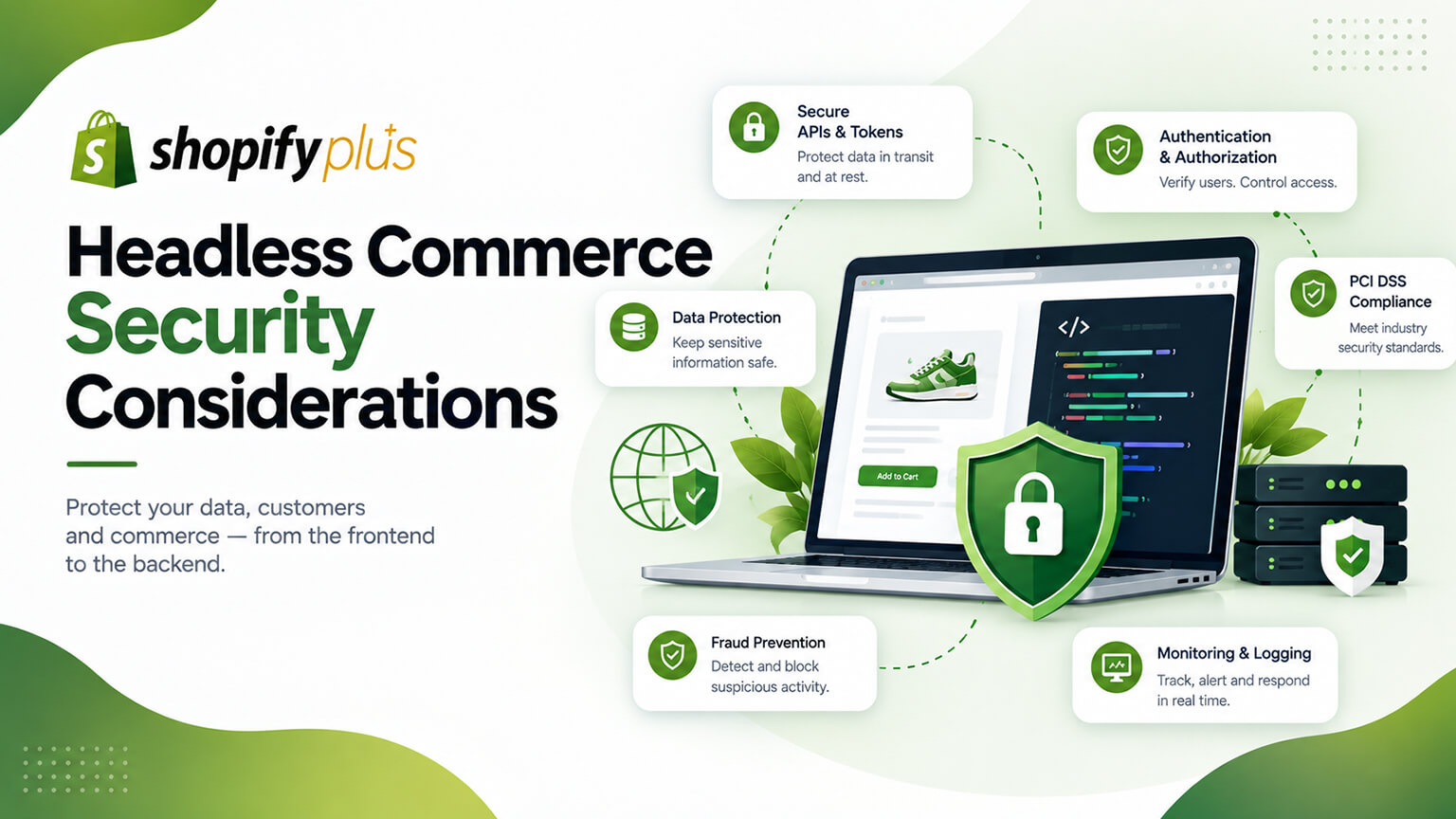
Security is critical for any ecommerce store (protecting customer data, payments, and the business), and on a standard Shopify theme, Shopify handles much of the security (the platform, hosting, checkout, and infrastructure security are Shopify’s responsibility, as part of using its managed platform). But headless commerce shifts more responsibility to you: because you’re building and running a custom front-end (an application, with its own hosting, code, and integrations, as those discussions cover), you take on more of the security responsibility for that custom front-end — while Shopify still handles the backend and (typically) checkout security (as the keeping-checkout discussion covers). This means headless introduces security considerations that a theme-based store doesn’t have to think about as much, and handling them is part of the added responsibility (and cost) of headless (as the is-headless-worth-it and headless-TCO discussions cover). Understanding these security considerations helps you handle them (or ensure your team does) if you go headless. This piece covers headless commerce security considerations: what security responsibility headless shifts to you, the specific considerations, how Shopify’s role helps, and how to handle security on headless. (This connects to the is-headless-worth-it and keeping-checkout discussions; this focuses on headless security.)
This piece covers what security responsibility headless shifts to you, the specific security considerations, how Shopify’s role still helps (backend, checkout), and how to handle headless security. Because headless shifts more security responsibility to you, and handling it is part of doing headless well. Let me walk through it.
What security responsibility headless shifts to you
Headless shifts more security responsibility to you compared to a standard theme. Theme: Shopify handles much security — on a standard Shopify theme, Shopify handles much of the security: the platform, hosting, infrastructure, and checkout security are Shopify’s responsibility (you benefit from Shopify’s managed, secure platform, as using Shopify covers), so you have relatively little security to handle (mostly good practices like app security and account security, as the app-security discussion covers) — Shopify’s managed platform provides strong baseline security. Headless: you run a custom front-end — on headless, you build and run a custom front-end (an application with its own code, hosting, and integrations, as those discussions cover), so you take on the security responsibility for that custom front-end (its code security, hosting security, integration security) — more security responsibility (the custom application is yours to secure). Shifted responsibility — this is a shift: the security that Shopify handled for the themed front-end (hosting, infrastructure) is now partly yours for the custom front-end (you’re running an application, so you’re responsible for its security) — so headless shifts front-end security responsibility to you. Part of headless’s added responsibility — this added security responsibility is part of headless’s added responsibility overall (as the is-headless-worth-it and headless-TCO discussions cover — headless means more responsibility for the front-end, including security) — so it’s a consideration in the headless trade-off (more responsibility, including security). But Shopify still handles backend and checkout — importantly, Shopify still handles the backend and (typically) checkout security (as the keeping-checkout discussion covers — checkout stays on Shopify’s secure, PCI-compliant checkout), so the most security-critical part (checkout/payments) remains Shopify’s responsibility (a key point — you don’t take on payment security by keeping Shopify’s checkout) — so the shift is for the custom front-end, not the backend/checkout. Requires security capability — handling headless security requires security capability (developers who build securely, secure the application and hosting, as the team discussion covers) — so it’s part of the expertise headless needs. So headless shifts more security responsibility to you: you run a custom front-end (an application with its own code, hosting, integrations) and take on its security, versus a theme where Shopify handles most security — a shift that’s part of headless’s added responsibility, though Shopify still handles the backend and (typically) checkout security (the most critical part). So understand that headless means taking on more front-end security responsibility (while Shopify handles the backend/checkout), which the next sections cover the considerations and handling of. So headless shifts front-end security responsibility to you, part of its added responsibility.
The specific security considerations
Headless introduces specific security considerations for the custom front-end and its integrations. Front-end application security — the custom front-end is an application, so it has application security considerations (secure code, avoiding vulnerabilities like XSS, secure handling of data, following secure development practices) — securing the front-end application (a consideration a theme doesn’t have as much, since Shopify secures the platform). Hosting and infrastructure security — the front-end is hosted somewhere (your hosting/infrastructure, as the edge-rendering discussion covers), so hosting and infrastructure security (securing the hosting environment, access, configuration) is your consideration (versus Shopify’s hosting on a theme) — securing the hosting. API and integration security — the front-end uses Shopify’s APIs (Storefront API, as that discussion covers) and integrates with systems, so API and integration security (secure API usage, protecting API credentials/tokens, secure integrations, as the app-security discussion touches on) is a consideration — securing the API usage and integrations. Data handling and privacy — the front-end handles data (customer data, as it flows through the application), so secure data handling and privacy (protecting data, compliance, as the ethical-AI and app-security discussions touch on) is a consideration — securing data handling. Credentials and secrets — the front-end/integrations use credentials and secrets (API tokens, keys), so securing these (not exposing them, secure storage) is a consideration — protecting credentials. Dependencies and supply chain — the front-end application uses dependencies (libraries, packages), so dependency and supply-chain security (keeping dependencies secure and updated, avoiding vulnerable dependencies, as the app-maintenance discussion touches on) is a consideration — securing dependencies. Keeping it updated and patched — the application and its dependencies need security updates and patching (as the app-maintenance discussion covers), so ongoing security maintenance is a consideration — patching vulnerabilities. And general web security — general web-application security best practices apply (HTTPS, secure configuration, protecting against common attacks, as secure development covers) — following security best practices for the application. So the specific security considerations are front-end application security (secure code, no vulnerabilities), hosting and infrastructure security, API and integration security (secure API usage, credentials), data handling and privacy, credentials and secrets, dependencies and supply-chain security, keeping it updated/patched, and general web security best practices — the security aspects of running a custom front-end application. So these are the considerations headless introduces (for the custom front-end and its integrations, hosting, and data handling). So attend to these security considerations if you go headless. The next section covers how Shopify’s role still helps. So headless introduces application, hosting, API/integration, data, credentials, dependency, and patching security considerations for the custom front-end.
How Shopify’s role still helps
Importantly, Shopify still handles significant security even in a headless setup, which limits the shift. Shopify secures the backend — Shopify continues to secure its backend (the commerce engine, catalog, orders, inventory, and the platform infrastructure it runs, as using Shopify covers), so the backend security remains Shopify’s responsibility (you don’t take on backend/platform security) — a significant portion of security stays with Shopify. Shopify’s checkout (typically kept) is secure — since checkout typically stays on Shopify (as the keeping-checkout discussion covers), Shopify handles the checkout and payment security (its secure, PCI-compliant checkout), so the most security-critical part (payments, checkout) remains Shopify’s responsibility — a key benefit (you don’t take on payment/checkout security by keeping Shopify’s checkout, avoiding the huge burden and risk of securing payments yourself). This is a major reason to keep Shopify’s checkout (security, as that discussion covers). Shopify’s API security — Shopify’s APIs (which the front-end uses) have security (authentication, access controls, as the app-security discussion touches on), so the API layer has Shopify’s security (you use it securely, but Shopify secures the API itself). Reduces the security burden — because Shopify handles the backend, checkout/payments, and platform/API security, the security you take on (the custom front-end, its hosting, integrations, data handling) is significant but not the whole picture (the most critical parts — backend, payments — stay with Shopify) — so headless’s security shift is real but bounded (you secure the front-end, not everything). So keeping checkout on Shopify is key for security — the key security point: keeping checkout on Shopify (as most headless setups do, and as the keeping-checkout discussion recommends) keeps the most security-critical part (payments) with Shopify, greatly limiting your security burden and risk (you don’t secure payments) — so keep Shopify’s checkout for this (and other) reasons. So Shopify’s role still helps significantly: Shopify secures the backend (commerce engine, platform), the checkout and payments (typically kept on Shopify — the most critical part, so you don’t take on payment security), and its APIs — so headless’s security shift is real but bounded (you secure the custom front-end, its hosting, integrations, and data handling, while Shopify handles the backend, payments, and platform), with keeping Shopify’s checkout being key to limiting your security burden. So headless security is bounded — you take on the front-end’s security, but Shopify still handles the backend and (critically) payments/checkout, limiting the shift. So Shopify’s continued role (backend, checkout/payments, platform, APIs) significantly limits headless’s security shift, especially by keeping payment security with Shopify. The next section covers handling headless security.
How to handle headless security
Handling headless security involves securing the custom front-end well, with the right practices and expertise. Keep checkout on Shopify — the most important security decision: keep checkout on Shopify (as the keeping-checkout discussion covers), keeping payment/checkout security (the most critical) with Shopify — greatly limiting your security burden and risk (don’t take on payment security) — the key security practice for headless. Build the front-end securely — build the custom front-end securely (secure code, avoiding vulnerabilities, secure data handling, following secure development practices, as secure development covers), since the application’s security is your responsibility — secure development. Secure the hosting and infrastructure — secure the hosting and infrastructure (secure configuration, access controls, using reputable secure hosting, as the edge-rendering discussion touches on for hosting) — securing the environment. Secure API usage and credentials — use Shopify’s APIs securely (secure integration, protecting API tokens/credentials/secrets, not exposing them, as the app-security discussion touches on) — securing the API usage and credentials. Handle data securely — handle data securely and compliantly (protecting customer data, privacy compliance, as the ethical-AI and app-security discussions touch on) — secure data handling. Keep dependencies updated and patched — keep the application’s dependencies updated and patched (avoiding vulnerable dependencies, security updates, as the app-maintenance discussion covers) — ongoing dependency/security maintenance. Follow security best practices — follow web-application security best practices (HTTPS, secure configuration, protecting against common attacks, security testing) — general secure practices. Use security-capable developers — use developers with security capability (who build securely and handle the security considerations, as the team discussion covers), since headless security requires the expertise (the biggest factor in handling it well) — so security-capable development. Ongoing security maintenance — maintain security ongoing (patching, updates, monitoring, as the app-maintenance and maintenance discussions cover), since security is ongoing (not one-time) — ongoing security. And consider security expertise/review — for significant headless setups, consider security expertise or review (a security-focused developer or review, especially if handling sensitive data or high-value operations) — ensuring the security is sound. So handle headless security by keeping checkout on Shopify (the key practice — payment security stays with Shopify), building the front-end securely (secure development), securing the hosting/infrastructure, securing API usage and credentials, handling data securely, keeping dependencies updated/patched, following security best practices, using security-capable developers (the key expertise), maintaining security ongoing, and considering security expertise/review for significant setups. The keys are keeping checkout on Shopify (limiting the burden by keeping payment security with Shopify), building and hosting the front-end securely, and using security-capable developers with ongoing security maintenance. So handle headless security by keeping payment security with Shopify (keeping checkout) and securing the custom front-end well (secure development, hosting, APIs, data, dependencies) with the right expertise and ongoing maintenance. So headless security is handled by keeping Shopify’s checkout (payment security) and securing the custom front-end well with security-capable developers — managing the added security responsibility. So handle the added headless security responsibility by keeping payment security with Shopify and securing the front-end well, with the right expertise.
The bottom line
Security is critical for any ecommerce store (protecting customer data, payments, and the business), and on a standard Shopify theme, Shopify handles much of it (the platform, hosting, infrastructure, and checkout security are Shopify’s responsibility, providing strong baseline security). But headless commerce shifts more security responsibility to you: because you build and run a custom front-end (an application with its own code, hosting, and integrations), you take on the security responsibility for that custom front-end — while Shopify still handles the backend and (typically) checkout security. This added front-end security responsibility is part of headless’s added responsibility overall (a consideration in the headless trade-off), and handling it requires security capability. The specific security considerations headless introduces are: front-end application security (secure code, avoiding vulnerabilities, secure data handling), hosting and infrastructure security (securing your hosting environment), API and integration security (secure API usage, protecting credentials and tokens), data handling and privacy (protecting customer data, compliance), credentials and secrets (securing API tokens and keys), dependency and supply-chain security (keeping dependencies secure and updated), keeping the application updated and patched (ongoing security maintenance), and general web-application security best practices — the security aspects of running a custom front-end application. Importantly, Shopify’s role still helps significantly, bounding the shift: Shopify continues to secure its backend (the commerce engine and platform), its checkout and payments (which typically stay on Shopify — the most security-critical part, so you don’t take on payment security), and its APIs — so keeping checkout on Shopify (as most headless setups do) is the key security decision, keeping the most critical part (payments) with Shopify and greatly limiting your security burden and risk. Handle headless security by keeping checkout on Shopify (the key practice — payment security stays with Shopify, so you don’t take on the huge burden and risk of securing payments yourself), building the custom front-end securely (secure development, avoiding vulnerabilities), securing the hosting and infrastructure, using Shopify’s APIs securely and protecting credentials, handling data securely and compliantly, keeping dependencies updated and patched, following web-application security best practices, using developers with security capability (the biggest factor in handling it well), maintaining security ongoing (patching, updates, monitoring), and considering security expertise or review for significant setups (especially handling sensitive data). The keys are keeping checkout on Shopify (limiting the burden by keeping payment security with Shopify), building and hosting the front-end securely, and using security-capable developers with ongoing security maintenance. So headless’s security shift is real (you take on the custom front-end’s security) but bounded (Shopify still handles the backend and, critically, payments/checkout), and it’s handled by keeping payment security with Shopify (keeping the checkout) and securing the custom front-end well with the right expertise and ongoing maintenance. So if you go headless, understand that you take on more security responsibility for the custom front-end, keep checkout on Shopify to keep payment security with Shopify (greatly limiting your burden), and handle the front-end security well with security-capable developers — managing the added security responsibility that is part of headless’s overall added responsibility and cost.
Frequently asked questions
Does headless commerce make my store less secure?
Not inherently — but it shifts more security responsibility to you, which you must handle well. On a standard Shopify theme, Shopify handles most security (the platform, hosting, infrastructure, and checkout), so you have relatively little to manage. On headless, you build and run a custom front-end (an application with its own code, hosting, and integrations), so you take on the security responsibility for that front-end — its code security, hosting security, API and integration security, data handling, and keeping it patched. This means headless can be just as secure as a theme-based store if you handle the added responsibility well (secure development, secure hosting, good practices, security-capable developers), but it introduces security considerations a theme doesn’t, and mishandling them could create vulnerabilities. Crucially, Shopify still handles the backend and (typically) checkout/payment security, so the most critical part stays with Shopify. So headless isn’t less secure by nature, but it requires you to take on and properly handle the custom front-end’s security — which is part of headless’s added responsibility.
What security responsibilities does headless shift to me?
The security of your custom front-end and its surrounding infrastructure. Specifically: front-end application security (writing secure code, avoiding vulnerabilities like cross-site scripting, handling data securely), hosting and infrastructure security (securing your hosting environment, its configuration and access), API and integration security (using Shopify’s APIs securely and protecting your API credentials and tokens), data handling and privacy (protecting customer data as it flows through your application, and compliance), securing credentials and secrets (API tokens and keys), dependency and supply-chain security (keeping the libraries and packages your application uses secure and updated, avoiding vulnerable dependencies), keeping the application patched (ongoing security updates), and following general web-application security best practices. These are the security aspects of running a custom front-end application — things Shopify handles for you on a theme but that become your responsibility (or your developers’) when you run your own front-end. Importantly, this shift is bounded: Shopify still handles the backend, its platform, and — critically — the checkout and payments, so you don’t take on payment security if you keep Shopify’s checkout.
How does keeping Shopify’s checkout help security?
It’s the single most important thing for limiting your security burden and risk on headless. Even in a headless setup, the checkout typically stays on Shopify (your custom front-end hands off to Shopify’s checkout), which means Shopify handles the checkout and payment security — its secure, PCI-compliant checkout. Since payments and checkout are the most security-critical part of any store (handling payment data, with the highest stakes and heaviest compliance requirements like PCI), keeping this with Shopify means you don’t take on payment security yourself — avoiding an enormous burden and risk. Building and securing your own payment processing would be a huge undertaking with serious security and compliance obligations, and keeping Shopify’s checkout entirely avoids that. So the security responsibility headless shifts to you covers the custom front-end (its code, hosting, integrations, and data handling), but not payments — which stay safely with Shopify. This is a major reason (alongside conversion and maintenance benefits) that keeping Shopify’s checkout is strongly recommended for headless builds.
How do I handle security on a headless build?
Start with the key decision: keep checkout on Shopify, so payment and checkout security (the most critical part) stays with Shopify and you don’t take on that burden and risk. Then secure the custom front-end well: build it securely (secure code, avoiding vulnerabilities, secure data handling, following secure development practices), secure your hosting and infrastructure (secure configuration and access, reputable hosting), use Shopify’s APIs securely and protect your API credentials and tokens (not exposing them), handle customer data securely and compliantly, keep your application’s dependencies updated and patched (avoiding vulnerable dependencies), and follow general web-application security best practices (HTTPS, secure configuration, protecting against common attacks, security testing). Crucially, use developers with security capability, since headless security requires the expertise and is the biggest factor in handling it well, and maintain security on an ongoing basis (patching, updates, monitoring), since security isn’t a one-time task. For significant setups — especially handling sensitive data or high-value operations — consider dedicated security expertise or a security review. The keys are keeping payment security with Shopify, securing the front-end and hosting well, and using security-capable developers with ongoing maintenance.