
GA4 Setup for Ecommerce Conversion Tracking
On this page
You can’t improve conversion you can’t measure, and for ecommerce, that measurement runs on Google Analytics 4 (GA4) with proper ecommerce tracking. GA4 ecommerce tracking captures the shopping funnel and conversions — product views, add-to-carts, checkout starts, and purchases, with revenue and product data — giving you the data to understand how visitors move toward purchase, where they drop off, what converts, and what drives revenue. Without proper ecommerce tracking, you’re missing the core data of an ecommerce business (conversions, revenue, the funnel), flying blind on the metrics that matter most. With it, you have the foundation for CRO (understanding and improving conversion), marketing measurement (which channels drive conversions and revenue), and business insight (what’s working). So setting up GA4 ecommerce tracking properly on your Shopify store is foundational — and it’s important to get it right (misconfigured tracking gives wrong data). This piece covers GA4 ecommerce tracking setup for Shopify and what it lets you measure and improve. (This connects to the measuring-SEO and metrics discussions; this focuses on GA4 ecommerce conversion tracking for CRO.)
This piece covers why GA4 ecommerce tracking matters, how to set it up on Shopify, what it lets you measure, and how to use it for CRO. Because proper ecommerce tracking is the foundation of understanding and improving conversion, and getting it right is important. Let me walk through it.
Why GA4 ecommerce tracking matters
Proper GA4 ecommerce tracking matters because it captures the core data of your ecommerce business. Captures conversions and revenue — ecommerce tracking captures purchases (conversions) and revenue, the core outcomes of your store, so you can measure what actually matters (sales, revenue) — without it, you’re not tracking your business’s core results. Captures the funnel — ecommerce tracking captures the shopping funnel (product views, add-to-carts, checkout starts, purchases), so you can see how visitors move toward purchase and where they drop off (the funnel) — essential for understanding and improving conversion (CRO). Enables CRO — CRO (understanding and improving conversion, as the CRO-guide discussion covers) depends on measuring conversion and the funnel — you can’t improve conversion you don’t measure, and ecommerce tracking provides that data. Enables marketing measurement — ecommerce tracking (with attribution) shows which channels and campaigns drive conversions and revenue, so you can measure marketing effectiveness and ROI (which channels are worth it) — essential for marketing decisions. Provides business insight — the data (what sells, how visitors behave, what converts, revenue trends) provides business insight guiding decisions. And it’s foundational — proper ecommerce tracking is foundational to running a data-informed ecommerce business (measuring results, understanding conversion, guiding CRO and marketing) — without it, you’re guessing on the metrics that matter most. So GA4 ecommerce tracking matters because it captures conversions and revenue (your core results), the funnel (for understanding and improving conversion), enables CRO and marketing measurement, provides business insight, and is foundational to a data-informed business — without it, you’re blind on the most important metrics. So set up ecommerce tracking properly as a foundation, enabling the conversion and business understanding it provides. The next section covers setting it up.
How to set up GA4 ecommerce tracking on Shopify
Setting up GA4 ecommerce tracking on Shopify involves a few steps. Create a GA4 property — create a GA4 property in Google Analytics (if you don’t have one), the container for your store’s analytics. Connect GA4 to Shopify — connect GA4 to your Shopify store: Shopify has a GA4 integration (in the admin, under the Google channel / sales channels), which connects your GA4 property and sets up ecommerce tracking — often the simplest, recommended way for Shopify, handling much of the ecommerce event tracking. Ensure ecommerce events are tracked — ensure GA4 is receiving the ecommerce events (the funnel: view_item, add_to_cart, begin_checkout, purchase, with product and revenue data) — Shopify’s GA4 integration sends these, but verify they’re firing and recording (not all setups capture everything perfectly). Configure key events/conversions — in GA4, mark your key events as conversions/key events (especially purchase, and any other goals like sign-ups), so GA4 tracks them as conversions. Verify the setup — verify the tracking is working correctly: check GA4’s real-time and reports for ecommerce events firing (do a test purchase and confirm it’s tracked with correct revenue and product data), since misconfigured tracking gives wrong data (a common problem). Verification is crucial. Set up from the start — set up ecommerce tracking from the start (day one of your store), since you can’t recover data from before you set it up (retrofitting loses early data, as the store-setup discussion covers). Consider server-side/enhanced tracking — for more robust tracking (given browser tracking limitations — ad blockers, privacy, as the server-side tracking discussion covers), consider server-side tracking / the Conversions API, though the standard Shopify GA4 integration is the baseline. And mind cross-domain/checkout — ensure tracking works across the checkout (Shopify’s checkout, especially the transition, can affect tracking; the GA4 integration handles this, but verify purchases are tracked). So set up GA4 ecommerce tracking on Shopify by creating a GA4 property, connecting it via Shopify’s GA4 integration (the simplest way, setting up ecommerce tracking), ensuring the ecommerce events fire and record, configuring key events/conversions (especially purchase), verifying it’s working correctly (a test purchase — crucial, since misconfiguration gives wrong data), setting it up from the start, and considering server-side tracking for robustness. The keys are using Shopify’s integration, ensuring the funnel and purchase events track, and verifying it works. So set it up this way and verify it, getting reliable ecommerce data. The next section covers what it lets you measure.
What GA4 ecommerce tracking lets you measure
With ecommerce tracking set up, GA4 lets you measure the conversion and business data that matters. Conversions and revenue — purchases (conversions), revenue, average order value, and their trends — your core business results. Conversion rate — your conversion rate (purchases per visitor/session), overall and by segment (channel, device, etc.), the core CRO metric (as the CRO and metrics discussions cover). The funnel — the shopping funnel (product views → add-to-carts → checkout starts → purchases) and the drop-off at each stage, showing where visitors are lost (essential for CRO — where to focus), as the cart-abandonment and checkout discussions cover. Channel/source performance — traffic, conversions, and revenue by channel and source (organic, paid, email, social, direct, etc.), showing which channels drive conversions and revenue (marketing measurement and attribution). Product performance — which products are viewed, added to cart, and purchased, and their revenue, showing product performance. Segment analysis — conversion and behavior by segment (device — mobile vs. desktop, new vs. returning, geography, etc.), revealing where conversion differs (e.g., mobile converting worse, as the mobile-CRO discussion covers), guiding CRO. Behavior — how visitors behave (pages, engagement, paths), providing behavioral insight. And landing pages and campaigns — performance of landing pages and campaigns (conversions, revenue), for optimising them (as the landing-page discussion covers). So GA4 ecommerce tracking lets you measure conversions and revenue (core results), conversion rate (the core CRO metric), the funnel and drop-off (where visitors are lost), channel/source performance (marketing measurement), product performance, segment analysis (where conversion differs), behavior, and landing-page/campaign performance. This is the core data for understanding conversion and your business. So use this data to understand your conversion (rate, funnel, drop-off, segments) and business (revenue, channels, products), grounding CRO and decisions in data. The next section covers using it for CRO.
How to use it for CRO
GA4 ecommerce data powers CRO (understanding and improving conversion). Understand your conversion — use the data to understand your conversion: your overall rate, the funnel (where visitors drop off — the biggest drop-offs are the biggest CRO opportunities), and how conversion varies by segment (device, channel — revealing where problems are, e.g., poor mobile conversion), as the CRO-guide discussion covers. Find the barriers — use the funnel and segment data to find where conversion is lost (the drop-off points, the underperforming segments), pointing to the conversion barriers to investigate (with qualitative research — heatmaps, recordings, as those discussions cover) and address. Prioritise CRO efforts — use the data to prioritise CRO (as the prioritisation discussion covers): focus on the biggest drop-offs and opportunities (where fixing conversion yields the most), grounding prioritisation in data. Measure test results — use ecommerce tracking to measure CRO test results (did a change improve conversion/revenue? as the A/B-testing discussion covers), so you can validate improvements with conversion data. Measure the impact of changes — measure whether CRO efforts and changes actually improve conversion and revenue (the point of CRO), grounding CRO in measured results. Segment for insight — segment the data (device, channel, new/returning) for insight into where conversion differs and why, guiding targeted CRO (e.g., focusing on mobile if it converts worse). And track the right metrics — track the metrics that matter (conversion rate, funnel, revenue, as the metrics discussion covers), not vanity metrics, judging CRO by real conversion and business impact. So use GA4 ecommerce data for CRO by understanding your conversion (rate, funnel, segments), finding the barriers (drop-offs, underperforming segments), prioritising efforts (biggest opportunities), measuring test results and the impact of changes, segmenting for insight, and tracking the right metrics. The data grounds the whole CRO process (as the CRO-guide discussion covers) — understanding conversion, finding and prioritising barriers, measuring improvements — in real conversion data. So use your GA4 ecommerce tracking as the data foundation of CRO, understanding and improving conversion based on real data. Without it, CRO is guesswork; with it, CRO is data-grounded. So set up ecommerce tracking well and use its data to drive CRO — the foundation of systematically improving conversion.
A worked example: the funnel reveals where to focus
Picture a store with GA4 ecommerce tracking properly set up, looking at its funnel for the first time. The numbers tell an immediate story: say 100,000 product views lead to 8,000 add-to-carts, 5,000 checkout starts, and 2,000 purchases. Laid out as a funnel, the drop-offs jump out. The step from product views to add-to-cart is a big leak (only 8% add to cart) — a lot of interest not converting to intent, pointing at the product-page experience (pricing, imagery, trust, clarity, as the product-page discussion covers). The step from add-to-cart to checkout start is healthier. But the step from checkout start to purchase (5,000 → 2,000) is a major leak — 60% of people who start checkout don’t finish, which is a large, addressable checkout-abandonment problem (as the cart-abandonment and checkout discussions cover). Without the funnel data, the store would be guessing where to focus; with it, the two biggest opportunities are obvious: the product-page-to-cart step and the checkout completion step.
The store then segments to sharpen the picture, and GA4 reveals that the checkout drop-off is far worse on mobile than desktop — a strong signal that something in the mobile checkout experience is causing friction (as the mobile-CRO discussion covers). Now the store has a data-grounded CRO plan: prioritise the mobile checkout (biggest, most concentrated leak), investigate the mobile checkout experience with qualitative research (session recordings to see where mobile users struggle), form a hypothesis, and test a fix — then use the same ecommerce tracking to measure whether the fix actually lifts mobile checkout completion and revenue. This is the entire value of proper ecommerce tracking in one example: the funnel showed where conversion was lost, segmentation showed for whom, that directed CRO effort to the highest-impact opportunity, and the tracking will measure whether the fix worked. None of that is possible without the data — which is why setting up (and verifying) GA4 ecommerce tracking is the foundation the whole CRO process stands on.
Getting the data right is half the battle
A sobering but important point: GA4 ecommerce data is only as useful as it is accurate, and inaccurate tracking is worse than useless because it leads to confident wrong decisions. Misconfigured tracking — purchases not firing, revenue recorded incorrectly, duplicate events, the checkout transition breaking tracking, funnel events missing — is common, and a store acting on bad data can chase phantom problems or miss real ones. So getting the data right is half the battle, and it deserves real attention: verify the setup thoroughly at the start (test purchases confirming purchases record with correct revenue and product data, funnel events all firing), and periodically re-verify, especially after changes to the theme, checkout, or apps that could disrupt tracking. If your revenue in GA4 doesn’t roughly reconcile with your actual Shopify sales, something is wrong and needs fixing before you trust the data for decisions.
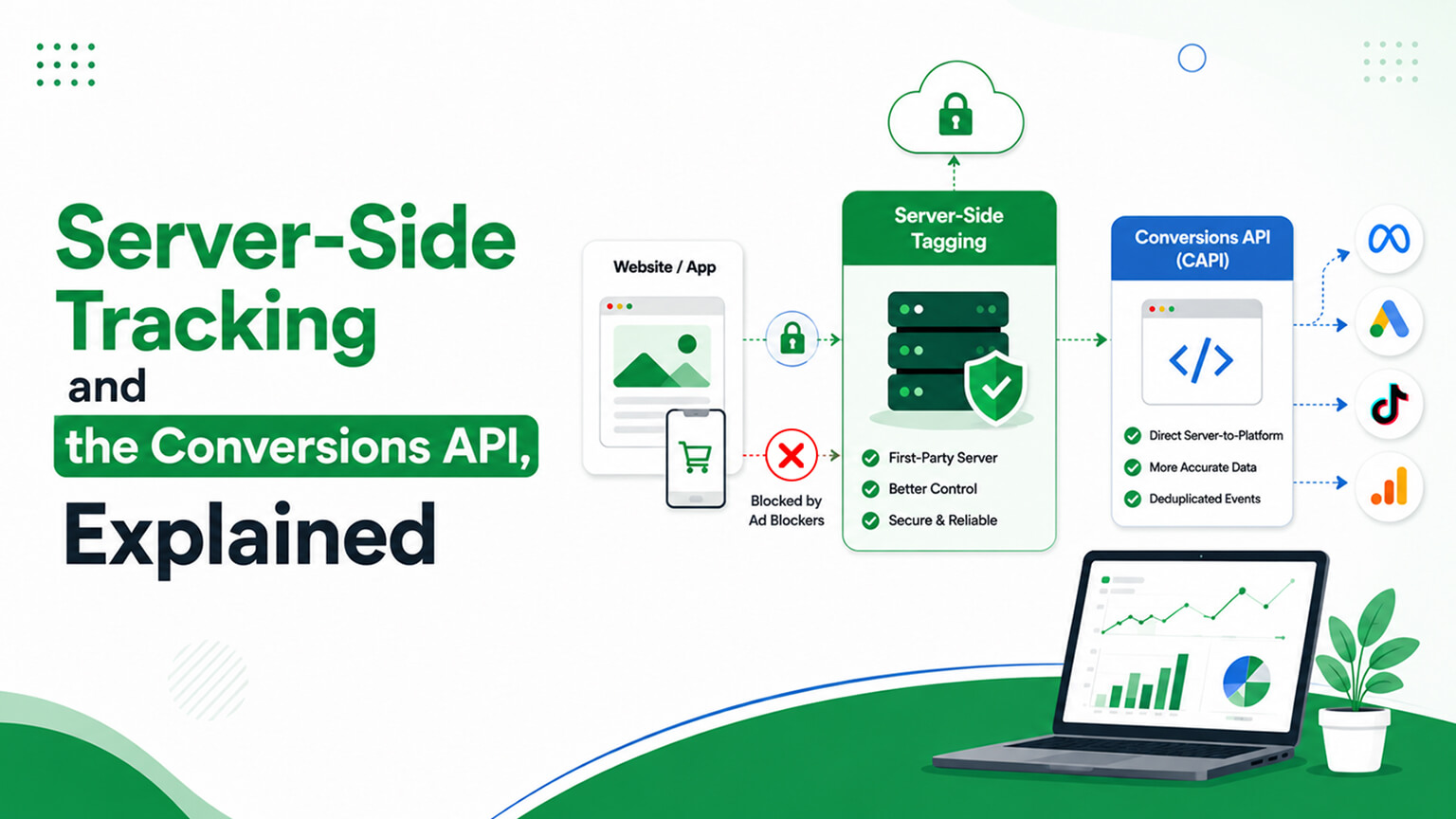
This is also where browser-tracking limitations matter. Ad blockers, privacy settings, and browser restrictions increasingly prevent client-side tracking from capturing everything, so pure browser-based GA4 tracking can undercount conversions and misattribute channels. This is why server-side tracking and the Conversions API (as that discussion covers) are worth considering for more robust, complete measurement — capturing data the browser side misses and improving attribution accuracy. For many stores the standard Shopify GA4 integration is a solid baseline, but as accuracy becomes more important (for higher-stakes decisions, or as browser limitations bite harder), enhancing it with server-side tracking improves the reliability of the data your CRO and marketing decisions depend on. The overarching lesson is to treat data quality as foundational, not an afterthought: set up ecommerce tracking carefully, verify it works and reconciles with reality, re-check it after changes, and strengthen it with server-side tracking where accuracy matters — because every CRO insight, marketing decision, and business judgment you make from GA4 is only as sound as the data underneath it. Good decisions require good data, and good data requires getting the tracking right.

The bottom line
You can’t improve conversion you can’t measure, and for ecommerce that measurement runs on Google Analytics 4 (GA4) with proper ecommerce tracking, which captures the shopping funnel and conversions — product views, add-to-carts, checkout starts, and purchases, with revenue and product data. It matters because it captures your core business results (conversions and revenue), the funnel (how visitors move toward purchase and where they drop off — essential for CRO), and channel performance (which channels drive conversions and revenue) — enabling CRO, marketing measurement, and business insight. Without it, you’re blind on the metrics that matter most; with it, you have the data foundation for understanding and improving conversion. Set up GA4 ecommerce tracking on Shopify by creating a GA4 property, connecting it via Shopify’s GA4 integration (the simplest recommended way, which sets up ecommerce tracking), ensuring the ecommerce events fire and record (the funnel and purchase events with revenue and product data), configuring your key events/conversions (especially purchase), and — crucially — verifying it’s working correctly with a test purchase (since misconfigured tracking gives wrong data, a common problem). Set it up from the start (you can’t recover data from before you set it up), and consider server-side tracking / the Conversions API for robustness given browser-tracking limitations. Once set up, GA4 lets you measure conversions and revenue (core results), conversion rate (the core CRO metric), the funnel and drop-off (where visitors are lost — the biggest CRO opportunities), channel and source performance (marketing measurement), product performance, segment analysis (where conversion differs — e.g., mobile vs. desktop), behavior, and landing-page/campaign performance. Use this data for CRO: understand your conversion (rate, funnel, segments), find the barriers (drop-off points, underperforming segments to investigate and address), prioritise efforts (the biggest opportunities), measure test results and the impact of changes (validating improvements with conversion data), segment for insight, and track the metrics that matter (conversion, funnel, revenue) rather than vanity metrics. Proper GA4 ecommerce tracking is the data foundation of CRO — without it, CRO is guesswork; with it, CRO is grounded in real conversion data. So set up ecommerce tracking properly, verify it works, and use its data to systematically understand and improve your conversion. It’s foundational to running a data-informed, conversion-optimising ecommerce business.
Frequently asked questions
What is GA4 ecommerce tracking and why does it matter?
GA4 ecommerce tracking captures the shopping funnel and conversions in Google Analytics 4 — product views (view_item), add-to-carts (add_to_cart), checkout starts (begin_checkout), and purchases (purchase), along with revenue and product data. It matters because it captures the core data of your ecommerce business: your conversions and revenue (your actual results), and the funnel showing how visitors move toward purchase and where they drop off. Without it, you’re missing the metrics that matter most and flying blind; with it, you have the foundation for CRO (understanding and improving conversion), marketing measurement (which channels drive conversions and revenue), and business insight. It’s foundational to running a data-informed ecommerce business, because you can’t systematically understand or improve conversion — or measure your marketing — without measuring conversions, revenue, and the funnel.
How do I set up GA4 ecommerce tracking on Shopify?
Create a GA4 property in Google Analytics, then connect it to your Shopify store using Shopify’s built-in GA4 integration (in the admin, under the Google sales channel), which is the simplest recommended way and sets up much of the ecommerce event tracking. Ensure the ecommerce events are actually firing and recording (the funnel events and purchases, with revenue and product data), mark your key events as conversions in GA4 (especially purchase), and — crucially — verify the tracking works by doing a test purchase and confirming it’s recorded with the correct revenue and product data. Misconfigured tracking gives wrong data, which is a common problem, so verification matters. Set it up from the start (day one), since you can’t recover data from before you set it up. For more robust tracking given browser limitations (ad blockers, privacy), consider server-side tracking / the Conversions API as well.
What can I measure with GA4 ecommerce tracking?
The conversion and business data that matters most: conversions and revenue (and average order value and their trends — your core results), your conversion rate overall and by segment (the core CRO metric), the shopping funnel and the drop-off at each stage (product views → add-to-carts → checkout starts → purchases, showing where visitors are lost), channel and source performance (which channels drive traffic, conversions, and revenue — for marketing measurement and attribution), product performance (what’s viewed, added, and purchased), segment analysis (how conversion differs by device, new vs. returning, geography — revealing issues like poor mobile conversion), visitor behavior, and landing-page and campaign performance. This is the core data for understanding your conversion and business, and it’s what grounds CRO — finding where conversion is lost, prioritising improvements, and measuring their impact — in real data rather than guesswork.
How does GA4 data help with CRO?
It’s the data foundation of CRO. Use it to understand your conversion (your rate, the funnel, and how conversion varies by segment), then find the barriers — the biggest funnel drop-offs and the underperforming segments (like mobile converting worse than desktop) point to where conversion is lost and what to investigate further with qualitative research (heatmaps, session recordings). Use the data to prioritise your CRO efforts (focusing on the biggest drop-offs and opportunities, where fixing conversion yields the most), and to measure test results and the impact of changes (did a change actually improve conversion and revenue?), validating improvements with real conversion data. Segment the data for deeper insight, and track the metrics that matter (conversion rate, funnel, revenue) rather than vanity metrics. In short, GA4 ecommerce data grounds the whole CRO process — understanding conversion, finding and prioritising barriers, and measuring improvements — in real data, which is what turns CRO from guesswork into a systematic discipline.