
Custom Shipping Logic With Shopify Functions
On this page
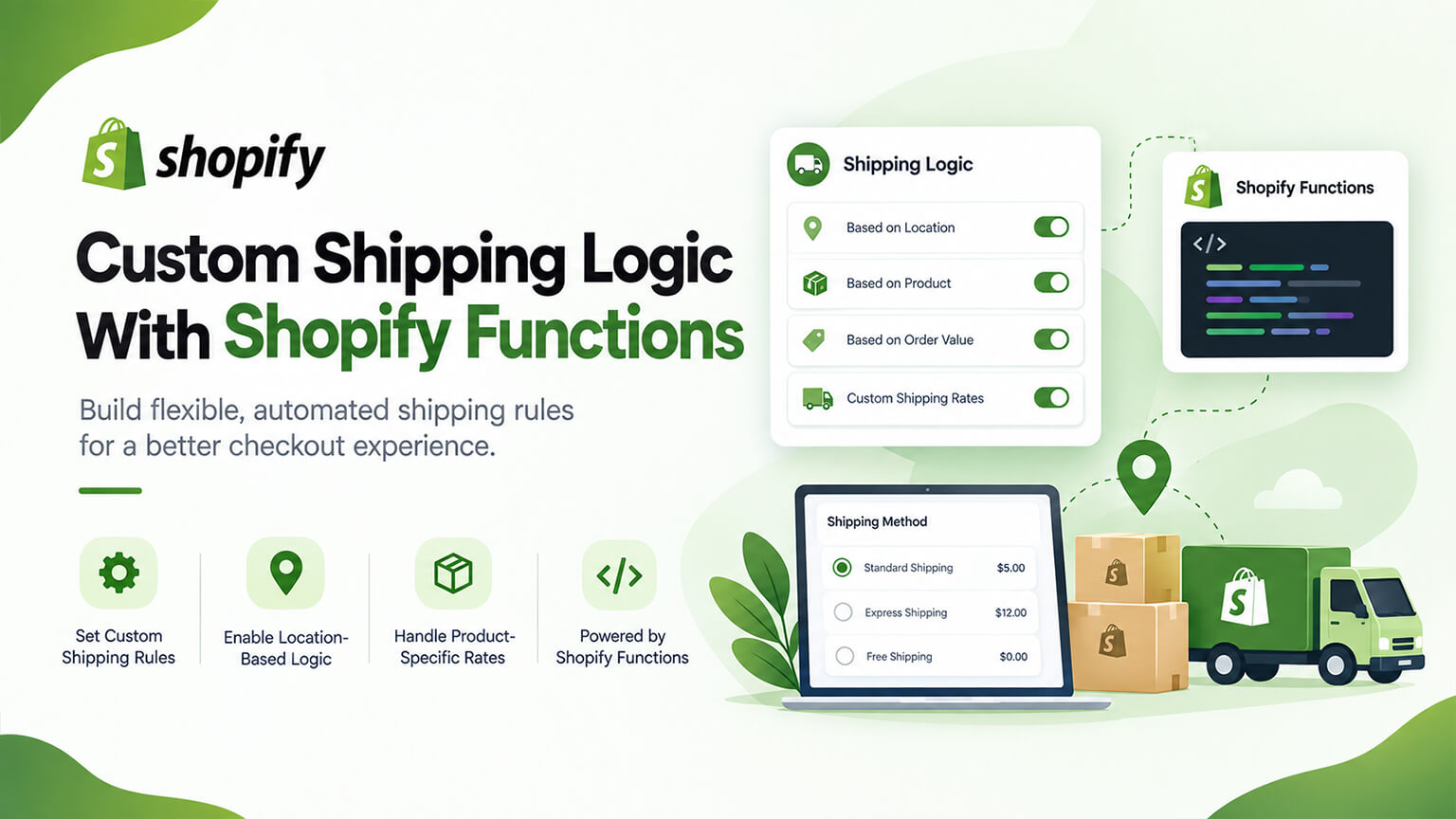
Shipping is a significant part of ecommerce — affecting cost, conversion (as the free-shipping and checkout discussions cover), and operations — and Shopify’s standard shipping settings handle common cases well (rates by weight, price, or zone; free shipping; carrier-calculated rates). But some merchants, especially larger and Plus merchants, need shipping logic beyond the standard: custom shipping rates based on complex rules, custom delivery options, conditional shipping logic, and rules the standard settings can’t express. This is where Shopify Functions come in (as the Functions-explained and custom-discount discussions cover): shipping Functions let developers build custom shipping logic that runs natively in Shopify (including at checkout), implementing bespoke shipping rates, rules, and options that standard settings can’t. Functions are the modern, native way to do custom shipping logic on Shopify (Plus), and for merchants with sophisticated shipping needs, they unlock powerful custom shipping. This piece covers custom shipping logic with Functions — what it enables, how it works, and when you need it. (This connects to the Shopify-Functions-explained and custom-discount-logic discussions; this focuses on custom shipping logic. Note: Shopify Functions, including shipping functions, are primarily a Plus capability; verify current availability.)
This piece covers Shopify Functions and shipping (briefly), what custom shipping logic enables, how it works and is built, and when you need it. Because custom shipping logic via Functions unlocks sophisticated shipping, and understanding it helps you know what’s possible and when to use it. Let me walk through it.
Shopify Functions and shipping (briefly)
Briefly, what Shopify Functions are and how shipping fits (covered more fully in the Functions-explained discussion). Shopify Functions — Functions let developers write custom backend logic that runs natively within Shopify’s systems (including checkout), customising Shopify’s behavior at various extension points — discounts, shipping, payment customisation, and more — performantly and natively (versus apps or the older Scripts, as the Scripts-to-Functions discussion covers). Shipping functions — one extension point is shipping: shipping Functions let developers customise shipping — how shipping rates and options are calculated, filtered, or presented at checkout, based on custom rules and conditions — running natively in Shopify. Native and performant — because Functions run natively in Shopify (not external app calls), they’re fast and reliable, suitable for checkout (where shipping is calculated/presented) — the performance benefit. Types of shipping customisation — shipping Functions can do things like: custom shipping rate calculation (custom rates based on rules), filtering/hiding shipping options (showing/hiding delivery options based on conditions), reordering/renaming options, and other shipping customisations — depending on the available shipping Function extension points (which Shopify defines and expands). Replaces older approaches — Functions are the modern way to do custom shipping logic (versus older Scripts or workarounds), so custom shipping that needed Scripts or apps is now done via Functions (on Plus). So Shopify Functions let developers build custom native logic at extension points including shipping, where shipping Functions customise shipping rates, options, and presentation at checkout based on custom rules — natively and performantly, the modern way to do custom shipping logic (on Plus). So custom shipping logic via Functions is the current way to implement bespoke shipping on Shopify Plus, which the next sections cover what it enables and how. So understand Functions as the native custom-logic capability, with shipping as a key use.
What custom shipping logic enables
Custom shipping logic via Functions enables sophisticated shipping beyond standard settings. Custom shipping rates by complex rules — custom shipping rate calculation based on complex rules (rates depending on cart contents, product attributes, combinations, customer segments, or other conditions beyond standard weight/price/zone rates) — enabling bespoke rate logic standard settings can’t do. Conditional shipping options — showing, hiding, or filtering shipping/delivery options based on conditions (e.g., offering certain options only for certain products, regions, order values, or customer types; hiding options that don’t apply) — enabling conditional delivery-option logic. Custom delivery options and presentation — customising delivery options and how they’re presented (reordering, renaming, tailoring the options shown), improving the checkout shipping presentation. Product- or attribute-based shipping — shipping logic based on product attributes or types (e.g., special shipping for oversized, fragile, or specific products, or restrictions on certain products) — enabling product-specific shipping rules. Customer-segment shipping — shipping logic by customer segment (e.g., different shipping for B2B/wholesale vs. DTC, as the B2B discussion covers, or for VIP customers) — segment-based shipping. Free-shipping and threshold logic — custom free-shipping and threshold logic (beyond standard free-shipping settings — custom conditions, tiered logic, as the free-shipping discussion covers) — enabling sophisticated free-shipping rules. Complex or conditional rules — complex, conditional shipping rules (combining conditions, custom logic) that standard settings can’t express — the general capability (bespoke conditional shipping logic). And integration with shipping strategy — implementing your specific shipping strategy (as the free-shipping and shipping discussions cover) when it needs custom logic (versus being limited to standard settings). So custom shipping logic enables custom rates by complex rules, conditional shipping options (show/hide/filter), custom delivery options and presentation, product-/attribute-based shipping, customer-segment shipping, custom free-shipping/threshold logic, and complex conditional rules — sophisticated shipping beyond standard settings, implementing your shipping strategy when it needs custom logic. The common thread is bespoke, conditional, complex shipping logic tailored to your needs, which standard settings can’t express. So Functions unlock the sophisticated custom shipping that larger and Plus merchants often need. So if your shipping needs exceed standard settings (complex rates, conditional options, segment/product-based logic), custom shipping logic via Functions enables them.
How it works and is built
A bit on how custom shipping logic via Functions works and is built (conceptually; implementation is developer work). Developers build the Function — a developer writes the shipping Function (code implementing your custom shipping logic — the rules, conditions, calculations, or option handling), deployed to Shopify, running natively — so it’s developer work (building the Function to your shipping rules). Runs natively at checkout — the Function runs natively within Shopify’s shipping system (calculating, filtering, or presenting shipping at checkout per your logic), performantly and reliably (native, not an external call) — so custom shipping happens at checkout via the Function. Implements your shipping rules — the Function implements your specific shipping rules (the custom rates, conditions, options, segments, or logic you need), so shipping works per your strategy — configured to your needs. Integrates with Shopify’s shipping and checkout — Functions integrate with Shopify’s shipping and checkout systems, so the custom shipping works within Shopify’s flow (rates/options calculated and presented at checkout correctly) — fitting the checkout. Tested and reliable — like any checkout-affecting logic, shipping Functions must be built and tested carefully (shipping and checkout are business-critical — errors affect shipping costs, options, and purchases, as the cart and checkout discussions cover) — so careful building and testing (given the criticality). Developer/Plus territory — building shipping Functions is developer work, primarily on Plus (where Functions for shipping are available), so you need development capability (yours or an agency/developer, as the team discussion covers). And maintained — like custom code, Functions are maintained (updated as needs and Shopify evolve, as the maintenance discussion covers). So custom shipping logic via Functions works by a developer building a shipping Function (code implementing your shipping rules) that runs natively in Shopify’s shipping system at checkout, calculating/filtering/presenting shipping per your logic, integrated with Shopify’s flow, built and tested carefully (business-critical), on Plus with development capability. So implementation is developer work (building the Function to your shipping needs), but conceptually it’s custom shipping logic running natively per your strategy. So to use custom shipping logic, work with a developer to build the shipping Function implementing your needs — getting sophisticated, native custom shipping. The next section covers when you need it.
When you need custom shipping logic
When do you need custom shipping logic via Functions? When standard shipping settings can’t do it — the clearest sign: your shipping needs exceed standard Shopify shipping settings (complex rates, conditional options, product/segment-based logic, custom free-shipping rules that standard settings can’t express) — so custom logic is needed to implement your shipping. For a sophisticated shipping strategy — if your shipping strategy relies on sophisticated logic (complex rates, conditional delivery options, segment or product-based shipping, custom thresholds, as the free-shipping and shipping discussions cover), custom shipping logic enables it (where standard settings limit you). For B2B/wholesale shipping — B2B/wholesale often needs custom shipping (segment-based rates/options, custom rules for wholesale, as the B2B discussion covers), which Functions can implement — a B2B shipping case. For product-specific shipping needs — if you have products needing special shipping (oversized, fragile, restricted, or specific-handling products) requiring custom logic, Functions can handle it. Migrating from Scripts/workarounds — if you used Scripts or workarounds for custom shipping, Functions are the modern replacement (as the Scripts-to-Functions discussion covers) — so Functions are how you do custom shipping going forward. When the value justifies it — building custom shipping logic is development work (cost, maintenance), so it’s warranted when the shipping value (the custom shipping enabling your strategy, improving conversion or operations) justifies it. And you’re on Plus with capability — Functions for shipping are primarily Plus, and building them needs development capability, so you need to be on Plus (or the relevant plan) with development resources. Conversely, you don’t need it when — standard Shopify shipping settings meet your needs (many stores’ shipping is well-served by standard settings — rates by weight/price/zone, free shipping, carrier rates), in which case custom logic is unnecessary. So you need custom shipping logic when standard settings can’t express your shipping needs (complex rates, conditional options, product/segment-based logic, custom thresholds), your strategy relies on sophisticated shipping, you’re doing B2B/wholesale with custom shipping needs, you have product-specific shipping needs, you’re migrating from Scripts, the value justifies the development, and you’re on Plus with capability — while you don’t need it if standard settings suffice. So assess whether your shipping needs exceed standard settings (and the value justifies custom development) — if so, custom shipping logic via Functions is the way; if not, standard settings suffice. So custom shipping logic is for merchants (often larger/Plus) whose shipping strategies need sophisticated, custom shipping beyond the standard.
A worked example: shipping logic standard settings can’t handle
Picture a Plus merchant selling a mix of products — small everyday items, oversized furniture, and fragile glassware — to both DTC and wholesale customers, and wanting a shipping experience standard settings simply can’t express. Its needs are inherently conditional: oversized furniture requires special freight rates and shouldn’t show standard courier options; fragile glassware needs a handling surcharge and restricted carriers; wholesale accounts get different shipping rates and options from DTC; and free shipping applies only above a threshold and only to eligible (non-oversized) items. Standard weight/price/zone rates and a basic free-shipping setting can’t come close to this — it’s a web of conditions tied to product attributes and customer segments. This is precisely shipping-Functions territory.
A developer builds a shipping Function that, at checkout, evaluates the cart and customer: it applies freight rates and hides standard courier options when oversized furniture is present, adds the handling surcharge and limits carriers for fragile items, detects wholesale accounts and presents their contracted shipping rates and options instead of the DTC ones, and applies the free-shipping threshold only to eligible items. All of this runs natively at checkout, fast and reliably. Because shipping and checkout are business-critical, the Function is tested exhaustively across the scenarios — carts with and without oversized or fragile items, DTC versus wholesale accounts, orders above and below the free-shipping threshold, and combinations — before going live, and it’s maintained as needs and Shopify evolve. The result is a shipping experience that correctly reflects the merchant’s real, complex logistics and pricing across product types and customer segments — something standard settings couldn’t do and older Scripts or workarounds would handle worse. The example captures when custom shipping logic earns its keep: a conditional, product- and segment-aware shipping strategy on a Plus store with the development capability to build it. For a store whose shipping is “flat rate or free over $50,” none of this is needed and standard settings are perfect — which underscores the rule: reach for shipping Functions when your strategy is too complex for standard settings, and not before.
The bottom line
Shipping is a significant part of ecommerce — affecting cost, conversion, and operations — and Shopify’s standard shipping settings handle common cases well (rates by weight, price, or zone; free shipping; carrier-calculated rates). But some merchants, especially larger and Plus merchants, need shipping logic beyond the standard: custom rates based on complex rules, conditional delivery options, product- or segment-based shipping, custom free-shipping logic, and rules the standard settings can’t express. Shopify Functions are the modern, native way to build this custom shipping logic — shipping Functions let developers customise how shipping rates and options are calculated, filtered, and presented at checkout based on custom rules, running natively within Shopify (performantly and reliably, suitable for checkout), replacing older Scripts and workarounds. Custom shipping logic via Functions enables sophisticated shipping: custom rates by complex rules (based on cart contents, product attributes, combinations, customer segments, or conditions beyond standard weight/price/zone), conditional shipping options (showing, hiding, or filtering delivery options by conditions like product, region, order value, or customer type), custom delivery options and presentation (reordering, renaming, tailoring options), product- or attribute-based shipping (special handling for oversized, fragile, or specific products), customer-segment shipping (different shipping for B2B/wholesale versus DTC, or VIP customers), custom free-shipping and threshold logic, and complex conditional rules — bespoke shipping tailored to your strategy that standard settings can’t do. Conceptually, a developer builds the shipping Function (code implementing your specific shipping rules and conditions) that runs natively in Shopify’s shipping system at checkout, calculating, filtering, or presenting shipping per your logic — built and tested carefully (since shipping and checkout are business-critical, and errors affect shipping costs, options, and purchases), on Plus (where shipping Functions are primarily available), with development capability. You need custom shipping logic when standard settings can’t express your shipping needs, your strategy relies on sophisticated shipping (complex rates, conditional options, segment or product-based logic, custom thresholds), you’re doing B2B/wholesale with custom shipping needs, you have product-specific shipping needs (oversized, fragile, restricted), you’re migrating from Scripts, the shipping value justifies the development, and you’re on Plus with capability — while you don’t need it if standard Shopify shipping settings meet your needs (as they do for many stores). So assess whether your shipping needs exceed standard settings and whether the value justifies custom development: if so, custom shipping logic via Functions gives you sophisticated, native, performant custom shipping (built with a developer); if not, standard settings suffice. For merchants whose shipping strategies need it, Functions unlock powerful custom shipping — bespoke rates, conditional options, and complex rules — that standard settings can’t match, a key capability for sophisticated, especially Plus, shipping needs.
Frequently asked questions
What can Shopify Functions do for shipping?
Shopify Functions let developers build custom shipping logic that runs natively within Shopify’s shipping system, including at checkout — customising how shipping rates and options are calculated, filtered, and presented based on custom rules and conditions, beyond what Shopify’s standard shipping settings can express. Standard settings handle common cases (rates by weight, price, or zone; free shipping; carrier-calculated rates), but shipping Functions enable sophisticated logic: custom rate calculation based on complex rules (cart contents, product attributes, combinations, customer segments, or other conditions), conditional shipping options (showing, hiding, or filtering delivery options based on conditions), custom delivery-option presentation (reordering, renaming, tailoring the options shown), product- or attribute-based shipping (special handling for oversized, fragile, or specific products), and customer-segment shipping (different shipping for B2B versus DTC, for example). Functions run natively (not as external app calls), so they’re fast and reliable enough for checkout, and they’re the modern replacement for older Scripts and workarounds. Shipping Functions are primarily a Shopify Plus capability.
What kind of custom shipping can I build with Functions?
Sophisticated, conditional, and complex shipping logic that standard settings can’t do. Examples include: custom shipping rates based on complex rules (rates depending on cart contents, product attributes, combinations, customer segments, or conditions beyond standard weight, price, and zone rates); conditional delivery options (offering certain shipping options only for certain products, regions, order values, or customer types, and hiding options that don’t apply); customising how delivery options are presented (reordering, renaming, tailoring the options shown at checkout); product- or attribute-based shipping (special shipping or restrictions for oversized, fragile, or specific products); customer-segment shipping (different shipping logic for B2B/wholesale versus DTC customers, or for VIP customers); and custom free-shipping and threshold logic beyond standard free-shipping settings. Essentially, anywhere your shipping strategy needs bespoke, conditional, or complex logic tailored to specific rules — which standard weight/price/zone rates and basic free-shipping settings can’t express — custom shipping Functions can implement it.
Do I need Shopify Plus to build custom shipping logic with Functions?
Shopify Functions for shipping are primarily a Shopify Plus capability, so custom shipping logic via Functions is generally a Plus feature (verify current availability for your specific plan, as Shopify’s capabilities evolve). Building shipping Functions also requires development capability — a developer writes and deploys the Function implementing your custom shipping logic — so you need development resources (your own team or an agency/developer). This makes custom shipping logic via Functions most relevant to larger and Plus merchants who both have sophisticated shipping needs that exceed standard settings and have (or can engage) the development capability to build the Functions. If you’re on standard Shopify and your shipping needs are met by the standard settings (rates by weight, price, or zone; free shipping; carrier rates), you don’t need this — it’s for merchants whose shipping strategies require custom, complex, or conditional shipping logic that the standard settings can’t express.
How is custom shipping logic built, and is it safe for checkout?
A developer writes the shipping Function (code implementing your specific shipping rules, conditions, and calculations or option handling) and deploys it to Shopify, where it runs natively within Shopify’s shipping and checkout systems — calculating, filtering, or presenting shipping at checkout according to your logic. Because Functions run natively (not as external app calls), they’re fast and reliable, which is why they’re suitable for checkout and why they replaced older Scripts. That said, shipping and checkout are business-critical — errors would affect shipping costs, the options customers see, and their ability to complete purchases — so shipping Functions must be built carefully and tested thoroughly before going live, and maintained over time as your needs and Shopify evolve. Implementation is developer work, so you’d engage a developer or agency with Shopify Functions experience to build, test, and maintain the custom shipping logic reliably, given its business-criticality.