
Building a Shopify Product Configurator
On this page
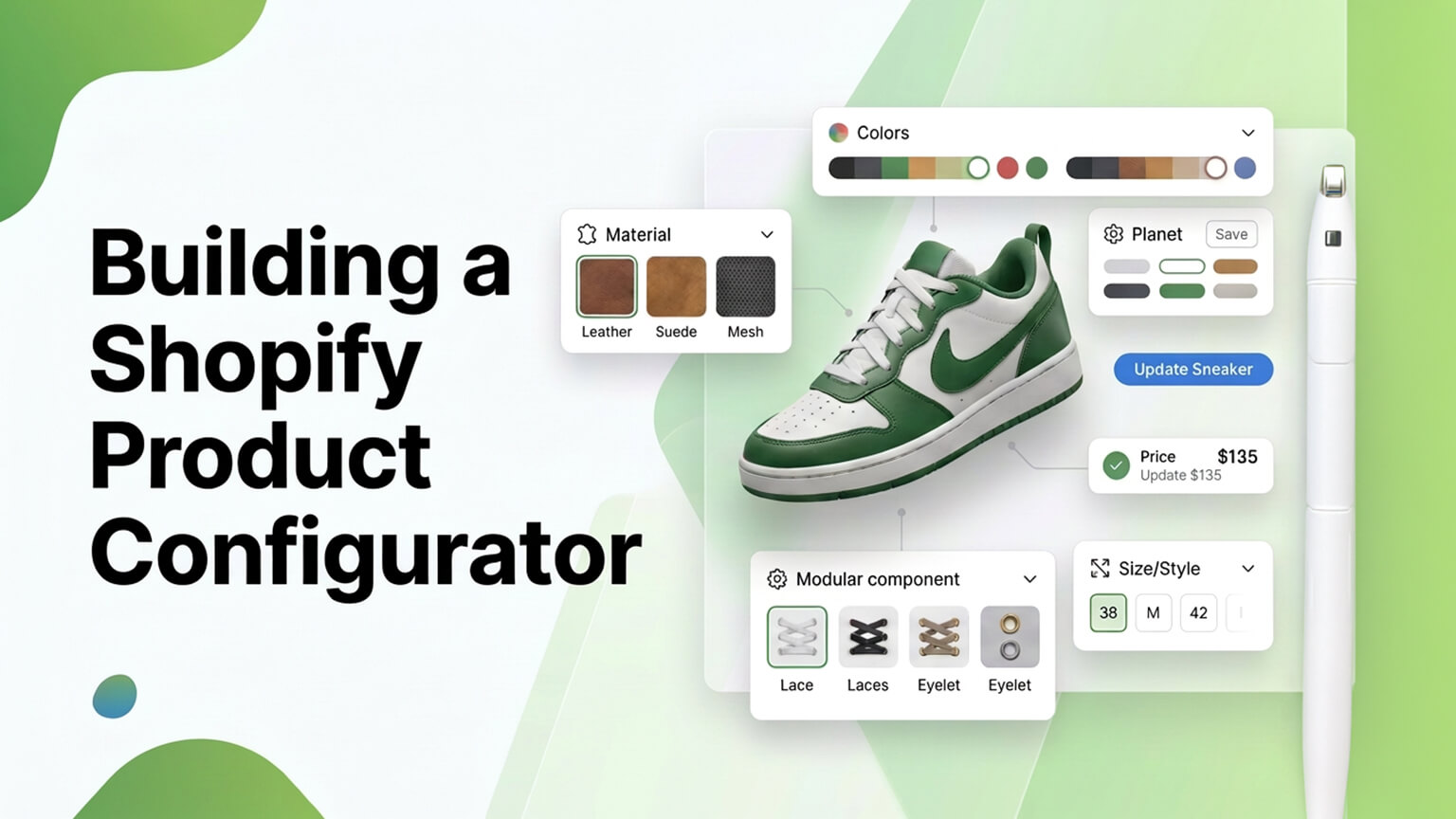
Some products aren’t sold as fixed items but built to the customer’s specification: a configurable piece of furniture (choose the wood, finish, dimensions, fabric), a custom PC (pick the components), personalised jewellery (metal, stone, engraving), a made-to-order product with options, or any product where the customer assembles or customises their own version. Selling these on Shopify requires a product configurator: an interface that lets the customer configure the product (making their choices), shows them the result (and price), and adds their configured product to the cart to purchase. Shopify’s standard product options (variants) handle simple choices (size, colour), but true configurators — with many options, dependencies between choices, dynamic pricing, visual previews, and complex logic — go beyond standard variants and require custom development or specialised apps. Building a good product configurator is a meaningful development undertaking, and getting it right matters (a good configurator enables and eases these sales; a poor one frustrates and loses them). This piece covers building a Shopify product configurator: what it is, when you need one, how they work and are built, and how to build one well. (This connects to the product-page and cart-drawer discussions; this focuses on product configurators.)
This piece covers what a product configurator is, when you need one, how configurators work and are built on Shopify, and how to build one well. Because configurators enable configurable/custom-product sales, and building one well matters for those sales. Let me walk through it.
What a product configurator is
Let’s define it. Configuring a product — a product configurator is an interface that lets a customer configure a product — making choices about its attributes, options, or components — to build their own version, rather than buying a fixed pre-defined product. The customer assembles or customises the product to their specification. Examples — configurators are used for configurable furniture (wood, finish, size, fabric), custom PCs/electronics (components), personalised products (engraving, monogram, custom text), made-to-order items (options, specifications), modular products (build from components), and any product with meaningful customisation/configuration. What it does — a configurator: presents the options/choices, lets the customer make their selections (often with dependencies — some choices affecting others), shows the configured result (often with a visual preview, and the price updating dynamically as choices are made), and lets the customer add their configured product to the cart to buy. Beyond simple variants — Shopify’s standard variants handle simple options (size, colour — a fixed set of variant combinations), but configurators go beyond this: many options, dependencies/rules between options, dynamic pricing (price calculated from the configuration), visual previews, and complex logic that standard variants can’t handle — so configurators require custom development or specialised apps (covered later). And it enables configurable-product sales — a configurator enables selling configurable/custom products online (letting customers build and buy their version), which is essential for businesses selling such products (versus not being able to offer configuration online). So a product configurator is an interface letting customers configure/build their own version of a product (making choices about attributes, options, or components, with dependencies, dynamic pricing, and often visual previews) and add it to the cart — going beyond Shopify’s simple variants to handle complex configuration, enabling configurable/custom-product sales. So understand a configurator as the tool for selling configurable/custom products, which the next section covers when you need. So if you sell configurable or customisable products, a configurator is what enables it online.
When you need a product configurator
You need a product configurator when your products require configuration beyond simple variants. Configurable products — you sell products that customers configure/build (furniture with options, custom PCs, modular products, made-to-order items with specifications) — the core case where a configurator is needed to let customers build their version. Personalised/custom products — you offer personalisation or customisation (engraving, monograms, custom text, custom specifications), where a configurator captures the customisation. Many options or dependencies — your products have many options or dependencies between options (choices affecting other choices/availability/price) that go beyond simple variant combinations — requiring configurator logic. Dynamic pricing from configuration — the price depends on the configuration (calculated from the choices/components), which standard fixed variants can’t handle, requiring a configurator’s dynamic pricing. Visual configuration — customers benefit from visually seeing their configuration (a preview updating as they choose), which a visual configurator provides. Complex products needing guidance — complex configurable products where customers need guidance through the options (a configurator structuring the choices) benefit from a configurator. Conversely, you don’t need one when — your products are fixed or have only simple options (size, colour) that Shopify’s standard variants handle — in which case standard variants suffice (no configurator needed, which would be over-engineering). And weigh the complexity — building a configurator is a development undertaking (cost, complexity), so it’s warranted when you sell configurable/custom products that need it (where it enables sales), not for simple products. So you need a product configurator when you sell configurable/custom products, offer personalisation, have many options or dependencies beyond simple variants, have dynamic pricing from configuration, benefit from visual configuration, or have complex products needing guided configuration — while you don’t need one for fixed or simple-option products (where standard variants suffice). So assess whether your products require configuration beyond variants — if so, a configurator enables those sales; if not, standard variants are simpler. So a configurator is for businesses selling configurable/custom products, where it’s essential to selling them online. The next section covers how they work and are built.
How configurators work and are built on Shopify
A bit on how product configurators work and are built on Shopify (at a practical level; implementation is developer/app territory). The interface — a configurator provides an interface (on the product page or a dedicated configurator page) presenting the options and letting the customer make choices, often step-by-step or as a set of selectors, with the result and price updating as they choose. The logic — the configurator implements the logic: the options and their possible values, dependencies/rules (which combinations are valid, how choices affect others), and dynamic pricing (calculating the price from the configuration) — the “brains” that make configuration work correctly. Visual preview (if applicable) — for visual products, a preview shows the configured product (updating as choices are made — e.g., showing the selected finish/colour/configuration), often a valued feature (letting customers see their build). Adding to cart — the configured product is added to the cart with its configuration (the choices, the calculated price) captured, so the order reflects the customer’s configuration — which requires handling the configuration data through the cart and order (as the cart-drawer discussion covers), a key technical aspect (the order must capture what was configured, for fulfillment). How it’s built: apps — specialised product-configurator/product-options apps can provide configurator functionality (options, some logic, dynamic pricing), a route for some configurators (weighing the app, as the app discussions cover), though complex/custom configurators may exceed app capabilities. Custom development — complex or bespoke configurators (many options, complex dependencies, custom logic, visual previews, specific requirements) typically require custom development — building the configurator interface and logic, integrating with Shopify (product data, cart, orders) — a meaningful development undertaking. Product data and structure — the configurator relies on your product data/structure (options, components, pricing rules, often using metafields/metaobjects, as that discussion covers) being set up to support configuration. And cart/order integration — crucially, the configuration must flow through the cart and into the order correctly (capturing the configured specification, price, and details for fulfillment), a key technical requirement (the order must reflect what the customer configured). So configurators work by providing a configuration interface, implementing the logic (options, dependencies, dynamic pricing), showing a visual preview (if applicable), and adding the configured product to the cart/order (capturing the configuration) — built via specialised apps (for some) or custom development (for complex/bespoke ones), relying on good product data and requiring correct cart/order integration. So building a configurator ranges from apps (simpler cases) to custom development (complex cases), with the cart/order integration (capturing the configuration for fulfillment) being a key technical requirement. So the build depends on complexity — apps for simpler configurators, custom development for complex ones — with correct configuration-to-order flow essential. The next section covers building one well.
How to build a product configurator well
Building a good product configurator involves several considerations. Good UX — the configurator’s UX is crucial: it should be clear, easy, and pleasant to use (guiding customers through the options logically, making choices easy, showing the result and price clearly), since a confusing configurator frustrates and loses customers, while a good one eases the (potentially complex) configuration. Handle complexity gracefully — configurators can be complex (many options, dependencies), so handle that complexity gracefully for the customer (structuring options clearly, guiding step-by-step if helpful, showing valid choices, preventing invalid configurations) — making complex configuration manageable. Dynamic pricing and preview — implement dynamic pricing (accurate price updating with choices) and, if applicable, a visual preview (showing the configuration) — features that help customers understand their build and its cost. Correct logic — ensure the logic is correct: valid configurations, correct dependencies/rules, accurate pricing — since errors (invalid configs, wrong prices) cause problems (bad orders, wrong pricing). Test thoroughly. Mobile-friendly — ensure the configurator works well on mobile (much traffic), since configurators can be UX-challenging on mobile (many options, previews) — good mobile UX matters. Correct cart/order flow — ensure the configuration flows correctly to the cart and order (capturing the full specification, price, and details for fulfillment), since the order must accurately reflect what was configured (for correct fulfillment) — a critical requirement to get right and test. Performance — build it performantly (configurators can be JavaScript-heavy, affecting performance, as the app-speed/Core Web Vitals discussions cover), so it’s fast. Test extensively — test the configurator extensively (all option combinations, dependencies, pricing, cart/order flow, mobile), since it’s complex and business-critical (bad configuration or orders directly harm sales/fulfillment) — thorough testing is essential. And use skilled development — building a good configurator (especially complex/custom) requires skilled development (yours or an agency’s), given the complexity and the criticality of correct logic and order flow. So build a product configurator well by prioritising good UX (clear, easy, guiding through complexity), handling complexity gracefully, implementing dynamic pricing and preview, ensuring correct logic, mobile-friendliness, correct cart/order flow (capturing the configuration for fulfillment — critical), performance, extensive testing, and skilled development. The keys are good UX (making configuration easy), correct logic and order flow (so configurations and orders are right), and thorough testing (given the complexity and criticality). So build it with these in mind, getting a configurator that eases configurable-product sales rather than frustrating them. So a well-built configurator — good UX, correct logic and order flow, tested, performant — enables and eases configurable/custom-product sales.
A worked example: a made-to-order furniture configurator
Picture a furniture brand selling a made-to-order sofa: customers choose the size (two-seater, three-seater, corner), the frame wood, the fabric (dozens of options across several material grades that affect price), the leg style, and optional add-ons like extra cushions. This is squarely configurator territory — far beyond what simple variants could express (the combinations run into the thousands, pricing depends on the choices, and some options depend on others). A well-built configurator transforms this from an impossible or clumsy sale into a smooth one. The customer lands on the product page and is guided through the choices step by step: pick size, then frame, then browse fabrics (filtered to those available for the chosen frame — a dependency), then legs and add-ons. As they choose, a visual preview updates to show roughly what they’re building, and the price updates live to reflect the fabric grade and add-ons, so there are no surprises. Invalid combinations simply aren’t offered, so the customer can’t build something the brand can’t make.
When they add to cart, the configurator captures the full specification — every choice and the calculated price — and carries it through the cart and into the order, so the brand’s production team receives an order that precisely specifies the sofa to build (critical, since a made-to-order product with a missing or wrong spec is a fulfilment disaster). The brand tested this thoroughly: every dependency, the pricing across fabric grades, the order data flowing correctly to fulfilment, and the whole experience on mobile (where a fabric-heavy configurator is easy to get wrong). The result is that customers can confidently design and buy a complex custom product online — with a clear, guided, visual experience and accurate pricing — which the brand simply couldn’t sell well without the configurator. This example captures the essentials: guide the customer through complexity, enforce valid configurations, show live price and preview, and above all capture the configuration accurately into the order for fulfilment. Get those right (with thorough testing and good mobile UX), and a configurator turns configurable-product sales from a friction point into a strength; get the order-flow or logic wrong, and you get bad orders and fulfilment problems — which is why skilled development and testing matter so much here.
The bottom line
Some products aren’t sold as fixed items but built to the customer’s specification — configurable furniture (wood, finish, dimensions, fabric), custom PCs (components), personalised jewellery (metal, stone, engraving), made-to-order products with options, or any product the customer assembles or customises — and selling these on Shopify requires a product configurator: an interface that lets the customer configure the product (making choices, with dependencies between them), shows the result (with a visual preview and dynamically-updating price), and adds their configured product to the cart to purchase. Shopify’s standard variants handle simple choices (size, colour), but true configurators — with many options, dependencies, dynamic pricing, visual previews, and complex logic — go beyond variants and require specialised apps or custom development. You need a configurator when you sell configurable or custom products, offer personalisation, have many options or dependencies beyond simple variants, have pricing that depends on the configuration, benefit from visual configuration, or have complex products needing guided configuration — while you don’t need one for fixed or simple-option products (where standard variants suffice, and a configurator would be over-engineering). Configurators work by providing a configuration interface, implementing the logic (options, dependencies, dynamic pricing), showing a visual preview if applicable, and adding the configured product to the cart and order (capturing the configuration) — built via specialised product-options/configurator apps (for simpler cases) or custom development (for complex or bespoke ones), relying on good product data (often metafields/metaobjects) and requiring correct configuration-to-order flow (the order must accurately capture what was configured, for fulfillment — a critical technical requirement). Build a configurator well by prioritising good UX (clear, easy, guiding customers through the complexity), handling complexity gracefully (structuring options, preventing invalid configurations), implementing accurate dynamic pricing and previews, ensuring correct logic, mobile-friendliness, correct cart/order flow (capturing the configuration for fulfillment — critical to get right and test), performance, and extensive testing (given the configurator’s complexity and business-criticality) — using skilled development given the complexity. The keys are good UX (making configuration easy and pleasant rather than confusing), correct logic and order flow (so configurations and orders are accurate), and thorough testing. Done well, a product configurator enables and eases configurable/custom-product sales — letting customers build and buy their version smoothly; done poorly, it frustrates and loses those sales. So if you sell configurable or custom products, invest in building a good configurator, as it’s essential to selling those products well online.
Frequently asked questions
What is a product configurator?
A product configurator is an interface that lets a customer configure a product — making choices about its attributes, options, or components — to build their own version, rather than buying a fixed, pre-defined product. It presents the available options, lets the customer make their selections (often with dependencies, where some choices affect others), shows the configured result (frequently with a visual preview and a price that updates dynamically as choices are made), and adds the customer’s configured product to the cart to purchase. Configurators are used for products like configurable furniture (wood, finish, size, fabric), custom PCs (components), personalised items (engraving, monograms), and made-to-order products. They go beyond Shopify’s standard variants — which handle simple fixed options like size and colour — to handle many options, dependencies, dynamic pricing, and complex logic, enabling businesses to sell configurable and custom products online.
Do I need a product configurator, or will Shopify variants do?
It depends on how your products are sold. Shopify’s standard variants handle simple options with a fixed set of combinations — size, colour, and the like — and for products that are fixed or have only such simple options, variants are sufficient and a configurator would be over-engineering. You need a configurator when your products require configuration beyond that: when customers build or assemble products (configurable furniture, custom PCs, modular products), when you offer personalisation or customisation (engraving, custom text, specifications), when there are many options or dependencies between options that exceed simple variant combinations, when the price depends on the configuration (calculated from the choices rather than a fixed variant price), or when customers benefit from visually previewing their build. So assess whether your products need configuration beyond simple variants — if they do, a configurator enables those sales; if not, variants are simpler and adequate.
How is a product configurator built on Shopify?
It depends on complexity. For simpler cases, specialised product-options or configurator apps can provide configurator functionality (options, some logic, dynamic pricing), though complex or bespoke configurators often exceed app capabilities. Complex or custom configurators — with many options, complex dependencies, custom logic, visual previews, or specific requirements — typically require custom development: building the configuration interface and logic, and integrating with Shopify’s product data, cart, and orders. Either way, the configurator relies on your product data and structure (options, components, pricing rules, often using metafields or metaobjects) being set up to support configuration, and — critically — the configuration must flow correctly through the cart and into the order, capturing the full configured specification, price, and details so the order accurately reflects what the customer built (essential for fulfillment). This configuration-to-order flow is a key technical requirement, and given the complexity, building a good configurator (especially a custom one) requires skilled development.
What makes a good product configurator?
Above all, good UX — the configurator should be clear, easy, and pleasant to use, guiding customers logically through the options and making choices and the resulting price easy to understand, since a confusing configurator frustrates and loses customers while a good one eases potentially complex configuration. It should handle complexity gracefully (structuring options, guiding step-by-step where helpful, showing valid choices and preventing invalid configurations), implement accurate dynamic pricing and (where applicable) a visual preview so customers understand their build and its cost, and have correct logic (valid configurations, accurate dependencies and pricing). It must work well on mobile (where configurators can be UX-challenging), flow the configuration correctly into the cart and order (capturing the full specification for fulfillment — critical to get right), and perform well (configurators can be JavaScript-heavy). And it needs extensive testing across option combinations, dependencies, pricing, order flow, and devices, given its complexity and business-criticality. The keys are good UX, correct logic and order flow, and thorough testing.