
Best Shopify Upsell and Cross-Sell Apps
On this page
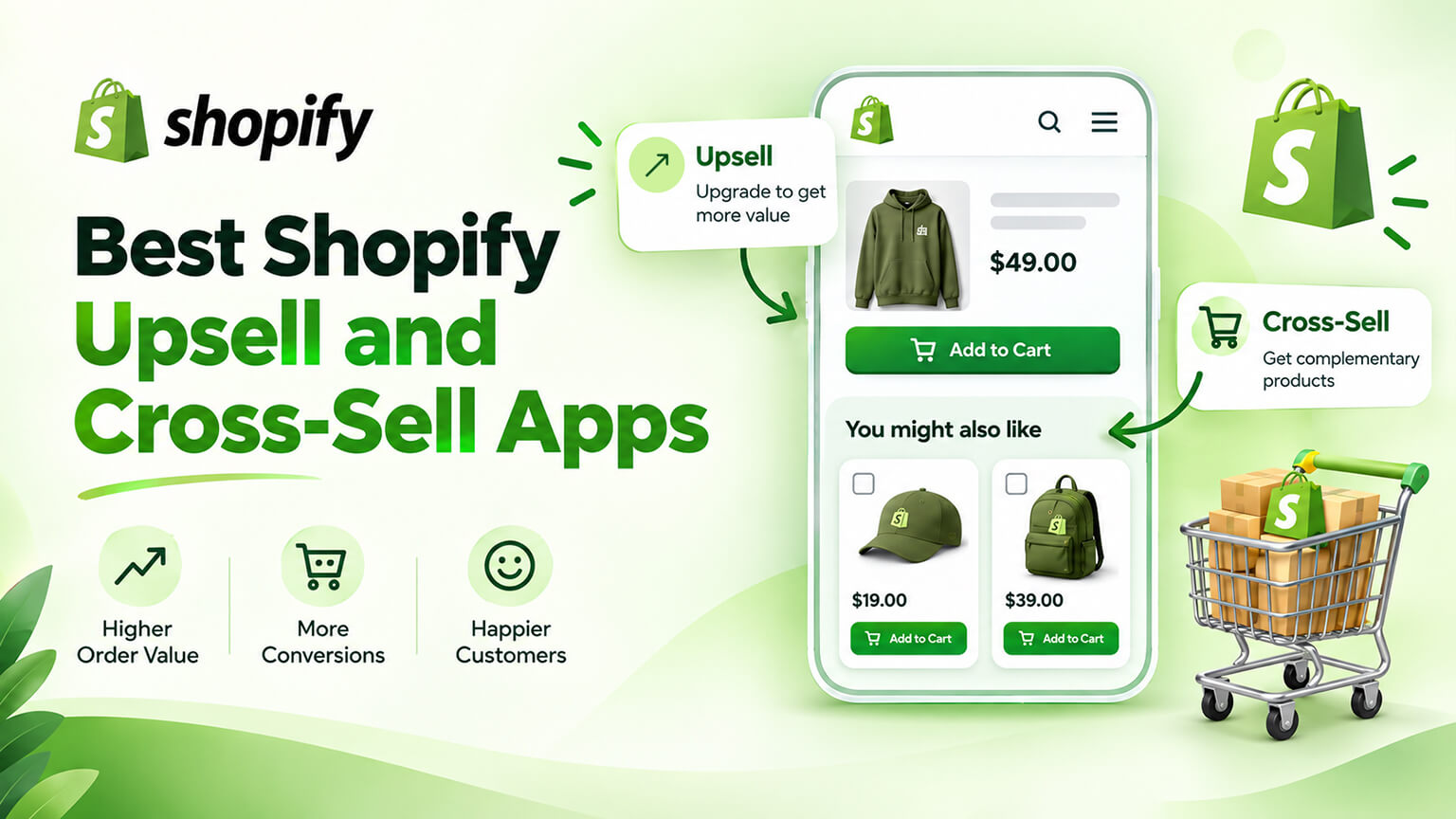
Upsell apps are the easiest way to increase average order value and the easiest way to damage your conversion rate, often with the same installation. The difference is almost entirely in relevance and placement, not in which app you chose.
That is the useful thing to understand before comparing options. Most of these tools are capable of doing the job well. Most implementations are mediocre because the offers are irrelevant, the placement interrupts the purchase, or somebody switched on every feature at once. So let me cover where offers belong first, then what separates the apps.
The four places an offer can go, ranked by risk
Every upsell app is really competing on where and how it inserts offers. There are four moments, and they carry very different risk profiles.
Post-purchase, after checkout. The safest and usually the best-performing placement. The customer has already bought; the original conversion is banked and cannot be harmed. A one-click add-on that does not require re-entering payment details is pure upside. If you only do one thing from this article, do this one.
In the cart. Good, low-risk territory. The customer has committed to buying something and is receptive to a relevant addition. A free-shipping progress bar with a suggested item to reach the threshold works particularly well here because it frames spending more as saving money.
On the product page. Useful when the suggestion is helpful — a complementary item, a bundle, a better version. Risky when it distracts from the primary action. The buy button should remain the unmistakable focus.
Interrupting checkout. The most dangerous. Anything that adds a step or a distraction between “I want this” and “it is mine” risks the conversion you already had. Generally not worth it, and on standard Shopify plans your ability to do this is limited anyway — which is a mercy.
The ranking matters because the apps differ mainly in which of these they do well. Match the app to the placements you actually want rather than buying the one with the longest feature list.
What separates upsell apps
Where they operate. Some specialise in post-purchase offers, others in cart and product-page widgets, some cover everything. The post-purchase specialists often perform best because that placement is inherently low-risk and high-converting.
Recommendation intelligence. The spectrum runs from manual rules — you specify that product A suggests product B — through automated logic based on what is purchased together, to adaptive recommendation engines. Manual rules work well for small catalogues where you know your products. Larger catalogues benefit from automation, because manually maintaining pairings across a thousand SKUs is not realistic.
Relevance quality. This is the whole game and the hardest to evaluate from a feature list. An irrelevant suggestion does not merely fail to sell — it trains customers to ignore your recommendations entirely, which costs you the ones that would have worked. Test with your real catalogue during a trial.
Design and integration. Does the offer look like part of your store or like an advertisement bolted onto it? Offers that look native perform better and damage trust less. This often needs theme work to get right regardless of the app.
Performance cost. These apps add scripts to your highest-value pages. An upsell widget that slows your product page can easily cost more in lost conversion than it earns in incremental AOV, and that trade is invisible unless you measure it.
Analytics. Can it tell you not just what the offers earned, but whether conversion rate held steady? An app reporting only upsell revenue is showing you half the picture, and the half that flatters it.
Where the main options sit
Verify specifics before publishing.
Post-purchase specialists such as AfterSell and Zipify OCU focus on the one-click offer after checkout. Because that placement carries no risk to the original conversion, these tend to show the cleanest positive return and are the easiest to justify.
Broader upsell suites like Rebuy cover product page, cart, and post-purchase with more sophisticated recommendation logic. Better suited to larger catalogues where automated relevance earns its cost, and to teams that will actually tune the rules.
Bundle-focused tools overlap heavily with this category, since a bundle is an upsell presented as a convenience. Worth considering together rather than separately.
Shopify’s native recommendations deserve a mention because they cost nothing and are reasonable. Before installing anything, check whether related-product recommendations built into your theme, well placed, get you most of the benefit. For a lot of stores they do.
Lightweight single-purpose apps handle one placement cheaply, which suits stores wanting to test the concept without commitment.
The mistakes that cost money
Irrelevant suggestions. The most common and most damaging. Generic “you might also like” blocks full of unrelated products train customers to ignore everything you recommend. Relevance is not a nice-to-have; it is the entire mechanism.
Too many offers. An upsell on the product page, another in the cart, a popup before checkout, and two post-purchase offers is not five chances to sell — it is an experience that feels like being worked over. Pick the placements that suit your catalogue and stop.
Interrupting the purchase. Anything that delays or complicates the path to buying the thing they came for is a bad trade, however good the offer.
Measuring only the upside. If you track upsell revenue but not conversion rate, you cannot tell whether a tactic that earned a few thousand in add-ons cost you more in abandoned carts. Always look at revenue per visitor rather than AOV in isolation — that is the number that captures both effects at once.
Pre-checked add-ons. Adding something to the cart and requiring the customer to notice and remove it is a dark pattern, increasingly regulated, and a fast way to generate chargebacks and lose trust. Do not.
Discounting into nothing. Upsell discounts stack with other promotions more often than people expect. Check the combinations before launching, or you will find out through your margin report.
A worked example: less turned out to be more
A supplements brand had four upsell mechanics running simultaneously — product page recommendations, a cart upsell, an exit popup, and post-purchase offers. AOV had risen modestly since installing them, so the assumption was that they were working.
Looking at revenue per visitor rather than AOV told a different story. Conversion rate had drifted down over the same period. The store had become cluttered and slightly exhausting, and the incremental AOV was being paid for with lost orders. Net, it was roughly break-even at best, with more complexity and two extra app subscriptions.
We removed the exit popup and the product page recommendations, kept a single relevant cart suggestion tied to a free-shipping threshold, and kept the post-purchase offer. Then we improved the relevance of what remained, replacing generic suggestions with genuine complements.
Conversion recovered, AOV held roughly steady, and revenue per visitor rose clearly. Two fewer apps, a faster store, and a better experience.
The lesson generalises: with upsells, the discipline to run fewer and better offers usually beats running more. If you are unsure which of your tactics is actually earning, that is exactly the kind of question a CRO programme answers with tests rather than assumptions.
When to build instead
Most stores should use an app. Building custom upsell logic makes sense in two situations.
The first is when your recommendation logic is specific — pairings driven by internal data, compatibility rules, or a configurator-like relationship between products that no generic engine models well. A custom build can express exactly your rules.
The second is when app sprawl has become the problem. Replacing three overlapping upsell apps with one native implementation in the theme removes subscriptions, removes page weight, and gives you offers that look like part of the store rather than an insert. For higher-volume stores this often pays back quickly.
Upsell versus cross-sell versus bundle
These get used interchangeably and they are different mechanics with different success conditions, which matters when you are configuring an app.
Upselling offers a better or larger version of what the customer is already considering — the bigger bag of coffee, the premium finish, the extended warranty. It works when the upgrade is easy to understand and the value difference is obvious at a glance. It fails when the customer has already decided precisely what they want and the suggestion reads as a push to spend more.
Cross-selling offers something complementary — the filters for the coffee maker, the case for the phone. It works when the pairing is useful and answers a question the customer has not yet asked themselves. It fails when the connection is loose, because then it is just clutter.
Bundling presents a group of items as one convenient purchase, usually at a small saving. It works especially well because it feels like help rather than selling — it answers “what else do I need with this?” before the customer has to work it out.
For most stores, cross-sells and bundles outperform upsells, because they add to the basket rather than asking the customer to reconsider a decision already made. If your app supports all three, start with the complementary pairings and the bundles, and treat upgrade offers as the smaller opportunity.
Getting relevance right
Relevance decides whether this whole category earns or costs you money, so it deserves more attention than the app choice.
Start manual if your catalogue is small. Under a few hundred products, you know your range better than an algorithm does. Hand-picked pairings for your top sellers will outperform automated suggestions and take an afternoon to set up.
Use your own order data. What do customers actually buy together? Your order history answers this directly, and the pairings are often not the ones you would have guessed. Several apps surface this automatically; you can also pull it yourself.
Respect the obvious exclusions. Do not suggest an item already in the cart, an out-of-stock product, or an alternative to something the customer has clearly chosen deliberately. These sound obvious and get missed constantly, and each one makes your recommendations look careless.
Check the edge cases before launch. Gift cards, subscription items, sale products, and pre-orders all interact oddly with upsell logic. Test them.
Review what actually gets taken. If one suggestion converts at ten times the rate of another, promote the winner and remove the loser. Most stores configure recommendations once and never look again, which is how generic suggestions persist for years.
Measuring it honestly
Most upsell reporting is designed to flatter the app, so it is worth knowing what to look at instead.
Revenue per visitor is the headline number. It captures conversion rate, average order value, and the interaction between them in one figure. If revenue per visitor rises, the tactic is working. If AOV rises while revenue per visitor falls, you are extracting more from fewer people, which is usually a loss.
Watch conversion rate as a guardrail. Set a threshold before you start — if conversion drops more than a small amount, the offer comes off regardless of what it earned.
Separate incremental from displaced revenue. An upsell app will count every add-on it touched as its own contribution, including items customers would have bought anyway. The honest measure is whether total revenue rose, not what the app’s dashboard claims.
Check margin, not just revenue. Upsells often carry discounts, and an add-on sold at a discount alongside an already-discounted product can be close to margin-neutral. Revenue up, profit flat is a common and invisible outcome.
Look at returns and support tickets. Aggressively sold add-ons come back more often and generate more queries. If returns rise after launching upsells, that is part of the cost.
Test properly where you can. With enough traffic, A/B test the offer rather than switching it on and comparing periods, since seasonality and promotions will otherwise confound the result. This is standard practice in a CRO programme and it is the only way to know with confidence.
Speed: the hidden cost
Upsell apps sit on your product page and cart — the two pages where conversion is decided — and they load scripts to render their widgets.
The arithmetic is unforgiving. If an upsell widget adds a few hundred milliseconds to your product page load, and that costs you a fraction of a percent of conversion, it can easily exceed the incremental AOV the app generates. The revenue shows up in the app’s dashboard; the cost shows up nowhere obvious.
Before and after installing any upsell app, measure your product page and cart in PageSpeed Insights on the mobile setting. Check whether the widget causes layout shift as it loads, which is both a Core Web Vitals problem and a real annoyance when a page moves under someone’s thumb.
If you are running several upsell apps, this is a strong argument for consolidating. Three widgets from three vendors is three sets of scripts doing overlapping jobs, and replacing them with one well-built native implementation is often the single best thing you can do for both speed and conversion.
Side by side
| Placement | Risk to conversion | Typical uplift | Effort | Start here? |
|---|---|---|---|---|
| Post-purchase, one-click | None — sale already banked | Strong | Low | Yes |
| Cart suggestion | Low | Moderate | Low | Yes |
| Free-shipping progress bar | Very low | Moderate on AOV | Low | Yes |
| Product page complement | Moderate | Moderate | Moderate | Selectively |
| Product page upgrade offer | Moderate | Varies | Moderate | Selectively |
| Exit-intent popup | High | Low | Low | Rarely |
| Mid-checkout interruption | Highest | Varies | High | No |
A sensible rollout
If you are starting from nothing, this order gets results without risking your conversion rate.
First, switch on post-purchase offers. One relevant, well-priced add-on presented after checkout. Measure for a few weeks. This is almost always positive and gives you a quick win to build on.
Second, add a free-shipping progress bar to the cart if you have a shipping threshold. It lifts AOV while removing a cost objection, which is a rare combination.
Third, add one relevant cart suggestion. Not a carousel of options — one genuine complement to what is already in the basket.
Fourth, and only if the first three are working, consider the product page. A complementary pairing below the buy box, never competing with it.
Then stop. Resist the urge to fill every surface. Review what each placement earns quarterly, remove anything that is not clearly positive, and improve the relevance of what remains rather than adding more.
The brands with the best AOV are rarely the ones with the most upsell widgets. They are the ones whose few suggestions are so relevant that customers take them gratefully.
The bottom line
Start with post-purchase offers, because that placement cannot harm the conversion you already won and it is the easiest positive return in this category. Add a single relevant cart suggestion, ideally tied to a free-shipping threshold. Be sparing on the product page, and leave checkout alone.
Choose an app based on the placements you want, whether its recommendations are relevant against your actual catalogue, and whether it reports conversion alongside upsell revenue. Post-purchase specialists are the safest starting point; broader suites earn their cost on larger catalogues with someone tuning them.
Then measure revenue per visitor, not AOV. Every upsell tactic has a cost as well as a benefit, and the only way to know which way it nets out is to look at the whole picture. Run fewer, better offers than your competitors and you will make more money with a store people enjoy using.
Frequently asked questions
Where should upsell offers go on a Shopify store?
Post-purchase is the best starting point — after checkout, the original conversion is already banked, so a one-click add-on that does not require re-entering payment details is pure upside with no downside risk. Next best is the cart, where a relevant suggestion or a free-shipping progress bar works well because the customer has already committed to buying. Product pages can work when the suggestion is complementary, but the buy button must remain the clear focus. Avoid anything that interrupts checkout — adding friction between wanting the product and owning it risks the sale you already had.
Do upsell apps hurt conversion rate?
They can, and most stores never notice because they measure the wrong thing. Irrelevant suggestions, too many offers stacked across the journey, and widgets that slow your product page all suppress conversion while the upsell revenue looks healthy in isolation. That is why you should track revenue per visitor rather than average order value — AOV alone can rise while total revenue falls, if you are annoying people into leaving. If conversion drifts down after installing an upsell app, remove offers until you find the one that was costing you.
Which upsell app should I choose?
Choose based on placement rather than feature count. If you want the safest return, a post-purchase specialist like AfterSell or Zipify OCU is the easiest to justify because that placement carries no conversion risk. If you have a large catalogue and want automated relevance across product page, cart, and post-purchase, a broader tool like Rebuy suits better — provided someone will actually tune it. Before paying for anything, check whether Shopify’s native product recommendations, placed well in your theme, already get you most of the benefit. For many stores they do.
Should I use pre-checked add-ons to increase AOV?
No. Adding an item to the cart and relying on the customer not noticing is a dark pattern, it is increasingly regulated in several markets, and it generates chargebacks, refund requests, and lasting distrust when people spot it. The short-term AOV bump is not worth the goodwill it burns or the compliance risk it creates. Offer add-ons the customer actively chooses, make them relevant, and let the value of the suggestion do the persuading. Upsells work best when they feel like helpful service rather than something done to the customer.