
How to Audit Your Shopify Apps for Performance
On this page
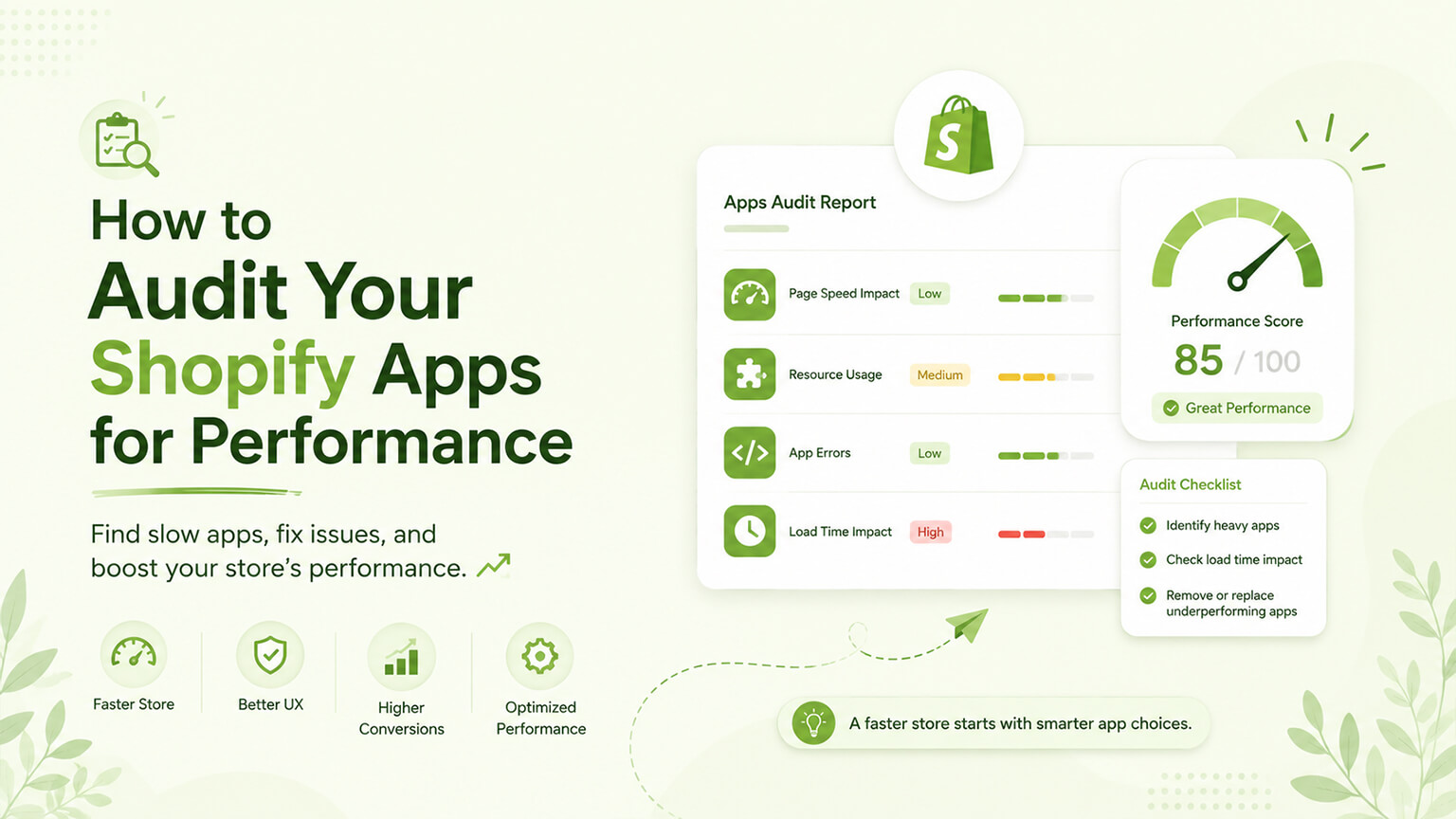
Apps are one of the leading causes of slow Shopify stores (as the app-speed discussion covers): each app tends to add JavaScript, CSS, requests, and weight to your storefront, and as apps accumulate, they collectively drag on performance — hurting Core Web Vitals, SEO, and conversion (as those discussions cover). But not all apps are equal: some are lightweight (minimal impact), while others are heavy (significant impact), and some add disproportionate weight for their value. The problem is that this impact is largely invisible — you don’t see an app’s performance cost in your admin — so heavy apps silently slow your store without you knowing which ones are the culprits. A performance audit of your apps makes the invisible visible: it identifies which apps impact performance and by how much, so you can act (removing, replacing, or optimising the heavy ones) rather than guessing. This is a specific, valuable exercise (part of the broader app-sprawl and speed work, as those discussions cover), and doing it methodically reveals where your app-related performance problems are. This piece covers how to audit your Shopify apps for performance: why it matters, how to do the audit, how to interpret it, and how to act on it. (This connects to the app-speed and app-sprawl discussions; this focuses on the performance audit specifically.)
This piece covers why an app performance audit matters, how to do the audit, how to interpret the results, and how to act on them. Because apps’ performance impact is largely invisible, and an audit reveals it so you can act. Let me walk through it.
Why an app performance audit matters
An app performance audit matters because app performance impact is real, significant, and largely invisible. Apps are a leading cause of slowness — apps are a leading cause of slow Shopify stores (adding JavaScript, CSS, requests, weight, as the app-speed discussion covers), and accumulated apps collectively drag on performance significantly — so apps are often where a store’s performance problems are. The impact is invisible — you don’t see an app’s performance cost in your Shopify admin (apps just appear installed), so which apps are slowing your store, and by how much, is invisible without investigation — meaning heavy apps silently hurt performance without you knowing the culprits. Not all apps are equal — apps vary widely in performance impact: some are lightweight (well-built, minimal), others heavy (poorly-built, or doing heavy things), and some add disproportionate weight for their value — so the impact isn’t uniform, and identifying the specific heavy apps matters (versus treating all apps the same). Performance matters (Core Web Vitals, SEO, conversion) — since performance affects Core Web Vitals, SEO, and conversion (as those discussions cover), the apps dragging performance are costing you (rankings, sales) — so identifying and addressing them has real value. Enables targeted action — an audit enables targeted action: identifying the specific heavy apps lets you act on them (remove, replace, optimise) precisely, versus guessing or treating all apps the same — targeted, effective performance improvement. Informs app decisions — knowing apps’ performance costs informs your app decisions (whether an app’s value justifies its performance cost, as the app-sprawl and build-vs-buy discussions cover), a factor in managing your app stack. And it’s often high-ROI — since apps are a leading performance cause and heavy apps are common, an app performance audit often reveals high-ROI improvements (heavy apps to remove/replace for significant speed gains), making it a valuable exercise. So an app performance audit matters because apps are a leading cause of slowness (and where performance problems often are), their impact is largely invisible (heavy apps silently slow the store), apps vary widely (so identifying the heavy ones matters), performance affects Core Web Vitals/SEO/conversion (so heavy apps cost you), the audit enables targeted action, it informs app decisions, and it’s often high-ROI. So auditing your apps for performance is a valuable exercise, revealing the invisible performance impact so you can act. The next section covers how to do it.
How to do the app performance audit
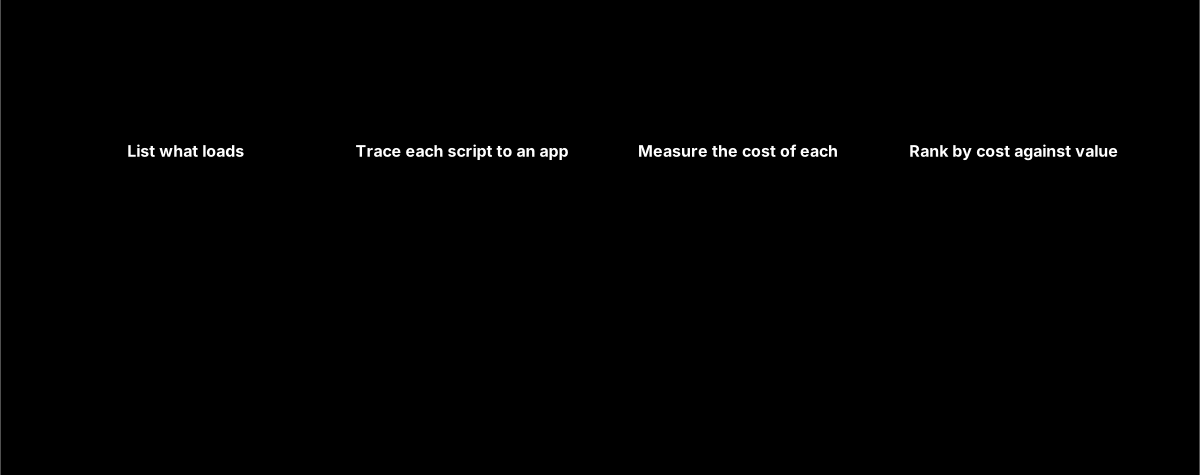
Auditing your apps for performance involves measuring their impact methodically. List your apps — start by listing all your installed apps (from the admin), the inventory to assess (as the app-sprawl discussion covers). Measure baseline performance — measure your store’s performance baseline (via PageSpeed Insights, Lighthouse, WebPageTest, as the speed discussions cover) on key pages (home, collection, product), so you have a baseline and can see the impact of apps. Identify what each app loads — for each app, identify what it loads on your storefront (the JavaScript, CSS, and requests it adds), which is what impacts performance. Methods: examine the page’s loaded resources (via browser developer tools — the Network and Coverage tabs show what’s loaded, from where, and its size; and Lighthouse/PageSpeed diagnostics flag heavy third-party scripts), attributing resources to apps (app scripts often come from identifiable app domains/sources). This reveals which apps load heavy resources. Test with apps disabled (where possible) — a more direct method: measure performance with an app disabled versus enabled (disabling an app and re-measuring shows its impact) — though this must be done carefully (ideally on a staging store, as that discussion covers, or cautiously, since disabling apps can affect functionality), and isn’t always cleanly possible. This directly measures an app’s impact. Use developer tools and diagnostics — use browser developer tools (Network, Coverage, Performance tabs) and Lighthouse/PageSpeed diagnostics (which flag heavy scripts, unused code, third-party impact) to see what’s loaded and its impact, attributing to apps. Identify the heavy apps — from this, identify the apps with the biggest performance impact (heaviest resources, most requests, most main-thread blocking — hurting LCP and INP, as the Core Web Vitals discussion covers) — the priority culprits. Check for leftover app code — check for leftover code from uninstalled apps (as the app-sprawl discussion covers), which adds weight even after removal — another audit finding. And consider a developer/expert — for a thorough, accurate audit (attributing resources to apps, measuring impact, interpreting diagnostics), a developer or performance expert can do it well (given the technical nature), especially for complex stores. So do the app performance audit by listing your apps, measuring your performance baseline, identifying what each app loads (via developer tools’ Network/Coverage tabs and Lighthouse/PageSpeed diagnostics, attributing resources to apps), testing with apps disabled where possible (carefully, on staging), using developer tools and diagnostics, identifying the heaviest apps (the priority culprits), checking for leftover app code, and considering a developer for a thorough audit. This methodical measurement reveals which apps impact performance and by how much. So do the audit methodically (or have a developer do it), getting the picture of your apps’ performance impact. The next section covers interpreting the results.
How to interpret the results
Interpreting the audit results turns the measurements into understanding. Identify the heavy hitters — identify the apps with the biggest performance impact (the heaviest resources, most requests, most main-thread-blocking JavaScript) — the “heavy hitters” dragging your performance most, and the priority targets. Weigh impact against value — for each impactful app, weigh its performance cost against its value (the benefit it provides): a heavy app delivering high value might be worth keeping (or optimising), while a heavy app of low or questionable value is a clear removal/replacement target (as the app-sprawl and build-vs-buy discussions cover) — the cost-value trade-off. Spot the disproportionate ones — spot apps adding disproportionate weight for their value (heavy apps doing simple/low-value things), which are prime targets (high cost, low value) — often the best opportunities. Identify unused/redundant heavy apps — identify heavy apps that are unused or redundant (as the app-sprawl discussion covers), which are clear wins to remove (heavy and unnecessary). Note leftover code — note leftover code from uninstalled apps (weight for no functionality), clear cleanup targets. Understand the aggregate — understand the aggregate picture: how much your apps collectively impact performance, and how much the heavy hitters contribute — so you grasp the scale of the app-related performance problem and the potential gains from addressing it. And prioritise — prioritise the findings: the heaviest, lowest-value, and unused/redundant apps (biggest impact, easiest to justify removing/replacing) are the priorities for action. So interpret the results by identifying the heavy hitters (biggest impact), weighing each impactful app’s cost against its value, spotting the disproportionate ones (heavy for low value — prime targets), identifying unused/redundant heavy apps (clear wins) and leftover code, understanding the aggregate impact, and prioritising the findings (heaviest, lowest-value, unused first). This interpretation turns the audit into a prioritised understanding of your app performance problems and the opportunities to fix them. So interpret the audit to identify your priority app-performance targets (heavy, low-value, unused apps, and leftover code), the basis for action. The next section covers acting on it.
How to act on the audit
Acting on the audit realises the performance gains. Remove unused and redundant heavy apps — remove the heavy apps that are unused or redundant (clear wins — heavy and unnecessary), cleaning up their leftover code too (as the app-sprawl discussion covers) — immediate performance and cost gains. Replace heavy, low-value apps — replace heavy apps of low or questionable value with lighter alternatives, native functionality, or custom code (build vs. buy, as those discussions cover) — reducing the bloat while keeping needed functionality. Optimise or reconsider heavy, high-value apps — for heavy apps delivering real value (worth keeping), see if they can be optimised (some apps have performance settings, or a developer can reduce their impact — e.g., loading only where needed), or reconsider if a lighter alternative exists — reducing their impact where possible. Clean up leftover code — clean up leftover code from uninstalled apps (weight for nothing), a clear win. Reduce app sprawl generally — use the audit as part of reducing app sprawl (as that discussion covers): the audit’s findings feed the broader effort to lean your app stack (removing, consolidating, replacing), improving performance and cutting cost. Re-measure to confirm — after acting (removing/replacing/optimising apps), re-measure performance (as the speed discussion covers) to confirm the improvements (better Core Web Vitals, faster pages) — verifying the gains. Prioritise high-impact actions — prioritise the high-impact, easy actions (removing unused heavy apps, cleaning leftover code, replacing heavy low-value apps) for the biggest gains for the effort. And make it ongoing — make app performance auditing part of ongoing app discipline and maintenance (as the app-sprawl and maintenance discussions cover — periodically re-auditing), so app performance stays managed (versus re-bloating). So act on the audit by removing unused/redundant heavy apps (and their leftover code), replacing heavy low-value apps (with lighter/native/custom alternatives), optimising or reconsidering heavy high-value apps, cleaning up leftover code, using the findings to reduce app sprawl generally, re-measuring to confirm the gains, prioritising high-impact easy actions, and making auditing ongoing. This turns the audit into realised performance improvements. So act on the audit’s findings — removing, replacing, and optimising the heavy apps, and cleaning up — realising the speed (and cost) gains, and keep it ongoing. So an app performance audit, acted on, is a high-ROI way to improve your store’s speed by addressing the app-related performance problems that are often a store’s biggest slowness cause.
A worked example: what an audit typically finds
Picture a store that feels sluggish and runs an app performance audit to find out why. The baseline (PageSpeed Insights on home, collection, and product pages) confirms poor Core Web Vitals, especially a slow LCP and laggy INP on mobile. Digging into the Network and Coverage tabs and the Lighthouse third-party diagnostics, and attributing loaded resources to apps, a familiar picture emerges. A “mega-menu” app is loading a large chunk of JavaScript on every page for navigation the theme could handle natively — heavy, and doing something not especially complex (a disproportionate heavy-for-low-value app). A reviews widget loads a lot of script even on pages with no reviews showing. Two apps are loading resources despite the store no longer using their features (unused heavy apps). An old analytics app duplicates what GA4 already does. And, tellingly, several kilobytes of leftover JavaScript and CSS are still loading from three apps that were uninstalled months ago (leftover code, weight for zero functionality).
Interpreting this with a cost-value lens gives a clear priority list: remove the two unused heavy apps and the redundant analytics app (clear wins), clean up the leftover code from the uninstalled apps (pure weight to delete), replace the heavy mega-menu app with native navigation plus light theme work (heavy-for-low-value, prime replacement), and look at loading the reviews widget only where reviews appear (optimising a useful-but-heavy app). The store works through the priorities — removing and cleaning up first (fast, easy, high-impact), then the replacement and optimisation — testing changes on staging where needed. Re-measuring afterward confirms the payoff: substantially less JavaScript, faster LCP, better INP on mobile, and improved Core Web Vitals overall, plus a lower monthly app bill from the removed apps. This is what audits typically surface — a mix of unused apps, leftover code, disproportionate heavy-for-low-value apps, and redundancy — and why they’re so often high-ROI: the culprits are usually a handful of identifiable apps and some invisible leftover cruft, and addressing them delivers real, measurable speed gains. The store then folds periodic re-auditing into its maintenance so the bloat doesn’t quietly creep back.
The bottom line
Apps are one of the leading causes of slow Shopify stores — each tends to add JavaScript, CSS, requests, and weight, and as apps accumulate, they collectively drag on performance, hurting Core Web Vitals, SEO, and conversion. But not all apps are equal (some lightweight, some heavy, some adding disproportionate weight for their value), and their performance impact is largely invisible — you don’t see an app’s cost in your admin, so heavy apps silently slow your store without you knowing the culprits. An app performance audit makes the invisible visible: it identifies which apps impact performance and by how much, enabling targeted action rather than guessing — a valuable, often high-ROI exercise (since apps are a leading performance cause and heavy apps are common). Do the audit by listing your apps, measuring your performance baseline (PageSpeed Insights, Lighthouse, WebPageTest on key pages), identifying what each app loads on your storefront (via browser developer tools’ Network and Coverage tabs and Lighthouse/PageSpeed diagnostics, attributing resources to apps), testing with apps disabled where possible (carefully, on a staging store), identifying the heaviest apps (the priority culprits, especially those blocking the main thread and hurting LCP and INP), and checking for leftover code from uninstalled apps — considering a developer for a thorough, accurate audit given its technical nature. Interpret the results by identifying the heavy hitters (biggest impact), weighing each impactful app’s performance cost against its value, spotting the disproportionate ones (heavy for low value — prime targets), identifying unused or redundant heavy apps (clear wins) and leftover code, understanding the aggregate impact, and prioritising (heaviest, lowest-value, unused first). Then act: remove unused and redundant heavy apps (cleaning up their leftover code), replace heavy low-value apps (with lighter alternatives, native functionality, or custom code), optimise or reconsider heavy high-value apps (worth keeping but reducing their impact where possible), clean up leftover code, use the findings to reduce app sprawl generally, re-measure to confirm the gains (better Core Web Vitals, faster pages), prioritise the high-impact easy actions for the biggest returns, and make app performance auditing part of ongoing app discipline and maintenance (periodically re-auditing so performance stays managed). Done this way — audit methodically, interpret with a cost-value lens, act on the priorities, and keep it ongoing — an app performance audit is a high-ROI way to improve your store’s speed by addressing the app-related performance problems that are often a store’s single biggest cause of slowness. Since that slowness costs you Core Web Vitals, SEO, and conversion, and since the impact is otherwise invisible, auditing your apps for performance is well worth doing.
Frequently asked questions
Why should I audit my apps for performance?
Because apps are one of the leading causes of slow Shopify stores, and their performance impact is largely invisible. Each app tends to add JavaScript, CSS, requests, and weight to your storefront, and as apps accumulate they collectively drag on performance — hurting Core Web Vitals, SEO, and conversion. But not all apps are equal (some are lightweight, others heavy, and some add disproportionate weight for their value), and you can’t see an app’s performance cost in your Shopify admin — so heavy apps silently slow your store without you knowing which ones are the culprits. An audit makes this invisible impact visible: it identifies which apps are slowing your store and by how much, so you can take targeted action (removing, replacing, or optimising the heavy ones) rather than guessing. Since apps are often a store’s biggest slowness cause and heavy apps are common, an audit frequently reveals high-ROI improvements.
How do I measure an app’s performance impact?
Methodically, using performance tools and developer tools. Start with a performance baseline (PageSpeed Insights, Lighthouse, or WebPageTest on your key pages). Then identify what each app loads on your storefront — the JavaScript, CSS, and requests it adds — using browser developer tools (the Network and Coverage tabs show what’s loaded, from where, and its size) and Lighthouse/PageSpeed diagnostics (which flag heavy third-party scripts and unused code), attributing resources to apps (app scripts often come from identifiable app domains). A more direct method is to measure performance with an app disabled versus enabled, which shows its specific impact — though do this carefully, ideally on a staging store, since disabling apps can affect functionality. Focus on identifying the apps with the biggest impact (heaviest resources, most requests, most main-thread-blocking JavaScript, which hurts LCP and INP). Given the technical nature, a developer or performance expert can do a thorough, accurate audit, especially for complex stores.
What do I do with a heavy app I find in the audit?
It depends on the app’s value versus its performance cost. If the heavy app is unused or redundant, remove it (and clean up its leftover code) — a clear win, since it’s costing performance for no benefit. If it’s a heavy app of low or questionable value, replace it with a lighter alternative, native Shopify functionality, or custom code (a build-vs-buy decision) — reducing the bloat while keeping any needed functionality. If it’s a heavy app that delivers real, high value (worth keeping), see whether it can be optimised (some apps have performance settings, or a developer can reduce its impact, such as loading it only where needed) or whether a lighter alternative exists. The key is weighing each impactful app’s performance cost against its value: heavy low-value and unused apps are the priority targets for removal or replacement, while heavy high-value apps you optimise or reconsider. After acting, re-measure to confirm the performance gains.
How often should I audit my apps for performance?
Make it part of your ongoing app discipline and maintenance rather than a one-time exercise, because app sprawl and its performance impact tend to accumulate over time. A periodic re-audit — for example, as part of regular maintenance, or whenever you’ve added several apps or notice performance slipping — catches new heavy apps and accumulated bloat before they significantly drag on your store. This fits within the broader practice of managing your app stack deliberately (as the app-sprawl discussion covers): adding apps thoughtfully, removing them when their need passes, and periodically auditing both which apps you have and their performance impact. Combined with performance budgets (limits on page weight and app impact), ongoing auditing keeps your store’s app-related performance managed over time rather than letting it gradually re-bloat after you’ve cleaned it up. So audit when you first tackle performance, then re-audit periodically to keep it in check.