
Keeping the Checkout on Shopify in a Headless Build
On this page
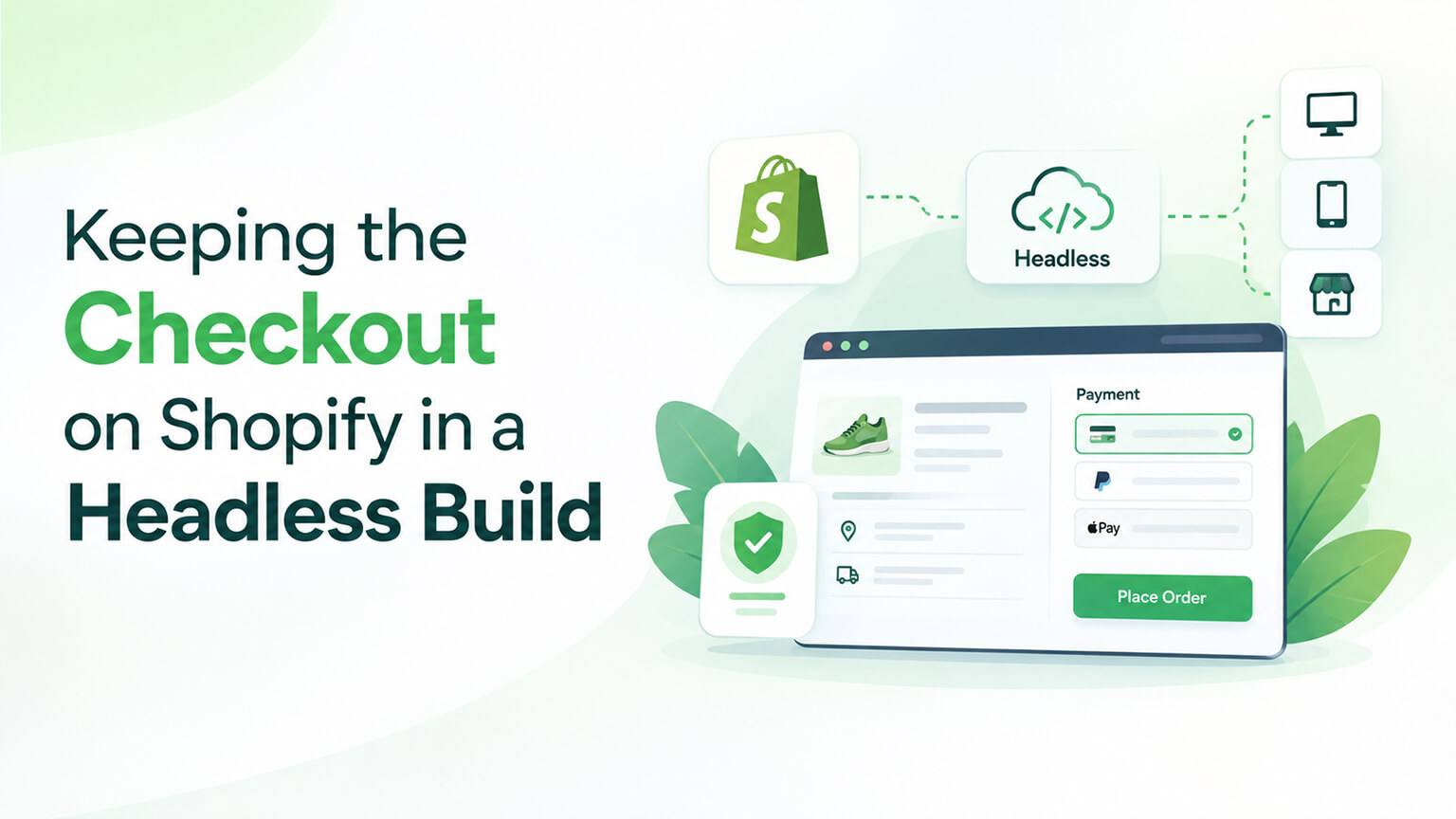
In a headless Shopify build, you build a custom storefront (the customer-facing store) using the Storefront API and a framework like Hydrogen or a custom front end, while the checkout typically stays on Shopify (using Shopify’s checkout). This is a defining characteristic of headless Shopify: the storefront is custom (headless), but the checkout remains on Shopify’s secure, converting, well-tested checkout — you don’t rebuild the checkout. This matters because the checkout is critical (security, PCI compliance, payment processing, conversion, reliability), and Shopify’s checkout is a major strength (secure, optimised, well-tested, feature-rich), so keeping it (rather than rebuilding) is usually the right choice — but it has implications (the storefront-to-checkout handoff, what’s customisable, the experience). Understanding keeping the checkout on Shopify in a headless build helps you build headless well. This piece covers keeping the checkout on Shopify in a headless build: why you keep it, how it works, what it means, and considerations. (This connects to the headless and Hydrogen/Oxygen discussions; this focuses on the checkout in headless.)
This piece covers why you keep the checkout on Shopify (the reasons), how it works (the storefront-to-checkout flow), what it means (implications, customisation, experience), and key considerations. Because keeping the checkout on Shopify is a defining part of headless Shopify, and understanding it helps you build headless well. Let me walk through it.
Why you keep the checkout on Shopify
Let’s cover why, in a headless Shopify build, you keep the checkout on Shopify (rather than rebuilding it). Security and PCI compliance — the checkout handles payments and sensitive data, requiring security and PCI compliance (a significant, critical burden); Shopify’s checkout is secure and PCI-compliant (Shopify handles this), so keeping it means you don’t take on the security/compliance burden of a custom checkout (a major reason) — security/compliance (a key reason). It’s well-tested and reliable — Shopify’s checkout is well-tested and reliable (used by many stores, battle-tested, dependable), so keeping it means a reliable checkout (versus a custom one you’d have to make reliable) — reliability. It’s optimised for conversion — Shopify’s checkout is optimised for conversion (well-designed, tested, converting — Shopify invests heavily in it, including Shop Pay and accelerated checkouts), so keeping it means a converting checkout (versus risking a custom one that converts worse), a key reason (the checkout is critical for conversion) — conversion optimisation. It’s feature-rich — Shopify’s checkout is feature-rich (payments, discounts, taxes, shipping, Shop Pay, and more, handled well), so keeping it means these features work (versus rebuilding them all) — features. It handles payments and processing — Shopify’s checkout handles payment processing (integrations, methods, processing), so keeping it means payments work (versus building payment handling) — payments. Rebuilding is hard and risky — rebuilding the checkout is hard (security, compliance, features, payments, conversion — all critical and complex) and risky (a custom checkout could be less secure, less converting, buggy — high stakes since the checkout is where money changes hands), so rebuilding is usually not worth it — the difficulty/risk (a strong reason to keep Shopify’s). Shopify supports keeping it — Shopify’s headless approach supports keeping the checkout on Shopify (the storefront is headless, checkout stays on Shopify — the standard pattern), so it’s the supported, standard approach — Shopify support. And it lets you focus on the storefront — keeping the checkout lets you focus your headless effort on the storefront (where headless adds value — custom experiences, performance) rather than the checkout (where Shopify already excels), a sensible division — focus. So you keep the checkout on Shopify in a headless build because of its security and PCI compliance (avoiding that critical burden), its reliability (well-tested), its conversion optimisation (a converting checkout), its rich features, its payment processing, the difficulty and risk of rebuilding (high stakes), Shopify’s support for this pattern, and the focus it allows (headless effort on the storefront, not the checkout). The core reasons are security/compliance, conversion, reliability, and the difficulty/risk of rebuilding the critical checkout. So keep the checkout on Shopify because it’s secure, compliant, reliable, converting, and feature-rich — and rebuilding it is hard and risky. The next section covers how it works. So you keep the checkout on Shopify for its security, compliance, reliability, conversion, and features — and because rebuilding the critical checkout is hard and risky.
How it works (the storefront-to-checkout flow)
Let’s cover how keeping the checkout on Shopify works in a headless build (the flow). Custom headless storefront — you build a custom storefront (the customer-facing store — home, product, collection, cart pages) using the Storefront API and a framework (Hydrogen or custom), giving the custom, headless front-end experience (as the headless discussions cover) — the storefront (custom/headless). Cart via the Storefront API — the cart is managed via the Storefront API (adding items, managing the cart in your headless storefront), so the storefront handles the cart (customers build their cart in your custom storefront) — cart (Storefront API). Handoff to Shopify checkout — when the customer proceeds to checkout, they’re handed off to Shopify’s checkout (the storefront directs them to Shopify’s checkout — typically via a checkout URL from the cart), so they move from your custom storefront to Shopify’s checkout — the handoff (storefront to Shopify checkout). Checkout on Shopify — the customer completes checkout on Shopify’s checkout (Shopify’s secure, converting checkout handles the rest — payment, order), so the critical checkout happens on Shopify — checkout (on Shopify). Order in Shopify — the order is created and managed in Shopify (Shopify’s checkout creates the order in your Shopify admin, as normal), so orders flow into Shopify (order management as usual) — orders (in Shopify). So the flow: custom headless storefront (built with the Storefront API and a framework) → cart managed via the Storefront API → handoff to Shopify’s checkout (via a checkout URL) when the customer proceeds → checkout completed on Shopify’s checkout → order created in Shopify. The key is the handoff: the custom storefront hands off to Shopify’s checkout at the checkout step, so the storefront is headless but the checkout is on Shopify. Note the handoff means customers move from your custom storefront (your domain/experience) to Shopify’s checkout (which can be customised/branded to some extent, as the next section covers, but is Shopify’s checkout) — a transition to be aware of (though it can be made reasonably seamless, especially with branding and, on Plus, more customisation) — the handoff experience (a consideration). So keeping the checkout on Shopify works via a custom headless storefront (Storefront API and framework) that manages the cart and hands off to Shopify’s checkout at the checkout step, where the customer completes checkout and the order is created in Shopify. The next section covers what this means. So it works via a custom storefront that hands off to Shopify’s checkout at checkout — headless storefront, Shopify checkout, connected by the handoff.
What it means (implications, customization, experience)
Let’s cover what keeping the checkout on Shopify means for your headless build. The checkout is Shopify’s (not fully custom) — the checkout is Shopify’s checkout (not a fully custom checkout matching your storefront exactly), so while the storefront is fully custom, the checkout is Shopify’s (customisable to a degree, but Shopify’s), an implication (you don’t fully control the checkout as you do the storefront) — the checkout isn’t fully custom (an implication and, for some, a limitation). Checkout customisation is limited (but exists) — you can customise Shopify’s checkout to a degree (branding — logos, colours, fonts; and, on Shopify Plus, more customisation via checkout extensibility — UI extensions, as those discussions cover), so the checkout can be branded and somewhat customised (more so on Plus), but not fully custom like the storefront — customisation (limited, more on Plus). The handoff/transition — there’s a handoff/transition from your custom storefront to Shopify’s checkout (customers move from your storefront experience to the checkout), which can be made reasonably seamless (branding the checkout, so it’s not jarring) but is a transition (a consideration for experience) — the transition (a consideration). You get security/conversion/reliability for free — you get Shopify’s checkout security, PCI compliance, conversion optimisation, and reliability “for free” (you don’t build or maintain these — a major benefit), so the critical checkout is handled well without your effort — benefits (a major upside). Simpler headless build — keeping the checkout simplifies the headless build (you build the storefront, not the checkout — less to build, and you avoid the hard/risky checkout), so headless is more feasible (you’re not rebuilding everything) — simpler build (a benefit). Focus on the storefront — you focus your effort and customisation on the storefront (where headless adds value — custom experiences, performance), while the checkout stays on Shopify (where it’s already excellent), a sensible focus — focus (storefront). For most, a good trade-off — for most stores, keeping the checkout on Shopify is a good trade-off (the storefront is custom where it matters for experience/brand/performance, and the checkout is Shopify’s where security/conversion/reliability matter and rebuilding is risky), so it’s usually the right choice — the trade-off (usually good). Plus for more checkout customisation — if you need more checkout customisation, Shopify Plus offers checkout extensibility (more customisation of Shopify’s checkout — UI extensions, as those discussions cover), so Plus can extend checkout customisation while keeping it on Shopify — Plus (for more customisation). So keeping the checkout on Shopify means the checkout is Shopify’s (not fully custom, though brandable and, on Plus, more customisable), there’s a handoff/transition from storefront to checkout (make it seamless via branding), you get Shopify’s checkout security/conversion/reliability “for free,” the headless build is simpler (build the storefront, not the checkout), you focus effort on the storefront, and for most it’s a good trade-off (custom storefront, Shopify’s excellent checkout) — with Plus offering more checkout customisation if needed. So keeping the checkout means Shopify’s excellent (brandable, Plus-customisable) checkout with a storefront-to-checkout handoff — a simpler build and a good trade-off for most. The next section covers considerations. So keeping the checkout means Shopify’s secure, converting checkout (brandable/Plus-customisable) with a handoff — a simpler build and good trade-off, with Plus for more checkout customisation.
Key considerations for keeping the checkout on Shopify
If you’re building headless and keeping the checkout on Shopify, keep these considerations in mind. Brand the checkout — brand Shopify’s checkout (logos, colours, fonts) so it matches your storefront reasonably (making the handoff less jarring, a more cohesive experience), a key step (brand the checkout for cohesion) — branding (do it). Make the handoff smooth — make the storefront-to-checkout handoff as smooth as possible (branding, and ensuring the transition works well), so the experience is cohesive (versus a jarring transition) — smooth handoff. Consider Plus for more customisation — if you need more checkout customisation (beyond branding — custom fields, logic, UI), consider Shopify Plus (checkout extensibility, as those discussions cover), which extends checkout customisation while keeping it on Shopify — Plus (if needed). Accept the trade-off — accept that the checkout is Shopify’s (not fully custom) — this is the trade-off of headless-with-Shopify-checkout (and usually a good one, given the security/conversion/reliability benefits and the difficulty/risk of rebuilding), so don’t expect a fully custom checkout (unless you go fully custom, which is hard/risky) — accept the trade-off. Test the full flow — test the full flow (storefront → cart → handoff → checkout → order), ensuring it works end to end (the handoff works, checkout completes, orders flow in), a key step (test the whole journey) — testing (full flow). Ensure the cart-to-checkout works — ensure the cart-to-checkout handoff works correctly (the cart from your storefront carries into Shopify’s checkout properly — via the Storefront API and checkout URL), a key technical point (the handoff must work) — cart-to-checkout (get it right). Get expert help — headless (including the storefront-to-checkout integration) is complex, so getting expert help (a headless developer/agency, as the headless discussions cover) helps you build it well (including the checkout handoff) — expert help. Weigh headless overall — remember keeping the checkout is part of the broader headless decision (headless is complex and costly, worth it for specific needs, as the headless discussions cover), so weigh headless overall (keeping the checkout is one aspect) — headless decision (the broader context). And know it’s the standard, supported pattern — know that keeping the checkout on Shopify is the standard, supported headless pattern (Shopify supports and recommends it), so it’s the well-trodden path (versus rebuilding, which is off the beaten path and risky) — standard pattern (reassurance). So for keeping the checkout on Shopify: brand the checkout (for cohesion), make the handoff smooth, consider Plus for more customisation (if needed), accept the trade-off (Shopify’s checkout, usually a good deal), test the full flow, ensure the cart-to-checkout handoff works, get expert help (headless is complex), weigh headless overall (the broader decision), and know it’s the standard, supported pattern. The keys are branding the checkout, making the handoff smooth, testing the full flow, and accepting the (usually good) trade-off. So keep the checkout on Shopify well by branding it, making the handoff smooth, testing the flow, and accepting the good trade-off — with Plus and expert help as needed. So keep the checkout on Shopify well via branding, a smooth handoff, testing, and accepting the trade-off — the standard, supported, sensible headless pattern.
The bottom line
In a headless Shopify build, you build a custom storefront (the customer-facing store — home, product, collection, and cart pages, using the Storefront API and a framework like Hydrogen or a custom front end) while the checkout typically stays on Shopify — its secure, converting, well-tested checkout — rather than being rebuilt. This is a defining characteristic of headless Shopify, and keeping the checkout on Shopify is usually the right choice. You keep it because of its security and PCI compliance (avoiding that critical, complex burden), its reliability (Shopify’s checkout is battle-tested across many stores), its conversion optimisation (Shopify invests heavily in a converting checkout, including Shop Pay and accelerated checkouts), its rich features (payments, discounts, taxes, shipping, and more, handled well), and its payment processing — while rebuilding the checkout is hard and risky (security, compliance, features, payments, and conversion are all critical and complex, and a custom checkout could be less secure, less converting, or buggy, with high stakes since it’s where money changes hands). It works via a flow: a custom headless storefront (built with the Storefront API and a framework) manages the cart (via the Storefront API) and, when the customer proceeds to checkout, hands off to Shopify’s checkout (typically via a checkout URL), where the customer completes checkout and the order is created in your Shopify admin. The key is that handoff — the storefront is headless, but the checkout is on Shopify, connected at the checkout step. What this means: the checkout is Shopify’s (not fully custom like the storefront, though it can be branded — logos, colours, fonts — and, on Shopify Plus, customised further via checkout extensibility and UI extensions); there’s a handoff/transition from your custom storefront to Shopify’s checkout (make it as seamless as possible via branding); you get Shopify’s checkout security, PCI compliance, conversion optimisation, and reliability essentially “for free”; the headless build is simpler (you build the storefront, not the risky checkout); you focus your effort on the storefront (where headless adds value); and for most stores this is a good trade-off (a custom storefront where experience, brand, and performance matter, and Shopify’s excellent checkout where security, conversion, and reliability matter and rebuilding is risky). For keeping the checkout on Shopify well: brand the checkout for cohesion, make the storefront-to-checkout handoff smooth, consider Plus if you need more checkout customisation, accept the trade-off (the checkout is Shopify’s — usually a good deal), test the full flow end to end (storefront → cart → handoff → checkout → order), ensure the cart-to-checkout handoff works correctly, get expert help (headless is complex), weigh the broader headless decision (keeping the checkout is one aspect of choosing headless at all), and know that keeping the checkout on Shopify is the standard, supported, recommended headless pattern. So in a headless Shopify build, keep the checkout on Shopify — it’s secure, compliant, reliable, converting, and feature-rich, and rebuilding it is hard and risky — building your custom storefront where headless adds value while letting Shopify’s checkout do what it does best, connected by a smooth, well-tested handoff.
Frequently asked questions
Why keep the checkout on Shopify in a headless build?
Because Shopify’s checkout is excellent and rebuilding it is hard and risky. Shopify’s checkout is secure and PCI-compliant (handling payments and sensitive data, a critical and complex burden you avoid taking on), well-tested and reliable (battle-tested across many stores), optimised for conversion (Shopify invests heavily in a converting checkout, including Shop Pay and accelerated options), feature-rich (payments, discounts, taxes, shipping, and more, all handled well), and it handles payment processing. Rebuilding the checkout yourself would mean taking on all of that — security, PCI compliance, features, payment processing, and conversion optimisation — which is hard and risky, since a custom checkout could end up less secure, less converting, or buggy, and the stakes are high because the checkout is where money changes hands. So keeping the checkout on Shopify lets you get its security, compliance, reliability, and conversion “for free,” simplifies your headless build (you build the storefront, not the checkout), and lets you focus your headless effort on the storefront, where it actually adds value. For the large majority of stores, that’s the right trade-off, which is why it’s the standard, supported headless pattern.
How does the checkout work in a headless Shopify build?
There’s a handoff from your custom storefront to Shopify’s checkout. You build a custom headless storefront (home, product, collection, and cart pages) using the Storefront API and a framework like Hydrogen or a custom front end, and you manage the cart via the Storefront API. When the customer proceeds to checkout, your storefront hands them off to Shopify’s checkout — typically via a checkout URL generated from the cart — and the customer completes the checkout on Shopify’s secure, converting checkout. The order is then created and managed in your Shopify admin as normal. So the flow is: custom headless storefront → cart managed via the Storefront API → handoff to Shopify’s checkout when the customer proceeds → checkout completed on Shopify → order created in Shopify. The key is that handoff at the checkout step: the storefront is headless and fully custom, but the checkout stays on Shopify, and the two are connected by the cart-to-checkout handoff, which you need to make sure works correctly and feels as smooth as possible (branding the checkout helps).
Can I customize the Shopify checkout in a headless build?
To a degree, yes — but it’s not fully custom like your storefront. You can brand Shopify’s checkout (logos, colours, fonts) so it matches your storefront reasonably well and the handoff isn’t jarring, and on Shopify Plus you can customise it further through checkout extensibility (UI extensions that let you add custom fields, content, and some logic to the checkout). So the checkout can be branded and, on Plus, meaningfully customised — but it remains Shopify’s checkout, not a fully custom one built to match your storefront exactly. That’s the trade-off of keeping the checkout on Shopify, and it’s usually a good one: you get the security, PCI compliance, conversion optimisation, and reliability of Shopify’s checkout in exchange for not having full control over its every detail. If you need more checkout customisation than branding provides, Shopify Plus’s checkout extensibility is the path — it extends what you can do while keeping the checkout on Shopify’s secure, converting infrastructure.
Should I ever build a fully custom checkout instead?
Rarely, and only with good reason and expert help — for most stores it’s not worth it. Building a fully custom checkout means taking on the security, PCI compliance, payment processing, features, reliability, and conversion optimisation that Shopify’s checkout already handles well, all for the most critical, high-stakes part of the store (where money changes hands). The risk is significant: a custom checkout could be less secure, less converting, or buggy, and the effort and ongoing maintenance are substantial. For the vast majority of stores, keeping the checkout on Shopify (branded, and customised via Plus’s checkout extensibility if needed) is the better choice — it’s the standard, supported pattern precisely because it gives you Shopify’s excellent checkout without the difficulty and risk of rebuilding it. If you have very specific requirements that can’t be met even with Plus’s checkout extensibility, discuss a custom approach with an experienced headless developer or agency, weigh the significant costs and risks carefully, and treat it as an exception rather than the norm.