
Handling Redirects During a Shopify Migration
On this page
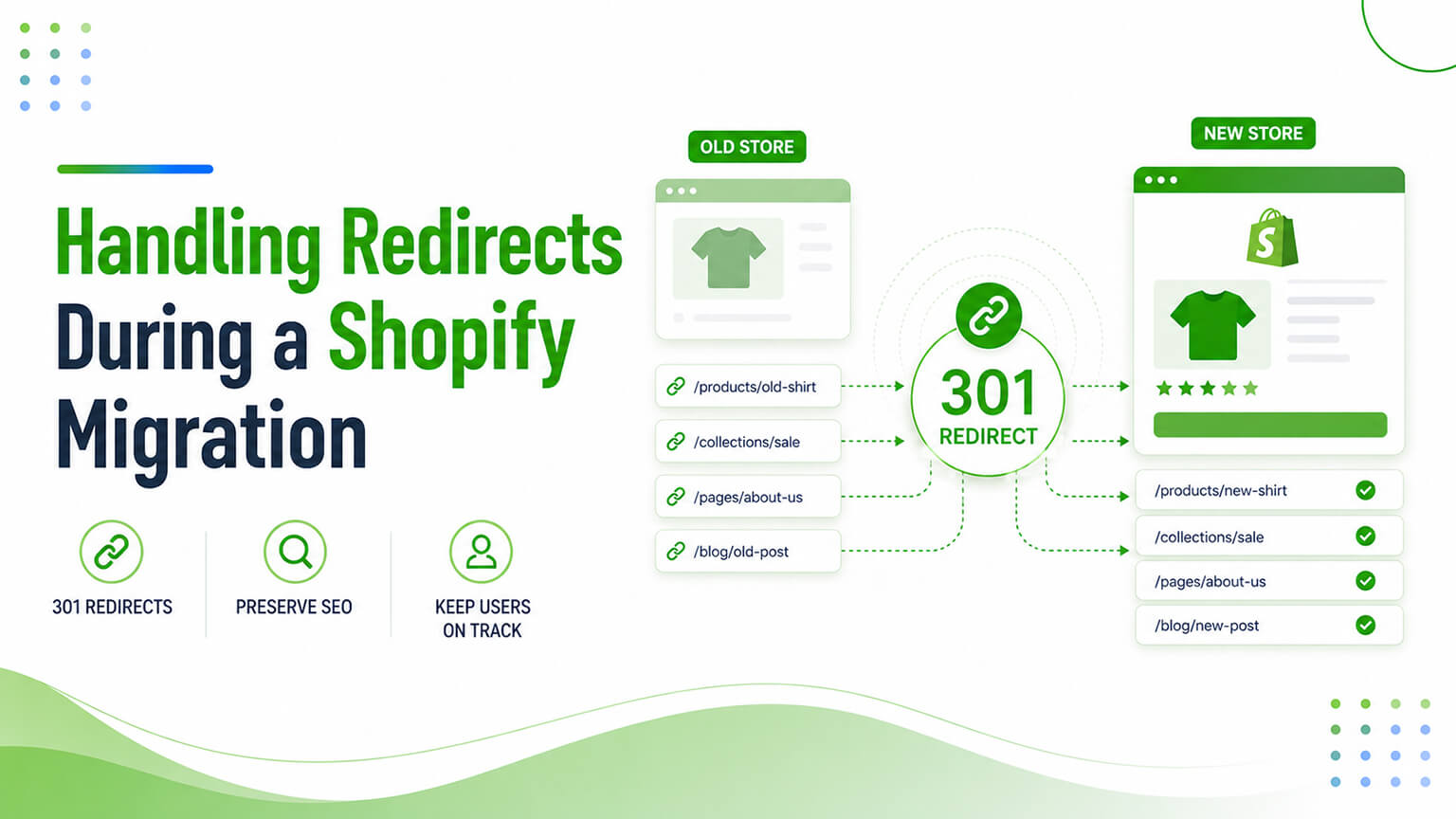
When you migrate to Shopify (from another platform, or to a new Shopify store or structure), one task matters more than almost any other for protecting your SEO: redirects. If your URLs change in the migration — and they usually do, at least somewhat — every old URL that had rankings, links, and traffic needs to redirect to its new equivalent, or you lose that SEO value. Get redirects right, and you carry your rankings, link authority, and traffic across the migration smoothly. Get them wrong — missing redirects, redirecting to the wrong places, using the wrong redirect type — and you can lose significant rankings and traffic (sometimes catastrophically), as search engines hit dead ends (404s) where ranked pages used to be, and the link authority and rankings those pages had evaporate. Redirects are the make-or-break SEO task in a migration, and they’re very often where migrations go wrong (an under-prioritised or rushed redirect job causing traffic loss). So handling redirects properly — mapping every old URL to its new equivalent and implementing correct 301 redirects — is essential. This piece covers how to do it right. (This connects to the migration discussions — WooCommerce, Magento, etc. — which cover migrations broadly; this focuses on redirects specifically.)
This piece covers why redirects matter so much in a migration, how to map redirects (the critical planning step), how to implement them on Shopify, and how to verify and avoid the common mistakes. Because redirects are make-or-break for migration SEO, and doing them right protects your rankings and traffic. Let me walk through it.
Why redirects matter so much in a migration
Redirects matter enormously in a migration because of what’s at stake when URLs change. URLs change in migrations — migrations usually change URLs (a new platform, structure, or store has different URL formats), so your old URLs (which had rankings, links, and traffic) won’t exist at the same addresses on the new store. The SEO value is attached to URLs — your rankings, accumulated link authority (backlinks pointing to your URLs), and the traffic from search are attached to specific URLs; when those URLs change without redirects, that value is lost (the old URLs 404, and their rankings and link authority don’t transfer to the new URLs). Redirects transfer the value — a 301 redirect (permanent redirect) from an old URL to its new equivalent tells search engines “this content moved here permanently,” transferring most of the ranking signals and link authority to the new URL, and sending visitors (and search crawlers) from the old URL to the new one — so the SEO value carries across. Without redirects: lost value — without redirects, old URLs return 404 (not found), search engines drop them (and their rankings), the link authority pointing to them is wasted (links to 404s pass no value), and traffic to those URLs is lost — potentially a major SEO and traffic hit. The common failure — missing or botched redirects are one of the most common (and most damaging) migration mistakes, causing traffic and ranking loss that’s sometimes severe and slow to recover from. So redirects matter because the SEO value (rankings, link authority, traffic) is attached to your old URLs, and when migration changes those URLs, only proper 301 redirects transfer that value to the new URLs — without them, the value is lost. This is why redirects are the make-or-break migration SEO task, and why doing them right is essential. So treat redirects as a top-priority, can’t-get-wrong part of any migration.
How to map redirects (the critical planning step)
The critical planning step is mapping redirects — determining, for every old URL, its new equivalent to redirect to. Inventory all old URLs — start by inventorying all your old URLs: every page that exists on the old store (products, collections/categories, content pages, blog posts, and any other URLs), especially those with rankings, traffic, or backlinks. Use a crawl (a tool crawling the old site), your sitemap, analytics (URLs with traffic), and Search Console (URLs with rankings/impressions) to compile a complete list — missing URLs from the inventory means missing redirects. Identify the new equivalents — for each old URL, identify its new equivalent on the new store (the new URL for that product, collection, page, post) — the destination the old URL should redirect to. Map them — create the redirect map: a list pairing each old URL with its new equivalent (old URL → new URL), the blueprint for implementing redirects. Handle the cases — handle the various cases: direct equivalents (old product → new product URL), changed structures (old category → new collection), consolidated/removed pages (redirect to the most relevant equivalent or a sensible parent, not just the homepage), and ensure every old URL with value has a sensible redirect destination. Prioritise by value — prioritise mapping the URLs with the most SEO value (rankings, traffic, backlinks), ensuring those critical URLs are definitely mapped and redirected (while aiming to map all). And don’t redirect everything to the homepage — a key principle: redirect each old URL to its most relevant new equivalent (not lazily to the homepage), since redirecting to the homepage loses the relevance (search engines treat homepage-redirects of deep pages as soft-404s, not transferring value well). So map redirects by inventorying all old URLs (comprehensively, using crawls, sitemaps, analytics, Search Console), identifying each one’s new equivalent, creating the old→new redirect map, handling all the cases (direct, changed, consolidated), prioritising high-value URLs, and redirecting each to its relevant equivalent (not the homepage). This mapping is the critical, often-laborious planning step — get it complete and correct, and implementation is straightforward; skip or rush it, and you’ll miss redirects and lose value. So invest the effort in a complete, correct redirect map — it’s the foundation of migration SEO protection.
How to implement redirects on Shopify
With the map ready, implement the redirects on Shopify. 301 (permanent) redirects — use 301 (permanent) redirects, which tell search engines the move is permanent and transfer ranking signals/link authority (versus 302 temporary redirects, which don’t transfer value the same way — use 301 for migrations). Shopify’s URL redirects — Shopify has a built-in URL redirects feature (in the admin, under navigation/URL redirects) where you can create redirects (old path → new path), suitable for implementing your redirect map. Bulk import — for many redirects (a typical migration has many), Shopify supports bulk importing redirects (via CSV upload), so you can implement the whole redirect map efficiently rather than one-by-one — essential for migrations with many URLs. Redirects from the old platform — if migrating from another platform on a different domain, redirects may need to be handled at the domain/server level for the old domain (redirecting old-domain URLs to the new Shopify URLs), in addition to or instead of Shopify’s redirects, depending on the domain setup — a technical consideration to handle correctly. Handle the domain/structure — ensure the redirect implementation matches your domain and structure situation (same domain new structure, or new domain), implementing redirects at the right level. And apps for complex cases — for complex redirect needs (pattern-based redirects, large-scale, advanced rules), redirect apps or developer implementation may help, though Shopify’s native redirects (with bulk import) handle most migration cases. So implement redirects on Shopify using 301 (permanent) redirects (to transfer value), via Shopify’s built-in URL redirects feature with bulk CSV import (for the many redirects a migration needs), handling the domain/structure situation correctly (including old-domain redirects if migrating domains), with apps or developer help for complex cases. The keys are using 301s (not 302s), bulk-importing the redirect map efficiently, and handling the domain situation correctly. So implement the mapped redirects as 301s via Shopify’s redirects (bulk import), correctly for your domain situation — putting the redirect map into effect.
How to verify and avoid common mistakes
After implementing, verify the redirects and avoid the common mistakes. Verify redirects work — test that the redirects work: old URLs redirect (301) to the correct new URLs (spot-check, and ideally check comprehensively via a crawl or redirect-checking tool), so you confirm the redirects are in place and correct before and after launch. Check for 404s — after migration, monitor for 404s (old URLs not redirecting, via Search Console’s coverage report and crawls), catching missed redirects (old URLs that should redirect but 404), and add the missing redirects. Monitor rankings/traffic — monitor rankings and traffic after migration (expecting some temporary fluctuation, but watching for significant drops that indicate redirect problems), so you catch and fix issues. Common mistakes to avoid — avoid the common mistakes: missing redirects (incomplete mapping — the biggest mistake, causing lost value), redirecting to the homepage instead of relevant equivalents (loses value), using 302 instead of 301 (doesn’t transfer value), redirect chains (old → intermediate → final; redirect directly to the final URL, avoiding chains), redirect loops (errors), and not verifying (assuming redirects work without checking). Verify comprehensively — given the stakes, verify comprehensively (crawl the old URL list to confirm all redirect correctly, check Search Console for 404s, monitor rankings/traffic), since missed or broken redirects are costly. And keep redirects in place — keep the redirects in place permanently (don’t remove them later, as old URLs may still have links/traffic), maintaining the value transfer. So verify by testing redirects work (comprehensively, via crawls and tools), checking for 404s (catching missed redirects), and monitoring rankings/traffic — while avoiding the common mistakes (missing redirects, homepage-redirects, 302s, chains, loops, not verifying) and keeping redirects in place permanently. The verification is essential (given the stakes — confirming the make-or-break task worked), as is avoiding the common mistakes that cause migration traffic loss. So verify thoroughly and avoid the mistakes, ensuring the redirects correctly protect your SEO through the migration. Often, given the stakes and the technical detail, an SEO or developer handles or oversees migration redirects — worth it for protecting your traffic.
A worked example: a migration that protected its traffic
Picture a store migrating off an old platform onto Shopify, with a few thousand URLs and a healthy amount of organic traffic and backlinks it couldn’t afford to lose. Here’s how a disciplined redirect job protected it. Weeks before launch, the team built the redirect map as a dedicated workstream — not an afterthought. They crawled the old site to capture every URL, cross-referenced that with the old sitemap, pulled the URLs that actually drove traffic from analytics, and pulled the URLs with rankings and backlinks from Search Console — combining all of it into one master list so nothing with value was missed. For each old URL they identified the new Shopify equivalent: products mapped to new product URLs, old categories to new collections, content pages to their new homes. Consolidated or discontinued products were mapped to the most relevant remaining product or parent collection — never the homepage. High-value URLs (top traffic, strong backlinks) were double-checked.
At launch, they implemented the whole map as 301 redirects via Shopify’s URL redirects, using bulk CSV import to handle the thousands of redirects efficiently rather than one at a time, and — because they were also changing domains — ensured the old domain’s URLs redirected across to the new Shopify store at the right level. Then they verified hard: crawled the entire old URL list to confirm every one returned a 301 to the correct new URL (catching and fixing a batch that had mapped incorrectly), watched Search Console’s coverage report for 404s in the days after launch (adding the few stragglers they’d missed), and monitored rankings and traffic closely. The result was the goal of any migration: after the normal short period of fluctuation as Google reprocessed everything, rankings and traffic held — the SEO value carried across because the redirects carried it. Contrast that with the all-too-common alternative (a rushed, incomplete redirect job discovered only when traffic craters weeks later, by which point recovery is slow and painful), and the lesson is clear: redirects deserve to be treated as a major, planned, verified workstream of the migration, because that discipline is exactly what separates migrations that protect their traffic from those that lose it.
Beyond redirects: the rest of migration SEO
While redirects are the single most make-or-break SEO task in a migration, it’s worth situating them in the broader migration-SEO picture so nothing else slips. Redirects protect the value attached to your old URLs, but a migration also needs the new store to be SEO-healthy in its own right (as the broader migration discussions cover): preserving or improving your page titles, meta descriptions, and heading structure rather than losing them in the move; carrying over or rebuilding your structured data; ensuring the new store is crawlable and indexable (not accidentally left on a “noindex” or blocked in robots.txt, a surprisingly common launch mistake); submitting the new sitemap to Search Console; and confirming canonicalisation is correct on the new structure (as the canonical-tags discussion covers).
It’s also wise to time and manage the launch well: avoid launching during your peak season if you can, so any temporary fluctuation doesn’t hit your biggest revenue period; expect and tolerate a short period of ranking volatility as search engines recrawl and reprocess the new store; and keep monitoring (rankings, traffic, 404s, indexation) for weeks afterward so you catch any issue while it’s still fixable. Redirects are the foundation — get them complete and correct and you’ve protected the bulk of your SEO value — but the migration also succeeds or fails on these surrounding details, so treat migration SEO as a complete checklist (redirects first and foremost, plus on-page preservation, crawlability, sitemaps, canonicals, timing, and monitoring) rather than redirects alone. The stores that come through migrations with their SEO intact are the ones that planned the whole picture, led by a thorough, verified redirect job, rather than treating any of it as something to sort out after launch.
The bottom line
When you migrate to Shopify, redirects are the make-or-break SEO task: if your URLs change in the migration (as they usually do), every old URL with rankings, links, and traffic needs a proper 301 redirect to its new equivalent, or you lose that SEO value — search engines hit 404s where ranked pages were, and the rankings and link authority evaporate. Redirects matter because your SEO value (rankings, accumulated link authority, search traffic) is attached to specific URLs, and only proper 301 (permanent) redirects transfer that value to the new URLs when migration changes them — without redirects, old URLs 404, their rankings drop, their backlink authority is wasted, and their traffic is lost, often severely. Missing or botched redirects are one of the most common and most damaging migration mistakes. So handle them properly. The critical planning step is mapping redirects: inventory all old URLs comprehensively (using crawls, sitemaps, analytics, and Search Console — missing URLs means missing redirects), identify each one’s new equivalent, create the old→new redirect map, handle all the cases (direct equivalents, changed structures, consolidated/removed pages), prioritise high-value URLs, and redirect each old URL to its most relevant new equivalent (never lazily to the homepage, which loses the value). Implement the redirects on Shopify as 301 (permanent) redirects — using Shopify’s built-in URL redirects feature with bulk CSV import (essential for the many redirects a migration needs), handling your domain and structure situation correctly (including old-domain redirects if changing domains), with apps or developer help for complex cases. Then verify thoroughly: test that redirects work (comprehensively, via crawls and redirect-checking tools), check for 404s after migration (via Search Console and crawls, catching missed redirects), and monitor rankings and traffic — while avoiding the common mistakes (missing redirects, redirecting to the homepage, using 302s instead of 301s, redirect chains and loops, not verifying) and keeping redirects in place permanently. Given the stakes and technical detail, migration redirects are often best handled or overseen by an SEO or developer. Do redirects right — complete mapping, correct 301 implementation, thorough verification — and you carry your rankings, link authority, and traffic across the migration smoothly; get them wrong, and you can lose significant traffic that’s slow to recover. Redirects are where migrations are won or lost for SEO, so treat them as the top-priority, can’t-get-wrong task they are.
Frequently asked questions
Why are redirects so important in a Shopify migration?
Because your SEO value — rankings, accumulated link authority from backlinks, and search traffic — is attached to your specific URLs, and migrations usually change those URLs. When a ranked URL changes without a redirect, the old URL returns a 404 (not found), search engines drop it and its rankings, the backlinks pointing to it pass no value (links to 404s are wasted), and its traffic is lost. A proper 301 (permanent) redirect from the old URL to its new equivalent tells search engines the content moved permanently, transferring most of the ranking signals and link authority to the new URL and sending visitors and crawlers there. So redirects are what carry your SEO value across the migration — without them, you lose it, often severely. That’s why they’re the make-or-break migration SEO task.
What kind of redirect should I use for a migration?
301 (permanent) redirects. A 301 tells search engines that the content has moved permanently to the new URL, which transfers most of the ranking signals and link authority from the old URL to the new one — exactly what you want in a migration. Avoid 302 (temporary) redirects for migrations, because they signal a temporary move and don’t transfer SEO value the same way, so using them would fail to carry your rankings and link authority across. Also avoid redirect chains (old URL → intermediate URL → final URL) by redirecting each old URL directly to its final new equivalent, and avoid redirect loops. So use direct 301 redirects from each old URL to its final new equivalent — that’s what properly transfers your SEO value in a migration.
Should I just redirect old URLs to my homepage?
No — this is a common and damaging mistake. Each old URL should redirect to its most relevant new equivalent (the new URL for that specific product, collection, page, or post), not lazily to the homepage. Redirecting many deep pages to the homepage loses the relevance, and search engines often treat such redirects as “soft 404s” — effectively not-found — so they don’t transfer the ranking value, defeating the purpose. The whole point of redirects is to send each old URL’s value (and its visitors) to the equivalent content on the new store, which only works if the redirect goes to the relevant new page. For consolidated or removed pages with no exact equivalent, redirect to the most relevant alternative or a sensible parent category — but always to relevant content, not a blanket homepage redirect.
How do I make sure I haven’t missed any redirects?
Through comprehensive mapping and verification. When mapping, inventory all your old URLs completely — use a site crawl, your old sitemap, analytics (URLs with traffic), and Search Console (URLs with rankings and impressions and backlinks) to compile a complete list, since any URL missing from your inventory means a missing redirect. After implementing, verify thoroughly: crawl your old URL list to confirm each one redirects (301) to the correct new URL, check Google Search Console’s coverage report for 404 errors (which reveal old URLs that should redirect but don’t), and use redirect-checking tools to audit comprehensively. Then monitor rankings and traffic after migration — significant unexpected drops can indicate missed or broken redirects to investigate and fix. Given the stakes, this verification is essential, and migration redirects are often best handled or overseen by an SEO or developer.