
Custom Shopify App vs. Public App: Which Do You Need?
On this page
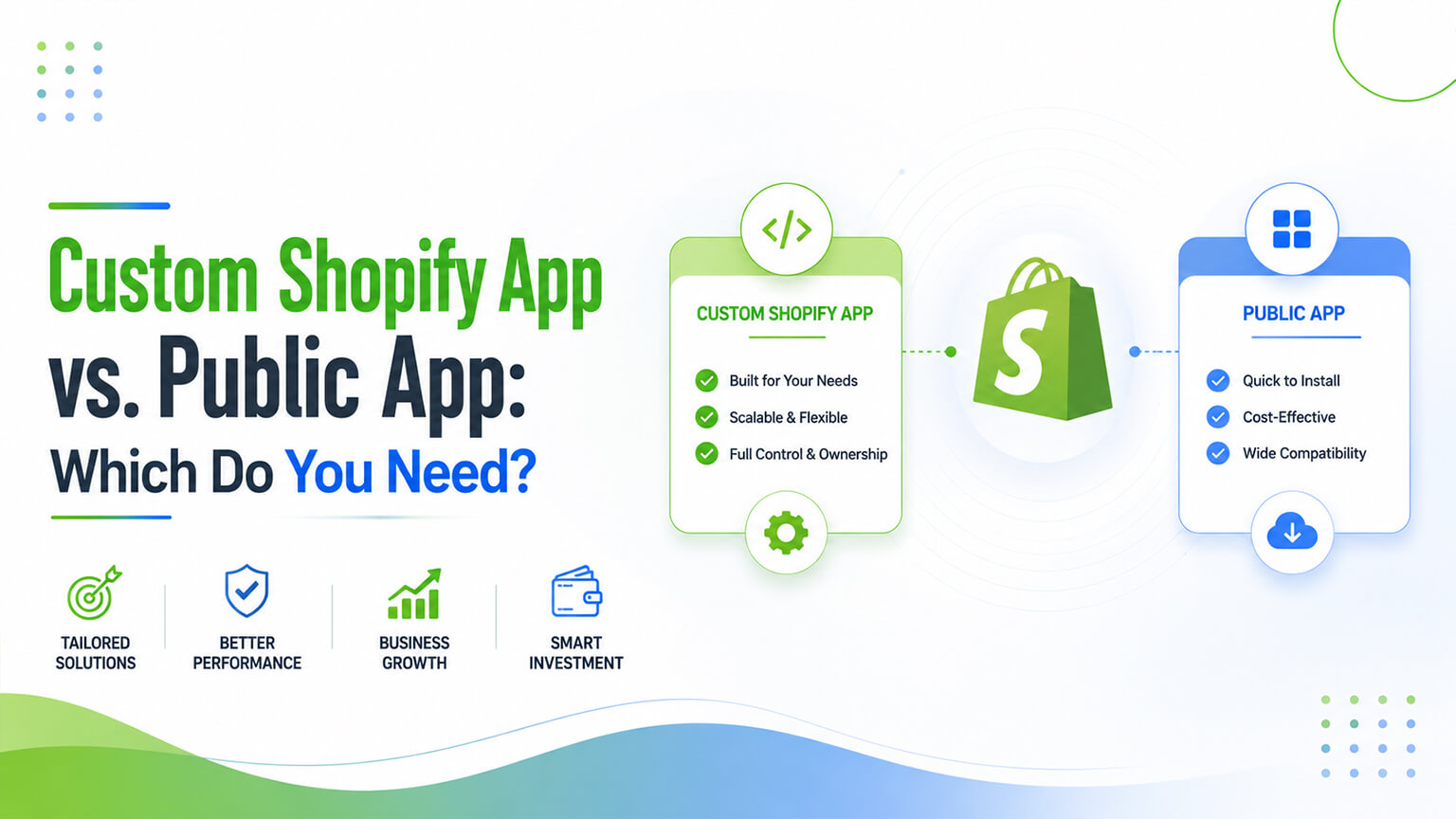
When a Shopify store needs functionality that requires an app — something beyond what the theme and native features do — there are two fundamentally different routes: install a public app (one of the thousands in the Shopify App Store, built by third parties for many merchants) or build a custom app (also called a private or custom app, built specifically for your store). Most merchants default to public apps (they’re readily available, no development needed), and for most needs that’s the right call. But for certain needs, a custom app is the better choice. Understanding the difference between custom and public apps, and when each makes sense, helps you choose the right route for a given need — getting the functionality you need in the way that best fits your situation, cost, and requirements. This is closely related to the broader build-vs-buy decision (as that discussion covers), applied specifically to the app route. This piece explains the distinction and how to decide.
This piece covers what custom and public apps are, the trade-offs of each, when each makes sense, and how to decide. Because choosing the right app route for a need matters (cost, fit, maintenance, control), and understanding the distinction helps you choose well. Let me walk through it. (Note: “custom app” here means an app built for your store specifically — Shopify also calls these “custom apps” in the admin; “public app” means an App Store app built for many merchants.)
What custom and public apps are
First, the distinction. Public apps — apps in the Shopify App Store, built by third-party developers for many merchants, available for any store to install. They’re general-purpose (built to serve many merchants’ needs), typically charge a subscription (monthly fee), are maintained by the developer, and are ready to install and use. Most apps merchants use are public apps. Custom (private) apps — apps built specifically for your store (by you, a developer, or an agency), not in the App Store, serving your specific needs. They’re bespoke (built for your requirements), have no subscription fee (you pay for the development, then own it), are maintained by you/your developer, and require development to build. The key difference — public apps are off-the-shelf, general-purpose, subscription-based, third-party-maintained, ready-to-use; custom apps are bespoke, built-for-you, development-cost-based (no subscription), self-maintained, requiring development. So public apps are like buying off-the-shelf software (ready, general, subscription), while custom apps are like building bespoke software (built for you, owned, development cost). This is fundamentally the build-vs-buy distinction applied to apps: public = buy, custom = build. The next sections cover the trade-offs and when each makes sense.
The trade-offs of public apps
Public apps (the off-the-shelf route) have clear advantages and disadvantages. Advantages: Ready immediately — public apps are ready to install and use immediately (no development time), so you get the functionality fast. No development needed — no development required (no developer needed to build it), accessible to any merchant. Lower upfront cost — no development cost (just the subscription), so lower upfront cost. Maintained by the developer — the developer maintains the app (updates, fixes, compatibility), so you don’t maintain it. Proven and supported — established public apps are proven (used by many merchants) and supported (the developer provides support). Disadvantages: Ongoing subscription cost — public apps charge ongoing monthly fees, which add up over time (and contribute to app sprawl cost, as that discussion covers) and continue indefinitely. General, not bespoke — public apps are built for many merchants, so they may not fit your specific needs exactly (a general solution, not tailored), and you adapt to the app rather than it to you. Less control — you don’t control the app (its features, roadmap, changes, pricing — the developer does), so you’re dependent on the developer. Performance impact — public apps add code/bloat (as the app-speed discussion covers), and you don’t control their performance. And dependency — you depend on the developer (their continued operation, support, pricing, and the app’s continued availability). So public apps offer immediacy, no development, lower upfront cost, and developer maintenance, but at the cost of ongoing fees, general (non-bespoke) fit, less control, performance impact, and dependency. For most needs (where a good public app fits well enough and the trade-offs are acceptable), public apps are the right, convenient choice. The next section covers custom apps’ trade-offs.
The trade-offs of custom apps
Custom apps (the bespoke route) have the opposite trade-offs. Advantages: Bespoke fit — a custom app is built exactly for your needs (tailored, not general), fitting your requirements precisely, which can be valuable for specific or unique needs a public app doesn’t serve well. No ongoing subscription — you pay for development (upfront), then own the app with no ongoing subscription, so over time it can be cheaper than a perpetual subscription (especially for long-term, core needs). Full control — you control the app (its features, behaviour, changes, performance), not dependent on a third party’s roadmap or pricing. Performance control — you control the app’s performance (can build it lean, as the app-speed discussion covers), avoiding the bloat of some public apps. No third-party dependency — you don’t depend on a third-party developer’s continued operation, support, or pricing (you own it). Disadvantages: Development cost and time — building a custom app costs development time and money upfront (versus installing a public app instantly), a real investment. You maintain it — you (or your developer) maintain the custom app (updates, fixes, compatibility with Shopify changes), an ongoing responsibility (versus the developer maintaining a public app). Requires development capability — building and maintaining a custom app requires development capability (your own, or a developer/agency), which not all merchants have. And not worth it for simple/general needs — for simple or general needs a public app serves well, building custom is unnecessary effort and cost (over-engineering). So custom apps offer bespoke fit, no ongoing subscription (own it), full control, performance control, and no third-party dependency, but at the cost of upfront development cost and time, self-maintenance, requiring development capability, and being overkill for simple/general needs. For specific, core, or unique needs (where bespoke fit, control, and avoiding perpetual subscription matter, and you have development capability), custom apps are the right choice. The next section covers when each makes sense.
When each makes sense
Given the trade-offs, when does each make sense? Public apps make sense when: A good public app fits — there’s a good public app that serves your need well (the common case for many needs — reviews, email, many features have good public apps). The need is general — your need is general (not unique to you), so a general public app fits. You want immediacy and no development — you want the functionality now, without development cost/capability. The trade-offs are acceptable — the ongoing subscription, general fit, and dependency are acceptable for the need. For most needs, public apps make sense (good apps exist, needs are often general, immediacy and no-development are valuable). Custom apps make sense when: The need is specific or unique — your need is specific or unique, and no public app fits well (a public app would be a poor fit or not exist), so bespoke is warranted. It’s a core, long-term need — for a core, long-term need, a custom app (own it, no perpetual subscription) can be more cost-effective over time and give the control and fit a core need deserves. Control and performance matter — you need control over the functionality and performance (e.g., a lean, controlled solution versus a bloated public app), warranting custom. Replacing a costly/heavy app — replacing a costly or heavy public app with a leaner, owned custom solution (build vs. buy, as that discussion covers) makes sense for the right cases (high-cost or high-impact apps). And you have development capability — you have (or will invest in) the development capability to build and maintain it. So public apps make sense for most needs (good apps exist, general needs, immediacy), while custom apps make sense for specific/unique needs, core long-term needs, where control and performance matter, replacing costly/heavy apps, and when you have development capability. Most needs favour public apps; the minority of specific, core, control-sensitive needs (with development capability) favour custom. So assess each need against these — does a good public app fit, or is the need specific/core/control-sensitive enough (and do you have capability) to warrant custom?
How to decide
Pulling it together, how to decide between a custom and public app for a need. Start with public — for most needs, start by looking for a good public app (the common, convenient route), since good public apps exist for many needs and offer immediacy and no development. Assess fit — assess whether a public app fits your need well: if a good public app serves the need acceptably, it’s usually the right choice (immediacy, no development, developer maintenance). If no public app fits well — if no public app fits your specific or unique need well, custom may be warranted. Consider the economics — for a core, long-term, or expensive need, compare the long-term cost (perpetual public-app subscription versus custom development + maintenance), since custom (owned, no subscription) can be cheaper over time for core needs (the build-vs-buy economics, as that discussion covers). Weigh control and performance — if control over functionality/performance matters (e.g., avoiding a bloated public app, needing specific behaviour), custom offers it. Consider your capability — custom requires development capability (yours or a developer/agency), so factor that. And consider replacing heavy apps — for heavy or costly public apps (especially core ones), consider whether a custom replacement (leaner, owned) is worth it (as the build-vs-buy and app-sprawl discussions cover). So decide by starting with public (the default for most needs), assessing fit, going custom when no public app fits well or for core/control-sensitive needs where the economics, fit, and control favour it and you have capability. The default is public apps (for most needs); custom is the considered choice for the minority of specific, core, control-sensitive, or economically-favourable cases. So don’t default to custom (over-engineering most needs) or never consider it (missing the cases where it’s better) — assess each need, defaulting to public but choosing custom where it fits better. Often a developer or agency can advise on this (whether a custom app is worth it for a given need), helping you decide well.
A worked example: three needs, three different calls
Picture a growing store weighing three different app needs in the same quarter, and reaching a different conclusion on each — which is exactly how this decision should go. The first need is product reviews. There are several excellent public review apps, the need is entirely general (reviews work the same for most stores), and the store wants it live quickly without development. Easy call: a public app. Building custom review functionality would be pointless reinvention of something the App Store does well and cheaply. The second need is a niche piece of functionality specific to how this store handles a particular kind of made-to-order product — there’s no public app that fits, the closest options would force awkward workarounds, and it’s core to how the business operates. Here a custom app makes sense: bespoke fit for a specific, core need that off-the-shelf apps don’t serve, built once and owned.
The third need is the interesting one: the store is paying a hefty monthly fee for a public app doing something fairly simple but core, and that app is also a known performance drag. They run the build-vs-buy maths (as that discussion covers): the perpetual subscription over a few years comfortably exceeds the cost of building a lean custom replacement, and the custom version would also be faster and fully under their control. So they replace the heavy, costly public app with a custom one — turning a recurring cost and a performance liability into an owned, lightweight asset. Three needs, three correct-but-different answers, all reached by the same method: default to public, check fit and economics, and go custom where the need is specific/core or where the long-term cost and control favour it. That’s the decision working as it should — not a blanket preference for either route, but a per-need judgment. And notice the store didn’t agonise over the easy ones (reviews was obvious); the real thought went into the specific and the expensive-core needs, which is exactly where it belongs.
A note on the “custom app” mechanics
It’s worth clearing up a small terminology point, because it can confuse store owners. In the Shopify admin, you’ll see the ability to create “custom apps” — these let you (or your developer) generate API access for your store so a bespoke integration or piece of functionality can connect to Shopify (via the Admin and/or Storefront APIs, as those discussions cover) without going through the public App Store. This is the mechanism behind much custom-app and integration work: a custom app configuration grants the access tokens and scopes your bespoke solution needs to read and write your store’s data and respond to events (often via webhooks, as that discussion covers).
The practical upshot for a store owner is that “building a custom app” usually means a developer creates one of these custom app configurations (with appropriately limited permissions — only the access it needs, for security, as app-permission best practice dictates) and builds the actual functionality that uses it. You don’t manage the technical side, but understanding that a custom app is essentially your own private, permissioned connection into Shopify — rather than a third-party product you install — reinforces why custom apps give you control and ownership (it’s yours, scoped to your needs) and why they require development and maintenance (someone has to build and look after that connection and its functionality). When you discuss a custom app with a developer or agency, this is what’s involved: a scoped, owned connection into your store plus the bespoke functionality built on it. That’s the concrete reality behind the “build” side of the build-vs-buy app decision, and knowing it helps you have a clearer conversation about scope, permissions, and maintenance when you decide a custom app is the right route.
The bottom line
When a Shopify store needs app functionality, there are two fundamentally different routes: a public app (one of thousands in the App Store, built by third parties for many merchants — off-the-shelf, general-purpose, subscription-based, developer-maintained, ready to use) or a custom app (built specifically for your store — bespoke, owned with no subscription, self-maintained, requiring development). This is the build-vs-buy distinction applied to apps: public = buy, custom = build. Public apps offer immediacy (ready now), no development needed, lower upfront cost, and developer maintenance, but at the cost of ongoing subscription fees, general (non-bespoke) fit, less control, performance impact, and dependency on the developer. Custom apps offer bespoke fit (built exactly for your needs), no ongoing subscription (you own it, cheaper over time for core needs), full control (functionality and performance), and no third-party dependency, but at the cost of upfront development cost and time, self-maintenance, requiring development capability, and being overkill for simple or general needs. Public apps make sense for most needs — where a good public app fits, the need is general, and you want immediacy without development (the common case). Custom apps make sense for the minority of cases: specific or unique needs no public app serves well, core long-term needs where owning it is more cost-effective and the control and fit matter, cases where control over functionality and performance is important, replacing costly or heavy public apps with leaner owned solutions, and when you have the development capability. So decide by starting with public apps (the default for most needs), assessing whether a good public app fits acceptably (if so, usually the right choice), and going custom when no public app fits well, or for core/control-sensitive needs where the long-term economics, bespoke fit, and control favour it and you have the capability. Don’t default to custom (over-engineering most needs) or never consider it (missing the cases where it’s better) — assess each need, defaulting to public but choosing custom where it fits better, often with a developer or agency’s advice. Choose the right route for each need, and you get the functionality you need in the way that best fits your situation, cost, control, and requirements.
Frequently asked questions
What’s the difference between a custom app and a public app?
A public app is one of the thousands in the Shopify App Store, built by third-party developers for many merchants — it’s off-the-shelf, general-purpose, typically charges a monthly subscription, is maintained by the developer, and is ready to install and use. A custom app (also called a private or custom app) is built specifically for your store, for your particular needs — it’s bespoke, has no subscription (you pay for development, then own it), is maintained by you or your developer, and requires development to build. The key distinction is off-the-shelf and general versus bespoke and built-for-you — essentially the build-vs-buy choice applied to apps: a public app is “buy,” a custom app is “build.”
When should I build a custom app instead of using a public one?
Build custom when a public app doesn’t fit well or the economics and control favour it: when your need is specific or unique and no public app serves it well, when it’s a core long-term need where owning a custom solution (no perpetual subscription) is more cost-effective over time and the bespoke fit and control matter, when you need control over the functionality and performance (for example, a lean, controlled solution versus a bloated public app), or when replacing a costly or heavy public app with a leaner owned solution makes sense. You also need the development capability (your own or a developer/agency) to build and maintain it. For most general needs where a good public app fits, building custom is unnecessary — but for specific, core, control-sensitive cases, custom can be the better choice.
Are custom apps cheaper than public apps?
It depends on the timeframe and the need. Custom apps have a higher upfront cost (you pay for development) but no ongoing subscription (you own them), while public apps have a lower upfront cost (just install) but a perpetual subscription that adds up over time. So for a core, long-term need, a custom app can be cheaper over time (the development cost is one-time, versus a subscription that continues indefinitely), especially if you’d otherwise pay a high monthly fee. But you also maintain a custom app (an ongoing cost/effort), which factors in. For short-term, simple, or general needs, a public app is usually cheaper and more sensible. The long-term economics (development plus maintenance versus perpetual subscription) favour custom mainly for core, expensive, long-term needs.
Should most stores use public or custom apps?
Most stores should use public apps for most needs — good public apps exist for a huge range of needs, they offer immediacy (ready now) and require no development, and for general needs they fit well and the trade-offs (subscription, general fit) are acceptable. Custom apps are the considered choice for the minority of cases where they fit better: specific or unique needs no public app serves, core long-term needs where owning a solution is more cost-effective and control matters, and replacing costly or heavy public apps. So the default is public apps, with custom apps chosen deliberately where the need is specific, core, control-sensitive, or economically favourable and you have development capability. Start with public, assess fit, and go custom where it’s the better route — often with a developer or agency’s advice on whether custom is worth it for a given need.