
Going Headless Without Wrecking Your SEO
On this page
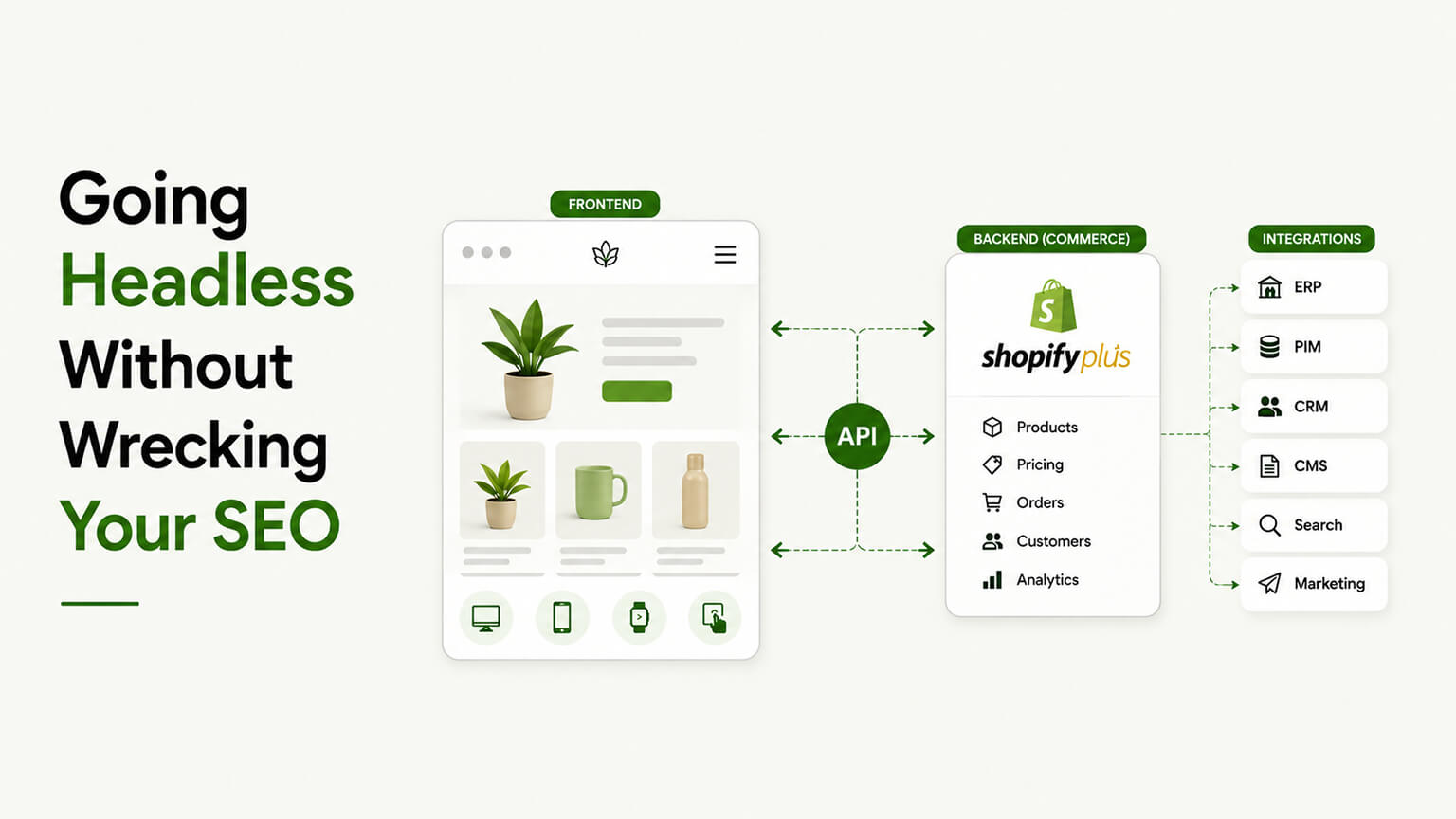
Headless gets sold on performance and flexibility, and those benefits are real. What doesn’t get talked about nearly enough is that a headless build is one of the easier ways to quietly damage your SEO if the people building it aren’t paying attention. I’ve seen brands go headless for the speed, launch a beautiful fast storefront, and then watch organic traffic slide for months because something fundamental got missed in the rebuild.
It doesn’t have to go that way. Headless can be excellent for SEO — done right, the performance gains alone help. But “done right” is doing a lot of work in that sentence, and the failure modes are specific and avoidable. Let me walk through what to watch for.
Why headless is riskier for SEO than a theme
In a normal Shopify theme, a lot of SEO basics are handled for you. Shopify generates server-rendered HTML, sets canonical tags, produces a sitemap, manages URL structure, and so on. You get a solid SEO foundation more or less for free, and you’d have to actively break it to mess it up.
Go headless and you’re building the storefront yourself, which means all those things you used to get automatically are now your responsibility. The sitemap, the metadata, the rendering, the URLs, the structured data — none of it is handled by default, because you’ve replaced the layer that handled it. That’s not a reason to avoid headless; it’s a reason to make sure SEO is a deliberate, first-class part of the build rather than an afterthought someone assumes is “just handled.” The risk isn’t headless itself — it’s headless built by people focused on the front-end experience who treat SEO as someone else’s problem.
The big one: rendering and how Google sees your pages
This is the failure mode that causes the most damage. Headless storefronts are often built with JavaScript frameworks (React, and tools like Hydrogen or Next.js), and how those pages get rendered matters enormously for SEO.
If your pages are rendered such that the actual content only appears after a bunch of JavaScript runs in the browser — client-side rendering — search engines can struggle. Google can execute JavaScript, but it’s slower and less reliable at it, and you’re taking a risk that your content is fully seen and indexed. The safe approach is server-side rendering (or static generation): the page arrives already containing its content in the HTML, so search engines (and AI crawlers, and users on slow devices) get the full thing immediately, no JavaScript execution required.
The good news is that modern frameworks are built for this — Hydrogen and Next.js both do server-side rendering and static generation well, and it’s a core reason they’re used for commerce. But it has to be done deliberately. A headless build that leans on client-side rendering for important content is gambling with your indexing, and it’s exactly the kind of decision that gets made for developer convenience and discovered, months later, as an SEO disaster. Insist that your important content is server-rendered.
Don’t lose your metadata, structured data, and canonicals
In the rebuild, all the per-page SEO elements you had on your theme need to be deliberately reimplemented, because they don’t come along automatically. Every page needs its title tag and meta description. Your structured data (product schema, breadcrumbs, FAQs) needs to be rebuilt so you keep your rich-result eligibility. Canonical tags need to be set correctly. Open Graph and social tags need to carry over.
None of this is hard, but all of it is easy to forget when the team’s focused on building a slick storefront, and the absence of it is invisible until your search performance erodes. A pre-launch SEO checklist for a headless build should explicitly verify every one of these elements exists and is correct, page type by page type. Assume nothing carried over for free, because nothing did.
URLs and redirects: protect what you’ve earned
If your headless rebuild changes any URLs — and rebuilds have a way of quietly changing URL structures — you must map the old URLs to the new ones with redirects. This is the same rule as any redesign or migration, and it’s the single most common way rebuilds tank rankings: URLs change, no redirects are set, and Google loses track of pages that were ranking fine.
Before launch, inventory your existing indexed URLs, decide the new structure, and set up redirects from old to new for anything that changed. Ideally, keep URLs the same where you can, so there’s less to redirect. After launch, watch Search Console closely for crawl errors and dropped pages. This is tedious and unglamorous and it’s exactly the work that protects the organic traffic you spent years building.
Performance: the SEO upside of headless
Now the good news, because it’s not all risk. Done well, headless can really help SEO through performance. Core Web Vitals are a ranking factor, and a well-built headless storefront can hit excellent loading, stability, and interactivity scores. Faster pages also get crawled more efficiently and convert better regardless of rankings.
So the performance benefit that draws people to headless is also an SEO benefit — if the build is truly fast. The catch, again, is “well-built.” Headless doesn’t make a site fast automatically; a bloated headless build can be slower than a good theme. But when it’s engineered properly, with performance budgets and the server-rendering done right, the speed is a real SEO tailwind that can more than offset the extra care the rebuild requires. The performance upside is part of why headless can be net-positive for SEO, not just a risk to manage.
The practical pre-launch checklist
If you’re going headless, here’s the SEO-specific work that has to happen, ideally with someone who treats it as essential rather than optional. Confirm important content is server-rendered, not client-only. Reimplement every page’s title, meta description, and canonical. Rebuild your structured data and test it with Google’s tools. Generate and submit a proper sitemap. Map and redirect any changed URLs. Verify Open Graph and social tags. Check that AI crawlers and search crawlers can access the content. And after launch, watch Search Console like a hawk for the first few weeks to catch anything that slipped.
Run through that, and headless becomes an SEO win — fast, well-structured, properly indexed. Skip it, and you’ve built a gorgeous storefront that Google can’t fully see and that lost its rankings in the move. The difference is entirely in whether SEO was treated as part of the build or bolted on as an afterthought.
The bottom line
Headless is risky for SEO not because the architecture is bad, but because it hands you responsibility for all the SEO fundamentals a theme used to handle automatically — and those fundamentals are easy to neglect when the focus is on the storefront experience. The biggest danger is content that only renders client-side, where search engines may not see it; close behind is losing metadata, structured data, and especially redirects in the rebuild. Handle all of that deliberately — server-side rendering, reimplemented SEO elements, careful redirects, post-launch monitoring — and headless’s performance gains turn into a genuine SEO advantage. Treat SEO as optional, and you’ll learn the hard way why this article exists.
Treat SEO as a build requirement, not a post-launch fix
The single most important mindset for going headless without wrecking your SEO is to make SEO a first-class requirement of the build from the very start, rather than something you check after launch, because headless gives you enough control that SEO can quietly break in ways a theme never lets it, and the damage is often done before anyone notices. On a standard theme, a lot of SEO fundamentals come handled by default; when you build a custom storefront, you own all of them, so any you forget to build simply won’t exist.
This is why headless SEO failures tend to be sins of omission. The team focuses on the exciting parts — the design, the performance, the interactions — and the unglamorous SEO fundamentals that a theme would have provided get overlooked because nobody explicitly built them. Rendering that search engines can’t read properly, metadata that didn’t get carried over, structured data that was never implemented, canonical tags that got lost, redirects that weren’t set up during the migration. Each of these is invisible in a demo that looks gorgeous and works beautifully for a human clicker, and each can quietly tank your organic traffic once you’re live. The store works; the SEO silently doesn’t.
The fix is to bake SEO into the requirements and the process, not bolt it on at the end. That means specifying, before the build, that the storefront must render content in a way search engines can reliably read, must carry over and correctly implement metadata, structured data, and canonicals, must preserve URLs or set up redirects for any that change, and must be verified against these requirements before launch — not hoped to be fine. It means the developers building it understand SEO, or work with someone who does, so these fundamentals are part of the plan rather than an afterthought. And it means testing the SEO essentials as deliberately as you’d test the checkout, because on headless they’re exactly as easy to get wrong and exactly as costly.
The reason this matters so much is the asymmetry of the stakes. Getting headless SEO right is largely a matter of not forgetting the fundamentals — it’s not exotic work, just work that has to be deliberately included. Getting it wrong, especially on a relaunch of an existing store with rankings to protect, can erase organic traffic you spent years earning, and the recovery is slow and painful. So the discipline is simple to state and easy to skip: treat SEO as a build requirement from day one, assign someone who understands it to own it, and verify the fundamentals before you go live. Do that, and headless’s genuine performance upside becomes an SEO asset rather than a liability. Skip it, and the fanciest storefront in your category can quietly become invisible in search.
The rendering trap, explained simply
Of all the ways headless can hurt SEO, the one worth understanding in plain terms is rendering, because it’s the most technical, the most consequential, and the easiest to get subtly wrong — and getting it wrong means search engines can’t properly see the content you’re counting on to rank. You don’t need to be an engineer to grasp the issue, and grasping it lets you ask the right question of whoever builds your store.
Here’s the crux. A traditional Shopify theme sends search engines a fully-formed page — the product details, the descriptions, the content are all there in what the crawler receives, ready to read. Many modern headless storefronts, built with JavaScript frameworks, can instead send a near-empty shell that only fills in with content after the shopper’s browser runs the JavaScript. A human never notices — their browser runs the code and the page appears normally. But a search engine crawler doesn’t always execute that JavaScript reliably or immediately, so it can arrive, see a nearly blank page, and conclude there’s little content to index. Your gorgeous, content-rich storefront can be effectively invisible to the crawler even though it looks perfect to people.
The fix is to render the content in a way search engines reliably receive — commonly server-side rendering or static generation, where the page arrives already populated with content rather than depending on the browser to build it. Both Hydrogen and Next.js, the common frameworks for headless Shopify, are fully capable of this; the danger isn’t the tools, it’s building in a way that defaults to client-side rendering and forgets that crawlers need the content present in what they first receive. This is precisely the kind of fundamental that a theme handles for you and that a headless build must handle deliberately, which is why it tops the list of headless SEO risks.
The practical implication for a store owner is that you don’t have to master rendering strategies — you have to make sure the people building your headless storefront treat search-engine-readable rendering as a requirement, and you have to verify it before launch. The check itself is straightforward: after the build, confirm that when a page is fetched the way a crawler sees it, the actual content is present, not just an empty shell. Ask your developers directly how they’re rendering pages so search engines can read them, and don’t accept a vague answer, because this single issue can quietly determine whether your headless store is findable at all. Get rendering right and the biggest headless SEO risk is handled; overlook it and the most beautiful storefront in your category can sit invisible in search while everyone wonders why the traffic never came.
The relaunch is where the real danger lives
It’s worth separating two very different headless situations, because the SEO stakes are wildly different between them, and conflating them is how brands sleepwalk into disaster. Launching a brand-new store headless is one thing; replatforming an existing store with established rankings to headless is another entirely — and the second is where headless SEO mistakes turn expensive.
A brand-new store has no rankings to lose, so the headless SEO job is to build the fundamentals in correctly from the start — readable rendering, proper metadata and structured data, clean URLs, sound performance — and then grow from zero like any new store. Mistakes here cost you potential you never had; they slow your climb but don’t destroy something you’d built. It’s important to get right, but the downside is bounded.
A relaunch is different, because you’re carrying years of accumulated SEO equity — rankings, links, traffic — that a botched migration can erase in weeks. Every URL that changes without a redirect surrenders the rankings that page earned. Metadata and structured data that don’t carry over leave pages that used to rank stripped of the signals that ranked them. A rendering approach crawlers can’t read can make content that was perfectly visible suddenly invisible. And because organic traffic recovery is slow and painful, a relaunch that gets these wrong doesn’t just pause your growth — it deletes a hard-won asset and forces you to rebuild it over months. This is the single most common way stores nuke their organic traffic, and it happens precisely because the store looks great at launch while the SEO silently broke.
So if you’re replatforming an existing, ranking store to headless, treat SEO preservation as one of the highest-stakes parts of the entire project, not a detail. Map every URL and set up redirects for any that change, then test a sample to confirm they work. Confirm metadata, structured data, and canonicals carried over correctly and are present in what crawlers receive. Verify the rendering is search-engine-readable. And watch Search Console closely in the weeks after launch, because that’s where a problem shows up — pages dropping out of the index, errors climbing, traffic sliding — while there’s still time to react. The reassuring part is that none of this is exotic; it’s a matter of deliberately preserving what you’ve built rather than assuming it survives the move. The unforgiving part is that skipping it, on a store with real rankings, can undo years of SEO work in a single launch. Know which situation you’re in, and if it’s a relaunch, give the SEO preservation the seriousness that the stakes demand.
Frequently asked questions
Is going headless riskier for SEO if I’m relaunching an existing store?
Much riskier. A brand-new headless store has no rankings to lose — you just build the fundamentals in correctly and grow from zero. A relaunch carries years of accumulated SEO equity (rankings, links, traffic) that a botched migration can erase in weeks: every changed URL without a redirect surrenders that page’s rankings, metadata and structured data that don’t carry over strip pages of what ranked them, and unreadable rendering can make visible content suddenly invisible. Since organic recovery is slow, a bad relaunch deletes a hard-won asset. So if you’re replatforming a ranking store to headless, treat SEO preservation as one of the highest-stakes parts of the project — map and test redirects, confirm metadata and rendering, and watch Search Console closely after launch.
What’s the biggest way headless builds hurt SEO?
Sins of omission — forgetting to build the SEO fundamentals a theme would have handled by default. Because a custom storefront gives you control over everything, anything you don’t explicitly build simply won’t exist: rendering search engines can’t read, missing metadata, structured data that was never implemented, lost canonical tags, and redirects that weren’t set up during a migration. Each is invisible in a demo that looks great to a human but can quietly tank organic traffic once live. The fix is to treat SEO as a first-class build requirement from the start, assign someone who understands it to own it, and verify the fundamentals before launch — not hope they’re fine afterward.
Does going headless hurt SEO?
It can, if handled carelessly, because a headless build hands you responsibility for SEO fundamentals (rendering, metadata, structured data, sitemaps, redirects) that a normal theme handles automatically. Done deliberately — with server-side rendering and all the SEO elements reimplemented and tested — headless can help SEO, largely through better performance.
What’s the biggest SEO risk in a headless build?
Content that only renders client-side (after JavaScript runs in the browser), which search engines may not fully see or index. The fix is server-side rendering or static generation, so pages arrive with their content already in the HTML. Modern frameworks like Hydrogen and Next.js support this well, but it must be done deliberately.
Will I lose rankings if my URLs change in a headless rebuild?
You will if you don’t set up redirects. Changing URLs without mapping the old ones to the new ones is the most common way rebuilds tank rankings. Inventory your indexed URLs, keep them the same where possible, redirect anything that changes, and monitor Search Console after launch.
Is headless good or bad for Core Web Vitals?
Potentially very good. A well-built headless storefront can achieve excellent Core Web Vitals, and since those are a ranking factor, that’s an SEO upside. But it depends on the build — headless doesn’t guarantee speed, and a bloated one can be slower than a good theme. The performance benefit is real only when the engineering is done properly.