
Free vs Paid Shopify Themes: What You Actually Get
On this page
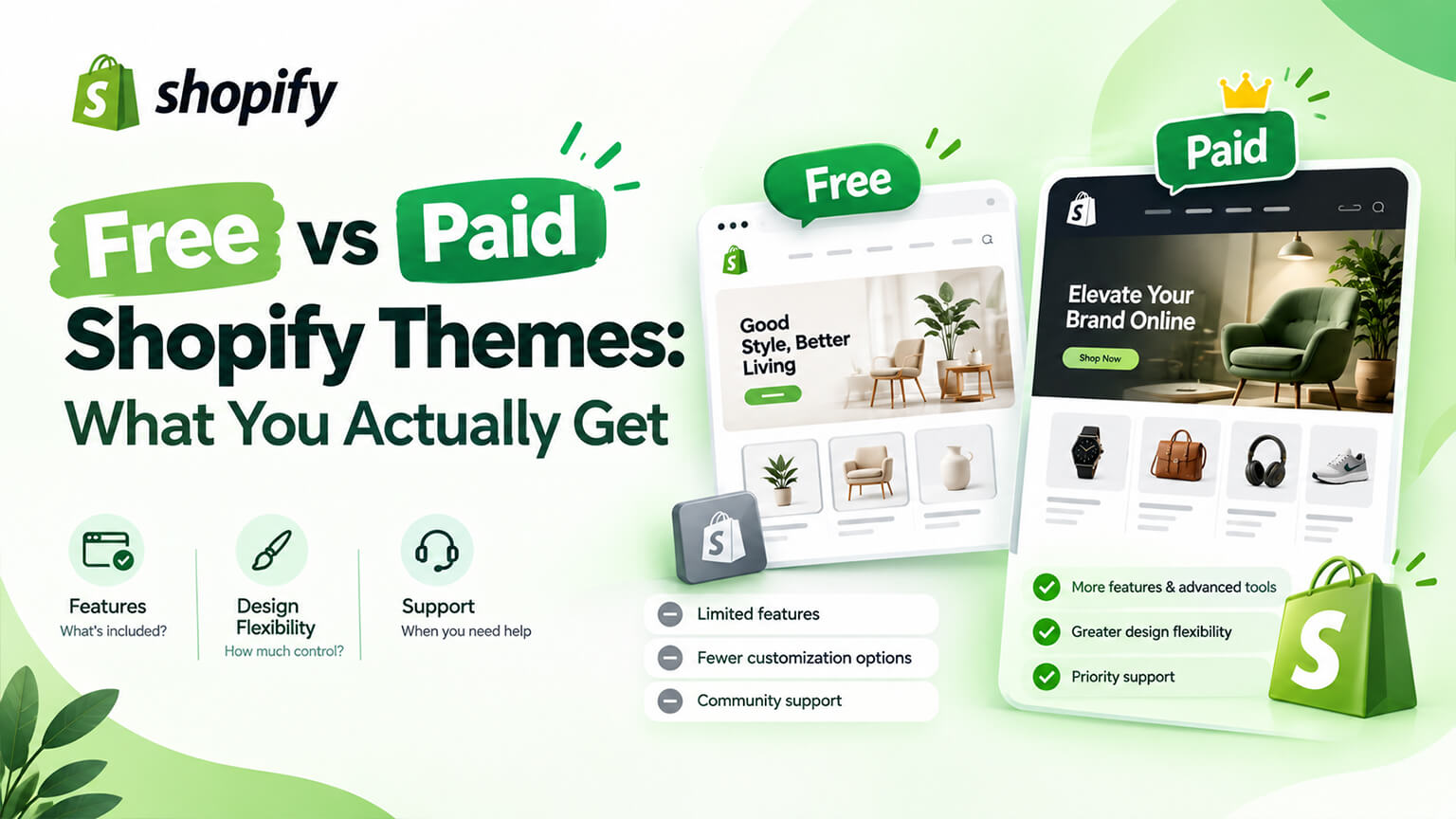
The free versus paid question is usually argued on quality, which is the wrong axis. Shopify’s free themes are well-built software, and plenty of premium themes are not.
What you actually buy with a premium theme is three things: bundled features you would otherwise pay for separately, a designed starting point rather than a neutral one, and a relationship with a developer who may or may not keep maintaining it.
Whether those are worth the price is an arithmetic question, and it has a different answer for different stores. The companion article in this batch covers Dawn specifically; this one is about the trade in general.
What you actually get when you pay
Bundled functionality. The main substantive difference. Premium themes commonly include mega menus, quick view, size guide modals, advanced filtering presentation, countdown and urgency elements, bundle displays, lookbook sections, comparison blocks, and specialised product page layouts. On a free theme each of those is an app subscription or custom work.
This is where the arithmetic usually resolves. If a premium theme includes four things you would otherwise pay for monthly, it pays for itself quickly. If it includes twenty features and you would use two, you have bought page weight.
A designed starting point. A premium theme arrives with opinions — a type scale, a spacing system, a colour approach, and layouts that look considered. For a store without design resource this is real value, because it means launching with something coherent rather than something neutral.
Finer control. Generally more granular settings for typography, spacing, colour, and layout. Whether this matters depends entirely on whether anyone will use it.
Category specialisation. Themes built for apparel, for large catalogues, for single products. A theme designed for your category often includes exactly the presentation you need, which is more valuable than general flexibility.
Support and documentation. Varies enormously. The best theme developers provide genuine support and thorough documentation; others provide a knowledge base and a slow ticket queue. Worth checking reviews specifically for support quality before buying.
Updates — sometimes. This is the hidden variable, covered below.
What you do not get
Better code, necessarily. Shopify’s first-party themes are generally well structured. Premium theme quality ranges from excellent to actually poor, and the price tells you nothing about which.
Better performance. Frequently the opposite. Bundled features mean bundled JavaScript, and many premium themes carry sliders, animation libraries, and dependencies that cost real load time. A feature-rich theme is a heavier theme, by construction.
A finished store. You still need photography, content, product data, and configuration. A premium theme on weak inputs looks like a premium theme on weak inputs.
Freedom from apps. Premium themes reduce app dependency; they do not remove it. You will still need reviews, email, and whatever your category requires.
Guaranteed longevity. Theme developers discontinue products, stop updating, and occasionally disappear. A theme that stops being maintained becomes a liability as the platform evolves.
The costs people do not count
Page weight, which is the main one. Every bundled feature loads, used or not, on many themes. Measure before and after rather than assuming.
Lock-in through customisation. Once you have customised a premium theme heavily, moving away is expensive, and you are dependent on that developer continuing to maintain it.
Update risk. Premium theme updates can conflict with your customisations more painfully than first-party updates, because the theme’s own structure may change significantly between versions.
Learning cost. Each theme has its own settings architecture and conventions. Your team learns one, and a developer inheriting it has to learn it too.
Maintenance over years. A theme is a multi-year commitment. Check the developer’s update history before buying — a theme last updated two years ago is a warning, however good it looks.
Opportunity cost. The clearest one. A premium theme’s price is also a meaningful amount of photography, or several hours of customisation on a free theme.
The arithmetic that actually decides it
Work this out before deciding anything.
Step one: list the premium theme’s features you would actually use. Not could use — would, within six months. Be strict.
Step two: price those features as apps or custom work. Monthly app subscriptions over two years, or a one-off development estimate.
Step three: estimate the customisation you would need either way. Most stores need some on any theme. The question is how much more on a free one.
Step four: compare total two-year cost. Premium theme plus its customisation, against free theme plus its customisation plus the apps you would need.
Step five: weigh performance. If the premium theme is meaningfully slower on a live store with your app stack, apply a cost to that, because it is a conversion cost.
Most stores that do this honestly find one of two clear answers. Either the premium theme includes several things they need and wins comfortably, or they would customise heavily regardless and the free theme wins. The marginal cases are rarer than the debate suggests.
A worked example: the arithmetic going both ways
Two stores, same question, opposite answers.
The first was an apparel brand with 600 products across many variants. The premium theme they were considering included image swatches with proper variant switching, advanced filtering presentation, a size guide system, quick view, and lookbook sections. They would have used all five.
Priced as apps and custom work, those five came to several times the theme’s cost over two years. The theme was slightly slower than the free alternative, but the difference was small relative to what their app stack was already costing them in load time.
They bought it, and it was clearly right.
The second was a homewares brand with 40 products, strong photography, and a specific brand aesthetic involving their own typefaces and generous spacing. The premium themes they looked at bundled urgency timers, countdown banners, mega menus, and quick view — none of which they wanted, all of which loaded.
What they actually needed was precise typographic control, generous spacing, and two custom sections. That was a customisation project on a free theme costing roughly the same as the premium theme plus the customisation it would still have needed, and it left them on a faster, better-maintained foundation.
They stayed free and customised, and that was also clearly right.
Same question, different catalogues, different needs, opposite answers. Which is why general advice about free versus paid is close to useless, and why the arithmetic is the only reliable method.
How to evaluate a premium theme before buying
Open live stores using it, with catalogues like yours. Theme listings usually link to some.
Test performance on those live stores, mobile setting, not on the demo.
Check the update history. When was it last updated, and how regularly? This is the most important and least checked signal.
Read reviews for support quality and for mentions of update conflicts.
Check what the price includes. One store or several, lifetime updates or a period, and what support covers.
Count the features you would use, strictly.
Try it unpublished with your own products and photography before committing, where the licence allows.
Check it against your worst-case product, not the demo’s nine perfect ones.
Ask whether it supports metafields properly, since that determines your future customisation costs.
When free is clearly right
You will customise heavily anyway, in which case start from the cleanest foundation.
Performance is a priority and your category is competitive on speed.
Your requirements are conventional and your brand’s look comes from photography and typography rather than from layout features.
You have design resource to configure a neutral theme well.
Budget is tight and photography would be the better use of the money, which it very often is.
When paid is clearly right
It bundles several features you need, which the arithmetic shows cheaply.
You need to launch soon with limited development budget and want a coherent starting point.
Your category has specific needs a specialist theme addresses natively.
You lack design resource and need the theme’s opinions to do that work.
Your merchandising team needs a rich section library and you cannot fund building one.
The update question, which decides long-term value
The single most consequential difference between free and paid themes is not features. It is who keeps maintaining the thing.
First-party themes are maintained by Shopify and updated alongside the platform. When Shopify ships new capability — new section types, new metafield behaviour, new checkout or cart features — first-party themes tend to support it early. That continuity is not a small thing over five years.
Premium themes depend on their developer. Some are maintained impeccably by established studios with years of consistent releases. Others are updated for a while and then quietly abandoned when the developer moves on to something else. From the theme store listing, these look identical.
What an abandoned theme costs you. Platform features you cannot use without custom work. Accumulating incompatibilities with apps. Bugs nobody will fix. And eventually a forced migration, which is a project you did not plan and which carries all the risks covered in the theme migration article in the previous batch.
How to assess maintenance risk before buying. Look at the version history and release notes — frequency matters more than recency. Check how long the developer has been publishing themes and how many they maintain. Read recent reviews for complaints about unanswered support or stale features. A studio with eight themes and a decade of history is a safer bet than a single theme from an unknown developer, however good the single theme looks.
And consider the licence terms. Whether updates are included indefinitely or for a period, and whether support has a time limit. These vary and they affect the real cost.
The practical implication. If you are choosing between a premium theme from an unproven developer and a first-party theme plus customisation, the maintenance difference should weigh heavily — because you are making a multi-year commitment either way, and only one of them has a guarantor.
What actually makes a store look good
Worth stating plainly, because the free-versus-paid debate implies the theme is what determines appearance, and it mostly is not.
Photography, first and by a long way. Consistent, well-lit, well-cropped imagery with a coherent treatment across the catalogue does more than every theme setting combined. This is why the opportunity cost argument keeps recurring: the money is almost always better spent here.
Typography. Two well-chosen typefaces, a sensible scale, and consistent application. Any theme can do this if it lets you load your own fonts.
Spacing. Generous, consistent vertical rhythm is most of what makes a store feel considered rather than cramped. Largely a settings and CSS matter.
Restraint. Fewer elements, better arranged. Most stores add rather than remove, and the themes that look expensive are usually the ones doing less.
Consistency. The same button treatment, the same image ratios, the same heading sizes throughout. Inconsistency reads as amateur faster than any individual design choice.
Copy. Product descriptions and page content that sound like a person wrote them for a reader. No theme compensates for thin copy.
Speed. A fast store feels better to use than a slow one, and that perception affects how people judge everything else about it.
None of those six are things you buy with a theme. Which is the honest summary of this whole question: the theme is a container, and the contents are what customers actually respond to.
A third option people forget: a custom theme
The debate is usually framed as two choices, and there is a third worth knowing where it sits.
A custom theme is built for your store from scratch, or more commonly built on top of a clean first-party foundation. It costs considerably more than any premium theme and it is the right answer less often than agencies suggest — but there are cases where it clearly is.
When a custom build makes sense. Your requirements really do not fit any available theme, usually because of unusual product structures or business logic. Your brand is distinctive enough that looking like other stores is a real commercial cost. You have a large catalogue with specific presentation needs. Your conversion volume is high enough that small percentage gains justify substantial spend. Or you have been through two or three premium themes and customised each heavily, which means you have already paid for a custom build in instalments without getting one.
When it does not. Because you want the store to look nicer, which is a photography and configuration problem. Because an agency suggested it, which may reflect their preferred engagement size rather than your need. Or at an early stage, before you know what your store actually needs — a custom theme built on assumptions is an expensive way to discover they were wrong.
The middle path most stores should consider. A first-party theme as the foundation, with a properly scoped customisation project covering typography, spacing, product page structure, and the specific sections your team needs. This costs a fraction of a full custom build, keeps you on maintained code, and addresses the things that actually matter. It is what we recommend most often, and it is rarely what clients expect to hear.
The question that locates you. Add up what you have spent on themes and theme customisation over the last three years. If that number is already approaching a custom build, the free-versus-paid question is not the one you should be asking.
Licensing details worth checking
Unglamorous and occasionally expensive, so check before you buy.
How many stores does one licence cover? Usually one. If you run several stores, or expect to add an expansion store, confirm what a second licence costs.
Is the licence per store or per theme version? And does a major version upgrade require a new purchase?
Are updates included indefinitely, or for a fixed period?
How long does support last, and what does it cover? Some developers support configuration questions and not customisation conflicts, which is reasonable and worth knowing.
What happens to your customisations on a major version change? Ask directly. The answer for some themes is that a major release is effectively a new theme and your customisations do not carry over.
Can you use it on a development or staging store without a second licence? Relevant for any serious build process.
Who owns the customisations your developer makes on top of it? Should be you, and worth stating in your development agreement regardless of the theme’s own terms.
The bottom line
A premium theme buys bundled features, a designed starting point, finer control, and a support relationship — not better code and frequently not better performance.
Decide it by arithmetic rather than principle: list the features you would actually use, price them as apps or custom work over two years, add the customisation you would need either way, and compare. Then check the premium theme’s update history, because a theme that stops being maintained is a liability regardless of what it cost.
And remember what the money could otherwise buy. For a great many stores the best use of a theme budget is photography and targeted development on a free theme, because the thing holding the store back is rarely the theme — and an ongoing arrangement that keeps either one properly maintained matters more than which you chose.
Frequently asked questions
Are paid Shopify themes worth it?
It depends entirely on how many of the bundled features you would actually use, so treat it as arithmetic rather than principle. List the features you would actually deploy within six months, price them as app subscriptions or custom development over two years, then add the customisation you would need on either theme. If a premium theme includes four or five things you need natively, it usually pays for itself comfortably. If it includes twenty features and you would use two, you have mostly bought page weight you cannot remove.
Are free Shopify themes lower quality?
No — Shopify’s first-party themes are well-structured, properly maintained software, and generally faster than premium alternatives because they carry less bundled functionality. Premium theme quality ranges from excellent to actually poor, and the price does not tell you which you are getting. What free themes lack is bundled features, fine-grained typographic and spacing control, and a designed starting point with opinions. Those are real gaps for some stores and irrelevant for others, which is why the comparison has no general answer.
Do premium Shopify themes slow down your store?
Often, yes, and by construction rather than by poor workmanship. Bundled features mean bundled JavaScript, and many premium themes carry sliders, animation libraries, and dependencies that load whether you use them or not. Test it rather than assuming: find live stores running the theme with catalogues like yours, and run their product and collection pages through PageSpeed Insights on the mobile setting. Bear in mind your app stack usually affects speed more than your theme, so a slightly heavier theme on a lean app stack may still be fine.
What should I check before buying a Shopify theme?
The update history first, since it is the most important and least checked signal — a theme last updated two years ago is a liability however good it looks. Then open live stores using it, with catalogues comparable to yours, and test their performance on mobile. Read reviews specifically for support quality and for mentions of update conflicts. Check whether it supports metafields properly, since that determines your future customisation costs. And test it against your most complex product rather than the demo’s carefully chosen ones.
Should I spend my budget on a theme or on photography?
Photography, in most cases, and particularly in visual categories. Imagery does more to sell products than any theme feature, a neutral theme with excellent photography consistently outperforms a premium theme with mediocre photography, and good photography keeps working through every future theme change. The exception is where a premium theme bundles functionality you actually need — then it is buying capability rather than appearance. But if the question is purely how the store looks, the money goes further on images than on layout.