
How to Take Over a Shopify Store From a Previous Developer
On this page

Inheriting a Shopify store is a specific kind of project, and both sides typically get it wrong in predictable ways.
Clients underestimate it, assuming that because the store works, picking it up is straightforward. New developers overestimate it, and their first instinct is usually to rebuild — partly because unfamiliar code always looks worse than it is, and partly because a rebuild is a more appealing engagement than untangling somebody else’s decisions.
Neither is right. The work is an audit followed by careful, incremental improvement, and the sequence matters.
First: secure your position
Before any technical work, sort out control. This is urgent if the previous relationship ended badly and worth doing regardless.
Confirm you are the Shopify store owner, not a staff member. Check the settings rather than assuming. If the store was created under a developer’s account, transferring ownership is a defined process and it should happen immediately.
Check your domain registration. Who is the registrant, where is it registered, and do you have the login? Domains registered in a developer’s name are a common and serious exposure.
Audit staff and collaborator access. Remove anyone who should no longer have it. Previous developers routinely retain collaborator access for years after a relationship ends, usually harmlessly and occasionally not.
Check app billing. Apps subscribed under a developer’s account will lapse or remain under their control. Move them to your billing.
Locate your third-party accounts. Email platform, analytics, Search Console, ad accounts, review app, payment gateway. Confirm you have owner access to each, not access granted by someone else.
Check your theme store purchases and where the licence sits.
Take a full backup. Export products, customers, and orders, and download a copy of the live theme. Do this before anyone changes anything, and store it somewhere you control.
Change any shared passwords and enable two-factor authentication on everything.
That list takes a morning and eliminates most of the leverage a departed developer might otherwise hold, deliberately or not.
Then: the audit, before anything is changed
The new developer’s first task is understanding what exists. Rushing this is how inherited stores get broken.
Identify the live theme and any others. Stores frequently have several, and it is not always obvious which is live or what the others were for. Duplicate the live theme immediately as a dated backup that nobody touches.
Read the theme for modifications. What has been customised, where, and how invasively. Look for code added directly to core theme files, which is the main reason a theme cannot be updated safely.
Find code left behind by uninstalled apps. Almost every inherited store has snippets loading for apps that no longer exist. This is usually the quickest available performance win.
Inventory apps against actual usage. What is installed, what is being paid for, what anyone actually uses, and which ones inject storefront code.
Find the custom functionality. Anything built specifically for this store: calculators, configurators, custom pricing, integrations, scripts. For each, establish what it does, how it works, and whether anyone understands it. This is where the real risk sits.
Check for version control. Most inherited stores have none, meaning no history and no way to see what changed when.
Check whether a staging environment exists. Usually not, which means previous changes were made live.
Audit integrations. What connects to what, in which direction, and whether anything is broken or partly broken. Silently failing integrations are common and can go unnoticed for months.
Baseline the technical state. Core Web Vitals on mobile for the main page types, structured data validation, a crawl for broken links and redirect chains, and heading structure. You need this before you change anything, so improvement is measurable.
Baseline the commercial state. Conversion by device and page type, organic traffic by landing page, and revenue by channel. Same reason.
Check for security and hygiene problems. Old staff accounts, exposed credentials in theme code, hard-coded API keys, and anything obviously unsafe.
Document what you find, including the things nobody can explain. “Nobody knows what this does” is a legitimate and useful audit finding.
Why rebuilding is usually the wrong first move
Nearly every developer inheriting a store wants to rebuild it, and the reasoning deserves scrutiny.
Unfamiliar code always looks worse than it is. Someone else’s structure, naming, and decisions feel wrong because they are unfamiliar. Some of it really is bad. Much of it is simply not how you would have done it, which is not the same thing.
The existing store encodes decisions you cannot see. That odd conditional in the cart template may handle a real edge case discovered through eighteen months of support tickets. Rebuilding discards that accumulated knowledge, and you rediscover it through the same tickets.
Rebuilding carries the same risks as a migration. Lost content in sections, changed structured data, altered heading structure, broken app blocks, lost tracking. The theme migration article in the previous batch covers this, and it applies fully here.
It delays the improvements that matter. A rebuild consumes months during which nothing else improves. Meanwhile the store might have a five-second mobile load time and a broken abandoned-cart flow that could be fixed in a fortnight.
When a rebuild is justified: the theme is so heavily and badly modified that safe changes are impossible; performance problems are structural rather than additive; the theme is very old and unsupported; or the business has changed enough that the store no longer fits. Those are real situations. They are less common than the instinct suggests.
The better default: stabilise, fix the highest-value problems incrementally, and rebuild deliberately later if the case still holds after six months of familiarity. By then you will know which parts need replacing.
The first ninety days
A sequence that works.
Weeks 1–2: secure and audit. Everything above. Change nothing except access control.
Week 2: report. The new developer should produce a written assessment: what exists, what is broken, what is risky, what is undocumented, and a ranked list of recommendations with effort and expected impact. This document is the main deliverable of a takeover and it is what you are paying for.
Weeks 3–4: set up the basics. A staging environment. Version control. A backup routine. Documentation of the custom functionality, starting with whatever is least understood and most business-critical. These are unglamorous and they are what makes everything afterwards safe.
Weeks 4–8: fix the cheap high-value problems. Orphaned app code. Unused apps. Image handling. Broken links and redirect chains. Silently failing integrations. Missing or incomplete structured data. These are typically quick and produce visible results, which also builds confidence in the new relationship.
Weeks 8–12: address the substantial items from the ranked list, in order of value. And revisit the rebuild question with three months of actual knowledge rather than a first impression.
Throughout: document as you go. The main failure of the previous arrangement was probably that nobody wrote anything down. Do not repeat it.
A worked example: the store nobody could change
A gifting retailer came to us after their developer of five years became unreachable. The store worked and generated good revenue, and nobody could change anything.
The audit explained why. The theme had been modified extensively in core files rather than through sections, so it could not be updated. There was no version control and no staging — every change for five years had been made directly on the live theme. There were snippets from eleven previously uninstalled apps. A custom gift-message and delivery-date system, central to the business, existed as several hundred lines of undocumented JavaScript in a single file with no comments.
Their previous quotes from other developers had all proposed a full rebuild, at significant cost and a four-month timeline.
We proposed something different. Two weeks documenting the gift-message system by reading it and testing its behaviour systematically — which produced a written specification of what it actually did, including three behaviours nobody in the business knew about. Then a staging environment, version control, and a dated backup of the live theme.
Then eight weeks of incremental work: removing the orphaned app code, which took their mobile load time from 5.1 seconds to 2.8; fixing image handling; repairing an accounting integration that had been failing silently for seven months; and moving the gift-message system into a properly structured, commented implementation without changing its behaviour.
After three months the store was maintainable, considerably faster, and documented. The rebuild everyone had proposed was no longer necessary, and if it ever becomes necessary it can now be done safely because somebody knows what the store does.
Total cost was well under half the cheapest rebuild quote.
What to ask a developer taking over your store
“What will you do in the first two weeks?” The answer should be audit and documentation, not building. Anyone proposing changes in week one has not looked yet.
“Will you give me a written assessment?” This should be the first deliverable. If it is not offered, ask for it explicitly and expect to pay for it.
“What is your view on rebuilding versus improving?” You want someone who will consider both and justify their recommendation, not someone whose answer was decided before they looked.
“How will you handle the custom functionality nobody understands?” Reading, testing, and documenting it is the right answer. Replacing it immediately is not, unless they can explain why.
“What will you set up that does not exist?” Staging, version control, and backups should be on the list.
“How will you document things?” And insist it happens continuously rather than as a final deliverable.
Leaving well, if you are the one leaving
A note for the departing side, since takeovers are smoother when the handover is decent and most of this costs very little.
Hand over without being asked. Credentials, documentation, an explanation of custom work, and the reasoning behind non-obvious decisions. It takes a few hours and it is the difference between a professional exit and a client who describes you unfavourably for years.
Explain the odd decisions. The strange conditional, the workaround, the thing that looks wrong. If there was a reason, write it down. Otherwise your successor will remove it and rediscover the problem, and you will be blamed for both.
Transfer ownership of everything. Store ownership, domain, app subscriptions. Do not wait to be chased.
Remove your own access once handover is complete, and tell them you have.
Be available briefly afterwards. An hour or two for questions in the following fortnight costs almost nothing and is remembered. Charge for it if the relationship warrants charging.
Do not leave landmines. Deliberately obscure code, undocumented dependencies, or anything designed to make you necessary. It is unprofessional, it damages your reputation in a small industry, and clients talk.
The commercial argument for handing over well is simple: the client who leaves you smoothly may come back, and will certainly be asked for a recommendation at some point.
Common takeover mistakes
Changing things in week one. Before anyone understands what exists. This is how inherited stores break, and the damage is often hard to attribute because nobody has a baseline.
Skipping the baseline measurements. Without recording Core Web Vitals, conversion by device, and organic traffic by page before you start, you cannot demonstrate improvement or detect damage. Both matter.
Trusting the previous developer’s documentation. Where it exists, verify it. Documentation drifts out of date, and an inherited document describing how something worked two years ago is worse than no document if it is believed.
Assuming everything is broken. New developers often condemn the whole store to justify a larger engagement. Some inherited stores are built perfectly well by someone who simply moved on.
Assuming nothing is broken. Equally common on the client side. A store generating revenue can still have a failing integration, a broken email flow, or a checkout problem affecting one segment. Check rather than infer from the revenue figure.
Not fixing the infrastructure gap. If you take over a store with no staging, no version control, and no documentation and do not address those, you have inherited the previous arrangement’s central flaw and will hand the same problem to the next developer.
Letting the audit become the project. Two weeks of audit is proportionate. Two months is a way of billing without delivering, and you should expect the written assessment and a ranked plan at the end of the first fortnight.
The bottom line
Secure your accounts first — ownership, domain, app billing, and third-party access — because that takes a morning and removes most of your exposure.
Then insist on an audit before any changes, with a written assessment as the deliverable. What exists, what is broken, what is undocumented, and a ranked list of what to do about it.
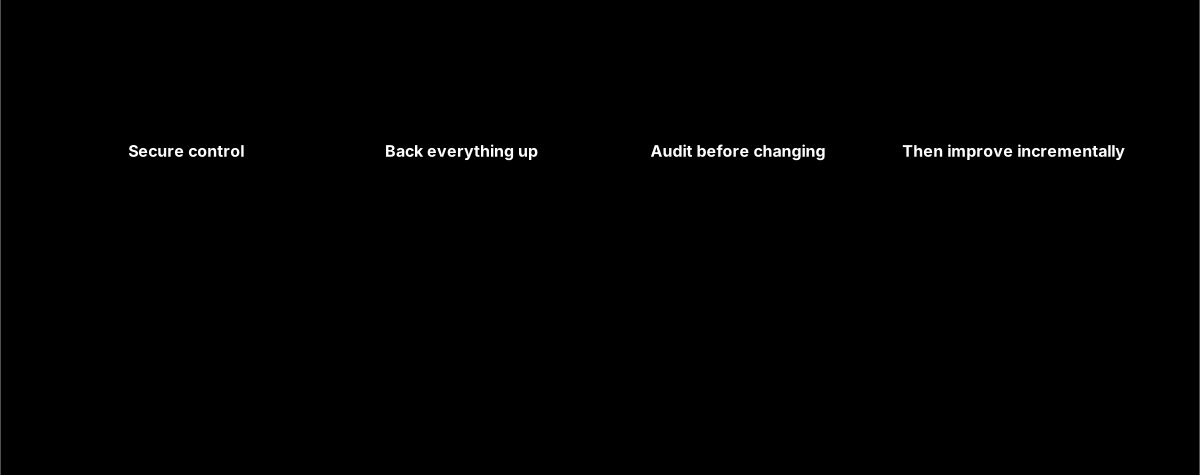
Resist the rebuild instinct, on both sides. It is occasionally right and usually premature, and the alternative — stabilise, document, then improve incrementally — delivers visible results in weeks rather than months while keeping the option open.
And set up the boring infrastructure early: staging, version control, backups, and documentation. The reason your last arrangement left you stuck is almost certainly that none of those existed, and no amount of theme work substitutes for them.
Frequently asked questions
What should I do first when changing Shopify developers?
Secure control before anything technical, which takes about a morning. Confirm you are the Shopify store owner rather than a staff member, check who your domain is registered to and that you hold the login, audit and remove staff and collaborator access for anyone who should no longer have it, and move any app subscriptions from the developer’s billing to yours. Verify owner access to your email platform, analytics, Search Console, and ad accounts. Then take a full backup and export before anyone changes anything. That sequence removes most of the leverage a departed developer might hold.
Should a new developer rebuild my Shopify store?
Usually not as a first move, though nearly every developer inheriting a store will want to. Unfamiliar code reliably looks worse than it is, and the existing store encodes decisions made in response to real problems you cannot see from the code. A rebuild also carries the same risks as a migration — lost section content, changed structured data, broken app blocks, lost tracking — while delaying improvements that could happen in weeks. A rebuild is justified when the theme is modified so badly that safe changes are impossible, or it is very old and unsupported. Otherwise stabilise first and revisit after three months.
How do I handle custom code nobody understands?
Document it rather than replacing it. A developer can read the code and test its behaviour systematically to produce a written specification of what it actually does — and that exercise routinely surfaces behaviours nobody in the business knew about, which is exactly why replacing it blind is dangerous. Once documented, you can decide calmly whether to restructure it, rebuild it, or leave it alone. Budget a couple of weeks for anything substantial and business-critical. It feels like slow progress and it is the step that makes everything afterwards safe.
What should a Shopify store takeover audit include?
Which theme is live and a dated backup of it, what has been modified in core files, code left behind by uninstalled apps, an app inventory against actual usage, all custom functionality with an assessment of whether anyone understands it, integration status including anything failing silently, and whether version control and staging exist. Then baseline both the technical state — Core Web Vitals on mobile, structured data, broken links and redirect chains — and the commercial state, meaning conversion by device and organic traffic by landing page. The deliverable should be a written assessment with a ranked list of recommendations.
Will my previous developer still have access to my store?
Quite possibly, and you should check rather than assume. Collaborator and staff accounts persist until removed, and previous developers commonly retain access for years after a relationship ends — usually with no ill intent and occasionally otherwise. Review your staff accounts and collaborator requests in Shopify settings and remove anyone who should not be there. Also check third-party tools separately, since access to your email platform, analytics, and ad accounts is managed outside Shopify entirely. Change any shared passwords and enable two-factor authentication while you are in there.
How long does it take a new developer to get up to speed on my store?
Expect two weeks for a proper audit and written assessment, and around three months before someone is fully comfortable with a store that has accumulated custom work. The variable is documentation: a well-documented store with version control and a staging environment can be picked up in days, while an undocumented store with years of direct-to-live modifications takes considerably longer and the early estimates will be cautious for good reason. Budget the audit as a distinct paid piece of work rather than expecting it free, because it is the deliverable that makes everything afterwards safe.
Should I tell my new developer what went wrong with the last one?
Yes, in factual terms. What broke, what was never delivered, which parts you were told nobody could change, and where documentation is missing — all of that directs the audit efficiently and saves you money. What is less useful is a characterisation of the previous developer, partly because you may not have the full picture and partly because a new developer who enthusiastically agrees that everything before was terrible is often setting up a case for an unnecessary rebuild. Describe the symptoms and let them assess the causes.