
Online Store 2.0: Sections, Blocks, and a Store Your Team Can Run
On this page
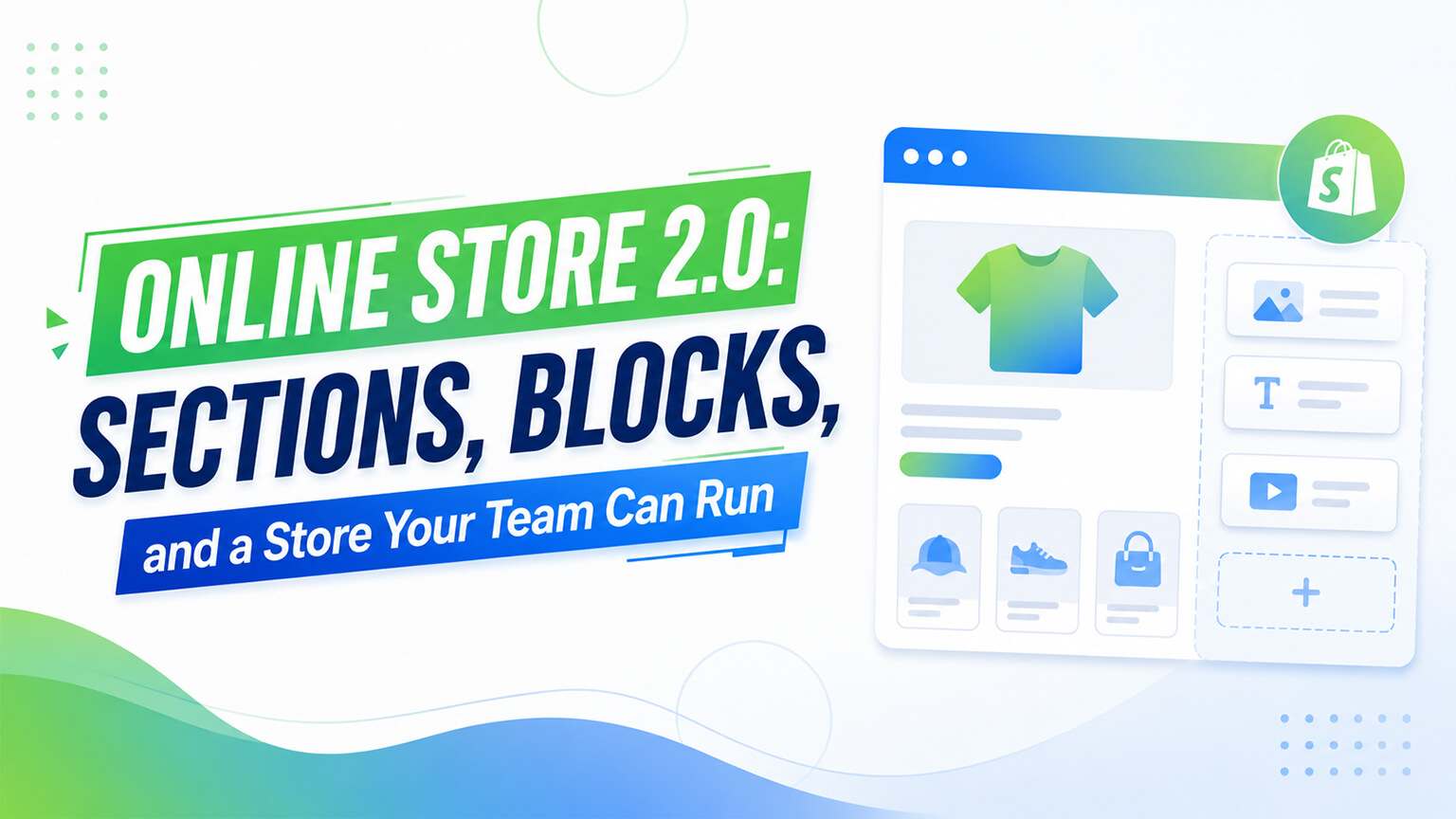
One of the most consequential shifts in Shopify’s history isn’t a flashy feature most shoppers would notice — it’s the change to how themes are built, called Online Store 2.0. For store owners, the significance is simple and large: a store built properly on Online Store 2.0 architecture is a store your team can actually run — composing pages, rearranging content, launching campaigns — without filing a developer ticket for every change. That shift, from a store that needs a developer for routine changes to one your marketing team operates independently, is transformative for how a brand runs day to day, and it’s worth understanding even if you’ll never touch the code.
This piece explains what Online Store 2.0 is in practical terms, the key concepts (sections, blocks), why it matters so much for the maintainability and independence of your store, and what it means for your build decisions. Because the headline benefit — a store your team can run rather than one that holds you hostage to a developer — is one of the more important things to understand about how your store should be built. Let me walk through it.
What Online Store 2.0 is
Online Store 2.0 (often shortened to OS 2.0) is the modern architecture for Shopify themes — a significant evolution in how themes are structured, introduced to make stores more flexible and easier to manage. Without getting into the technical weeds, the key elements are: JSON templates (a more flexible way of defining pages), sections available on every page type (not just the homepage), blocks (modular content within sections), app blocks (apps integrating as blocks you can place), and deep metafield integration (connecting structured data to your theme, as discussed in the metafields context).
The most important practical shift is sections everywhere plus blocks. Previously, the flexible, rearrangeable section system was largely limited to the homepage, while other pages (product, collection, etc.) were more rigid. Online Store 2.0 brought sections (and blocks within them) to every page type, meaning you can compose and customize all your pages — product pages, collection pages, content pages — using flexible, rearrangeable sections and blocks, the way you previously could only do on the homepage. This is what enables the “store your team can run” benefit: with sections and blocks across all pages, your team can compose and edit pages throughout the store via the theme editor, without needing a developer. So Online Store 2.0 is, in essence, the modern theme architecture that makes Shopify stores flexible and manageable across all pages — and understanding that it brought composable sections everywhere is the key to understanding its significance.
Sections and blocks, in plain terms
Let me explain sections and blocks practically, since they’re the heart of it. A section is a self-contained, reusable building block of a page — a hero banner, a featured collection, a testimonials block, an FAQ, a rich text area, an image-with-text, and so on. Sections can be added, removed, reordered, and configured through the theme editor, without code. A block is a modular element within a section — for instance, within a “features” section, each individual feature might be a block you can add, remove, and reorder. So sections are the building blocks of pages, and blocks are the building blocks within sections, both rearrangeable and configurable through the visual theme editor.
This building-block system is what makes a store composable by non-developers. Your team can build a page by adding sections (a hero, then a featured collection, then testimonials, then an FAQ), configuring each through the editor (setting the images, text, products, settings), and rearranging them by dragging — all visually, no code. Want to add a new landing page? Compose it from sections. Want to rearrange the homepage for a campaign? Drag the sections. Want to add a testimonials block to a product page? Add the section. This composability — building and editing pages from rearrangeable, configurable sections and blocks — is the practical magic of Online Store 2.0, and it’s what turns a store from something only a developer can change into something your marketing team operates. The sections-and-blocks system is the mechanism behind the independence that makes OS 2.0 so valuable.
The big benefit: a store your team can run
The headline benefit, worth dwelling on, is reduced developer dependency — a store your team can run independently. Before OS 2.0’s composable architecture (and on stores not built to use it well), routine changes — building a landing page, rearranging a page for a campaign, adding a content block, updating a section — required a developer, because the store wasn’t composable by non-developers. This made the brand dependent on a developer for routine marketing changes, slowing campaigns (waiting on a developer to build the landing page), adding cost (paying for routine changes), and creating a bottleneck (the developer as the constraint on the marketing calendar).
A store built well on OS 2.0 changes this: your marketing team can compose landing pages, rearrange content, launch campaigns, and edit pages themselves, through the theme editor, without a developer for routine changes. This is transformative for how a brand operates — campaigns launch faster (the team builds the landing page when they need it), costs drop (no paying a developer for routine changes), and the bottleneck disappears (the team isn’t waiting on a developer). The store becomes an asset the team operates rather than a dependency that holds them hostage to developer availability. This independence — the team running the store rather than depending on a developer for routine changes — is the core practical benefit of OS 2.0, and it’s why building your store properly on OS 2.0 architecture matters so much. It’s the difference between a store that empowers your team and one that bottlenecks them, which compounds across every campaign and change over the life of the store.
Metafields and app blocks
Two more OS 2.0 elements worth understanding. Metafields integration (covered in the metafields discussion) connects structured data to your theme through the OS 2.0 architecture, so you can display custom product information (specs, ingredients, sizing, etc.) in your sections, managed as editable data. This combines with sections to make rich, structured, editable product and content pages — the data in metafields, displayed through sections, all manageable by your team. So OS 2.0’s metafield integration is part of what enables rich, structured, team-manageable content.
App blocks let apps integrate into your theme as blocks you can place and configure through the editor, rather than requiring code to add app functionality to pages. This means adding app functionality (a reviews widget, an upsell block, etc.) to a page can be done by placing the app’s block via the editor, without code — extending the no-code composability to app functionality. So app blocks bring apps into the composable, team-manageable system, letting your team place and arrange app functionality alongside your content sections, all without a developer. Together, sections, blocks, metafields, and app blocks make OS 2.0 a comprehensively composable, team-manageable architecture — content, structured data, and app functionality all manageable through the editor, which is the full realization of the “store your team can run” benefit.
Why it matters for your build decisions
Understanding OS 2.0 matters for your build decisions, even as a non-developer, because it determines whether your store has the team-independence benefit. The key point: your store should be built properly on OS 2.0 architecture, using sections, blocks, and metafields, so it has the composability and team-manageability that OS 2.0 enables. A store not built to use OS 2.0 well — hard-coding content instead of using sections, not leveraging the composable architecture — misses the independence benefit, leaving you dependent on a developer for routine changes despite OS 2.0 being available.
So when commissioning a theme (custom or customized), the store should be built on OS 2.0 architecture with a good section library, so your team can run it. This is something to ask for and confirm: is the store built on OS 2.0 with sections and blocks your team can use to compose and edit pages? A custom theme should absolutely use OS 2.0 architecture (a custom theme that doesn’t is missing the modern, team-manageable approach), and a customized theme should leverage it. The section library especially matters — a rich library of well-built sections is what gives your team the building blocks to compose pages, so a good OS 2.0 build includes the sections your team will need. So in your build decisions, ensure your store is built properly on OS 2.0 with a good section library, giving you the team-independence benefit, rather than a store that doesn’t leverage the architecture and leaves you developer-dependent. This is part of building a store you own and can run, as discussed throughout — and OS 2.0 is the architecture that makes it possible.
The maintainability connection
This connects directly to the maintainability theme running through these articles — the difference between a store you own and run versus one you’re hostage to. OS 2.0’s composable, team-manageable architecture is a big part of what makes a store maintainable by your team: with sections, blocks, and metafields, your team can make the routine changes (pages, content, campaigns) themselves, rather than depending on a developer for everything. A store built well on OS 2.0 is a maintainable, team-runnable store; a store not leveraging it is more developer-dependent and less maintainable by your team.
So OS 2.0 is central to the maintainability and ownership that good development should deliver. When I emphasize building a store your team can run rather than one that holds you hostage to a developer, OS 2.0 architecture is much of how that’s achieved — the composable sections-and-blocks system that lets your team operate the store. This is why understanding OS 2.0 matters even for non-developers: it’s the architecture behind the team-independence and maintainability that determine how your store runs day to day. A store built on OS 2.0 properly empowers your team and is maintainable; one that isn’t leaves you dependent. So OS 2.0 isn’t just a technical detail — it’s the foundation of the team-runnable, maintainable store that good development aims for, and ensuring your store leverages it is ensuring you get that benefit. The maintainability and ownership themes and OS 2.0 are deeply connected: OS 2.0 is how the modern, team-runnable, maintainable Shopify store is built.
A worked example: the landing page, two ways
To make the team-independence benefit concrete, consider building a campaign landing page two ways. On a store not built to leverage OS 2.0 — where content is hard-coded and pages aren’t composable by non-developers — the marketing team wanting a landing page for a campaign has to brief a developer, wait for it to be built, review it, request changes, and wait again. The landing page is ready days or a week later, the campaign delayed by the developer bottleneck, and there’s a cost for the developer’s time. And every future landing page repeats this cycle. The team is dependent on developer availability for a routine marketing task, which slows the whole marketing calendar.
On a store built well on OS 2.0 with a good section library, the same team builds the landing page themselves: they create the page and compose it from sections — a hero, a featured collection, some benefits blocks, testimonials, a call to action — configuring each through the theme editor, arranging them by dragging, all without a developer. The landing page is ready in hours, when they need it, at no developer cost, and they can iterate freely. Every future landing page is similarly self-serve. The team operates independently, and the marketing calendar isn’t bottlenecked on developer availability.
Same task, completely different experience — and the difference is whether the store was built to leverage OS 2.0’s composable architecture. This scenario repeats across every landing page, every campaign rearrangement, every content change over the life of the store, so the cumulative difference is enormous: the OS 2.0 store empowers the team to move fast and independently, while the non-composable store bottlenecks them on the developer for routine work. This is the team-independence benefit in action, and it’s why building properly on OS 2.0 matters — not as an abstract architecture preference, but as the concrete difference between a team that runs the store and one that waits on a developer for routine changes, multiplied across everything they do.
What to ask for, and what to watch out for
Since OS 2.0’s benefit depends on the store being built to leverage it, here’s what to ask for and watch out for as a store owner. Ask that your store be built on OS 2.0 architecture with a rich, well-built section library — enough flexible sections that your team can compose the pages they’ll need (landing pages, content pages, campaign layouts) from building blocks. Ask that content be managed through sections and metafields (editable by your team) rather than hard-coded (requiring a developer to change). And ask for the handoff and documentation that let your team actually use the section system confidently.
What to watch out for: a “custom” build that doesn’t actually leverage OS 2.0 — hard-coding content, not building a usable section library, leaving you developer-dependent despite OS 2.0 being available. This can happen when a build is done without attention to team-manageability, producing a store that looks fine but that your team can’t actually run. So confirm, when commissioning a build, that the result will be team-manageable on OS 2.0 — that your team will be able to compose and edit pages through the section system, not just that the store uses “OS 2.0” nominally. The goal is the team-independence benefit, which requires the store to be built for team-manageability on OS 2.0, with the section library and editable content that enable it. Ask for that, confirm you’re getting it, and you get the empowered, independent team; accept a build that doesn’t truly leverage OS 2.0, and you’re left developer-dependent despite the architecture being available. The architecture matters, but so does building to use it for team-manageability.
The bottom line
Online Store 2.0 is the modern Shopify theme architecture, and its significance for store owners is large and practical: a store built properly on OS 2.0 is a store your team can actually run — composing pages, rearranging content, launching campaigns, editing throughout — without a developer for routine changes. The key shift is sections (and blocks within them) available on every page type, not just the homepage, making the whole store composable through the visual theme editor: your team builds and edits pages from rearrangeable, configurable sections and blocks, no code required. Combined with metafields (for rich, editable structured content) and app blocks (bringing app functionality into the composable system), OS 2.0 makes a comprehensively team-manageable store. The headline benefit is reduced developer dependency — campaigns launch faster, costs drop, the developer bottleneck disappears, and the store becomes an asset your team operates rather than a dependency that holds them hostage. This connects directly to the maintainability and ownership that good development should deliver: OS 2.0 is much of how a store becomes team-runnable and maintainable rather than developer-dependent. So in your build decisions, ensure your store is built properly on OS 2.0 architecture with a good section library, so you get the team-independence benefit — and understand that even as a non-developer, this architecture choice determines whether your store empowers your team or bottlenecks them, which compounds across every change over the store’s life.
Frequently asked questions
What is Online Store 2.0?
It’s the modern architecture for Shopify themes — a significant evolution that made stores more flexible and manageable. The key elements are JSON templates, sections available on every page type (not just the homepage), blocks (modular content within sections), app blocks (apps integrating as placeable blocks), and deep metafield integration. The most important practical shift is composable sections and blocks across all pages, which lets your team build and edit pages through the visual theme editor without a developer.
Why does Online Store 2.0 matter for store owners?
Because a store built properly on it is a store your team can run — composing landing pages, rearranging content, launching campaigns, and editing throughout, without a developer for routine changes. This reduces developer dependency, so campaigns launch faster, costs drop, and the developer bottleneck disappears. The store becomes an asset your team operates rather than a dependency that holds you hostage to developer availability — a transformative shift in how a brand runs day to day.
What are sections and blocks?
A section is a self-contained, reusable building block of a page — a hero, a featured collection, testimonials, an FAQ, rich text — that can be added, removed, reordered, and configured through the theme editor without code. A block is a modular element within a section (like an individual feature within a features section). Together they make pages composable by non-developers: your team builds pages by adding, configuring, and rearranging sections and blocks visually, which is the practical magic of Online Store 2.0.
Should my custom Shopify theme use Online Store 2.0?
Yes — absolutely. A custom theme should be built on OS 2.0 architecture with a good section library, so it has the composability and team-manageability that lets your team run the store. A custom theme that doesn’t use OS 2.0 is missing the modern, team-manageable approach and leaves you more developer-dependent. When commissioning a theme, confirm it’s built on OS 2.0 with sections, blocks, and metafields your team can use to compose and edit pages — it’s central to building a store you own and can run rather than one you’re hostage to.