
Website Maintenance Packages: Pricing, Features & How to Choose the Right Plan (2026 Guide)
On this page
What Are Website Maintenance Packages?
Here’s something web agencies don’t usually lead with: most websites that end up hacked, broken, or mysteriously slow haven’t had any maintenance done in over a year. No updates. No tested backups. In some cases, an SSL cert expired three months ago, and nobody caught it. A website maintenance packages is just the service that prevents that. Some agencies call it a website care plan. Others say web support subscription, digital maintenance contract, or site upkeep service. The name changes. The job doesn’t. Someone watches your site so you don’t have to.
In practice, plugin and theme updates run on a fixed schedule. Your SSL cert doesn’t quietly expire. If something breaks at noon on a Tuesday, there’s a person whose responsibility it is to fix it. Not you Googling error messages at midnight. One thing worth clearing up before we go further: maintenance isn’t development. You’re not getting new features or redesign work. You’re paying for the steady, unglamorous work that stops what you’ve already built from quietly falling apart.
Quick Answer
Short version: it’s a recurring plan where a developer or agency handles your site’s updates, backups, security, and uptime—without you having to ask every time. Pricing in 2026 starts around $50/month for the basics and goes past $2,000 for enterprise-grade managed support with SLA guarantees. The price gap between a good package and a useless one rarely comes down to cost. It comes down to what’s actually in the contract.
Why Website Maintenance Is Important for Your Business
Most business owners don’t think seriously about maintenance until something breaks. A hacked homepage. Three days of checkout failures nobody caught. A Google ranking drop that started six weeks ago and still has no explanation.
By that point the damage is already done. And in the majority of cases, it was preventable.
- Google’s own data: 53% of mobile users abandon a site that takes more than 3 seconds to load—slow sites almost always trace back to neglected maintenance.
- According to Sucuri’s breach report, outdated plugins are behind more than half of all WordPress security incidents.
- Small businesses average $427 in losses per hour of unexpected downtime.
- ADA and GDPR violations have resulted in real lawsuits filed against small businesses—not just large corporations.
None of this is meant to be alarming. It’s just what happens to sites that don’t get looked after. Maintenance is repetitive, invisible work—and that’s exactly why it matters. You don’t want to be thinking about it. You want it handled.
What Does a Website Maintenance Package Include?
Read the actual contract before you commit to anything. ‘Website maintenance’ can mean a thorough 15-point monthly process, or it can mean two automated scripts running in the background while someone bills you $300. The label doesn’t tell you which one you’re getting.
A properly scoped plan should include, at minimum:
- Plugin, theme, and CMS core updates on a defined schedule—not ‘when we get around to it’
- Malware scanning and removal, with real alerts when something’s actually detected
- Uptime monitoring via tools like Uptime Robot—outages flagged in under 60 seconds, which no manual check can match
- Cloud backups that have been tested and confirmed restorable—an untested backup is decorative at best
- SSL certificate renewal well before the expiry date, not after visitors start seeing browser warnings
- Broken link fixes and minor bugs covered within the stated scope of work
- Performance maintenance—caching, CDN setup, image optimization—the work that moves Core Web Vitals scores
- A monthly report with a real health score, not a one-sentence email that says ‘everything’s running smoothly’
- CMS content updates within a set hours allowance
Step up to a premium or enterprise tier, and you’ll typically also get database cleanup, staging environments for safe update testing, compliance monitoring for GDPR and ADA, heatmap and behavior tracking tools, and sometimes direct access to an on-call developer.
Types of Website Maintenance Packages
Four tiers. The difference between them matters more than the price gap alone would suggest.
Basic Care Plan
Updates, backups, uptime monitoring, and SSL management. Content edits aren’t typically included. Works well for a local business site or a portfolio that doesn’t need active management—it just needs to stay online, stay secure, and not cause problems.
Standard Monthly Plan
Everything in Basic, plus a few hours of content edits each month, proper security scanning, and more detailed reporting. Most SMBs and WordPress site owners land here. The meaningful difference from Basic is that an actual human is reviewing your site each month — not just automated scripts doing their thing in the background.
Premium Care Plan
Priority response, staging environments, advanced security (including web application firewall protection), and bundled development hours for small custom work. If your site takes orders, generates leads, or supports any paid campaign spend, this tier is the floor—not a premium add-on.
Enterprise Maintenance Contract
For organizations running multiple sites, custom integrations, or complex stacks. Dedicated account managers, hard SLA windows, custom reporting dashboards, and white-label delivery options. Pricing is negotiated because scope is negotiated. No standard package applies.
Website Maintenance Pricing in 2026
Current market rates, based on real agency data:
| Package Tier | Monthly Price Range | Best For |
| Basic Care Plan | $50 – $150/month | Small business, portfolio sites |
| Standard Plan | $150 – $500/month | SMBs, WordPress, WooCommerce |
| Premium Plan | $500 – $1,200/month | eCommerce, high-traffic sites |
| Enterprise Contract | $1,200 – $3,000+/month | Large businesses, multi-site |
| White-Label (Agency) | Custom / Reseller Pricing | Agencies managing client sites |
What drives fees above the base charge: custom-coded web sites fee greater to maintain than WordPress or Shopify because there’s no popular automated update direction. Multi-language setups, third-party API integrations, and tighter SLA requirements all upload to the monthly value. Worth noting—annual plans normally run 10–20% cheaper than paying month to month, if cash waft lets in committing in advance.
Monthly vs. Hourly vs. Pay-As-You-Go Maintenance
Three ways to structure maintenance billing. They produce very different results in practice.
Monthly Retainer
Fixed cost, defined scope, and your provider treats your site as an ongoing account rather than a one-off job. If something breaks midmonth, you’re not starting a new conversation about cost. Most retainers include a rollover policy for unused hours. This is genuinely the right model for any site that supports a real business—and pretty much the wrong call for anything else.
Hourly Billing
Useful for isolated fixes. As a maintenance model, it falls apart fast. No proactive monitoring happens, you’re deprioritized against retainer clients when the agency is busy, and multiple issues at once means multiple hours invoiced at once. People don’t realize how quickly that adds up.
Pay-As-You-Go
Maximum flexibility, minimum protection. Nothing proactive happens. Problems show up when a user reports them—which is always later than you’d want. Fine for a personal side project. For anything business-critical, this approach leaves too much to chance.
Comparing Website Maintenance Packages (Side-by-Side)
| Feature | Basic | Standard | Premium | Enterprise |
| Plugin Updates | Monthly | Weekly | Weekly | Daily |
| Security Monitoring | Basic Scan | Full Scan | Advanced + WAF | 24/7 Dedicated |
| Uptime Monitoring | Yes | Yes | Yes | Real-time SLA |
| Backups | 1x/month | Weekly | Daily | Hourly |
| Content Updates | Not included | 2 hrs/month | 5 hrs/month | Unlimited |
| Performance Optimization | Not included | Quarterly | Monthly | Ongoing |
| Monthly Reporting | Basic summary | Detailed report | Health score + insights | Custom dashboard |
| Support Response Time | 48 hours | 24 hours | 4-8 hours | SLA guaranteed |
| Emergency Support | Not included | Available as add-on | Included | 24/7 on-call |
Benefits of Monthly Website Maintenance Plans
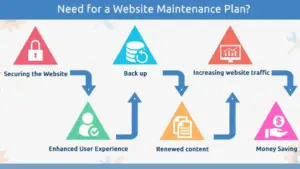
The ‘peace of mind’ pitch gets used a lot. It’s real, but it undersells the actual practical benefits:
- Flat monthly cost means no surprise invoices after an expensive week of bug fixes. You budget it once and forget about it.
- Retainer clients get priority. When something breaks Friday afternoon, the agency’s hourly clients wait. You don’t. That difference matters more than people realize until they actually need it.
- Six months in, your provider knows your site. They know which plugin has always caused grief, where the wonky custom code lives, what broke last time, and why. That kind of familiarity is genuinely hard to replace—and you lose it every time you start over with someone new.
- Performance work stacks. A 0.3-second load time improvement each month doesn’t sound like much. Over a year it adds up to a meaningfully faster site and Core Web Vitals scores that trend upward rather than sitting flat.
- The onboarding audit catches things. Most clients are surprised by what turns up when a professional reviews their site properly for the first time.
DIY vs. Professional Website Maintenance
Some business owners manage their own maintenance and do fine with it. The ones who run into trouble usually find out in one of a few ways—an update that goes wrong and takes the site offline, a backup that was never actually tested, or a security issue that quietly ran for weeks before anyone noticed.
| Factor | DIY Maintenance | Professional Service |
| Time per month | 5-15 hours, often more | Zero — handled for you |
| Technical skill needed | Moderate to high | None required from you |
| Update safety | High conflict risk | Staging-tested before live |
| Monitoring | Manual, easy to miss | Automated, all hours |
| Response when things break | Whenever you’re available | Within SLA window |
| Real cost | Your hourly rate x hours spent | $50-$3,000+/month |
Run the numbers. If your time is worth $150/hour and maintenance takes 8 hours a month, that’s $1,200 in opportunity cost—for work a developer handles faster and with staging safety. A $200/month professional plan starts looking fairly obvious at that point.
Industry-Specific Website Maintenance Needs
The stakes aren’t the same across every type of site. Here’s how maintenance priorities actually shift by sector:
- eCommerce on Shopify or WooCommerce: A broken checkout or payment integration failure isn’t a technical inconvenience. It’s direct revenue walking out the door. Daily backups, payment monitoring, inventory sync verification, and PCI compliance checks are non-negotiable here. This is not where you buy the cheapest plan available.
- Healthcare and Legal: HIPAA, GDPR, and ADA compliance require active, ongoing monitoring—they don’t stay compliant on their own. A misconfigured contact form or an inaccessible PDF can create real legal exposure. These sites need compliance built into the maintenance scope from day one.
- WordPress Sites: The plugin atmosphere is actually effective, however every plugin update is a capability conflict. When three plugins update the identical day and considered one of them breaks the homepage, you need someone who is aware of your web site handling it—in a staging surroundings, no longer without delay on the live version.
- Small Local Businesses: Uptime reliability, Google Business Profile health, and basic content freshness cover most of what matters here. A well-structured basic or standard plan handles it without unnecessary complexity.
- Digital Agencies: White-label maintenance packages solve a real operational problem. You offer ongoing site care to clients under your own brand without building an internal ops team. Client-facing report branding and tiered reseller pricing keep margins workable.
Red Flags to Avoid in Website Maintenance Packages
Some of the worst applications are those that sound the most thorough. A few particular things to watch for while reviewing a company:
- No SLA in writing: ‘We respond quickly’ is not a commitment. If they can’t put a response time in the contract, they’re telling you something important about how they operate.
- Vague scope: ‘General website support’ is not enforceable language. You need an explicit list of what is and isn’t covered—before you sign, not after something gets disputed.
- No staging environment: Providers who push updates directly to your live site are saving themselves time at your risk. That’s a systemic problem with how they work, not a one-off shortcut.
- Reports with no substance: A monthly email that says ‘updates were applied’ isn’t a deliverable. A real report includes a health score, performance benchmarks, and notes on what changed.
- No unused hours policy: If your plan covers 5 hours and you use 2, what happens to the remaining 3? Rollover policies exist. Providers who don’t offer them keep the difference.
- Inflexible contracts: Good providers are secure enough to offer flexibility on tier changes and cancellation. If exit terms are punitive or scaling up/down is complicated, treat that as information about the relationship ahead.
Questions to Ask Before Choosing a Maintenance Provider
- Ask these before signing. The answers reveal far more than any sales page will:
- What’s your response time for urgent issues—and is that written into the contract?
- Do updates go through a staging environment before they touch the live site?
- Where are backups stored? How often are restores actually tested, and how long does a full recovery take?
- Can I see a sample of the monthly report before I commit?
- What happens to unused hours—do they roll over or reset at the end of the month?
- Have you maintained sites on my platform before? Can you share an example of that work?
- Who’s my direct contact? If they leave, what’s the handoff process?
How to Choose the Right Website Maintenance Package
Four questions that cut through the noise faster than any comparison chart:
- What platform are you on? WordPress, Shopify, WooCommerce, and custom-constructed web sites each have one of a kind upkeep complexity — and the pricing displays that.
- How much does your business actually depend on this site? A site that generates leads or processes orders has a completely different tolerance for downtime than a static informational page. Be honest about this.
- How much traffic are you handling? Volume changes the math on backups, SLA tightness, and how quickly a performance problem starts costing you real money.
- What’s literally in the contract? Open the comparison table above and go line by line. If staging environment access is important to you, it needs to appear explicitly—’professional service’ doesn’t imply it.
After those questions, talk to two or three providers. Use the question list from the previous section. Check reviews on third-party platforms, not just the testimonials page on their own site. And read the exit terms before you commit—not when you’re already trying to leave.
Signs Your Website Needs Maintenance
If more than one of these applies to your site right now, you’re overdue:
- Pages are loading slower than they were six months ago.
- Your SSL cert is expiring soon—or already has, and some visitors are hitting a browser warning.
- Plugin or theme updates are sitting pending in your dashboard.
- You genuinely don’t know if your last backup actually worked.
- A customer mentioned something broken—a form, a button, something in checkout
- Organic traffic has been quietly declining for a couple of months without an obvious reason.
- Google Search Console hasn’t been opened in recent memory.
- You have no uptime monitoring and wouldn’t know if the site went offline at 2am.
Best Practices for Website Maintenance
Whether you’re running this yourself or auditing what a provider should be doing:
- Stage everything first. CMS version updates, plugin combinations, and theme changes—test on a staging copy before touching the live site. No exceptions for ‘minor’ updates.
- Automate uptime monitoring. Manual checks miss things. Tools like Uptime Robot flag outages in under 60 seconds. That’s the standard to hold your provider to.
- Backups go off-server. If your hosting fails and the backup is on the same server, you have nothing. A separate cloud storage location is the minimum.
- SSL renewals at 45 days out, not when the expiry email lands. A browser warning on your site tanks trust and conversion rates faster than almost anything else.
- Log every change. Date, what changed, and who did it. When something breaks three weeks later, that log cuts the debugging time dramatically.
- Quarterly audits separate from monthly checks. Routine scans catch obvious issues. A proper quarterly review finds compliance drift, architectural problems, and outdated code that monthly monitoring misses.
Website Maintenance Plan Examples (Real Use Cases)
Three anonymized real-world scenarios:
Local Restaurant—Basic Plan, $79/month
A family restaurant needed reliable uptime through lunch and dinner hours, current SSL, and plugin updates handled on a schedule. The owner manages menu content. Uptime monitoring alerts the agency within 60 seconds of any outage. After 14 months on the plan: zero unplanned outages during service hours.
Growing WooCommerce Store—Standard Plan, $399/month
About 800 products, 12,000 monthly visitors. Needed daily backups, malware scanning, monthly performance work, and 4 hours of content edits per month. Every update runs through staging first. Since onboarding: no payment errors, load time down by 1.4 seconds.
Marketing Agency—White-Label Package, Custom Pricing
Managing 40 client sites. Couldn’t justify an internal ops team. Resells a white-label service under their own brand—clients get branded monthly reports and never see the backend partner. Unused hours roll forward. The tiered reseller structure keeps margins workable on smaller accounts too.
FAQs About Website Maintenance Packages
How much does website maintenance actually cost per month?
Realistically, $100–$500/month gets most small and mid-size businesses what they need. What moves the price up: tighter SLA windows, more content editing hours, custom or complex platforms, and multiple sites. The right plan is the cheapest one that actually covers your needs—not the cheapest plan you can find.
Monthly charge or one-time cost?
Recurring. A website needs the same kind of ongoing attention as any business infrastructure. Paying for a tune-up once and ignoring it for two years isn’t a maintenance strategy. Annual plans are usually 10–20% cheaper per month if you want to pay upfront.
What if I want to switch providers later?
Check the exit clause before you sign anything. Solid providers offer month-to-month terms or a reasonable notice window. Long lock-in periods with penalty clauses usually signal something about how that relationship will go.
My site barely changes. Do I still need maintenance?
Yes. Content frequency has nothing to do with it. An unchanged site still runs software with exploitable vulnerabilities. Its SSL cert still expires. If the server has a problem, the site still goes down. Maintenance is about infrastructure—not content freshness.
What is an SLA, and why should I care?
Service Level Agreement. It’s the document that makes your provider’s response time promises binding rather than verbal. Without a written SLA, ‘we’ll be responsive’ means nothing enforceable. Ask to see it before you sign.
What does white-label maintenance mean for agencies?
An agency buys maintenance wholesale from a specialist and resells it under their own brand. The client sees the agency’s name on every report and communication. The actual technical work happens behind the scenes. It lets agencies offer professional site care without building an internal ops team from scratch.
Conclusion: Choosing the Best Website Maintenance Plan for Your Needs
A website isn’t a one-time project. It’s infrastructure, and infrastructure deteriorates without upkeep. Businesses that figure this out early spend a few hundred dollars a month on a maintenance plan and stop worrying about it. The ones that figure it out late do so through a security incident, a Google penalty, or a week where the site is down and nobody knows who to call.
For most small businesses, a $150–$300/month standard plan is more than sufficient. For sites running real eCommerce volume or any kind of lead generation, a premium plan earns back its cost fast. The tier is less important than whether what’s written in the contract actually maps to what your site needs.
Don’t buy a package because the sales page sounds thorough. Get the SLA in writing. Ask for a sample report. Ask what happens to unused hours. Those three things alone will separate a real maintenance partner from someone who just set up a recurring invoice and moved on.