
Shopify SEO Issues: How to Identify and Fix Them
On this page

Introduction
Here’s the thing about Shopify stores—setting one up takes maybe a weekend if you’re motivated. Getting actual customers to find it? That’s a completely different ballgame. You’re probably reading this due to the fact your store’s been stagnant for months now, and the traffic, well, it’s no longer what you were hoping for. Maybe you are getting 10 site visitors an afternoon, and clearly, half of them are probably you checking your own website. The frustrating part? Your products are solid. Prices are competitive. The store looks professional. So what gives? Nine times out of ten, it’s not your business model—it’s SEO issues with Shopify that nobody warned you about when you signed up. These common Shopify SEO issues don’t announce themselves with pop-ups or error messages.
They just quietly strangle your visibility while you wonder why competitors with inferior products keep showing up above you in search results.
I’m talking about stuff like Shopify duplicate content problems that happen automatically because of how the platform structures URLs. Or Shopify site speed issues caused by that fifth app you installed and forgot about. Maybe it’s technical SEO issues with Shopify buried in your site’s code where you’d never think to look. Whatever it is, it’s fixable. That’s the good news.
This guide cuts through the confusion and shows you the actual Shopify SEO problems that matter most. Whether you’re battling Shopify product page SEO challenges or just trying to figure out why Google seems to hate your store, we’ve got practical solutions. Written specifically for US store owners who are done watching their organic traffic flatline while paying for every visitor through ads.
Why Shopify SEO Can Be Tricky
Shopify wasn’t built by SEO specialists—it was built for regular people who wanted to sell stuff online without needing a computer science degree. That’s actually its superpower, but it creates some weird limitations when you start caring about search rankings.
The platform is hosted, which means Shopify controls the underlying infrastructure. You cannot just dive into the backend and rewire the whole lot like you may with a self-hosted WordPress website online. This creates Shopify URL shape issues that vary from disturbing to genuinely complicated. Your product URLs automatically get /products/ stuck in them, collections get /collections/, and removing these requires either expensive apps or custom development that voids certain support agreements.
Now, the theme store. Beautiful designs everywhere, right? Pick one, customize the colors, add your logo, and boom—a professional store. Except here’s what they don’t mention: every theme comes loaded with code. Some themes are lean and mean. Others are bloated monsters carrying features for every possible use case, most of which you’ll never touch. Same with apps. Each one adds scripts, tracking pixels, and style sheets. Install seven or eight apps, and suddenly you’ve got Shopify site performance problems that directly cause Shopify slow-loading pages. Google sees this. Google cares about this. Your rankings suffer.
Then there’s the Shopify duplicate content problem, which honestly feels like a trap if you don’t know it’s coming. Shopify routinely generates extraordinary URL paths for the same product, relying on how customers reach it. One product is probably accessible through 3 special collections, developing three exceptional URLs with identical content material. Without proper canonical tags pointing Google to the “real” model, you have accidentally created a mess of reproduced content material that confuses engines like Google about which page merits ranking.
Mobile is another pain point. Google switched to mobile-first indexing—meaning they primarily judge your site based on how it performs on phones, not desktops. Any Shopify mobile SEO problems translate directly into ranking problems. It doesn’t matter if your desktop experience is flawless; if the mobile version is slow or clunky, you’re basically invisible in search results. And given that most online shopping happens on phones now, this isn’t a minor issue.
The bottom line: Shopify makes store creation ridiculously easy, but SEO optimization for Shopify stores requires understanding these platform-specific quirks. Once you know where the problems hide, they’re manageable. You just need to know what you’re looking for.
Common Shopify SEO Issues and How to Fix Them
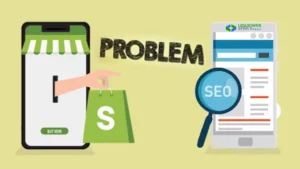
Technical SEO Issues
Technical problems are the worst because they’re invisible. Your store looks fine to visitors, but search engines are struggling behind the scenes. These technical SEO issues with Shopify need fixing before anything else matters.
Page speed—this is probably your biggest problem right now. Google’s made it clear that load time impacts Shopify ranking elements, and cell speed topics even more. If your keep takes longer than three seconds to load, you are hemorrhaging traffic and ratings. What’s slowing you down? Usually, it is uncompressed images (that 4MB product photo straight from your camera), useless apps running scripts on each page, and issues packed with features you by no means use. Fix it by compressing every picture to beneath 200 KB using equipment like TinyPNG. Delete apps you established and forgot about as soon as possible—they are nonetheless loading code even in case you’re not using them. Consider a lighter theme if yours is especially bloated. Actually run Google PageSpeed Insights and put into effect what it suggests in preference to just looking at the score and moving on.
Duplicate content drives me crazy because it’s so preventable yet so common. Shopify creates multiple URLs for the same product—/products/blue-widget and /collections/widgets/products/blue-widget might show identical content. Google sees separate pages and gets confused about which one to rank. Solution? Canonical tags that tell search engines “this is the main version.” Check your page source code to verify these are pointing correctly. Also, never copy manufacturer product descriptions. If 50 other stores use identical text, that’s duplicate content across the entire web. Write unique descriptions for everything, even if it’s more work.
Broken links and 404 errors happen when you delete products or restructure collections without setting up redirects. Every 404 wastes crawl budget and creates a terrible user experience. Use Screaming Frog to identify all broken links, then set up 301 redirects in your Shopify admin under Online Store > Navigation > URL. Redirects. Redirect old product pages to similar current products or relevant collections—don’t just dump everything to your homepage like a lazy person.
Mobile issues are critical now. Test your store on actual phones—iPhone and Android both. Can you read text without zooming? Are buttons easy to tap without accidentally hitting the wrong one? Does it load fast on 4G? If not, you need a better theme or serious optimization work. Use Google’s Mobile-Friendly Test and fix every issue it flags. This isn’t optional anymore with mobile-first indexing.
Sitemap problems prevent Google from finding your pages properly. Submit yourstore.com/sitemap.xml to Google Search Console if you haven’t already. Check which pages are indexed versus excluded and why. Sometimes robots.txt accidentally blocks important pages, or noindex tags are applied where they shouldn’t be. These literally hide parts of your site from search engines—fix them immediately.
On-Page SEO Issues
On-page elements are what people actually see, and they tell search engines what your content is about. Still, mistakes are everywhere.
Title tags are huge ranking signals, yet most stores waste them. Generic titles like “Product Name – Store Name” tell Google nothing useful. Instead, put your main keyword first, keep it under 60 characters so Google doesn’t cut it off, and make it compelling. “Women’s Lightweight Running Shoes | Free 2-Day Shipping” beats “Running Shoes – Athletic Store” every single time. Do this for every important page with unique titles.
Meta descriptions don’t directly affect rankings but massively impact click-through rates, which does matter. Write unique descriptions for every page—150-160 characters, naturally including your main keyword but written for humans. “Handcrafted Italian leather wallets built to last decades. Free engraving and worldwide shipping” works way better than keyword-stuffed nonsense that reads like a robot malfunction.
H1 tags—one per page, descriptive, including your main keyword. For organic dog food targeting sensitive stomachs, use “Organic Grain-Free Dog Food for Sensitive Stomachs,” not “Dog Food” or “Welcome!” Simple rule, but people still mess it up constantly.
Alt text on images—every single image needs descriptive alt text. Not “image1.jpg” or blank, but actual descriptions like “red Italian leather crossbody handbag with gold chain strap.” This helps visually impaired users, improves Shopify image SEO, and can drive traffic from Google Images. Also compress images to under 200 KB because huge files destroy page speed.
Internal linking spreads link equity and helps search engines understand site structure. Link from your homepage to important categories, from collection pages to featured products with descriptive anchor text, and from blog posts to relevant products. Create a web of strategic connections throughout your site.
Content & Blog SEO Issues
Blogs aren’t just for posting random thoughts—they’re powerful traffic generators if done correctly. The problem is, most stores either ignore blogging or do it completely wrong.
Thin content kills your authority. Google specifically targets sites with low-quality, shallow content. Those 300-word keyword-stuffed articles are not going to cut it. Google’s made it clear that load time affects Shopify ranking factors, and mobile speed matters even more. If your store takes longer than three seconds to load, you’re hemorrhaging both visitors and rankings. What’s slowing you down? Usually it’s uncompressed images (that 4MB product photo straight from your camera), unnecessary apps running scripts on every page, and themes packed with features you never use. Fix it by compressing every image to under 200 KB using tools like TinyPNG. Delete apps you installed once and forgot about—they’re still loading code even if you’re not using them. Consider a lighter theme if yours is particularly bloated. Actually run Google PageSpeed Insights and implement what it suggests instead of just looking at the score and moving on. fed posts you’re cranking out? Probably doing more harm than good. Write comprehensive, valuable content that thoroughly answers user questions. Before writing, search your target keyword and analyze the top 10 results. What format works? How deep do they go? Then create something better with more value.
Duplicate product descriptions happen when you copy the manufacturer’s text. If dozens of other retailers use identical descriptions, your page offers nothing unique to search engines. Write your own descriptions highlighting specific benefits and use cases. If you have similar products, make each genuinely different by discussing what makes that particular item special.
Link from blog content to relevant products naturally. Writing about summer fashion trends? Link to items in your store that fit those trends. This drives traffic and shows search engines how your content connects to products.
Advanced SEO Problems
Structured data permits rich results in search—those stronger listings with scores, expenses, and availability. Implement JSON-LD schema for products, such as name, picture, charge, availability, and rankings. Validate with Google’s Rich Results Test tool to capture any mistakes.
Canonical tags want to point to your selected URL model—typically the principal product page as opposed to series-specific URLs. Check the web page source code to affirm these are correct; in any other case, you risk reproduction of content material penalties.
International search engine optimization calls for hreflang tags in case you’re promoting to more than one country. These inform Google which language/location model to expose to users, stopping duplicate content penalties throughout regional websites.
How to Audit Shopify SEO
Start with Google Search Console—check Coverage for indexation problems, cellular usability for device problems, and overall performance for rating possibilities. Use Screaming Frog or SEMrush to crawl your whole website, identifying technical problems. Install Shopify search engine marketing plugins like Plug in SEO for automatic scanning. Test speed with PageSpeed Insights and GTmetrix, enforcing their specific recommendations. Audit month-to-month if actively optimizing, quarterly at minimal.
Best Practices for Preventing Shopify SEO Issues
Create checklists for adding products—ensuring unique descriptions, optimized images with alt text, strategic keywords, and proper schema. Audit apps quarterly and delete unused ones since each potentially slows your site. Stay updated on algorithm changes and reveal scores with monitoring tools. Prioritize the cell in each decision, checking out all modifications on actual telephones before launching. Build nice backlinks via valuable content and proper relationships, no longer through shopping for links. Maintain constant publishing schedules, signaling your site is energetic.
Conclusion
Shopify SEO problems aren’t permanent obstacles. While the platform has quirks and limitations, every issue has proven solutions. Most competitors aren’t handling this correctly either, meaning fixing these problems creates a genuine competitive advantage.
Start with high-impact fixes: speed, mobile optimization, title tags, and meta descriptions. These show results quickly. Layer in technical improvements like schema markup and strategic linking. Make SEO part of regular processes rather than one-time projects.
Track development, have fun wins, and alter what does not work. Your products deserve visibility from clients actively looking for them. By systematically addressing those issues, you are no longer simply solving technical troubles—you’re creating real commercial enterprise growth possibilities. Start today with one improvement, construct momentum, and watch organic visitors climb.